
The most revealing moment in a payroll-software demo is not payday. It is 4:47 on a Friday afternoon, when someone in sales becomes a manager. Their salary changes. Their approval limit changes. Their place in the org chart changes. They may need access to a new dashboard and a different security group. The question is whether one edit can travel that entire distance, or whether the promotion becomes a relay race among people operations, finance, and IT.
That is the useful frame for Rippling versus Gusto. On a standard comparison sheet, the pair crowd into the same row: payroll, benefits, onboarding, time tracking, talent tools, reporting. Both can be sensible choices. Both promise to take painful administrative work away from employers. Yet the overlap disguises two very different ideas about what the product is for.
Gusto begins with the small employer trying to pay people correctly and offer decent benefits without becoming a payroll specialist. Its public product catalog stays close to that job: full-service payroll, benefits, hiring and onboarding, time and attendance, talent management, and reporting. The company says it serves more than 500,000 businesses. Its language is plain, friendly, and centered on the team.
Rippling begins with a data model. It calls that model the employee graph: a shared record of the person, their role, location, department, pay, devices, application access, and spending rules. HR and payroll sit on that foundation, but so do native products for identity, device and inventory management, corporate cards, expenses, travel, bill pay, and banking. The pitch is not merely that these tools can integrate. It is that they are governed by the same facts.
The difference appears when a change in HR should become an action somewhere else.
Start with the employee, not the checklist
Imagine hiring a remote engineer. In either platform, the company can collect details, prepare onboarding, and run payroll. With a stack centered on Gusto, the IT portion typically belongs to another product. Someone provisions Google Workspace or Okta, orders a laptop through a device vendor, applies mobile-device-management policy, and later reconciles those systems with the HR record. Integrations can reduce the copying, but the surrounding products remain separate.
Rippling sells those surrounding actions as part of its own suite. The engineer's department and start date can determine which apps appear, which laptop is shipped, which security policy applies, and which card or expense limit is appropriate. When the employee changes roles or leaves, the same attributes can drive the reversal. The architecture turns a personnel fact into an operational trigger.
record
This distinction is more consequential than a longer feature list. A suite can contain many products and still behave like separate islands. Rippling's claim is that its reporting, permissions, policies, and workflow engine sit below the applications. A company can build a report combining device age with department, or route an expense according to a person's level, because the fields are already connected.
There is an obvious benefit: fewer handoffs. There is also a less obvious one: policy can follow reality. If access, devices, and spending authority depend on the current employee record, a promotion or departure does not have to wait for a chain of tickets. For a lean operations team, that is the product.
Gusto's narrower map is often the point
Breadth is not a universal advantage. The owner of a 14-person design studio may not want their payroll vendor to become their identity provider, device manager, travel system, and bank. They may want payroll to be understandable on Sunday night, taxes to be filed, health coverage to connect cleanly, and new employees to complete forms without a call.
Gusto's focus serves that customer well. The platform combines payroll with benefits and familiar HR jobs, and it offers an employee app and Gusto Wallet. Those financial features help employees view, save, and access their pay; they should not be confused with a native corporate-spend operation for cards, expenses, travel, and vendor bills. Gusto also offers integrations, which let a business assemble the rest of its stack according to preference.
Gusto
- Payroll and tax filing
- Benefits and retirement
- Hiring, onboarding, time, and talent
- Reporting and outside integrations
Rippling
- HR, payroll, benefits, and talent
- Identity, app access, and device management
- Corporate cards, expenses, travel, and bills
- Shared policies, permissions, data, and workflows
A focused product can be easier to buy, teach, and govern. It can also preserve freedom to choose a specialized IT or expense tool. The tradeoff arrives later, as the organization grows: every extra system creates another boundary where data can lag, permissions can drift, and ownership can blur. Gusto reduces complexity inside the people stack. Rippling tries to remove more of the stack itself.
The screenshots can fool you
Software buyers often compare what is easiest to see: navigation, dashboards, mobile polish, payroll-run steps. Those things matter because administrators live in them. But interface comparisons can make unlike systems look alike. A payroll report in Rippling and one in Gusto are both, at first glance, payroll reports.
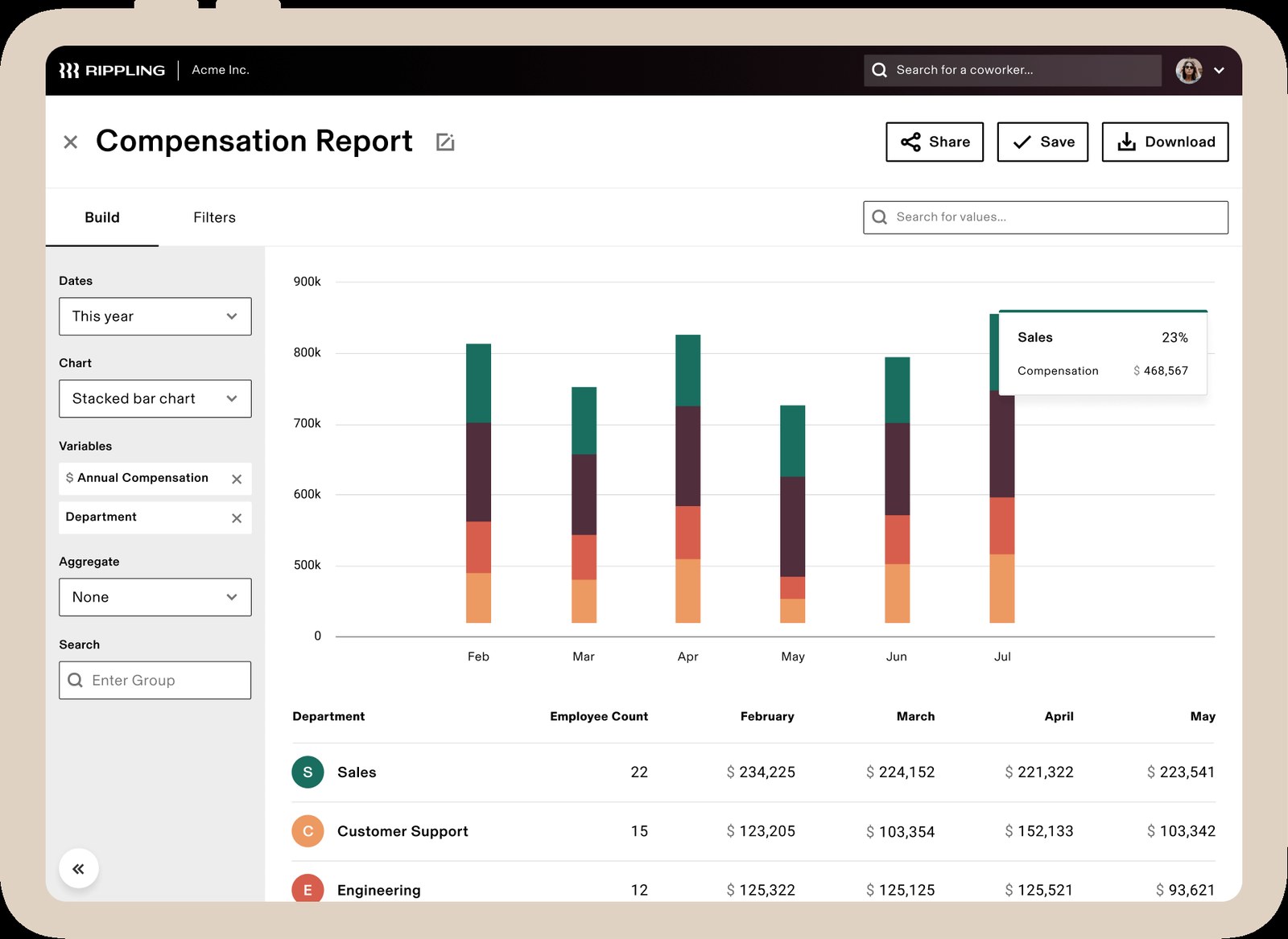
Ask instead for a live role-change demo. Change an employee from individual contributor to manager. Then watch whether compensation, time-off approval, application groups, device requirements, and corporate-card limits update from the same event. Ask what happens when that person transfers countries. Ask who can see the resulting data, how permissions are inherited, and where an administrator can inspect the audit trail.
That test exposes architecture. It also exposes your own needs. If the app-access and card questions sound irrelevant, a wider platform may add buying and implementation work without delivering proportional value. If they sound painfully familiar, a payroll-only scorecard is measuring the wrong contest.
Consolidation has a price
Rippling's reach can retire vendors and compress workflows, but it also concentrates more operations in one relationship. Buyers should examine packaging, implementation effort, support, permissions, export paths, and the quality of each module they intend to use. A shared data layer is valuable only if administrators trust the data and configure the policies well.
Gusto's modular surroundings create their own work. An integration is not the same as a native action. Buyers should learn which fields sync, in which direction, how quickly, and what happens when a record fails. They should assign an owner for offboarding across payroll, identity, devices, and expenses. Small companies often discover these seams only when the first urgent departure arrives.
Neither choice removes operations. It changes where operations live. Rippling moves more rules into one platform. Gusto keeps the center of gravity in payroll and HR, leaving IT and finance operations to connected specialists and human process.
A better buying test
- Map one hire, one promotion, and one departure from start to finish.
- Count every system, approval, re-entry, and waiting period.
- Separate today's pain from hypothetical future complexity.
- Demo the awkward exception, not only the happy path.
- Price the stack you can actually retire, including implementation.
Who should choose what
Gusto makes the stronger case when payroll and benefits are the center of the job, the company is relatively small, and the surrounding IT and finance processes are simple or already handled by tools the team likes. Its restraint is legible. Employers can adopt a people platform without redesigning the rest of operations.
Rippling makes the stronger case when employee changes routinely spill into IT and finance, or when a company wants them to. Distributed hiring, frequent role changes, a large application catalog, managed laptops, granular access policy, corporate cards, and global expenses all increase the value of a common employee model. The more costly the coordination, the more relevant the architecture becomes.
The decision is therefore less “Which payroll app wins?” and more “How much of the company should employee data run?” Gusto offers a polished answer to the first question. Rippling has built its company around the second.
Questions buyers ask
What is the biggest difference between Rippling and Gusto?
Scope and architecture. Gusto focuses on payroll, benefits, and HR for small businesses. Rippling uses a shared employee data layer across HR, IT, payroll, and finance products.
Does Gusto offer device management?
Gusto does not list a native device-management or identity-and-access suite in its public product catalog. Businesses can connect third-party applications through integrations.
Does Rippling include finance tools?
Yes. Rippling markets corporate cards, expense management, travel, bill pay, and business banking alongside payroll and HR.
Which is better for a small business?
Gusto may fit a small employer with straightforward payroll and benefits needs. Rippling may fit a small but operationally complex or fast-growing company that also wants IT and spend workflows.
Can both platforms run payroll and manage benefits?
Yes. Both offer payroll, benefits, onboarding, time tools, reporting, and core employee management, though availability and packaging vary by plan and location.