Coda is for the person who looks at a weekly meeting document and sees a small operating system trying to escape. The agenda wants a vote button. The action items want owners and due dates. The roadmap wants to filter itself for executives without making a second copy. Coda lets that person build the contraption, then hands everyone else a page that feels mostly like a document.
That makes it useful for product managers, operations leads, founders, engineering managers and the spreadsheet whisperer who quietly keeps a department moving. It is less convincing for somebody who wants a handsome notebook, a frictionless phone app or a task manager with every opinion already made. Coda gives teams building blocks. A building site comes with freedom, but it also comes with decisions.
Why Coda exists
Shishir Mehrotra and Alex DeNeui founded the company in 2014 after careers that passed through Google, YouTube and Microsoft. They had watched serious work pile up in documents and spreadsheets because the official software never quite matched how a team actually operated. Their answer was a blank page with more capable plumbing underneath it.
The name is the first wink: Coda is “a doc” backwards. The public beta arrived in 2017, and version 1.0 followed in February 2019. By 2021 the company had raised $100 million at a reported $1.4 billion valuation. The ambition was not to decorate a word processor. It was to erase the border between the memo, the spreadsheet and the tiny internal app someone builds because the purchased system is irritating.
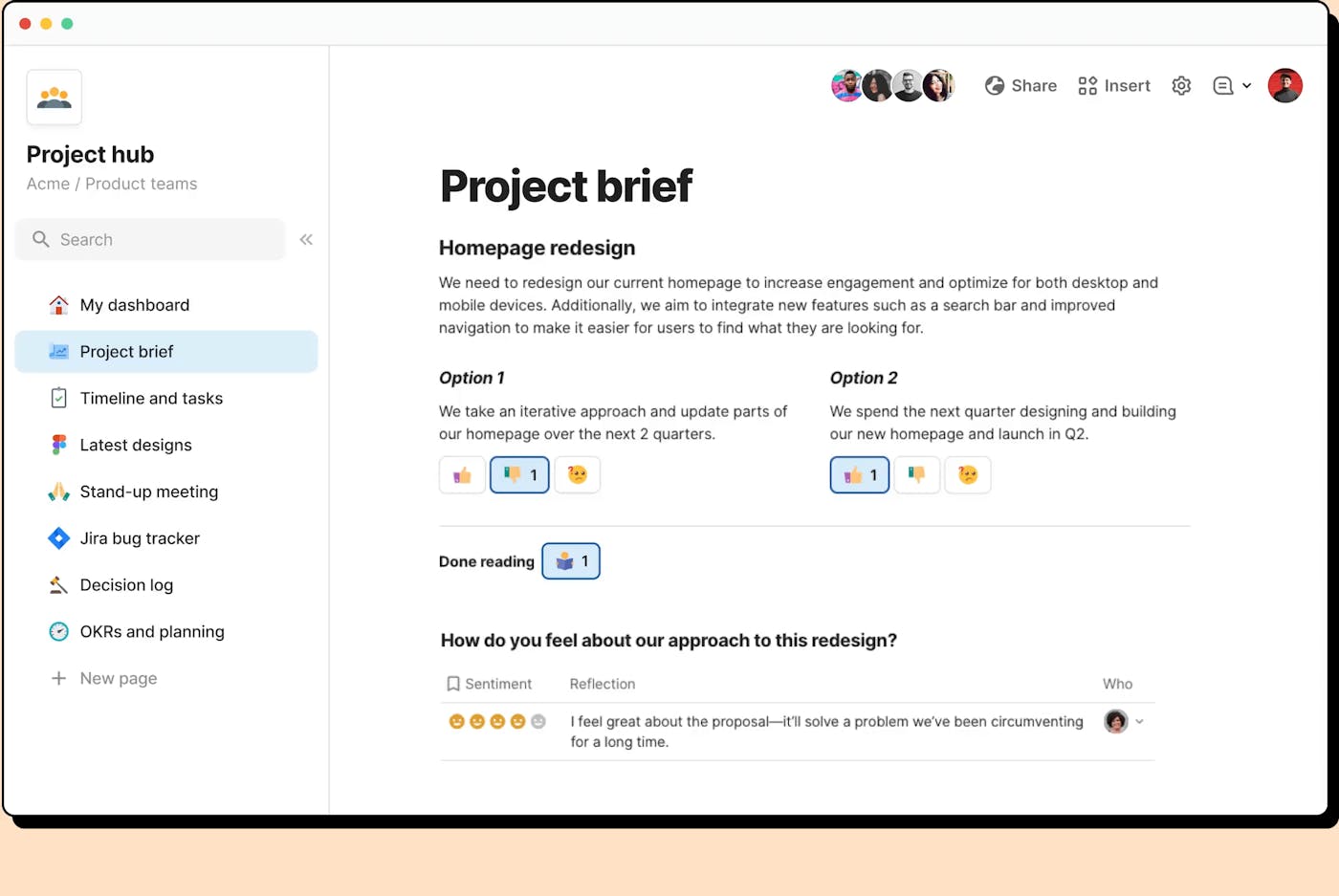
A Coda page accepts ordinary prose, headings and images. Then come relational tables, controls, charts, forms and multiple views of the same data. A roadmap can appear as a table for the product team, a timeline for leadership and a filtered board for one engineer. Edit a record in one place and every view changes. Buttons can add a row, send a message or trigger a connected service. Automations run on schedules or events. Formulas are allowed outside the familiar spreadsheet cell, so the whole doc can respond to its contents.
The clever bit is not putting a database beside a document. It is letting the document operate the database.YesPress verdict
The useful machinery
One fact, several costumes
Show the same source as a table, board, calendar, cards or timeline, with personal filters and synchronized edits.
Logic leaves the cell
Reference tables, controls and named objects from the canvas. Complex filtering is where many converts feel the difference.
A memo with switches
Turn a passive page into a working interface: vote, assign, approve, create, notify or update without hunting through menus.
The outside world comes in
Connect Slack, Jira, calendars, Figma and other services. The SDK also lets a team package its own formulas and actions.
The pattern works well for rituals. Consider a product review: a brief explains the decision, a table holds the options, teammates register sentiment privately, a button reveals the vote, and approved work moves into a tracker. The context and the mechanism remain together. You do not need to reconcile a Google Doc, a form, a spreadsheet and three Slack threads on Friday afternoon.
The price has an interesting noun
Coda calls the people who create docs and pages “Doc Makers.” On existing paid Coda workspaces, those are the seats that cost money; editors and viewers are free. That can be economical when a few builders support many collaborators. It can also create governance questions. Who is allowed to make a new system? Who owns it when its enthusiastic creator leaves? A doc can become business infrastructure before anyone notices.
There is a Free tier, followed by Pro, Team and custom Enterprise options for existing Coda billing. New public signup and pricing now run through Superhuman Docs, where standalone and suite offers can differ. Check the live calculator before planning a migration. The useful comparison is not the sticker price for one seat, but the number of paid makers, the integrations required and the time somebody will spend maintaining what they build.
| Tool | Natural center | Choose it when... | Watch for... |
|---|---|---|---|
| Coda | Docs that behave like apps | Words, relational data and actions must live together | Maker learning curve and system ownership |
| Notion | Knowledge and publishing | A calm wiki and approachable database pages matter | Complex workflow logic may feel constrained |
| Airtable | Structured records | The database is the center and interfaces orbit it | Long-form context can feel bolted on |
| Asana / ClickUp | Opinionated work management | You want ready-made task conventions and reporting | Custom rituals must fit the product’s model |
Then Grammarly called
In December 2024, Grammarly announced an all-stock acquisition of Coda. Mehrotra became chief executive of the combined company. Grammarly later bought the email app Superhuman and, in October 2025, renamed the parent company Superhuman. For a while, Coda remained Coda inside a suite containing Grammarly, Superhuman Mail and the cross-app assistant Go.
On July 8, 2026, the other shoe dropped: Coda became Superhuman Docs. Existing documents moved over automatically, Maker Billing stayed, and the familiar tables, formulas, buttons and Packs remained. The release brought a refreshed interface, offline mobile improvements, a macOS app and full-page table pages. The company framed it as the long-awaited “Coda 5.0.”
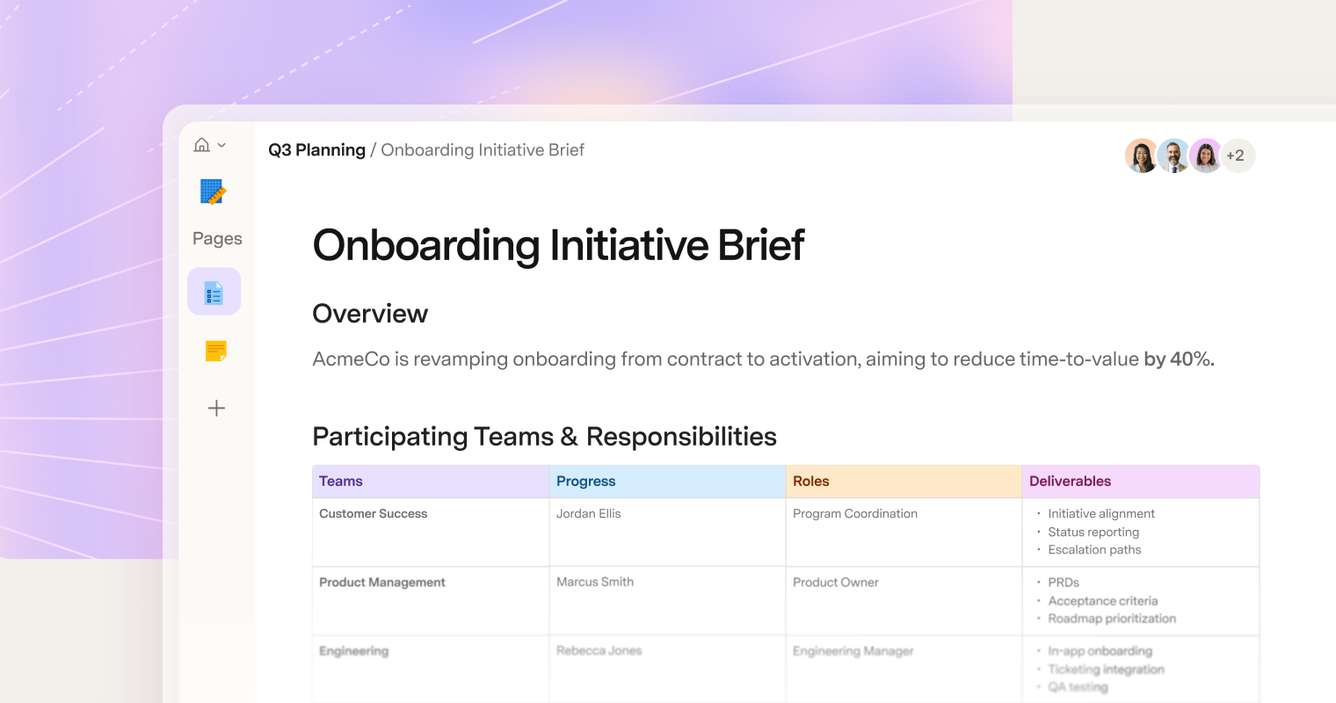
Docs AI now sits in the page and can draft prose, create tables or assemble a request-intake workflow from a prompt. The company does not name a single foundation model, saying only that AI columns use its latest capable models. More notable is the Docs MCP, now available broadly. It lets tools such as ChatGPT, Claude and Cursor read, create and update docs and tables through an OAuth connection. Coda’s old instinct to connect tools rather than wall them off survives the rename.
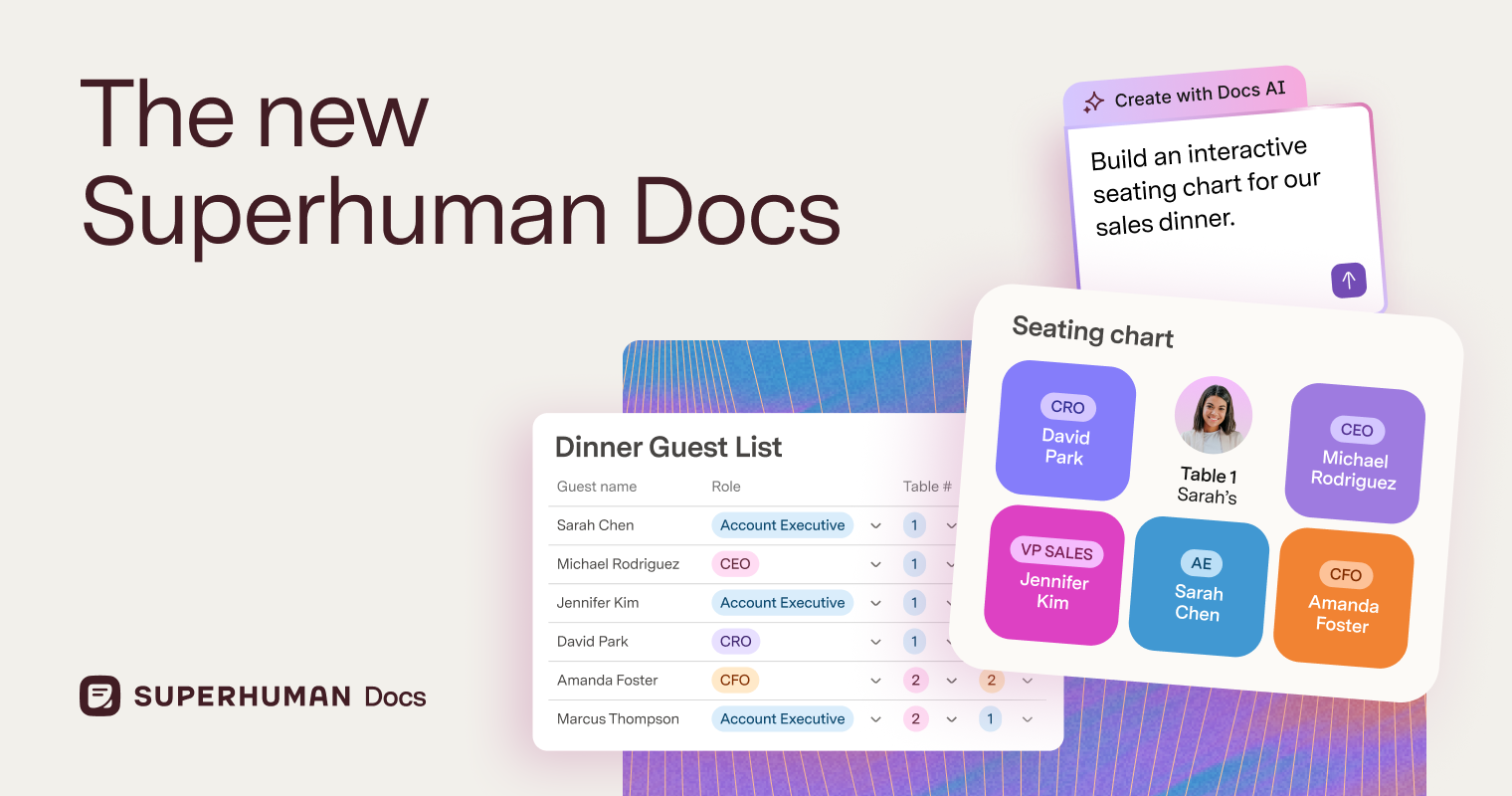
Two flashy pieces remain closed beta. AI Views generates custom interactive views over live table data from a description. Superhuman Databases separates large data sets from individual docs and targets up to one million rows. Both address a genuine tension in Coda: makers love stretching documents until performance and permissions remind them that a document is not quite a database server.
What users love, and what they grumble about
Capterra listed Coda at 4.6 out of 5 from 98 reviews in August 2026, with ease of use at 4.2 and customer service at 4.4. One verified reviewer praised the ease of bringing teammates into a live knowledge base and said it created buy-in for a knowledge system at their company. The affection tends to cluster around flexibility, collaboration and the moment a complicated workflow finally clicks.
“I have never been sorry. The switching point came when I had to do just more than very basic filtering.”Long-time user, Reddit, 2026
“If you want to actually do things with your databases, 100%. If you care more about aesthetics, then no.”Coda community reply, Reddit, 2026
The complaints are equally consistent. Mobile has historically lagged the desktop builder experience, and recent community posts still call it out even as the 2026 release promises offline work and a smoother interface. Permissions can feel coarse when a doc contains both broadly shared pages and sensitive tables. Large, formula-heavy docs can slow down. Several users describe Coda as more corporate than Notion, a fair reading of a product whose vocabulary includes Doc Makers, Packs and enterprise controls.
Who should actually choose it?
Pick Coda when your team repeats a process that combines explanation, structured records, decisions and actions. Start with one ritual, not the entire company. Name an owner, document the formulas, keep the base tables tidy, and invite ordinary teammates to test the page before it becomes sacred. If your need is simply notes, a polished public wiki or a standard task list, choose the tool that asks fewer questions.
Coda’s charm is that it respects the weirdness of work. The weekly meeting at one company is not the weekly meeting at another. A launch tracker needs a paragraph beside the dates. A decision needs a vote, then an action, then a record of why everyone thought this was sensible in September. Coda makes those seams editable.
Its risk is the same quality viewed from Monday morning. An infinitely flexible doc can become an inscrutable machine. The new AI may lower the effort required to build one, but prompting a workflow is not the same as governing it. The teams that do well here will treat their docs like products: narrow purpose, clear owners, real users and occasional deletion.
Ten years after the founders started with a backwards naming joke, the product has finally dropped Coda from the door. Yet Superhuman Docs still makes the same bet: give a team a familiar page, hide serious machinery just below it, and trust somebody curious enough to connect the pieces. For the right somebody, that remains a very useful afternoon.