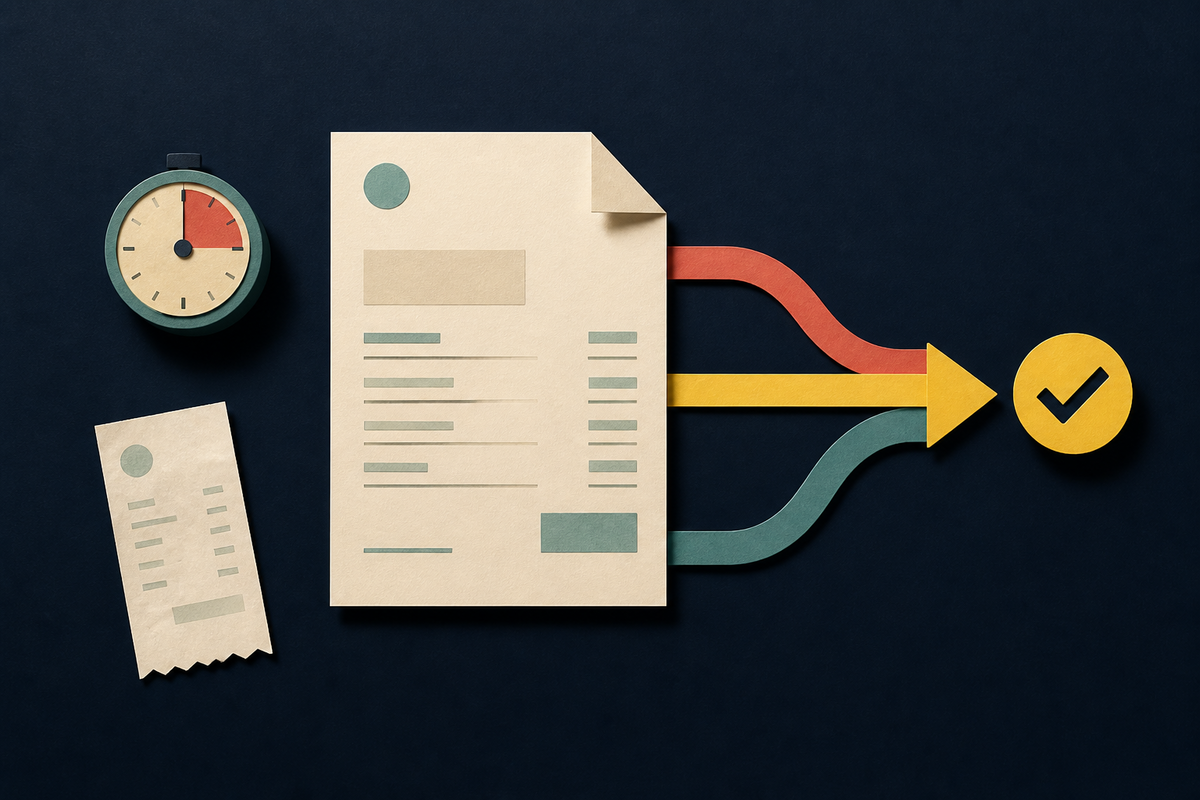
The most revealing moment in time-tracking software comes after the satisfying click that stops a timer. An hour now exists. But can the business do anything with it? Somebody may still need to find the receipt, confirm the rate, ask a manager for approval, turn a report into an invoice, send it, record the payment and move the result into the books. The timer was the easy part.
That is the real contest among Harvest, Toggl Track and Teamwork. Each can record hours. Each can help a client-service business understand billable work. Their difference is not a prettier stopwatch. It is the shape of the company they expect to surround that stopwatch.
Harvest assumes time should travel a short, legible route into expenses, invoices, online payment and accounting. Toggl Track begins with frictionless time capture and strong reporting, then lets a team decide how far it wants to extend the workflow. Teamwork places time inside a larger client-project system containing plans, quotes, budgets, roles, rates and profitability. Those are not cosmetic preferences. They are operating models.
Do not ask which timer has more features. Ask which handoff your business can afford to keep doing by hand.
Harvest makes the invoice feel inevitable
Harvest is the clearest fit when the central job is getting service work billed without assembling a small parade of apps. A teammate can track an expense in the browser or mobile app, attach a receipt, and mark the cost billable or nonbillable. That last choice matters. The expense already knows whether it belongs on a future client invoice.
Time follows the same logic. Harvest can calculate billable amounts from tracked work and configured rates. Its invoicing flow can pull in time, expenses or fixed fees, while recurring invoice templates can generate drafts on a schedule. Stripe and PayPal integrations support online payment, and accounting integrations can copy invoice and payment data to QuickBooks Online or Xero.
This compactness is Harvest's argument. A small studio does not need to translate a project name across a timer, a receipt folder and an invoice tool. The records share a home. The benefit is less about saving a click than preserving context: the flight receipt, the billable flag and the right client stay connected.
Toggl Track changed the old comparison
There is a stale idea in many buying conversations: Toggl Track measures time, so invoicing must require Toggl Plan or an automation chain. The current product documentation says otherwise. Toggl Track can create customizable PDF invoices directly from summary or detailed reports. A summary produces project-level lines; a detailed report can carry individual time entries. The invoice can include custom fields, tax, branding and a memo, then be downloaded or sent to QuickBooks on eligible plans.
Toggl Plan still has a role, but it is planning rather than invoice production. Plan and Track are separate products with separate accounts and billing. Their integration can sync clients, projects and tasks, start timers from planned work, and compare tracked time with estimates. A team may want that connection for scheduling. It does not need Plan merely to make a Track invoice.
Zapier also remains useful, just for a different reason. Toggl documents automation across thousands of apps, including workflows that create reports or invoices from time data. That flexibility is attractive when a company already has a trusted accounting or operations stack. It also creates another seam to monitor. Client names, project IDs and billable flags can drift when several systems describe the same hour.
The remaining limit is revealing. Toggl's own invoice guide says there is no built-in way to mark time entries on an invoice as paid and suggests a paid tag as a workaround. Its strongest loop is time to report to invoice. Teams that need receipt capture, reimbursable expenses and a rich payment ledger should test the last half of their process closely.

Teamwork starts one floor above the timer
Teamwork is not trying to be the smallest thing in this roundup. It treats time as one signal inside client delivery. The product connects project plans with quotes, budgets, capacity, cost rates, billable rates, expenses, invoices and profitability. Its support documentation says an invoice can be based on time and expenses or set at a fixed price. Unbilled time and expenses can then be added to the invoice, and invoiced time becomes locked from editing unless removed.
That structure is useful when an agency needs to answer questions before billing day. Are senior people doing work priced for junior roles? Has a fixed-fee project consumed its margin? Is a negotiated client rate being applied across several projects? Teamwork has been adding role and client-role rates to handle that kind of commercial detail.
The cost is conceptual weight. A freelancer who wants to start a timer, attach a taxi receipt and send a bill may find an entire project operating system excessive. A fifty-person agency coordinating scopes, assignments and profitability may find the same structure reassuring. Complexity is only waste when it models work the company does not actually have.
| Product | Native center | Best fit | Watch closely |
|---|---|---|---|
| Harvest | Time, expenses, invoices | Freelancers and service teams wanting a short billing loop | Whether broader project planning belongs elsewhere |
| Toggl Track | Time capture, reporting, PDF invoices | Teams prioritizing adoption and flexible integrations | Expense capture and payment-state workflow |
| Teamwork | Client project operations | Agencies managing plans, rates, budgets and margin together | Administrative weight for simple engagements |
The choice hides inside your messiest month
A feature checklist rewards the product with the longest page. A workflow test rewards the product that removes the right work. Take one ordinary project from the last month and replay it. Include the awkward parts: a contractor with a different rate, a reimbursable meal, time submitted late, a fixed fee, a client asking for detail and an invoice that needs to reach the accounting system.
Count the manual translations. How often is a client name retyped? Where can a receipt lose its billable status? Who knows whether an hour was already invoiced? What happens when a rate changes? The most dangerous gap is rarely a missing dashboard. It is an ambiguous state that a person resolves from memory.
Adoption deserves equal weight. Perfect invoice architecture built on incomplete timesheets is still bad architecture. Toggl Track's restrained timer can be an advantage if it gets people to record work. Harvest's tighter loop can reduce finance cleanup. Teamwork's project context can make an hour more meaningful before it reaches finance. The winner depends on where truth currently leaks.
Run this test before you buy
- Create one client and a project with both hourly and fixed-fee work.
- Track time from desktop and mobile, then correct a mistaken entry.
- Add a billable expense with a receipt and a nonbillable expense beside it.
- Apply the right rates, approval rules and invoice detail.
- Send or export the invoice, record payment, and reconcile it with accounting.
Harvest wins when fewer handoffs are the product. Toggl Track wins when clean capture and an adaptable stack matter most. Teamwork wins when billing cannot be separated from managing the client operation. The smart decision is not to buy the most software. It is to buy the smallest coherent system that can carry the truth about an hour all the way to cash.
Questions teams ask
Does Toggl Track need Toggl Plan to create invoices?
No. Toggl Track creates PDF invoices from reports. Toggl Plan is a separate scheduling and planning product that can sync work and time with Track.
Which product handles billable expenses most directly?
Harvest provides a focused path to capture expenses and receipts, mark costs billable, and pull them into invoices. Teamwork also supports project expenses and invoices them inside a broader project-finance workflow.
When does Teamwork make more sense than Harvest?
When the business needs project plans, quotes, capacity, multiple rate types, budgets and profitability controls to share context with time and invoicing.
Can Toggl Track send invoices to accounting software?
Yes. Its current documentation describes a QuickBooks connection on eligible plans, alongside downloadable PDF invoices and automation options.
What is the best way to evaluate these tools?
Replay a real project from setup through payment. Include exceptions, count manual handoffs, and check whether billable status and invoice state remain unambiguous.