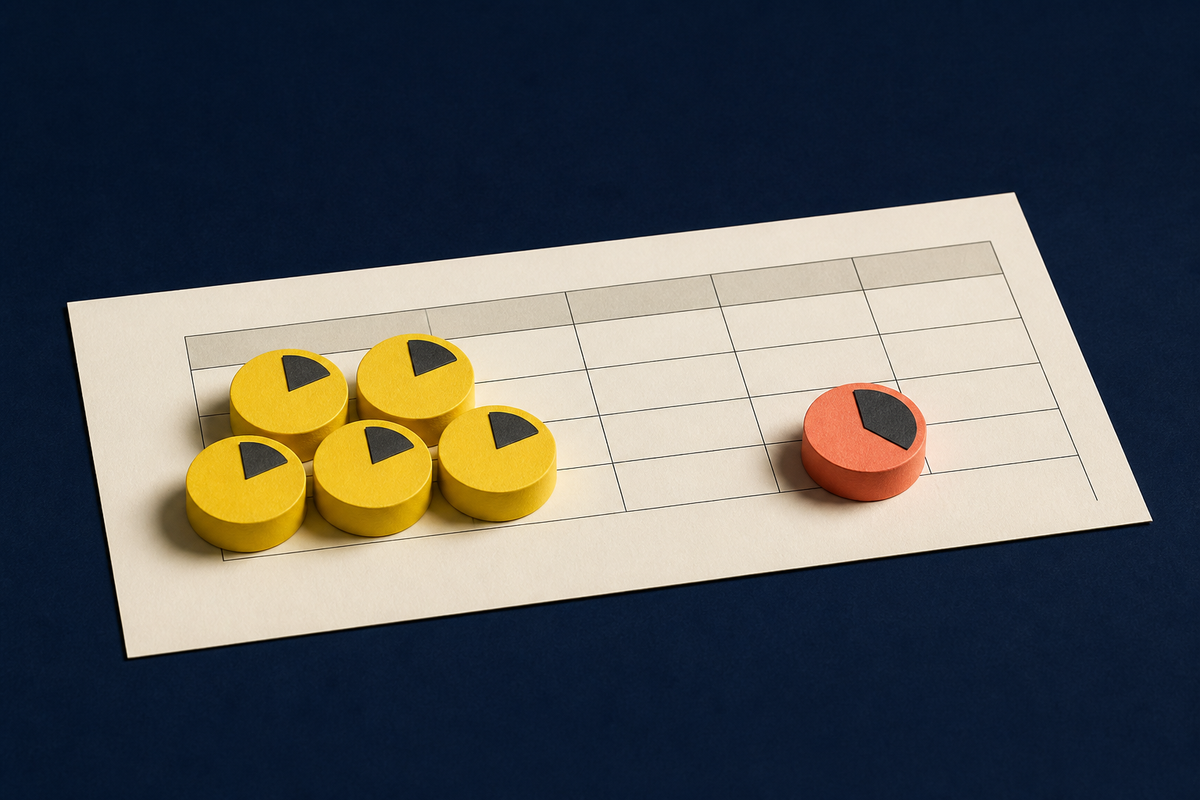
The most useful question in a time-tracking comparison is not which app has the longest list of features. It is how many people must build the habit at the same time. A freelancer with three clients has a different problem from a five-person studio sharing projects, and both are a long way from an operations lead moving work across a fifty-person schedule. Toggl Track, Harvest, and Float all touch the clock. They enter the workday through different doors.
Start with the free-plan boundary. Toggl Track’s free plan supports up to five active users and unlimited time tracking. Its public comparison lists web, desktop and mobile tracking, calendar views, automated tracking options, basic reports, unlimited projects and clients, and integrations through its browser extension. Some controls that matter to managers - billable rates, project estimates, approvals, labor costs and richer reporting - sit on paid plans. The free offer is broad enough to establish a shared record of time without first turning the exercise into a purchasing meeting.
Harvest draws the boundary much closer. Its free plan allows one seat and two active projects. Within that space, it combines time tracking with invoicing and expense tracking, plus Mac and iOS apps. That package can make sense for a solo operator whose weekly loop runs from doing the work to sending the bill. It stops fitting the minute a colleague also needs an active seat, or a third live project cannot sensibly be archived.
Float is the useful third point because it exposes a common category mistake. It is a resource-management product first. Its Starter plan is listed at $7 per scheduled person per month on annual billing as of August 2026, and the company offers a thirty-day Pro trial rather than a permanent free tier. Scheduling, capacity, time off, project scoping and margin tracking are the opening moves. Actuals tracking and prefilled timesheets appear in Pro. Float is what you inspect when the question has moved from “Where did my time go?” to “Who can take this project next month, and will the plan hold?”
A free tier is a product’s theory of its next customer.YesPress field note
The five-seat wedge
Toggl Track’s advantage against Harvest at zero dollars is seat-count generosity, not an argument that every feature is deeper. Five active users means a founder, two makers, an account lead and an operations person can all record work in one workspace. Nobody has to forward a spreadsheet. Nobody becomes the designated timer. The team can discover whether shared time data is useful before paying for controls around that data.
Where free access stops
Official plan limits checked August 2026. Paid prices and features can change.
That matters because adoption is fragile. A timer only produces a useful picture when people remember to use it and classify work consistently. Toggl’s own account of its origins makes the point neatly: an Estonian software company built a simple tracker to understand how long client work took and whether it was charging correctly. Clients liked the resulting reports and asked to use the tracker themselves. The product grew from a coordination problem, not from a desire to admire dashboards.
Its free plan still reflects that origin. The small team gets the common clock; the paid upgrade begins to make sense when the manager wants rates, revenue analysis, estimates, approval, audits or profitability. This is a sensible sequence for a young studio. First make the record trustworthy. Then pay to govern it.
Harvest keeps the invoice close
Harvest’s tighter free boundary should not be mistaken for uselessness. One person can track time, record expenses and produce invoices without assembling three separate apps. For an independent consultant on one long engagement and one smaller project, the two-project ceiling may barely register. The product’s center of gravity is visible in that bundle: captured work should travel toward payment.
But limits alter behavior before they produce a charge. A freelancer juggling several live clients may begin archiving projects to stay under the cap. A two-person partnership cannot test the shared workflow on the free plan at all. If the purpose of a trial period is to see whether a team habit forms, Toggl offers more runway at no cost. Harvest offers a tidier solo workbench.
Choose when one person wants time, expenses and invoices close together.
Verb: invoiceChoose when up to five people need to establish a shared tracking habit for free.
Verb: trackChoose when capacity, assignments and delivery forecasts are the operating problem.
Verb: allocateThere is another distinction worth keeping: unlimited time entries do not equal unlimited management depth. Toggl’s free user can record as much time as needed, but billable rates and several team controls require a paid plan. Harvest’s free account includes invoicing but restricts who and how many active projects can participate. A feature can exist while the workflow around it remains bounded. Read pricing pages as descriptions of allowed behavior, not piles of checkmarks.
Float begins before the timer
Float becomes relevant when a team’s pain is anticipatory. A delivery lead needs to know whether the designer is free in two weeks, whether a project has enough hours assigned, and whether planned effort resembles actual effort. A simple timer can supply historical inputs, but it does not automatically become a scheduling system. Float’s plans organize around scheduled people, guest users, placeholders, capacity, estimates and delivery reporting.
This also explains why comparing Float’s trial with Toggl’s permanent free tier can mislead. The two offers subsidize different learning. Toggl lets a small team learn whether it will track. Float lets an organization test a richer planning model for thirty days, with the expectation that scheduled seats become paid seats. One lowers the cost of forming a habit. The other lowers the risk of evaluating a system.
For a five-person agency, Float may still be the right purchase if missed handoffs and overbooking cost more than the subscription. For a five-person agency that simply needs evidence for retrospectives or client reporting, it may be premature. Buying planning software before the team has a planning problem creates another place to keep current.
A test you can run in one week
Do not begin with migration. Pick one normal week and one representative project. Ask every person who would use the system to track work as it happens, then reconstruct one client or internal report on Friday. Count forgotten timers, corrections, uncategorized entries and the minutes required to make the report credible. Those are adoption costs. They matter more than whether a product promises a graph you have not yet needed.
Next, ask what decision the data should change. If you want to understand effort and build a team habit, Toggl Track is the clean starting point among these three, particularly while the team fits under five users. If you want a solo record to become an invoice, test Harvest’s workflow and check whether two active projects are realistic. If you want to move people across future work, test Float with the people responsible for staffing, not only the people filling timesheets.
Finally, price the first likely upgrade, not only the free month. Toggl’s paid plans are licensed per user, and its support documentation says there are no free seats once a workspace is paid. Harvest’s Teams plan is priced per seat and opens unlimited seats. Float charges for scheduled people while allowing guests without charge. The billing unit tells you what each company believes creates value: participation, membership or scheduled capacity.
The winner, then, is conditional. Toggl Track has the clearest free wedge for a real small team. Harvest remains coherent for the independent worker who lives close to the invoice. Float earns attention once the work of allocating the team becomes more expensive than recording the team. Choose the constraint that matches your present shape, and leave yourself a reason to upgrade that is better than frustration.
Frequently asked questions
Is Toggl Track free for a small team?
Yes. As of August 2026, the free plan supports up to five active users and unlimited time tracking. Paid features include several billing, project-control and approval tools.
What are Harvest Free’s main limits?
Harvest Free allows one active person and two active projects. It includes time tracking, invoicing and expense tracking.
Does Float have a permanent free plan?
Float advertises a thirty-day Pro trial. Its official pricing page lists paid Starter, Pro and Enterprise plans rather than a permanent free tier.
Which tool fits a five-person team starting at no cost?
Toggl Track is the direct fit among these three because five active users can share its free workspace. Check paid requirements if you need approvals, billable rates or advanced reporting.
When should a team consider Float?
Consider Float when allocating people, forecasting capacity and comparing estimates, plans and actual work are the central jobs. It is broader resource planning, not merely a stopwatch.