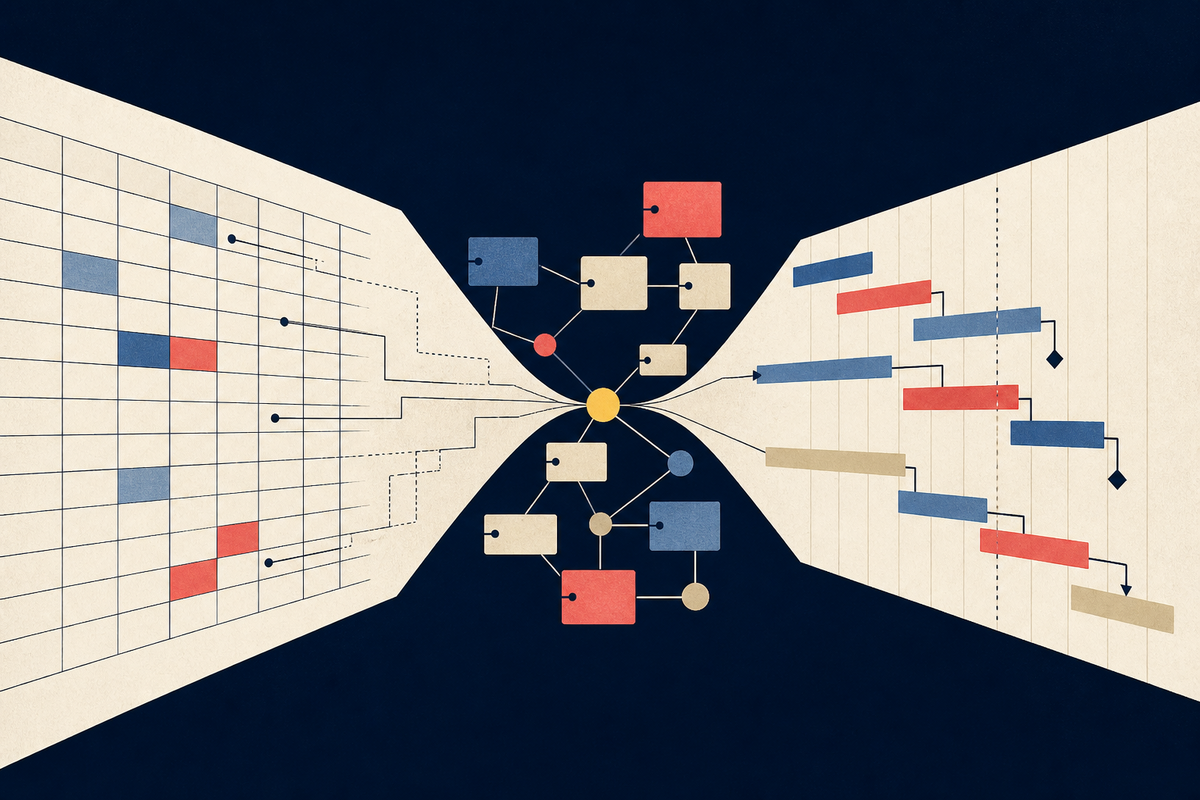
The most expensive project-management mistake often happens before a task is entered. A buyer opens three product demos, sees rows, dates, owners and colorful status labels, then assumes the tools are variations on the same machine. They are not. Smartsheet, Airtable and Microsoft's project stack can produce screens that look remarkably alike, but each starts with a different answer to a basic question: what is work made of?
Smartsheet starts with a sheet. Airtable starts with related records. Microsoft Project's lineage starts with a schedule whose tasks affect one another through time. That distinction sounds academic until a campaign changes, a supplier slips or one employee becomes responsible for work on four plans. Then the architecture underneath the interface decides whether the system absorbs the change or exports the pain to the people maintaining it.
One visual metaphor, opposite machinery
Smartsheet's bet is that the spreadsheet is already a common language. Rows become tasks, columns carry owners and dates, and project logic arrives without replacing the surface people know. Its official product material emphasizes switching among grid, Gantt, card, calendar and timeline views, plus dashboards and automation. The grid is not a decorative option. It is the center of gravity.
That makes Smartsheet useful where adoption is the first constraint. An operations team with a thicket of Excel trackers can recognize the shape of its work on day one. A project lead can introduce dependencies, reports and approval flows in stages. The advantage is social as much as technical: contributors do not have to learn database design before they can update a deadline.
The weakness is the shadow cast by that same familiarity. A sheet can invite people to solve structural problems by adding another column, copying another row or creating another tracker. Without governance, the tool can become a more capable version of the sprawl it replaced. Smartsheet rewards teams that agree on templates, field meanings and ownership before scaling the workspace.
Airtable inverts the arrangement. Its grid is the default view for a new table, but Airtable's own documentation describes the base layer as a database. A project may connect to a client, many deliverables and several team members. Linked records can represent one-to-one, one-to-many and many-to-many relationships. The grid is a window into those connections, not the whole building.
This matters when the same object travels through several processes. A creative asset can belong to a campaign, have an approver, appear in a content calendar and feed a client interface without becoming four separately maintained copies. For studios, marketing teams and operations groups building lightweight internal apps, that connected model can remove a surprising amount of duplicate entry.
A grid tells you where information is displayed. It does not tell you what the system believes that information is.YesPress analysis
Airtable asks for a different kind of discipline. Someone must decide what deserves its own table, which fields should link, and which interface each audience needs. A weak model can remain usable for months, then become awkward exactly when the organization depends on it. The price of flexibility is that somebody has to think like a systems designer.
Microsoft sells the consequence of time
Microsoft's story needs a naming footnote. In August 2025, Microsoft retired Project for the web and redirected users to Planner for the web and Planner in Teams. The company says the premium plans previously associated with Project for the web moved into Planner without requiring migration or a licensing change. Those premium capabilities include advanced dependencies, baselines, goals, sprints and task history. Project desktop and Project Online are separate parts of the wider family and should not be confused with that web transition.
Under the new doorplate, the schedule-first instinct remains valuable. A serious schedule is not a list of promised dates. It is a model of consequences. If a design review moves three days, a dependency-aware plan can show which downstream tasks move with it, whether slack is consumed and where a milestone is threatened. This is the terrain where Microsoft Project built its reputation, and where Planner's premium plans now carry much of the web experience.
That rigor can feel heavy when the work does not need it. A small editorial calendar may be harmed by elaborate dependencies and resource assumptions that nobody will maintain. But for construction, product launches, regulated programs or any effort where sequence failure is expensive, a friendlier database will not compensate for a weak schedule model.
Choose the failure you cannot afford
Feature checklists flatten the decision. All three products can manage tasks, show dates and support collaboration. The useful question is what must remain true when the plan changes. If ordinary contributors stop updating the system because it feels foreign, adoption is the dominant risk. If client, campaign and asset data drift across copies, relationships are the risk. If one late task can move a contractual milestone, sequencing is the risk.
Choose the sheet
When the team already works in rows and needs stronger coordination without a conceptual reset.
Choose the base
When reusable objects and their relationships matter more than a single master plan.
Choose the schedule
When dependencies, baselines and the knock-on effect of delay carry real cost.

The smartest evaluation is therefore not a polished demo. Take one ugly live project: shared people, disputed owners, a late dependency, an executive asking for a portfolio view and a contributor who only updates systems after being chased. Build it in each finalist. Change a date. Reassign a person. Add a second client. Ask an infrequent user to make an update without instruction.
Watch where the work bends. In Smartsheet, test whether linked reports and templates prevent copy-and-paste drift. In Airtable, test whether the data model stays understandable once interfaces, automations and linked tables multiply. In Planner's premium experience, test whether the team can maintain dependencies and baselines accurately enough for the scheduling power to mean anything.
There is no architecture without a tax. Smartsheet charges in conventions: someone must stop every team from inventing its own sheet. Airtable charges in modeling: someone must maintain the logic of tables, links and interfaces. Microsoft's schedule-first tooling charges in learning and upkeep: someone must understand the plan well enough to keep dependencies credible. The winning tax is the one your organization has the skill and patience to pay.
The answer may also be a boundary rather than a winner. A portfolio office can use scheduling software for critical plans while publishing a simpler status layer elsewhere. A creative operation can keep connected assets in Airtable and exchange milestones with a program plan. Integration does not excuse ambiguity, though. One system still needs to own each kind of truth.
The final selection should feel less like shopping and more like organizational self-knowledge. Does your team naturally speak in rows? Does the business run on relationships among reusable records? Do delays cascade through a tightly coupled schedule? The interface will change over time, as Microsoft's consolidation into Planner demonstrates. The underlying shape of the work changes more slowly. Choose for that shape.
Then measure the choice after launch. Count how often people export data to a private spreadsheet, how many status meetings exist only to reconcile conflicting records, and how long it takes a new contributor to make a correct update. Those are more revealing than logins alone. A healthy system shortens the distance between something changing in the real world and everyone seeing the consequence. If that distance grows, revisit the design before buying more licenses or adding another dashboard. Configuration can repair a poor implementation. It cannot turn the wrong mental model into the right one.
Frequently asked questions
What is the main difference between Smartsheet and Airtable?
Smartsheet begins with a spreadsheet-like work surface and layers project controls on it. Airtable begins with relational data and offers the grid as one way to view and edit that data.
Is Microsoft Project still available?
Project for the web was retired in August 2025 and its plans moved into Planner. Project desktop and Project Online are separate products with their own lifecycles.
Which tool is easiest for spreadsheet users?
Smartsheet is usually the most direct transition because rows and columns remain its primary interaction model, enhanced with project views, reports and automation.
When is Airtable the stronger choice?
When work depends on reusable, connected entities such as clients, campaigns, assets and deliverables that should not be duplicated across trackers.
How should a team make the final choice?
Pilot one difficult live project and judge update behavior, dependency handling, reporting trust and administration cost. Choose the model that matches the dominant source of complexity.