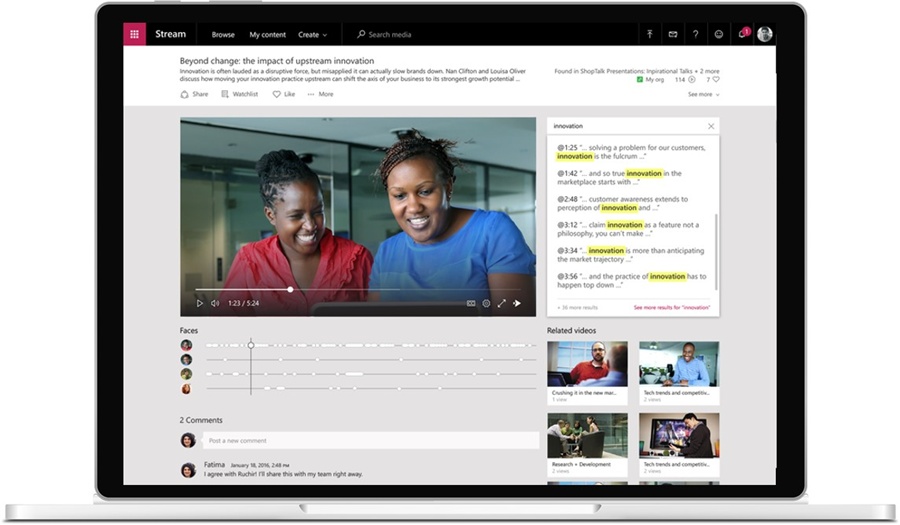
The revealing number in Microsoft Stream’s story is five. That is the percentage of page views that went directly to the homepage of Stream Classic, Microsoft’s former workplace video portal. The grand entrance was there. Most viewers were using another door.
- Stream put secure workplace video inside Microsoft 365.
- Its users preferred links and embeds to browsing a separate portal.
- The video experience now carries the Clipchamp name; files live in OneDrive and SharePoint.
The audience had already left
Microsoft’s aggregate Classic telemetry supplies the rest of the picture: 83% of page views came through direct video links or videos embedded elsewhere. Group, channel, and other pages accounted for 12%. People wanted the recording attached to their task. A separate place to browse was a considerably smaller attraction.
Microsoft’s aggregate Stream Classic telemetry. Page views, not unique users.
This matters because Stream began with a destination in mind. Microsoft announced its preview in July 2016 and general availability in June 2017, reaching 181 markets and 44 languages. The proposition was straightforward: give organizations a secure place to upload, manage, and watch video, with searchable speech and familiar organizational identities.
Stream belongs to Microsoft, rather than being an independently financed startup. Its story is an internal product rethink. The first assumption to lose its force was the portal: Microsoft’s documentation says interviews with enterprise and education users showed that videos were more useful inside intranets, lessons, posts, and other existing destinations.
A file with a play button
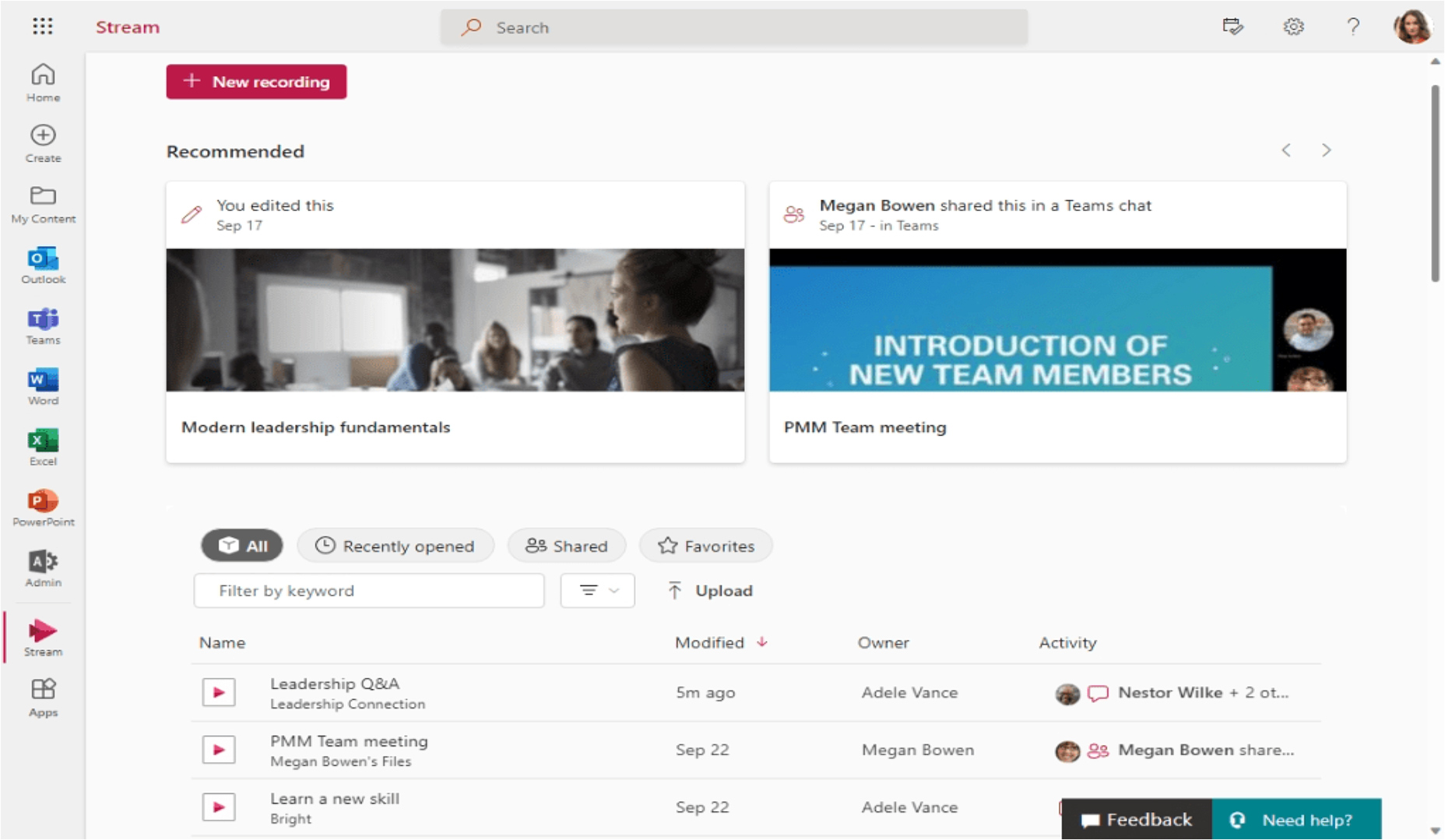
Stream on SharePoint, generally available in October 2022, changed the arrangement. Videos lived in SharePoint and OneDrive beside documents and presentations. Playback, sharing, and discovery became capabilities of that environment. A team could place a training video on its existing SharePoint page instead of asking colleagues to cultivate another browsing habit.
The engineering detail has a practical consequence. Microsoft’s file-management tools can govern video too: permissions, retention policies, audit logs, and legal holds. For an administrator, the attraction is fewer special rules for a special medium. For a viewer, the recording can appear where the surrounding conversation already takes place.
The customers are recognizable: HR teams explaining benefits, managers sharing updates, teachers recording lessons, employees revisiting meetings. Microsoft lists camera and screen recording, comments, transcripts, and SharePoint embeds among Stream’s everyday uses. Its expertise sits at the intersection of video playback, organizational identity, and the unglamorous business of managing files.
The minute you came for
Consider a familiar problem: the answer you need is somewhere inside a long recording. A transcript lets you search for a word and jump to the corresponding passage. With captions and transcripts stored alongside the video, Microsoft 365 search can find spoken content too. Results remain limited to viewers with permission.
That changes what a recording can do. It becomes reference material. Captions also support people who are deaf or hard of hearing, people watching amid noise, and people working across languages. Owners can correct transcript text. That last capability deserves attention: machine-generated words still benefit from someone checking names, terminology, and meaning.
“I turn on closed captioning for my English language learner students and others who have hearing issues.”
Stephanie Ruggerio, Porter Ridge High School
Quoted by Microsoft Education, 2023
Ruggerio used Teams and Stream to share classroom experiences with students isolated at home during the pandemic. Microsoft’s account describes students recognizing their classmates and hearing their questions. The useful unit was a particular class and its people. A generic instructional video could explain the mathematics; this recording could preserve the classroom.
Included has conditions
The commercial logic follows Microsoft 365. Stream’s SharePoint-based capabilities are available through plans containing SharePoint and OneDrive, with differences across plans. Today’s Clipchamp player, camera, and homepage do not automatically confer access to the editor. Selected subscriptions include Clipchamp Standard. Some premium and Copilot capabilities require additional licensing.
For an organization already paying for eligible services, that can make the first experiment inexpensive. It does not make the whole operation costless. Video uses storage. Someone must choose the file’s home, decide who can view it, and maintain useful material. Treat the subscription, capacity, and administrative work as separate budget questions.
There are operational edges. Teams recordings ordinarily save to the organizer’s OneDrive; channel meeting recordings go to the team’s SharePoint site. Ownership and retention follow those systems. External viewers depend on sharing policies. A library can become difficult to use if nobody checks permissions, removes obsolete material, or plans what happens when an owner leaves.
The earlier architectural change also meant migration work. Classic recordings needed to move into the new environment; a familiar old link was not a substitute for maintaining the underlying content. Western Washington University’s migration guidance dates commercial and education Classic retirement to April 15, 2024. For teams with embedded training libraries, the change reached beyond the player.
One name, fewer doors
Microsoft made another consolidation explicit in November 2024: Stream and Clipchamp would become one video experience under the Clipchamp brand. The company acknowledged friction between separate editing and enterprise-video experiences. Its July 2025 update reported that refreshed player branding and standalone clip sharing had rolled out in late June.
That places Stream’s inheritance inside a broader creation-and-consumption tool. Panopto offers a specialist organizational video library with recording and search; Vimeo Enterprise combines branded video experiences, security, and distribution. The choice depends on the work. A Microsoft-centered team has a reason to start with its existing files. Specialized learning or external publishing requirements deserve their own evaluation.
The distinction matters for buyers: playback, editing, and publishing are different jobs, even when they share a brand. Start with who must watch and where they already work. Then check the required controls and licenses against that specific journey, rather than treating every video tool as interchangeable.
Borrow the distribution decision
A practical experiment follows: choose one recurring explanation, record it, check its captions, and place it beside the task it explains. Give it a clear owner and test access as an ordinary viewer. Then watch whether people use it. Microsoft’s five-percent homepage is a useful reminder: before designing another destination, find out where the audience already goes.