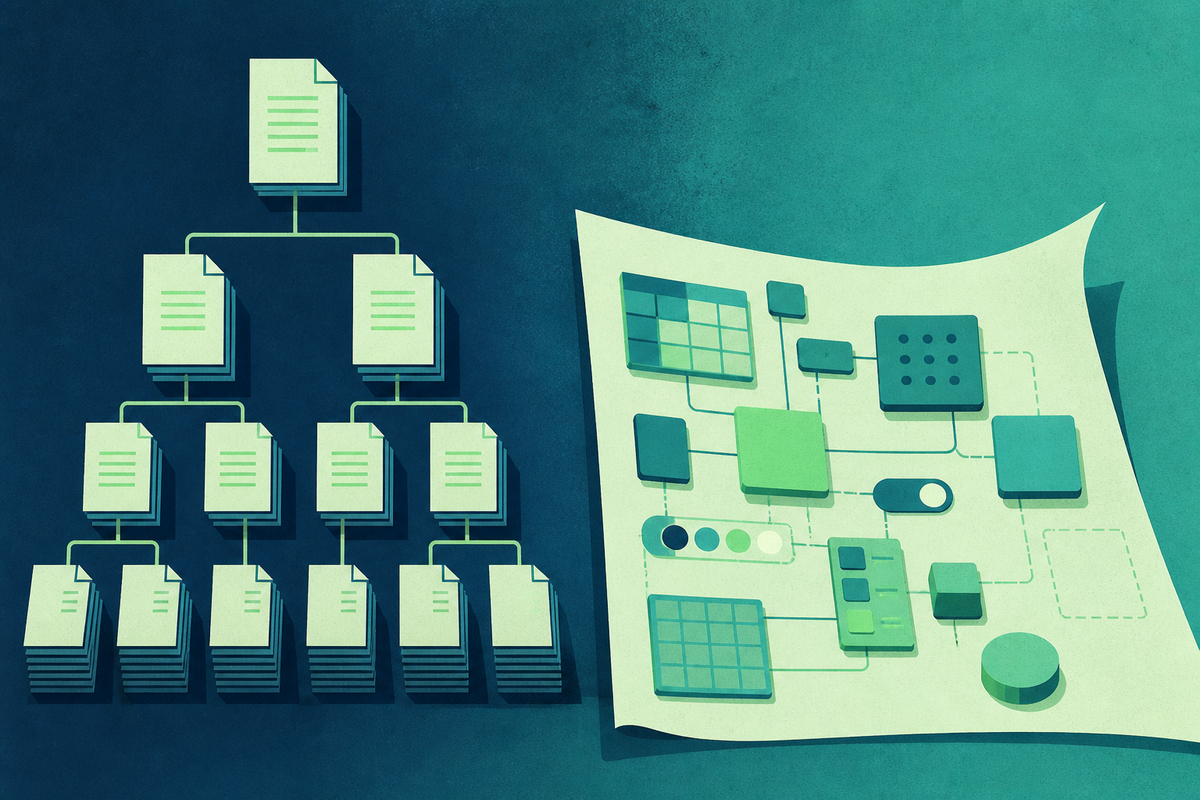
Every collaboration tool eventually reveals what it thinks a company is. Confluence sees an institution: teams inhabit spaces, knowledge settles into pages, and pages acquire parents and children. Coda sees a workshop: people begin with a blank surface, add tables and formulas, connect outside services, and keep building until the document behaves like a small piece of software. Both can hold the same product brief. They will teach the team to treat that brief differently.
This distinction is more useful than a feature checklist because the checklists have been converging. Confluence now offers live docs, whiteboards, databases, slides, automation and AI features alongside its familiar pages. Coda, renamed Superhuman Docs in July 2026, still has folders, pages and subpages. The old caricature - static wiki on one side, chaotic super-document on the other - misses what both products have become.
The defaults still matter. Defaults decide what gets built before anyone opens a settings panel.
Confluence gives knowledge an address
In Confluence, the basic unit of territory is the space. Atlassian describes a space as a container for a team, group or project, with its own pages, live docs, blog and files. Spaces themselves do not nest. Inside them, content can be arranged through as many parent-child levels as a team needs. The tree is visible, editable and consequential: it tells a newcomer where a document belongs and what surrounds it.
That is governance disguised as navigation. A product organization can maintain a space for a product line, place strategy near the top, nest research and decisions underneath, and preserve a recognizable route from policy to evidence. Permissions, version history, templates, labels, search and archiving support the same institutional job. The promise is not that every page is alive. It is that the record remains legible after the meeting ends and the author changes jobs.
Confluence is an address system. Coda is a construction kit.
The Jira relationship strengthens that bias. A connected Jira space can expose Confluence pages and whiteboards without making users leave Jira. A passage in a Confluence page can become a Jira work item; Jira data can appear in reports and databases. This is useful when documentation is supposed to explain tracked work: the requirement sits beside the issue, the decision beside the delivery record. Confluence does not require Jira, but the combination makes the wiki part of a larger operating system.
A tree can, of course, grow wild. Atlassian's own support material acknowledges that an overgrown content tree becomes harder to navigate. Users can switch to flat views sorted by recent visits, updates or title, but a neglected hierarchy still becomes a map of old intentions. Confluence rewards teams that appoint gardeners: people who archive stale pages, repair parentage and decide which route is official.
Coda lets the document become the work
Coda also has structure. Workspaces contain folders, folders contain docs, and docs contain pages and optional subpages. Its own organizing guide says there are no hard-and-fast rules for the page list. That sentence captures the difference. The hierarchy is available, but it is not the product's central argument.
The argument happens on the canvas. Text can sit next to structured tables. Formulas can calculate across those tables. Buttons can change values or trigger actions. Automations can run on schedules or events. Packs connect outside tools and data. A launch brief can therefore become a launch tracker, approval queue and personalized dashboard without leaving the doc. The reader is not only reading the plan. The reader can operate it.
Default center of gravity
A conceptual model, not a feature score. Both products can move across the spectrum.
This is why Coda often feels unusually powerful to an operations lead, product manager or founder. The person closest to a broken process can model the data and build the interface without opening a conventional software project. A recruiting doc can show each interviewer a filtered view. A planning doc can ask a button to advance status, send a notification and stamp the date. Small bits of organizational logic become visible and editable.
Freedom creates a different maintenance job. A formula has an author. A table has dependencies. A Pack needs credentials and permissions. A clever doc can become infrastructure before the company admits it is infrastructure. When its maker leaves, the team may inherit an application with no owner, no tests and no shared design conventions. Coda rewards organizations that cultivate maintainers, document the logic and resist rebuilding the same system in six slightly different docs.
Garden the tree, archive stale pages, clarify ownership and keep canonical paths believable.
Own the formulas, automations, integrations and interfaces that turn documents into local software.
Pick the failure mode you can manage
The cleanest selection question is not “Which tool is more flexible?” Both are flexible enough to be misused. Ask which failure your organization already knows how to prevent.
Choose the map
Favor Confluence when durable knowledge, consistent locations, granular governance and Jira context are the scarce resources.
Choose the machinery
Favor Coda when teams need to model data, create interactive workflows and adapt the interface close to the work.
A regulated or very large organization may value Confluence's explicit territory and Atlassian administration. A small cross-functional team may get more leverage from Coda's maker-friendly primitives. A software team living in Jira may prefer requirements that remain tightly connected to delivery. An operations team replacing a patchwork of spreadsheets may prefer a Coda doc that combines narrative, data and action.
Neither answer needs to cover the whole company. Some organizations use Confluence as the durable knowledge layer and programmable tools for live workflows. That can work, provided the boundary is clear. Decide where final decisions live, which system owns structured data, how a workflow hands its outcome to the archive, and what happens when links or integrations fail. Two tools are manageable; two sources of truth are not.
The reader matters as much as the maker
Tool evaluations tend to overrepresent builders because builders run the evaluation. They notice how quickly a template can be customized or a workflow assembled. Most colleagues arrive later as readers. They want the approved policy, the current launch date or the reason a decision changed. For them, expressive power is useful only when it produces a surface they can understand without a guided tour.
Confluence's familiar tree can lower that reading cost when names, ownership and hierarchy stay disciplined. Coda can lower it through tailored views: one shared table can present different slices to an executive, an operator and a contributor. The danger is symmetrical. A Confluence reader can encounter five pages that look equally official. A Coda reader can encounter a polished dashboard whose filters conceal the underlying state. In either product, interface clarity is editorial work.
Ask evaluators to measure retrieval, not just creation. Give someone outside the pilot a task: find the latest decision, explain who owns it and show what changed. Then ask another person to update the workflow without help. The first test exposes whether the knowledge architecture serves readers. The second exposes whether the operating logic belongs to the team or only to its original maker. Together they reveal whether a promising workspace can become a dependable habit.
Run the migration nobody demos
Do not test the products by recreating a polished home page. That rewards visual familiarity. Take one real, slightly ugly process - a launch review, hiring loop or customer escalation - and move it end to end. Include the stale attachment, the odd permission, the executive who only reads email and the handoff to Jira. Then watch what your team naturally does.
- Can a newcomer find the current decision without asking its author?
- Can the owner change the workflow without creating a support ticket?
- Is it obvious which page, table or system is canonical?
- Can permissions survive a reorganization without becoming a weekly project?
- Who maintains the result six months after the enthusiastic builder moves on?
The friction will be diagnostic. If people keep asking where documents belong, the team needs a stronger map. If they keep exporting tables, opening spreadsheets and coordinating status by hand, the team needs more machinery. The product that wins the trial should be the one that reduces the costliest coordination habit, not the one that produces the prettiest first afternoon.
A workspace is never neutral. It assigns value to certain acts: placing a page, linking a ticket, defining a formula, pressing a button. Confluence makes an argument for institutional memory. Coda makes an argument for local invention. The better choice is the argument your company is prepared to live by - and maintain after the novelty wears off.
Questions teams actually ask
Is Coda still called Coda?
Coda was renamed Superhuman Docs on July 8, 2026. Existing docs, tables, Packs, formulas and automations continue to work, and old coda.io document links redirect.
Does Coda have pages and subpages?
Yes. Coda docs have top-level pages and optional nested subpages. The organization is flexible; it is inaccurate to say the product has no hierarchy at all.
Does Confluence require Jira?
No. Confluence is a standalone collaboration product. Its close Jira connections are a reason many software and product teams choose it.
Which is better for a company wiki?
Confluence is usually the clearer fit when durable hierarchy, space-level organization, permissions and Jira context matter most. Coda can serve as a wiki but becomes more distinctive when pages also drive workflows.
Which is better for lightweight internal apps?
Coda is generally better suited to maker-built internal tools because tables, formulas, buttons, automations and integrations can turn a doc into an operational interface.