The troublesome question in an office is often a small one. Where is that setting? Which button comes next? Why does my screen look different from yours? Answer it in prose and the explanation can become a scavenger hunt. Capture the screen, draw an arrow, and suddenly both people are looking at the same problem. TechSmith has built its business around that modest change in perspective.
- Snagit captures screens, annotates images and records quick explanations.
- Camtasia Editor turns demonstrations into edited training videos.
- Audiate and Screencast help with editing speech and sharing the result.
The meeting that can be replayed
Its territory is knowledge that needs to leave somebody’s head. A teacher demonstrating a calculation, a support specialist explaining a setting, a technical writer assembling instructions: each has something useful to show. Their audience may need it tomorrow, in another time zone, or for the third time. A recording grants the explanation a life beyond the original conversation.
TechSmith’s published customer stories span ChurnZero, LightEdge Solutions, Umault and AdventHealth. Education matters, but describing this as simply an education company misses the office worker whose job quietly includes teaching. Much workplace training arrives without a classroom, a syllabus, or anyone admitting that training is what they are doing.
The cursor gets a speaking part
Bill Hamilton founded TechSmith in 1987. Early work included custom Windows software and network consulting. Snagit arrived in 1990; Camtasia was unveiled at Fall Comdex in 1999. An early Camtasia manual records the shift from consulting to product development. The useful object became something many customers could buy, rather than a project built for one.
Today, Snagit extends the ordinary screenshot with scrolling capture, annotations and step guides. Camtasia Editor adds a multitrack timeline, screen and camera recording, and tools for directing attention. The cursor deserves special treatment here. In a software lesson, a wandering pointer can confuse the viewer just as thoroughly as a wandering sentence.
Audiate makes another translation: speech becomes editable text. Removing words from a transcript can remove the corresponding material from a recording. Depending on the plan, AI features include script and voice generation, avatars, translation and dubbing. The attraction is fewer production chores between knowing something and teaching it. The author still owes the audience an accurate explanation.
That emphasis places TechSmith between built-in capture utilities and broader creative suites. For a quick message, Loom is an alternative; for recording, OBS Studio is another. Premiere Pro and DaVinci Resolve offer broader editing environments. TechSmith’s particular wager is that the person explaining a process benefits from capture and instructional editing being close together.
A useful video needs an address
A historical Avaya case study makes the wager tangible. Carl Knerr’s team used Camtasia Studio and Blue Yeti microphones to make 995 how-to videos in 20 months. The subjects were deliberately narrow: installing, maintaining and supporting Avaya products. Inspiration came from Khan Academy, but the team’s classroom was a working engineer’s immediate problem.
Distribution mattered as much as production. Most of the videos were made freely available on YouTube, allowing search engines to surface answers outside a maintenance-only knowledge base. The lesson to copy is precise: record a question people already ask, give the answer a searchable home, and resist stuffing an entire training course into one clip.
The invoice now comes every year
On February 12, 2025, Snagit and Camtasia moved to subscription licensing. Existing perpetual versions were not transformed into rented software, but access to the new subscription versions depends on renewal. Active maintenance customers moved onto Legacy License Subscriptions, with discounted maintenance-based pricing promised through at least 2030, subject to annual increases.
The individual suite prices listed on October 2, 2026 put Starter at $39 a year, Essentials at $179.88, Create at $249 and Pro at $599. Starter includes Snagit and a watermarked Camtasia Editor; Essentials adds unwatermarked editing and selected Audiate capabilities. Higher tiers add AI creation tools and, at Pro, premium assets and expanded sharing.
Business purchasers face a different calculation. Individual plans are non-transferable; organizational licensing offers volume discounts from ten subscriptions and custom site agreements. The practical question is frequency. Someone documenting processes every week may justify recurring access readily. Someone editing one annual presentation should calculate the full yearly bill before admiring the feature list.
A smaller portfolio leaves work behind
TechSmith ended Knowmia Pro and Video Review on December 31, 2024, concentrating development and support on Screencast after bringing over core capabilities. The consolidation had a customer cost: content could not migrate automatically. Users had to download and upload their videos, and Screencast did not reproduce every feature of the retired services.
That is the concrete limit behind an attractive product family. A video file can travel; review histories and specialized workflows may not. Organizations that need controlled review invitations, version management or particular learning features must check the replacement carefully. TechSmith offered transition accommodations, including a year of Screencast Pro for eligible annual subscribers. Free access cannot perform a migration.
An office for people who need fewer meetings
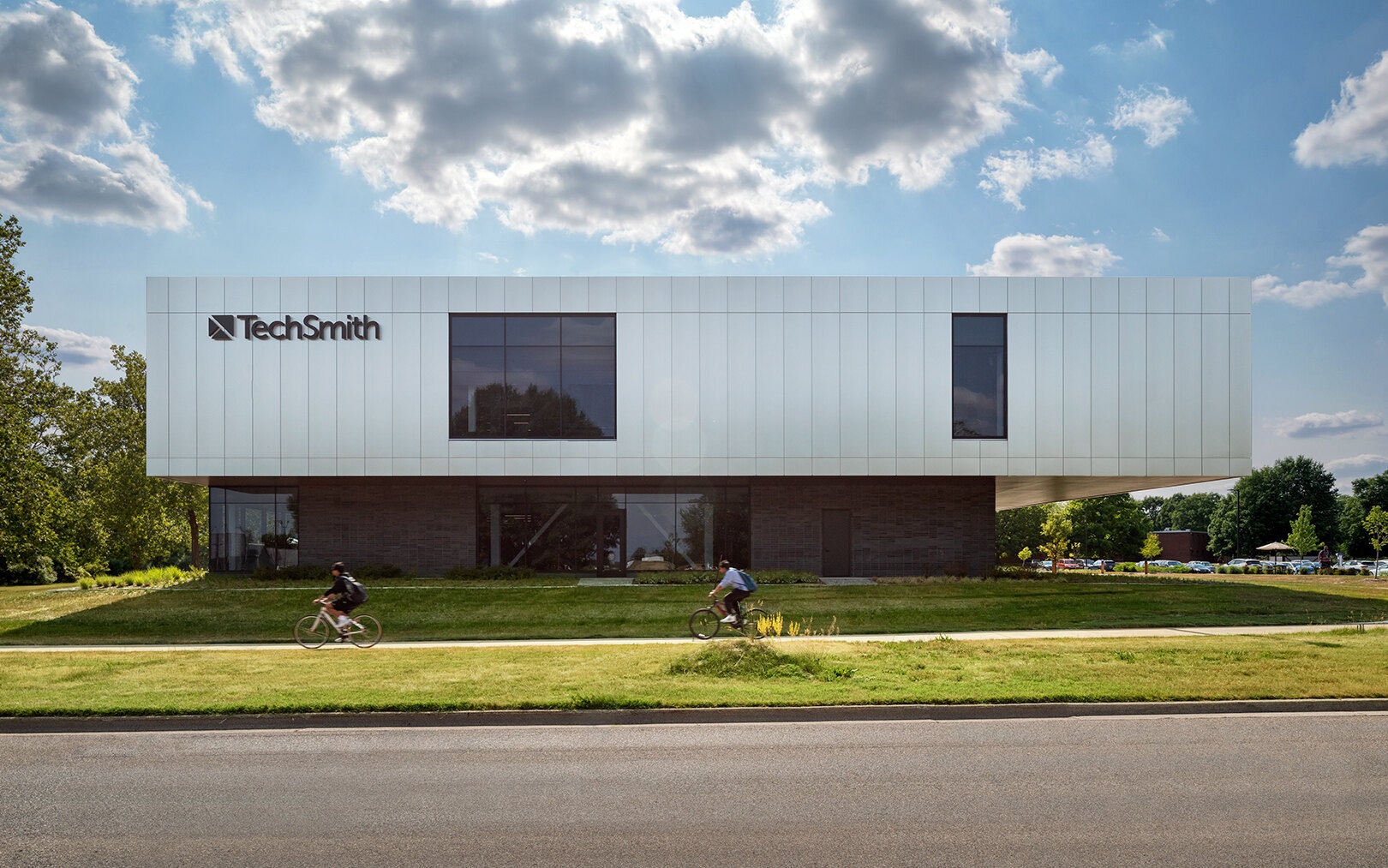
The company’s own workplace offers an amusing companion story. Its headquarters opened on Michigan State University’s campus in September 2022. The foundation’s account describes employee input, natural light and space for collaboration. TechSmith’s careers page promises funded development and paid volunteering; the staff call themselves TechSmithies. Hamilton’s remembered rule was brisk.
“Jerks don’t succeed at TechSmith.”
Bill Hamilton, remembered by TechSmith

Architect SmithGroup describes an indoor walking loop and small focus offices called “smoffices.” The university relationship also includes internships and engineering projects. Here, knowledge moves between a software business and a nearby supply of people learning to build software. The office gives that relationship a physical address.
Copy the explanation, then maintain it
Start with a recurring question. Capture only the relevant screen, hide sensitive details, explain one task, and put the result where colleagues will look. Assign someone to update it when the interface changes. A beautifully recorded obsolete instruction merely sends people in the wrong direction with unusually good audio.
TechSmith’s appeal rests on that unglamorous discipline. The tools make expertise easier to package. The lasting advantage belongs to the team that chooses useful questions and keeps its answers alive.