Routine is made for the moment at 10:17 on Tuesday when the day has already escaped its plan. A client message has become a task, a task needs two hours, the two hours collide with a meeting, and the notes from last week are hiding in another app. Most productivity software picks one piece of that knot. Routine tries to put the knot on one desk.
That makes it a particularly good fit for founders, freelancers, executives, developers, and small teams whose calendars are not merely records of appointments but the actual terrain of the job. If you think in time blocks, collect context around meetings, or regularly turn messages into work, Routine has a coherent answer. If all you need is a grocery list with reminders, its expanding data model may feel like bringing a filing cabinet to the corner shop.
Why it exists: your apps know too little about each other
Julien Quintard and Quentin Hocquet founded Routine in Paris in late 2020 after already building Infinit, the file-transfer startup acquired by Docker in 2016. Routine joined Y Combinator’s Winter 2021 batch and announced a $2.7 million pre-seed round later that year, led by BoxGroup and Target Global. The founders’ first bet was modest to explain and hard to execute: tasks, notes, and time belong together.
The original app revolved around a global dashboard summoned with Ctrl-Space. Type a thought, schedule it with natural language, and return to whatever you were doing. A task could contain a proper note; an event could hold the notes from its meeting; a larger task could be dragged onto the calendar to reserve the hours it deserved. That model still supplies Routine’s signature everyday move: capture first, then decide when and where the thing belongs.
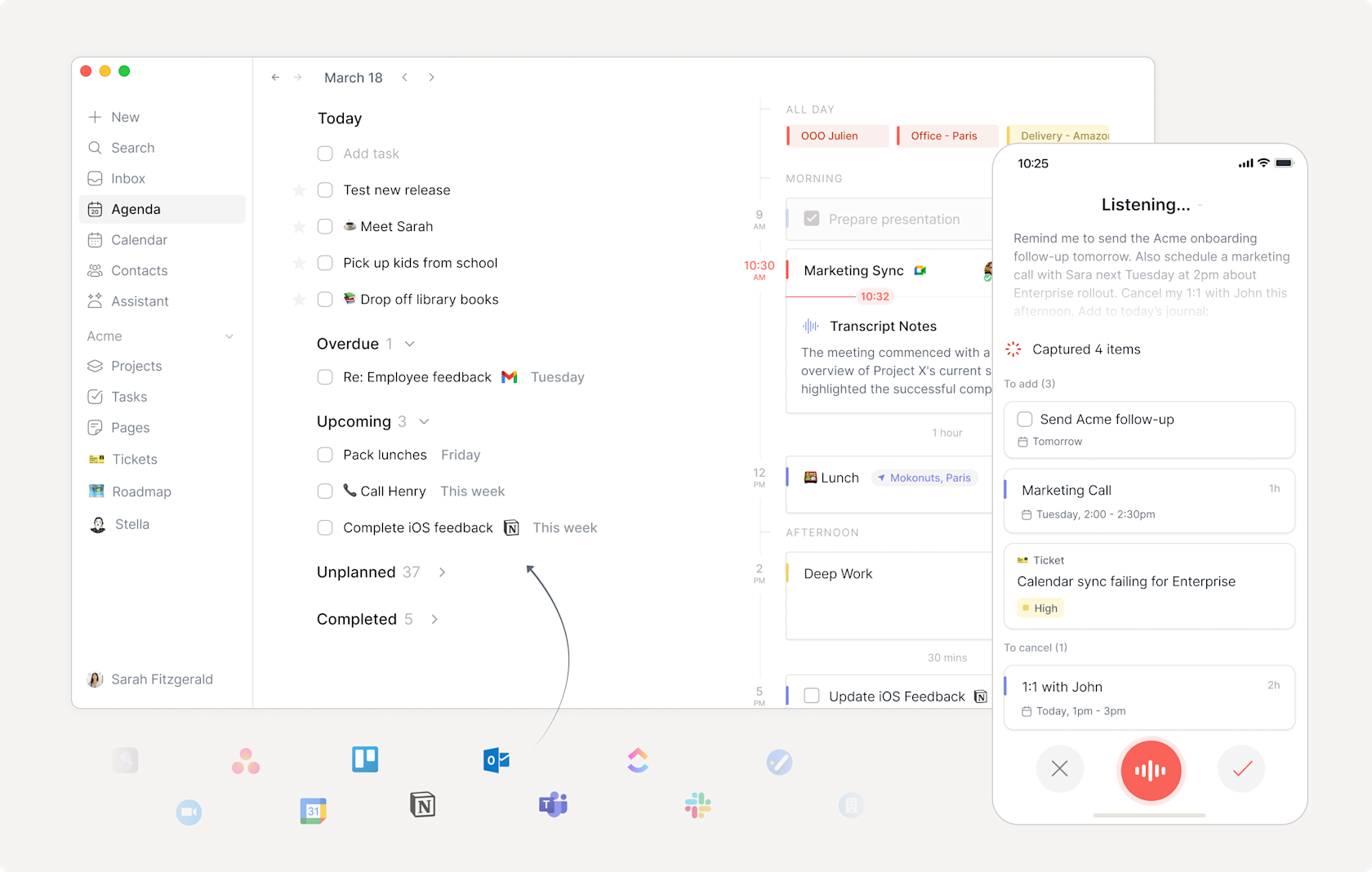
The product is broader now. Routine 2.2 is a local-first, graph-based workspace with projects, custom databases, views, contacts, connected services, meeting recording, and AI. “Graph-based” sounds like a phrase overheard near a whiteboard, but its practical meaning is friendly: an email, person, meeting, project, task, and note can refer to one another instead of living as unrelated rows in unrelated tools.
“My favorite feature is the dashboard, where I can quickly capture things that otherwise would fall through the cracks.”Sean Oliver, Routine customer testimonial
The moves that make Routine useful
Catch it
The keyboard-first dashboard captures a task or note without a detour through folders and projects. Voice capture handles the same job when a keyboard is inconvenient.
Give it time
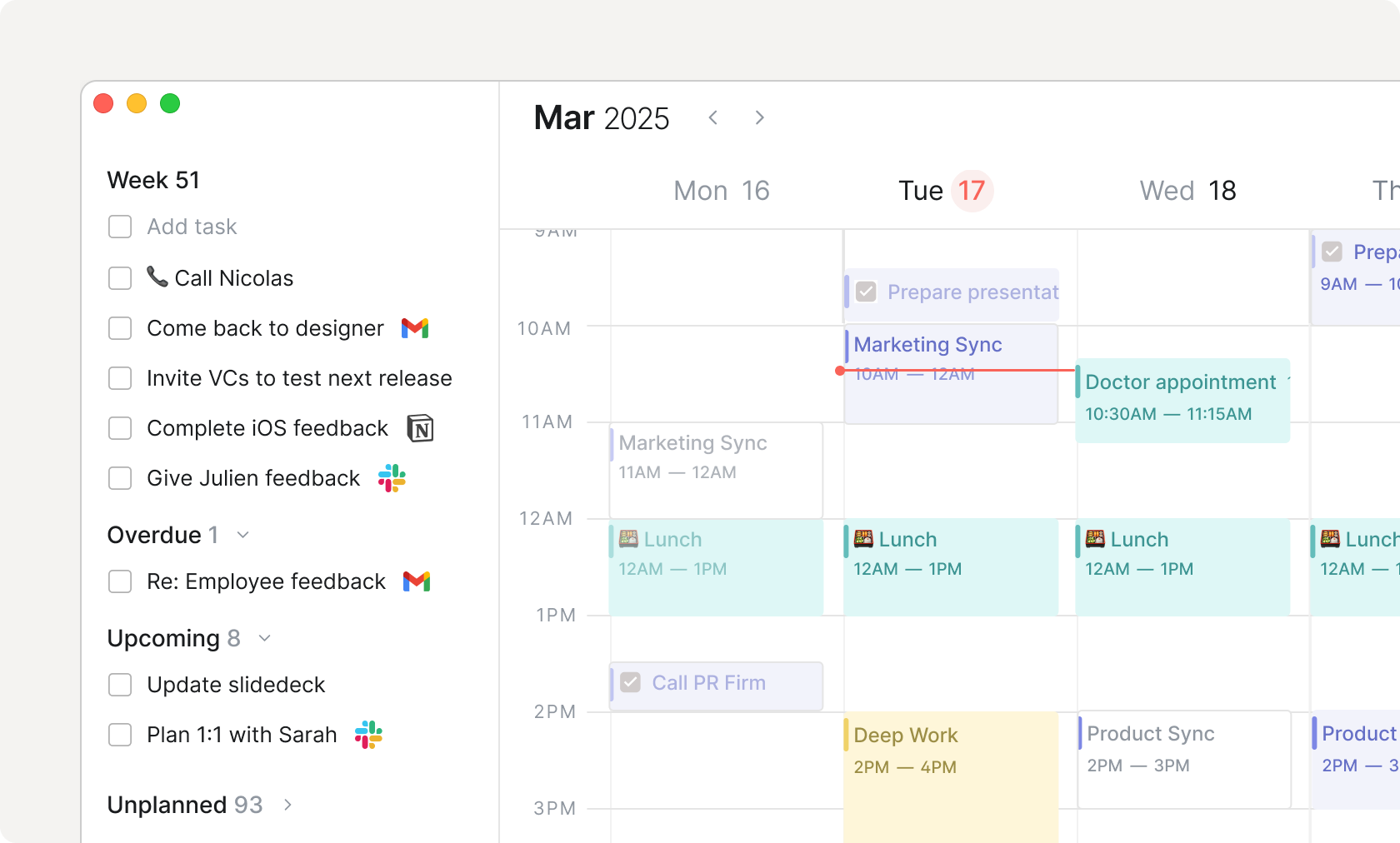
The planner places tasks beside calendar events. Dragging work onto the calendar turns an intention into a reservation, while timers can log the time actually spent.
Keep the receipt
Pages, backlinks, and contextual notes preserve why a task exists. Notes taken inside an event stay attached to that event instead of joining a document pile.
Pull work inward
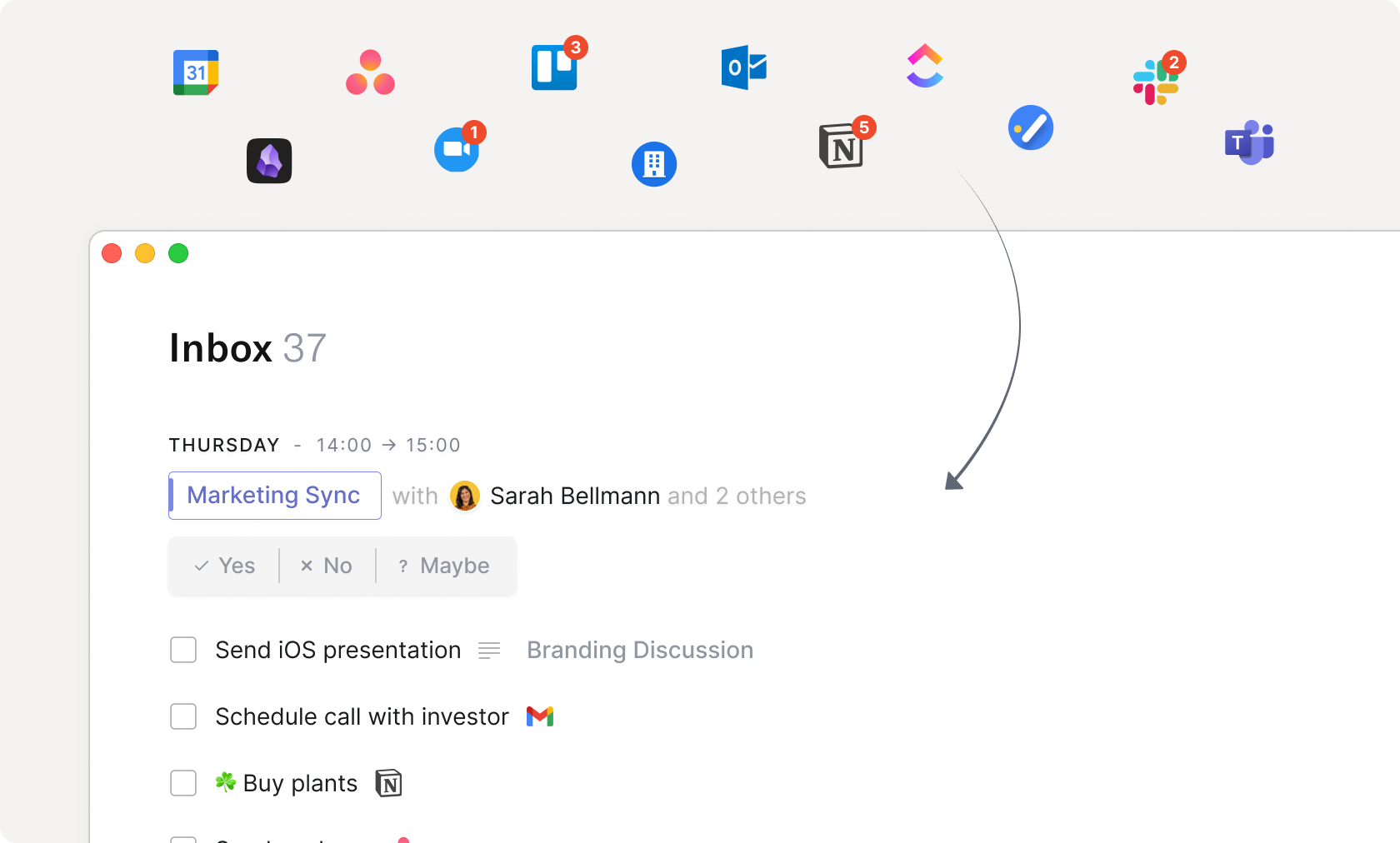
The universal inbox can collect tasks and signals from services such as Gmail, Todoist, Asana, Microsoft To Do, Notion, Slack, Linear, Jira, and Trello.
Shape the system
Custom types, properties, relations, groups, filters, feeds, and activity views let a team model clients, tickets, content, or almost any other working object.
Send in the machines
Meeting notes, voice commands, agents, and automations can summarize, create, update, and move work. The local MCP server connects supported desktop AI clients.
Meeting capture deserves a special nod. Routine detects calls in common services and records from the device, so no bot named “Routine Notetaker” arrives early and sits silently in the participant list. Users can change the prompt that shapes the output, save a transcript, produce a summary, or convert action items into tasks. The design is less theatrical and, in a crowded call, socially lighter.
What the tidy screenshots do not tell you
Consolidation has a price beyond the subscription. A tool that can behave like a planner, notebook, lightweight CRM, project tracker, and automation layer has concepts to learn. Custom databases are useful only after someone decides what should be a type, a property, or a relation. Integrations are valuable only after their incoming work is triaged. AI actions are helpful only after the user trusts the underlying data and checks what the action changed.
The public review picture is encouraging but not huge. Product Hunt lists a 4.8 rating from 27 reviews and repeatedly surfaces praise for design, task management, note-taking, calendar integration, and active development. The recurring complaints are the mirror image of an ambitious young product: bugs, uneven mobile support, rough edges, and missing features. A French App Store review from 2023 called the mobile app extremely buggy; the developer later replied that offline support and stability had improved. Routine’s August 2026 roadmap still names bringing iOS and Android up to desktop parity as a current focus. That is useful candor for anyone planning a phone-first workflow.
Who gets the most from it?
There is another practical caveat: local-first does not mean isolated. Routine says data remains available offline and syncs across devices, while connected services and AI naturally involve networks. Its AI release says workspace data is not shared with model providers unless an AI feature is explicitly used and is not used to train models. Teams with formal security or compliance requirements should still examine the relevant plan, integration permissions, retention settings, and vendor terms before importing sensitive work.
Routine against the usual suspects
| Choose | When your real need is | Trade-off |
|---|---|---|
| Routine | Calendar-led planning with connected notes, tasks, data, and integrations | More system to learn; mobile parity is still in progress |
| Sunsama | A guided daily ritual and deliberate workload planning | Narrower as a shared knowledge or database layer |
| Motion | Automatic schedule generation and rescheduling | Automation makes more planning decisions for you |
| Todoist | A mature, direct task manager that is easy to deploy | Less native depth for documents, data, and calendar context |
| Notion | Flexible documents, wikis, and databases for a team | Daily time planning and instant capture are less central |
Routine’s distinction is not that competitors lack calendars, tasks, notes, or AI. Most have borrowed from one another for years. It is the particular sequence Routine favors: catch something immediately, keep its context, decide its place in the week, and let the same object participate in a larger project or database. Sunsama offers a more guided daily ceremony. Motion leans harder into automatic scheduling. Todoist is easier when the task list is the center of gravity. Notion remains the more familiar blank canvas for team documents and databases. Routine is the candidate when your day, not your wiki, should be the front door.
A sensible way to try it
Start small enough to know whether Routine is helping. Connect one primary calendar and one task source. Learn capture, inbox triage, and time blocking before building custom databases or inviting an AI agent to rearrange the furniture. For one working week, put every meaningful task beside the hours available to do it. At the end, ask whether you missed fewer commitments and spent less time hunting for context. A prettier plan is not the same as a better week.
The free tier is enough to inspect the basic logic. The $5-per-month Personal plan adds time blocking and time boxing, exports, and unlimited file uploads. Professional costs $10 per month, Business is $15 per seat per month, and Enterprise is quoted. Because feature limits differ by tier, a team should map its required integrations, collaboration features, and history before migrating. Early-stage startups can also investigate Routine’s program offering a free first year.
During setup, preserve an exit. Export a sample page to Markdown, HTML, and PDF. Confirm that recurring work behaves as expected. Test offline access on the devices that matter. Run a real meeting capture with consent, inspect the transcript, and check whether action items become useful tasks rather than a second pile. On mobile, test the exact capture and review loop you use away from the desk. Twenty careful minutes here can prevent an elaborate migration into a workflow that only looks right in a browser.
Routine earns attention from people whose work crosses the borders between calendar, task list, meeting, and note. Its capture-and-plan loop is quick, its contextual model makes sense, and its recent releases show a product moving quickly toward team work and automation.
Choose it if you want one adaptable workspace and are willing to shape it. Stay with a focused task manager if you prize immediate simplicity, or a dedicated daily planner if you want a prescribed ritual. Routine is most convincing when it reduces switching before it starts encouraging customization.
The last word
Productivity apps often sell the pleasant sensation of arranging work. Routine’s better idea is to shorten the distance between remembering, deciding, and doing. The global capture window catches the loose end. The planner gives it time. The linked note remembers why it mattered. Projects and databases let the same work report upward without being copied into a second system.
Its risk is equally clear. Every additional role makes Routine more capable and more demanding. The team is still improving mobile parity, collaboration, integrations, and AI, even as it invites users to centralize more of their working lives. Treat it as a staged move, not a weekend conversion. If the first week feels quieter, keep going. If you spend it perfecting labels while the actual work waits, the old task list may have been innocent.