Most task managers are excellent accomplices. Hand them twenty-three tasks at 8:14 in the morning and they will arrange every one into tasteful little rows. Sunsama is the colleague who glances at the clock, notices the three meetings, and asks which seventeen tasks you are prepared to disappoint. Its central trick is not storing work. It is making time visible before optimism ruins the afternoon.
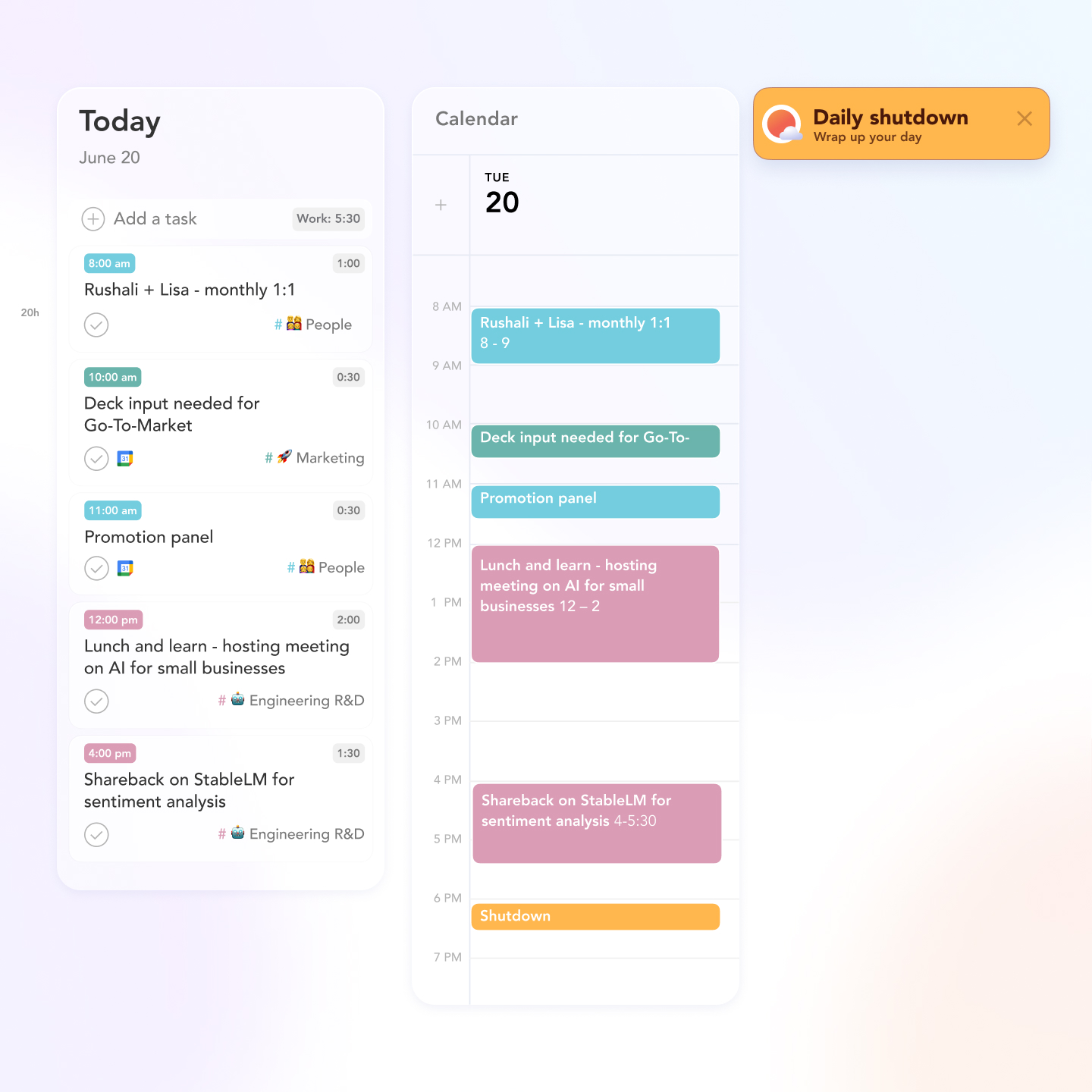
That makes Sunsama unusually well suited to professionals whose work arrives through too many doors: a Jira issue, an Outlook message, a Slack promise, a Notion page, and the private errand remembered while the kettle boils. It pulls those inputs into a daily view, asks for an estimate, and lets you drop the resulting block onto a calendar. If the plan stretches past your chosen shutdown time, the workload indicator changes its tune. The list finally has to obey physics.
It is a poor fit for the happy minimalist who already chooses three priorities in a notebook. It may also annoy people who want an algorithm to rearrange the day without discussion. Sunsama can auto-schedule, but the product's personality lives in a guided ritual: look, choose, estimate, schedule, begin. You are present for the decisions. That small demand is either the point or a recurring piece of admin.
“Sunsama is less a command center than a daily customs desk. Every task must declare how much time it is carrying.”YesPress review
The morning ritual is the product
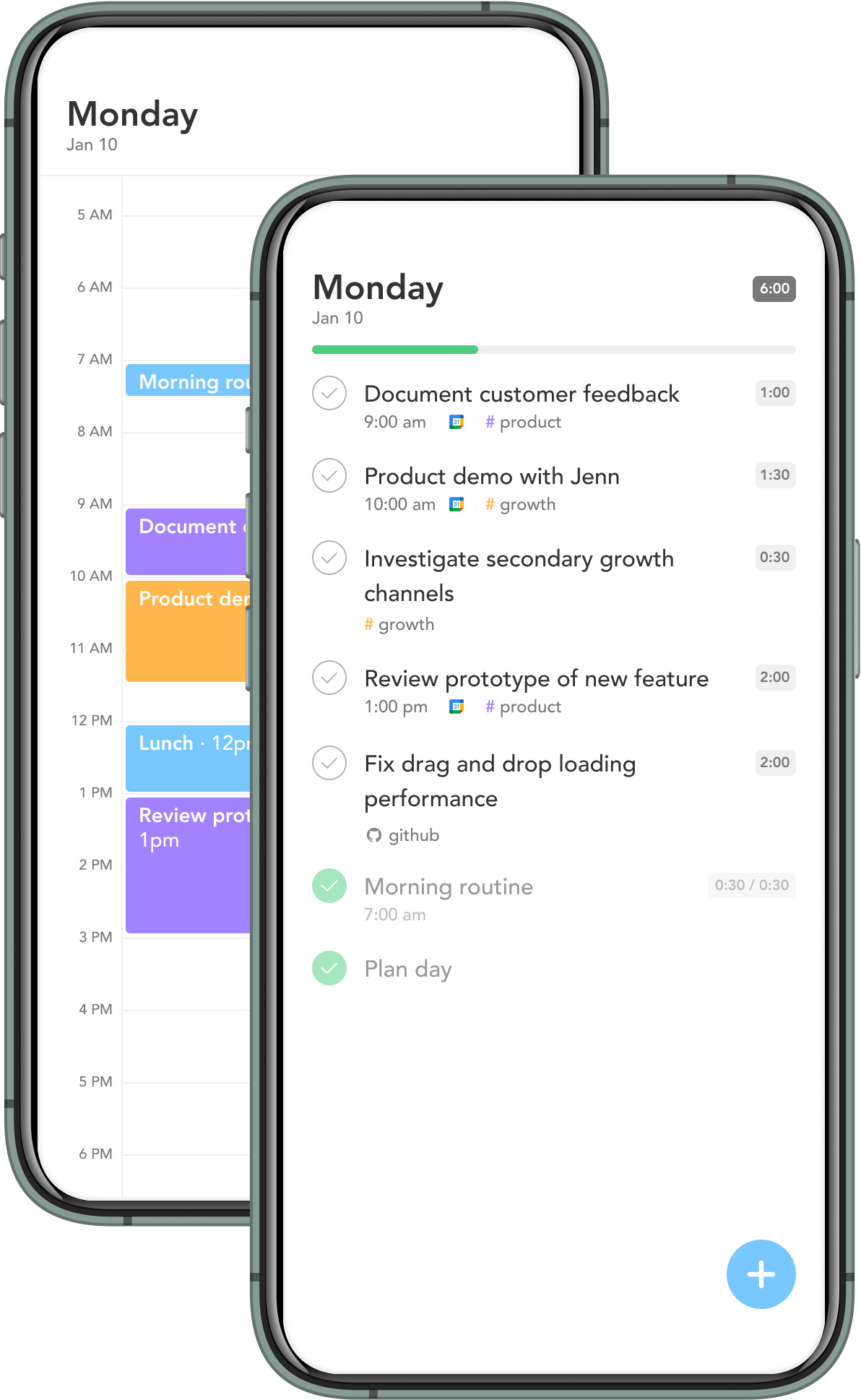
Open the day and Sunsama walks through unfinished work, connected task systems, email, and meetings. You select what deserves today, attach a duration, and compare the total with the hours available. Tasks can be timeboxed directly onto Google, Outlook, Apple iCloud, or Sunsama's private calendar. That private option is a smart courtesy: you can see the shape of a planned day without filling the shared work calendar with “fix tiny button” and “buy lentils.”
During work, Focus Mode narrows attention to one item. Timers and Pomodoro sessions record the difference between planned and actual effort. At the other end of the day, the shutdown routine tallies completed work and handles leftovers. Weekly objectives, planning, and review repeat the same logic at a larger scale. There is no heroic language about crushing a backlog. The interface keeps returning to a more adult question: what was worth doing with the time you had?
A translator for your work-tool Babel
Sunsama does not insist that the rest of your stack move house. Its integration panels bring in tasks from Asana, ClickUp, GitHub, Jira, Linear, Monday.com, Notion, Todoist, Trello, and others. Gmail and Outlook messages can become tasks; Slack and Teams messages can become follow-ups. Imported work stays linked to its source and supported changes sync back. Calendar events live beside tasks instead of hovering in a separate browser tab like weather over another country.
This is why the product often works best as a planning layer over a project system rather than a replacement for one. A product team can keep the roadmap in Jira. A freelancer can keep durable lists in Todoist. Sunsama becomes the place where each person decides what crosses the border into today. Deep project reporting, dependencies, and portfolio administration belong elsewhere.
| If you need... | Sunsama's answer | Watch for |
|---|---|---|
| A believable day | Estimates, workload limits, and calendar timeboxes | The ritual takes active upkeep |
| One view of scattered work | Native panels for major task, email, calendar, and messaging tools | Not every field in every source app maps perfectly |
| Automatic rescheduling | Auto-scheduling can place work into open time | Motion and Reclaim lean harder into automation |
| Full project management | Channels, objectives, tasks, and collaboration basics | Keep Jira, Asana, or ClickUp for complex projects |
The $17 question, plus five dollars of honesty
The current Pro plan is $17 per month when billed annually, or $22 month to month. The trial lasts fourteen days and does not ask for a card. There is no permanent free plan. Enterprise customers get custom terms plus SSO/SAML, SCIM, audit logs, and tailored security arrangements. Students and nonprofits can ask support about discounts.
The company does not dodge the price debate. Its pricing manifesto rejects free-forever economics, lifetime deals, charm prices, and the annual Black Friday coupon stampede. The argument is that serious workplace software should fund security, support, and a sustainable company now. Sunsama says it reached profitability in 2022. You may respect the theory and still prefer twenty-two dollars in your bank account.
That objection is loud in user discussion. A 2025 Reddit reviewer praised the interface and immediately called the price “insane.” A 2026 commenter said the daily ritual had grown into a twenty-minute chore and moved to Akiflow. Product Hunt presents the other side: Sunsama held a 4.7 rating across 21 reviews when we checked, with users repeatedly praising timeboxing, integrations, Focus Mode, and the planning ritual. The complaints cluster around price, mobile limitations, and thin project tracking.
The fit meter
Editorial assessment, not a user survey. The best customer has fragmented work, likes deliberate planning, and can expense the subscription.
Sunny arrives, carrying the whole backlog
The newest Sunsama is more willing to let software do the clerical work. Sunny, its built-in AI assistant, can create, edit, reschedule, and complete tasks; organize a brain dump; pull meetings into the day; align work with weekly objectives; and summarize completed work for a manager update. In August 2026, Sunny and the company's MCP server lost their beta badges. Compatible assistants can now work with Sunsama tasks, while automations continue to sync changes to connected services.
This is useful progress, though the best version of Sunny behaves like a competent clerk rather than an oracle. Planning still depends on knowing that “draft proposal” means forty minutes on a good morning and three hours after a bad meeting. The app can sort the cards. The human still owns the estimate.
Security has also become less startup-casual. Sunsama added native two-factor authentication in August 2026. Company documentation says a SOC 2 Type II report is available on request, and enterprise identity runs through WorkOS. Its privacy policy names Google Cloud Platform, MongoDB Atlas, and AWS among the infrastructure providers and says customer data is not sold. AI processing can be disabled or limited in settings.
Six dead products and one stubborn calendar
The backstory explains the restraint. Ashutosh Priyadarshy and Travis Meyer met at university and began building together in 2013. Over four years they launched and shut down six products. In 2018, with only a few months of cash left, they built the daily planner they wanted for themselves and took it to Product Hunt. The macOS release ranked fifth for its day.
Then came the unusually candid survival email. With weeks of runway remaining, the founders told early customers they could close the product or end free plans and double the price. Enough customers chose to pay. Sunsama entered Y Combinator's Winter 2019 batch, raised a $2.4 million seed round according to its founders, moved to remote work that spring, and eventually became profitable. The company remains tiny: LinkedIn lists it in the two-to-ten employee band.
That history is more than charming startup archaeology. It produced the current bargain. Sunsama asks for a noticeable fee and promises to build for paying users rather than inflate a free audience. It also declines the feature arms race when additions would muddy the daily plan. Whether that bargain feels principled or precious depends on how expensive your own overcommitment has become.
Buy the constraint, not the checklist
Sunsama earns a trial from managers, founders, freelancers, product people, and other knowledge workers who regularly plan more than a calendar can hold. Give it ten working days. Connect only the tools that genuinely produce commitments. Estimate honestly. Use the shutdown. If the ritual helps you decline or defer work before it wrecks an evening, the subscription has a case.
Skip it if you already timebox smoothly, need a free tool, or resent a guided morning routine after day three. Todoist plus a calendar can reproduce many components. Akiflow offers a faster command-center feel; Motion and Reclaim emphasize algorithmic scheduling; Morgen leans into calendar consolidation. Sunsama's distinct product is the pause before commitment.
Questions people ask before giving it Monday
Does Sunsama replace Todoist, Asana, or Jira?
Usually no. It can hold tasks, but its strongest role is selecting and scheduling today's work from those systems while the source app remains the project record.
Is there a free version?
No. The trial is free for fourteen days and requires no credit card. Continued use needs Pro or an enterprise plan.
Can it work with multiple calendars?
Yes. Sunsama supports Google, Outlook, and Apple iCloud calendars, plus a private built-in calendar. Enabled calendars can be viewed together.
Does it automatically plan the day?
It offers auto-scheduling and AI assistance, but the core flow remains deliberate: users select tasks, estimate effort, and approve the shape of the day.
Who gets the least value?
People with one simple task list, strong existing timeboxing habits, little tolerance for planning rituals, or a tight software budget.