BeforeSunset AI is for the person who can describe the whole storm but cannot decide which raindrop to catch first. You open it, type or speak the chores, ambitions, errands, and half-formed obligations rattling around your head, and ask the software to make a day of them. It proposes tasks, subtasks, priorities, estimates, and time blocks around your calendar. The blank page becomes a runway. For overloaded freelancers, founders, students, remote workers, and anyone whose executive function occasionally goes on lunch without leaving a note, that is the point.
The product is gentler than its category sounds. Plenty of AI schedulers behave like a foreman with a stopwatch. BeforeSunset AI presents planning as a way to recover the evening. The name itself carries the original bargain: finish what matters before the light goes, then stop. Its pastel interface, roomy task cards, and Oasis focus environment try to make work feel bounded rather than endless.
Who should invite it into the morning?
Start with people who already know roughly what needs doing. BeforeSunset AI does not invent a life strategy. It takes fuzzy intent and gives it handles. “Prepare launch” can become research, outline, design, review, and publish, each with an estimate. A scattered list can be sorted into work and personal lanes. Meetings from Google Calendar or Outlook become the rocks; the planner pours tasks into the open spaces.
That makes it especially useful when task definition is the bottleneck. A manager running a complex portfolio may still prefer Motion’s broader project machinery. A disciplined time-blocker may enjoy Akiflow’s control. A person who wants a deliberate morning and evening ritual may fit Sunsama better. BeforeSunset AI sits in a friendlier middle: more structure than a to-do list, less corporate apparatus than a project suite, and a direct path from “here is everything” to “start this now.”
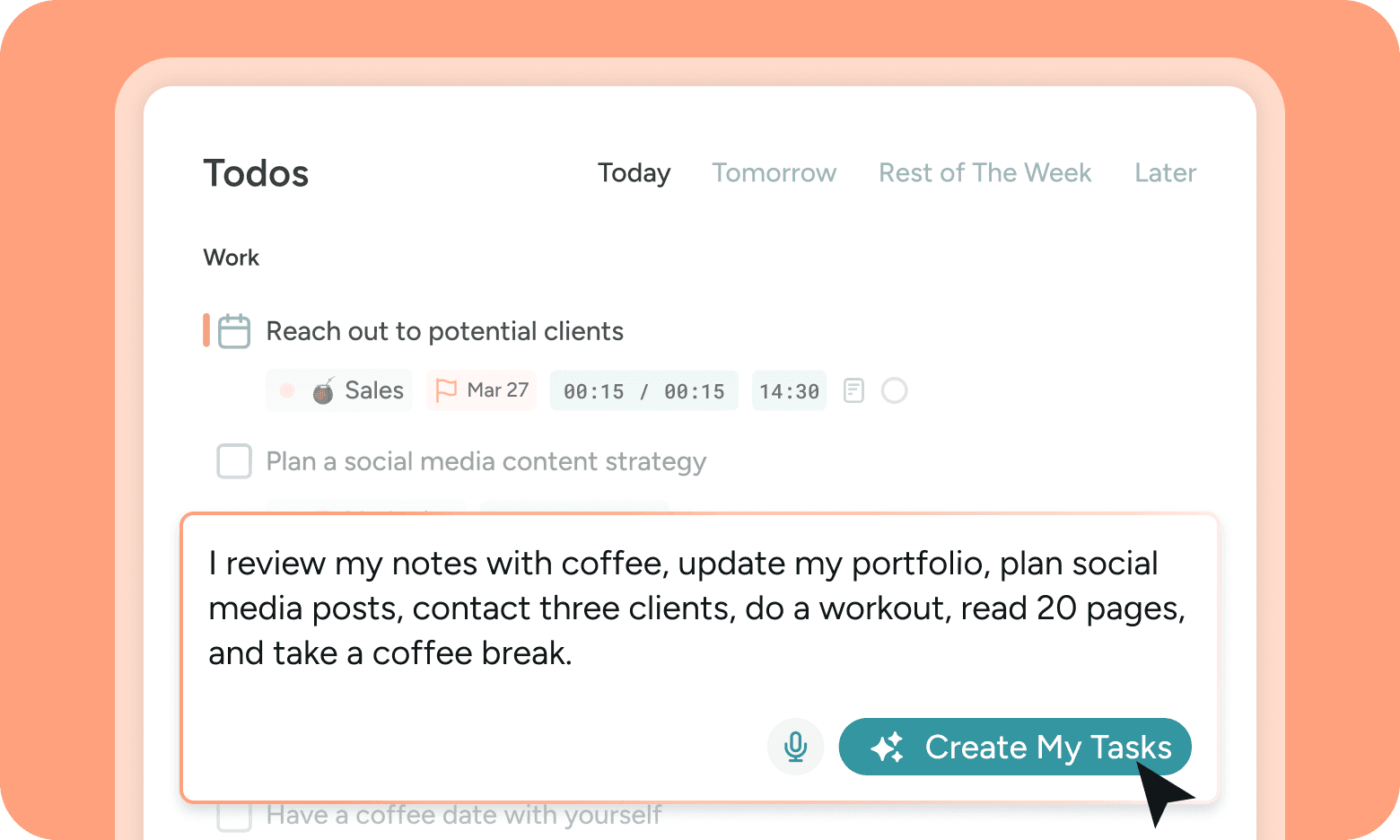
The small magic trick: a list learns time
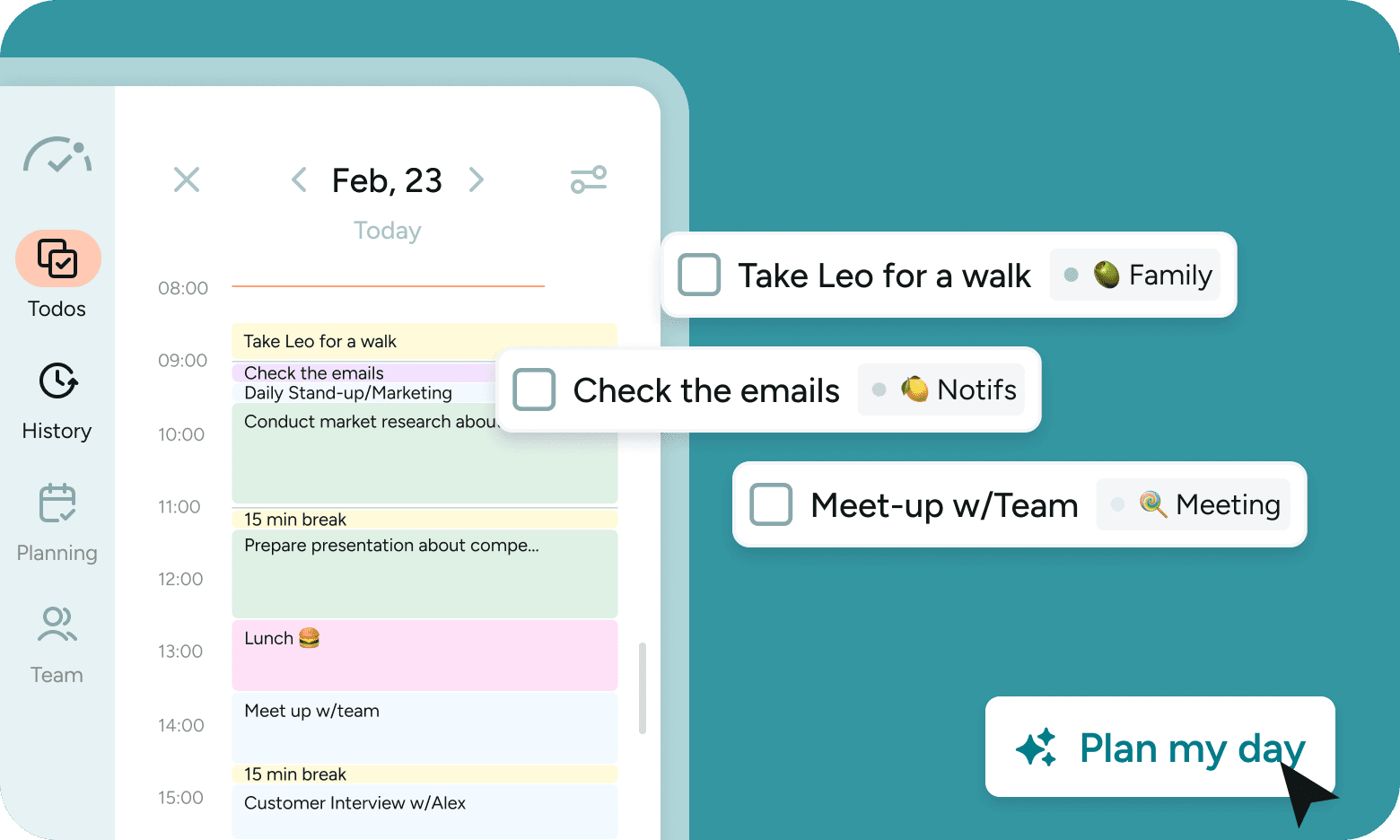
Most task apps are excellent museums. They preserve every promise you have made to yourself, often for years. BeforeSunset AI is more interested in whether those promises fit between breakfast and dinner. Its “Plan My Day” action considers priorities and duration, then places work on a calendar. Users can choose a planning temperament, including Eat the Frog for the difficult job first, Quick Wins for momentum, and Batch Similar for fewer context switches.
The four-beat planning loop
The distinction matters. AI here is not a chat window bolted onto a calendar for decoration. It performs the tedious translation between a vague goal and an executable sequence. You remain the editor. Estimates can be wrong, a “quick” email can grow teeth, and no algorithm knows that Tuesday afternoon is when your brain turns to porridge. The best use is to treat the generated plan as a credible first draft, then fix it before it fixes you.
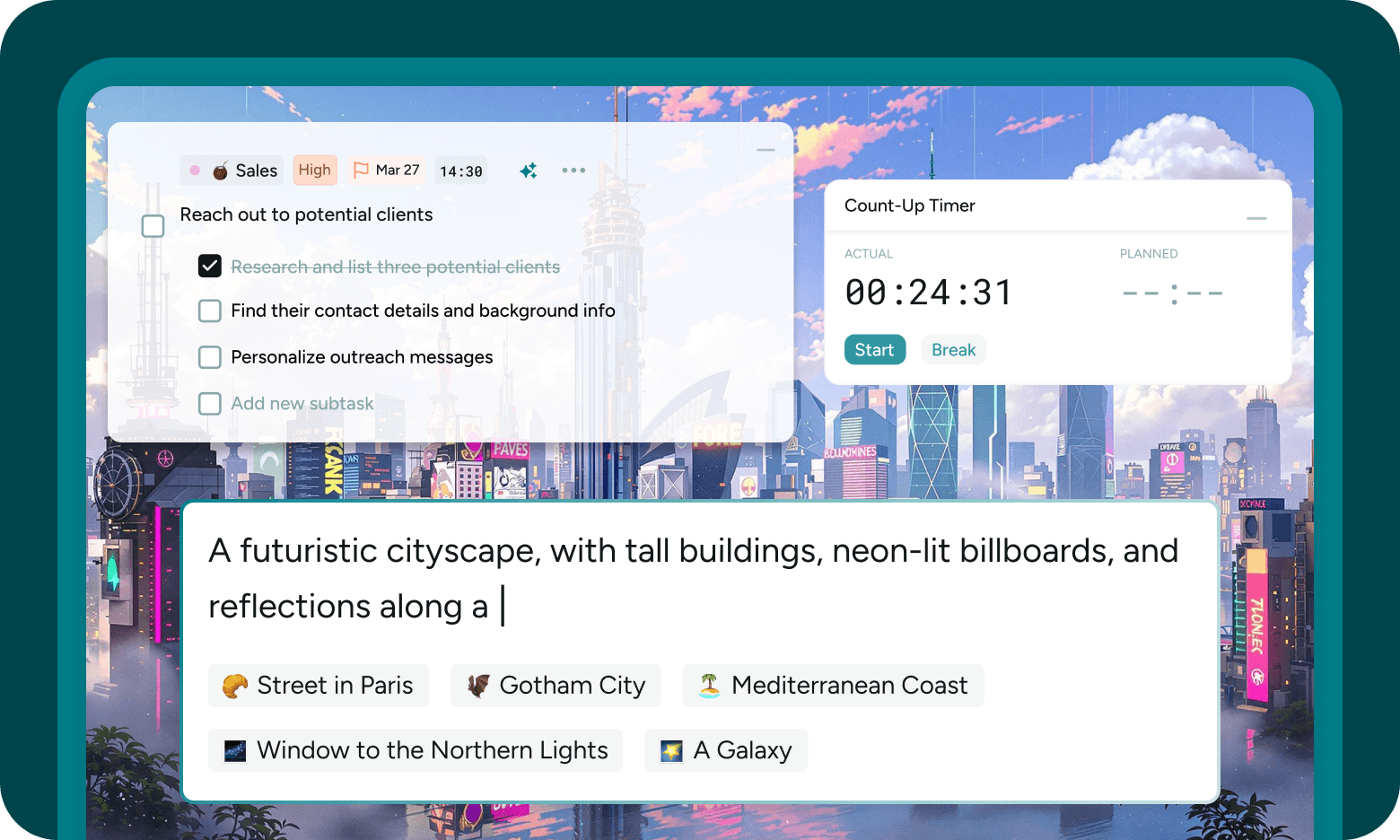
Oasis is where the plan puts on headphones
Planning software often abandons you at the interesting moment: when work begins. Oasis follows through with a single-task view, notes, Pomodoro and count-up timers, background sounds, and customizable scenery. In February 2025, the company said it upgraded generated backgrounds with a Flux model. You can ask for a neon city, a coast, or a galaxy. It is a little theatrical, which may be exactly right when the alternative is opening another tab.
Make the tasks
Natural language or voice becomes to-dos, labels, subtasks, priorities, and estimates.
Make the day
AI scheduling turns the chosen tasks into a daily or weekly calendar plan.
Do one thing
Oasis combines single-task focus, timers, notes, sound, and scenery.
Look back
History and analytics expose estimates, completions, and recurring patterns.
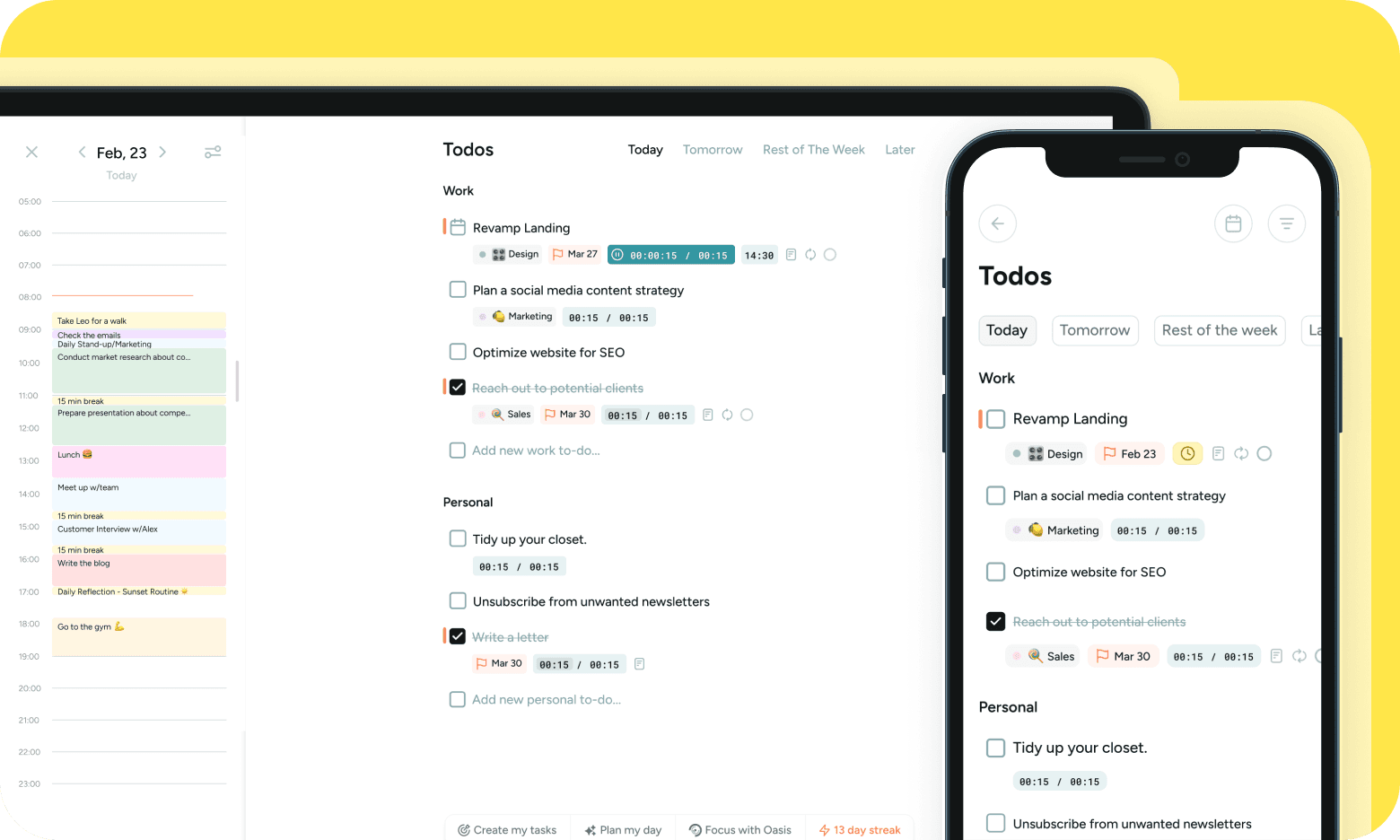
Around that core are the unglamorous necessities: recurring tasks, due dates, reminders, multiple labels, lists, notes, bookmarks, history, filters, weekly and monthly views, and team analytics. The 2025 releases added voice-to-text, quick notes, recurring events, manual ordering, and mobile focus tools. The iOS and Android apps sync with the web, though the public store histories suggest mobile is the younger surface. That is worth remembering if your phone will be the main office.
“Simple and elegant UX.”Product Hunt reviewer, on the interface
The review scores argue with each other
On Product Hunt, BeforeSunset AI carries a 4.7 rating from 75 reviews. G2 shows 4.6 from 34. Reviewers frequently praise the uncluttered interface, task breakdowns, time estimates, focus mode, and the relief of seeing a day take shape. One Reddit reviewer preferred its calmer feel to Motion and liked that focus mode could pair scenery with music. Product Hunt criticism includes slow loading, rough edges, limited integrations, and the missing Apple Calendar connection.
Then there is Trustpilot: 2.1 from only ten reviews at the time of research, with nine at one star. The small sample is not a census, but its pattern is hard to dismiss. Several reviewers say they struggled to cancel subscriptions, obtain refunds, or receive support replies. Similar complaints appear on Reddit and in one long Product Hunt review. These are user allegations, not findings by a regulator, and Trustpilot notes that the profile is unclaimed and reviews may not be representative. Still, repetition across sites makes this a buying consideration, not gossip.
The five-minute buyer test
Before paying, locate the subscription page, confirm the renewal price, find the cancellation route, send support a harmless question, and save the refund terms. If any step feels foggy, stay on the free experience until it clears.
The contrast is almost comic: lovely product sentiment on discovery platforms, sour service sentiment on a customer-service platform. A sensible trial should therefore test two things. First, does the planning logic reduce your morning friction for a full week? Second, can you manage the account without needing a person to rescue you? A productivity app should not add “chase refund” to tomorrow’s schedule.
Price, rivals, and the honest pick
The official pricing page lists Pro at $8 per month when billed annually, or $96 for the year. It includes unlimited AI credits and calendars, Oasis, task auto-moving, weekly and monthly planning, weekly analytics, and unlimited bookmarks. Team Pro is listed at $12 per member per month on annual billing, adding a workspace, unlimited members, and team analytics. The page advertises a seven-day money-back guarantee. Mobile stores use regional in-app prices, so the checkout screen is the final authority.
| Planner | Choose it when... | Trade-off |
|---|---|---|
| BeforeSunset AI | You want brain-dump task creation, a gentle schedule, and a built-in focus room. | Fewer deep integrations; recent billing and support complaints. |
| Motion | You want aggressive auto-scheduling plus broader project management. | More expensive and more managerial in feel. |
| Sunsama | You value a deliberate daily ritual and manual control. | More planning effort and a higher typical price. |
| Akiflow | You want keyboard speed and tasks gathered from other systems. | Scheduling is more hands-on. |
| Reclaim.ai | You want calendar-first automation and protected habits or focus time. | Less of the guided task-breakdown experience. |
Our pick is straightforward. Try BeforeSunset AI if your hardest daily problem is converting mental clutter into an approachable first action. Its combination of task creation, scheduling, and focus is coherent, and the interface understands that anxiety is not a productivity method. Skip it if Apple Calendar or a wide integration web is essential, if you need mature enterprise project controls, or if the account-management route remains unclear during your trial.
The sunset after BeforeSunset
The company launched the original BeforeSunset in 2022 and found an early audience on Product Hunt. The June 2023 AI release took Product of the Day, Week, and Month. Teams won Product of the Day in November 2023; version 2.0 repeated the daily win in September 2024. The company now claims more than 50,000 users. Its LinkedIn page lists a New York headquarters, a team of two to ten, and a founding year of 2022.
In 2026, the root website began leading with Unlock, a separate mobile product that turns intentions into guided action. BeforeSunset AI remains available under /classic. The move suggests a company exploring the step before scheduling: helping people decide what they want in the first place. Existing planner users have not been evicted, but the new front door is a signal. Anyone buying a yearly plan should ask how actively the classic product will develop.
BeforeSunset AI’s best idea is still compact and human: a day should have a shape, and work should have an end. When the software turns “everything” into a few plausible blocks, it earns its keep. When billing or support turns into another unresolved task, the promise collapses. Take the planner for a proper test drive, keep one eye on the exit, and see whether you reach the evening with less static in your head.