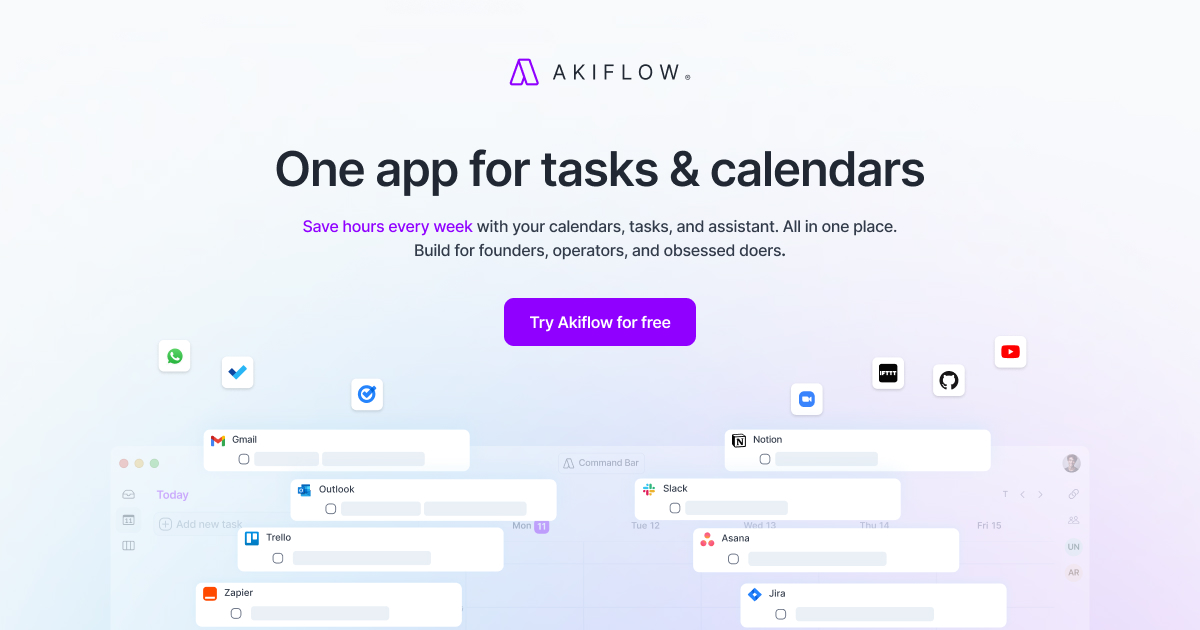
Most task managers are excellent accomplices. Type “write proposal,” give it a red flag, and watch it sit there with the serene confidence of a museum object. Akiflow is less polite. It puts tasks beside meetings, lunch, and the dentist, where they must compete for the same finite squares. The result is a planning app built for people whose work arrives through Gmail, Slack, Notion, Todoist, Asana, and several other doors that refuse to form an orderly queue.
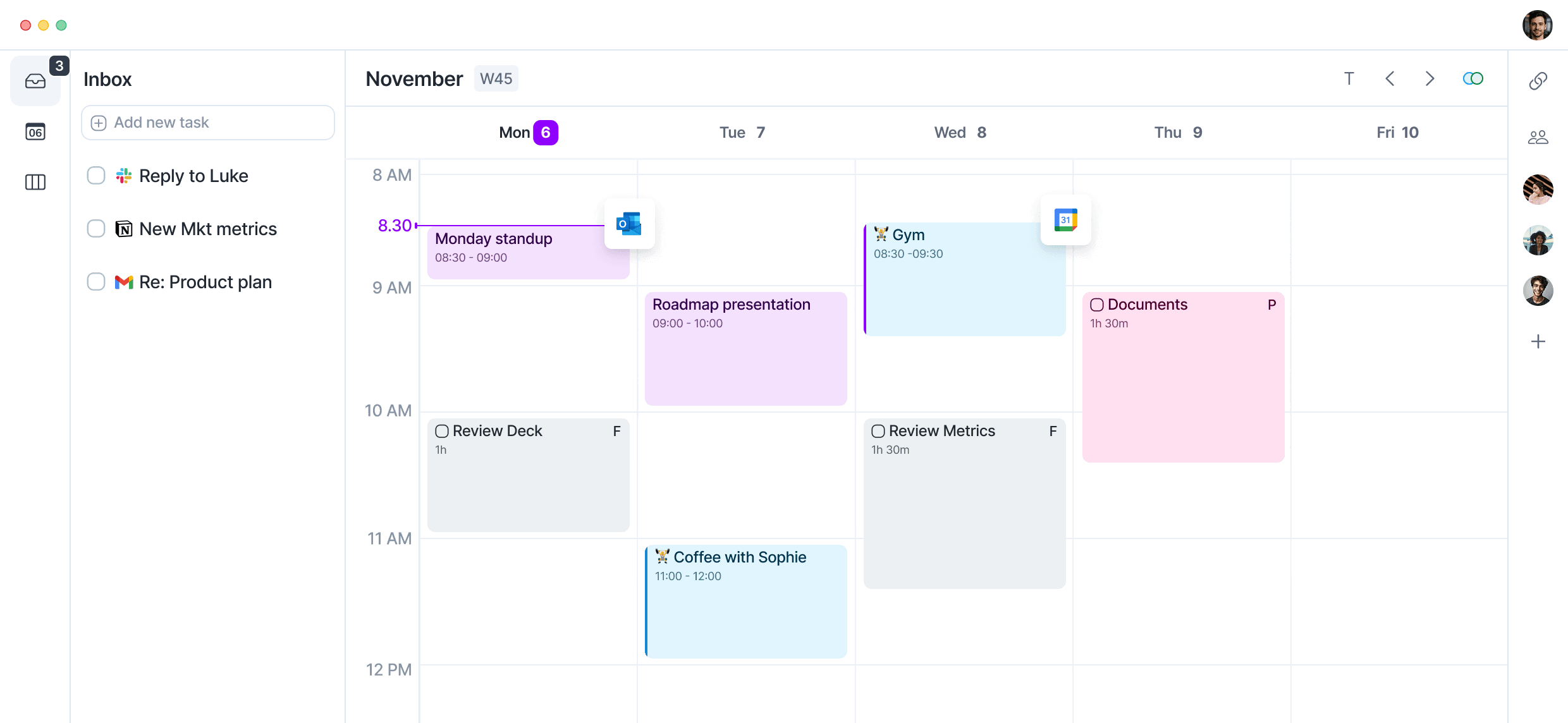
The central idea is plain: collect incoming work in one inbox, decide what matters, estimate how long it needs, then drag it onto the calendar. This is useful for founders, operators, consultants, managers, developers, and students with a calendar full of meetings and a separate list full of invisible labor. If your system is one notebook and a calm Tuesday, Akiflow is likely more machinery than you need.
Who should invite this bossy little calendar in?
Akiflow fits a particular kind of mess. Your project system belongs to the team, your email belongs to everyone who knows your address, and your calendar belongs to whoever found the booking link. You need a private execution layer over the lot. Akiflow leaves source tools in place and imports their actionable items into a Universal Inbox. Processed tasks can receive a project, priority, deadline, duration, or calendar slot. Two-way sync on supported integrations reduces duplicate maintenance.
It is especially convincing for calendar-led workers. Recurring Time Slots reserve broad territory for deep work, admin, or exercise, while individual tasks can be placed inside them later. Daily planning and shutdown rituals make the system less dependent on remembering to review it. The command bar, opened with Cmd or Ctrl plus K, helps desktop users capture a task without touring the interface.
The five-step engine
The product hangs together around a method, not a novelty button. Akiflow describes five steps: capture, process, plan, execute, and review. Capture is deliberately cheap. Processing happens later, when decisions can be made in a batch. Planning moves work into time. Execution uses the schedule and focus timer. Review closes the loop with a shutdown ritual and statistics.
One task’s journey from “don’t forget” to “done”
This sequence matters. Many productivity systems ask you to name, tag, prioritize, estimate, and schedule a thought at the moment it interrupts you. Akiflow lets the first act be a quick dump into the inbox. Later, the weekly horizons of Someday, This Month, and This Week help avoid fake due dates. A task can belong to the week before it owns a precise hour.
Where the AI helps, and where judgment stays
Aki, the built-in assistant, accepts text and voice to create or organize tasks and events. The Schedule Optimizer can reshuffle a day on desktop and web. The Meeting Assistant surfaces documents, transcripts, and action items. The newer MCP connector lets compatible clients such as Claude, ChatGPT, and Cursor read schedules and manage tasks, events, and Time Slots. Release 2.80 also added “Work with AI,” which sends an item’s context into Claude or ChatGPT through a prepared prompt.
These additions reduce clerical work, but they do not settle the argument between two priorities. The best Akiflow workflow still starts with a person deciding what deserves time. Some public reviewers praise quick AI capture and event creation; others report that conversational requests, categorization, or integrations have behaved inconsistently. Treat Aki as an assistant to a sound planning habit, not a replacement for one. Use the trial with your real calendars and the two integrations you cannot live without.
| Job to be done | Akiflow’s approach | Watch for |
|---|---|---|
| Collect scattered tasks | Universal Inbox and integrations | Test source-specific fields and two-way sync |
| Make a realistic day | Drag tasks onto the calendar, then optimize | Duration estimates are still yours |
| Protect recurring work | Time Slots and task locking | Too many rigid blocks can make the plan brittle |
| Capture quickly | Command bar, mobile share sheet, widgets, voice | The system-wide command bar is desktop-only |
| Work with an AI agent | Aki and MCP connector | Review permissions and verify important changes |
Desktop thoroughbred, mobile companion
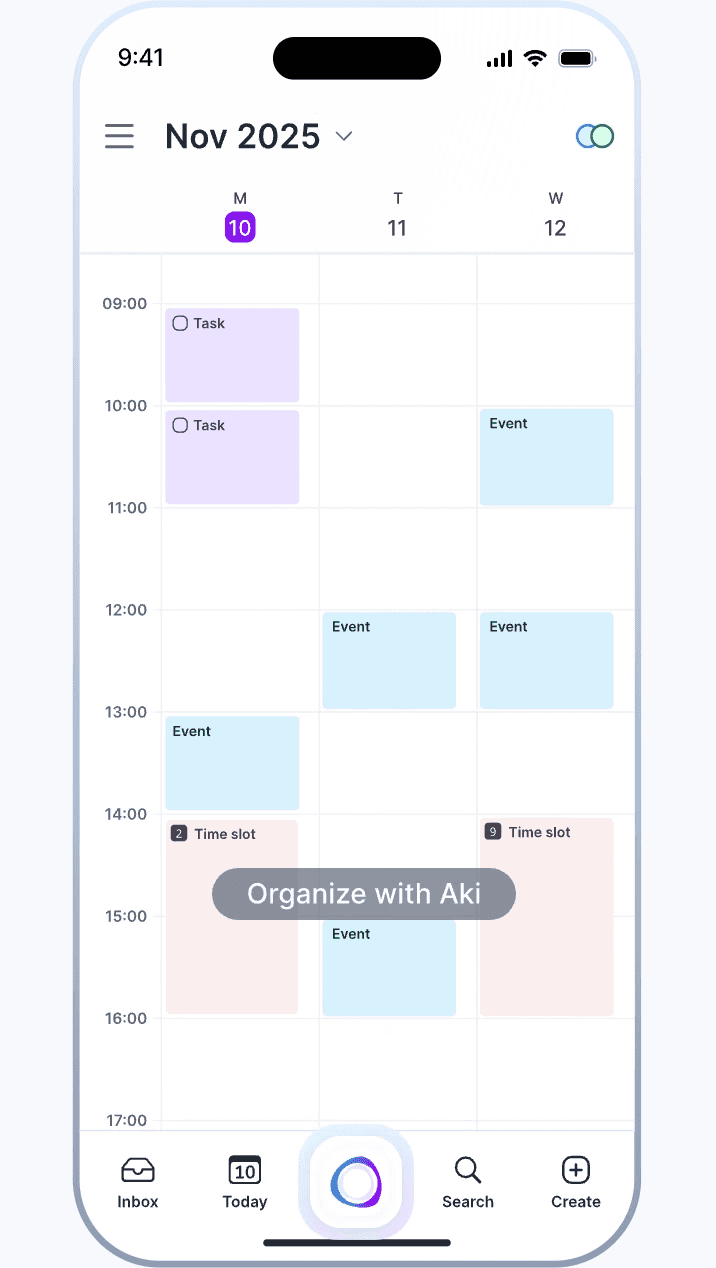
Akiflow runs on the web, macOS, Windows, iOS, and Android. Desktop remains the fullest expression: quick keyboard capture, dense calendar manipulation, broad integration setup, and schedule optimization. Mobile covers the useful on-the-go jobs, including inbox processing, calendar edits, notifications, widgets, the share sheet, Aki, and a Daily Dashboard. On iOS, Siri and Shortcuts can pass work into the app.
Pocket verdict
The phone app can capture, check, and adjust the day without pretending a narrow screen is a desktop. That is sensible. It also means mobile-first buyers should test aggressively. Product Hunt and G2 summaries have noted a less mature mobile experience, while the August 2026 releases brought redesigned navigation, search, chat, event editing, better list speed, and a stronger calendar.
The release log is encouragingly specific about fixes. It is also evidence that sync, recurring tasks, notifications, battery use, and crashes have needed continued attention.
The price is part of the product
Akiflow has no permanent free tier on its public pricing page. Pro costs $34 month to month. The yearly option is displayed as $19 per month, but it is a $228 annual bill. Both include the task, calendar, integration, Aki, and MCP feature set. University students and researchers can ask support about discounts. Teams are directed to sales.
The seven-day trial should be treated as a purchase decision with a deadline. A payment method is required and the selected subscription begins unless canceled. Public reviews are polarized at this seam. Trustpilot’s overall picture is positive, with frequent praise for planning and support, yet some reviewers describe surprise charges or difficulty obtaining refunds. Reddit contains similar complaints, alongside users who report responsive support and happily renew. Read the current cancellation and refund terms, set your own reminder, and keep the cancellation confirmation. Administrative caution is not cynicism; it is what calendars are for.
Akiflow versus the nearby temptations
| Product | Best fit | Main distinction |
|---|---|---|
| Akiflow | Keyboard-friendly professionals with tasks in several tools | Manual control, Universal Inbox, time blocking, rituals, and AI connections |
| Sunsama | People who want a calmer guided daily planning ritual | Close philosophical rival, often compared on workflow and price |
| Motion | People who want automation to take the scheduling wheel | More aggressive automatic scheduling |
| Todoist or TickTick | People who primarily need dependable lists at a lower cost | Broader everyday task value, less calendar-centric orchestration |
| Reclaim AI | Google Calendar users protecting habits and focus time | Calendar automation rather than a full personal task hub |
The buying test is not “Do I like calendars?” Ask whether Akiflow removes a repeated handoff. If you copy tasks out of email, scan Slack saves, reconcile Todoist with meetings, and rebuild the day after every interruption, one subscription may replace a daily tax. If all work already lives in one task manager, connecting it to an expensive second cockpit can create ceremony rather than clarity.
A seven-day field test
Do not spend the trial arranging sample tasks with suspiciously tidy names. Connect one calendar and the messiest source of real work. On day one, empty the imported inbox and estimate durations. On day two, use only keyboard capture. On day three, create recurring Time Slots. Then let an ordinary interruption ruin the afternoon and see how quickly the optimizer and drag-and-drop tools produce a believable second draft.
Measure three things: how often you still visit the source app, how long the morning plan takes, and how many scheduled tasks survive contact with the day. Also inspect what comes back through two-way sync. A task arriving without its due date, project, or completion state can erase the convenience that justified the integration. Try the phone while away from your desk, not from the sofa beside it. Finally, export or record anything you would need if you leave.
At the end, ignore the pleasure of a freshly organized interface. Ask whether the system reduced repeated decisions and whether tomorrow’s calendar became more credible. If the answer is vague, $228 a year is too much for a handsome rearrangement. If the answer is a specific saved ritual, the price has a job.
The verdict: buy back the handoff
Akiflow is for the person with an expensive gap between knowing and scheduling. Its strongest move is not artificial intelligence. It is putting promised work and available time on the same page. The command bar makes capture quick, the inbox makes fragmentation manageable, and Time Slots make a repeating week easier to shape.
Choose it if that loop saves you real attention every day. Skip it if you need a simple list, a bargain, native Linux software, or a phone experience identical to desktop. During the trial, import live work, plan three ordinary days, deliberately wreck one schedule, and cancel early if the repair does not feel easier than your old method.
Keep digging
Pricing and releases change. These are the useful doors to keep open before subscribing.