A doctor knows the medicine. A learning designer knows how to package a lesson. Put them in the same production process and a curious problem appears: the person with the knowledge may have to wait for the person with the software. For a business trying to keep training current, that queue can become the whole story.
- Build: turn PowerPoint material into online courses, quizzes, video lessons, and practice conversations.
- Deliver: use iSpring LMS or export content to another compatible learning platform.
- The appeal: experts can contribute through a familiar interface, with less authoring instruction.
- The catch: simpler production still needs sound teaching, review, and a plan for adoption.
01 / The expert already has the slides
At Tapas Advisory, talent management lead Ram Narayanan had become the central point for course production. Pharmaceutical training presented an additional constraint: some sessions needed a doctor’s expertise under the organization’s compliance policy. The solution was to let those doctors record presentations with slides and presenter video in iSpring Suite AI, while Narayanan concentrated on finishing and publishing.
“The main thing is ease of use.”
Ram Narayanan · Tapas Advisory
In a September 2026 account published by iSpring, the consultancy reported roughly 175 modules. Narayanan had discovered iSpring at an industry conference and added it alongside the Articulate tools he already used. The useful change was who could do the work. Expertise no longer had to pass through one author for every production task.
This is the proposition behind iSpring Solutions: make the route from knowing something to teaching it shorter. Its software helps employers, educators, and consultants create digital lessons and manage training. PowerPoint, that thoroughly unglamorous office companion, supplies a starting point. A familiar button can be a considerable advantage when your prospective author has patients, students, or customers to attend to.
02 / A converter follows its customers
In a 2017 interview with learning researcher Karl Kapp, founder Yury Uskov described a small engineering team that began building custom software in 2001. Its early work ranged across websites, desktop applications, libraries, and server software. The team wanted products of its own.
ActiveSWF, a kit for generating Flash files, arrived in 2004. FlashSpring followed in 2005, converting PowerPoint presentations for the web. Repeated customer requests for that kind of conversion suggested a market. Uskov said trademark issues later prompted the iSpring name; the move toward HTML5 also made a name tied to Flash less useful.
The more consequential discovery came from customers using the converter to make learning content. Here was a job larger than exporting slides. A training author needed questions, feedback, narration, and a way to distribute the result. Reading that origin, the lesson seems refreshingly practical: watch the task customers are attempting, especially when it exceeds the task printed on the box.
03 / Create here. Deliver there.
The product family separates two jobs that buyers sometimes confuse. iSpring Suite is an authoring toolkit: the place where a lesson is made. iSpring LMS is a learning management system: the place where training is assigned, delivered, and tracked. iSpring Learn became iSpring LMS in November 2025, with the company saying accounts, content, and integrations would continue working.
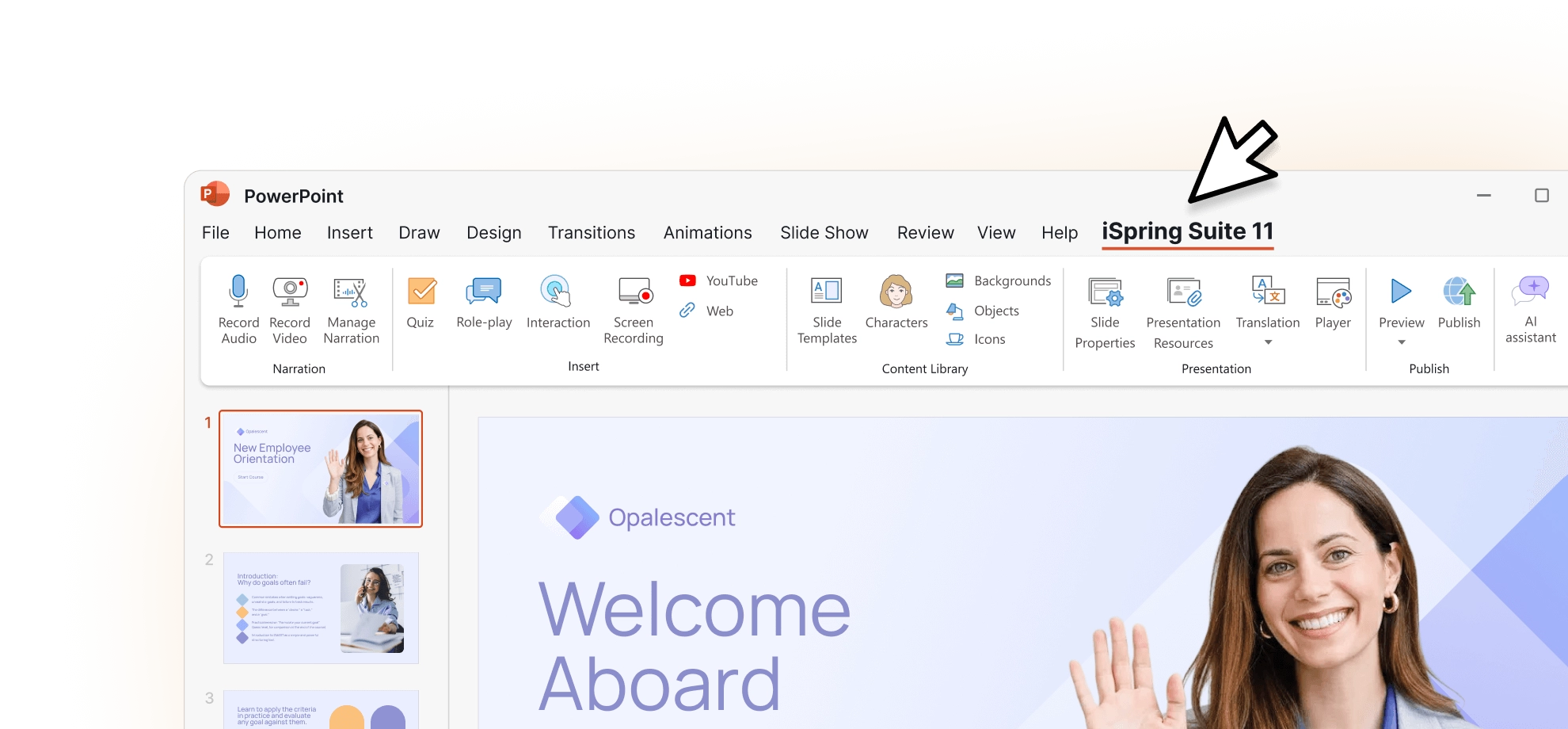
Suite’s PowerPoint environment can add quizzes, recorded narration, video, and branching role-plays. A sales representative can rehearse responses to a difficult customer. A new employee can work through an induction course. A software tutorial can show the clicks rather than describe them in a paragraph nobody particularly wishes to read.
Publishing formats include HTML5, SCORM, xAPI, AICC, and cmi5. Those initials matter because content often has to travel into a system an employer already owns. Buying an authoring tool need not mean replacing the training platform.
An unnamed Japanese automotive-parts manufacturer illustrates that arrangement. Its iSpring case study describes a four-person learning unit producing content for a Cornerstone OnDemand LMS. The organization reported 300 courses and quizzes reaching about 60,000 learners. A comprehensive quiz could take two hours to build. That figure describes quiz production; it should not be confused with the old six-month request-to-publication cycle for a course.
iSpring LMS, meanwhile, organizes users and training assignments, produces reports, and supports mobile apps with offline learning. Its broader features include 360-degree feedback and on-the-job training. That places iSpring across both course production and workplace learning administration. An organization can buy into the combined workflow or use a piece of it.
Suite / Suite AI
PowerPoint-based production
Cloud AI
Browser-based course creation
iSpring LMS
Training delivery and reporting
04 / The price of fewer handoffs
The subscription business charges for authors on the creation side and active users on the LMS side. That distinction belongs in any purchasing conversation: a seat for the person making the course is a different expense from the platform serving the people taking it.
USD per author per year. LMS subscription priced separately.
The separately listed Suite lifetime license costs $4,990. Its support and upgrade terms differ from a subscription: the sales FAQ specifies one year of email support, while active Suite AI and LMS subscriptions include phone, email, and chat support around the clock. The cheapest-looking purchase deserves a second look once maintenance enters the room.
Tapas Advisory’s savings claim uses simple arithmetic: approximately 175 modules multiplied by an estimated $1,000 outsourced cost per basic module gives $175,000. That is an estimate of avoided vendor spending. Internal expert time, editing, software, and review still belong in the budget. The useful question is whether the new workflow reduces your own total cost while maintaining quality.
iSpring also sells specialist tools such as QuizMaker and the Cam Pro screen recorder, plus instructional design education, certification, ready-made content, and custom course development. Its custom service includes discovery, storyboarding, scripts, design, testing, and delivery of source files. Even a company selling accessible authoring recognizes that some buyers would rather commission the finished lesson.
Partners help connect those tools with local requirements. German reseller lern.link began working with iSpring in 2014 after customers wanted PowerPoint content converted for Moodle. Its account describes disappointment with other conversion results and an early buyer who wanted to purchase through the local provider. Compatibility made the opening; local advice and implementation gave the relationship substance.

05 / The guide that needed an introduction
At the University of Hertfordshire, educational technologist Richard Matovu used Suite to replace scattered ICT induction information with an interactive guide containing videos, links, and instructions. He also helped more than 40 academic staff create assessment guides. Familiarity with PowerPoint eased the explanation of how to improve existing material.
There was a revealing complication. Students still asked repeated questions when lecturers did not introduce them to the induction resource. Putting a useful guide online did not automatically make it part of a student’s routine.
That observation gives prospective buyers something to copy. Choose a recurring question or an expensive handoff. Build a small lesson around it. Put the lesson where the question arises, and have someone responsible introduce it. Check whether people can perform the task afterward. Completion statistics can help manage a program; they cannot, alone, settle whether the work improved.
For software selection, the starting environment matters too. Desktop Suite authoring requires supported Windows and PowerPoint versions. Cloud AI offers a browser-based alternative with collaboration and SCORM or xAPI export. A team committed to browser-only production should evaluate that workflow directly. The advantage of familiar PowerPoint is strongest where PowerPoint is actually familiar.
06 / AI joins a familiar workflow
The recent product changes extend the same argument to production chores. Suite Max became Suite AI in October 2025. Release notes in 2026 added ElevenLabs narration, AI-generated course drafts, and wider language options. A September update describes writing, image generation, translation, and narration across desktop and cloud tools. AI avatars were still described as forthcoming in that update.
These additions can reduce the effort involved in a first draft. They also make editorial responsibility more visible. Someone must decide whether a generated question tests the right skill, whether a translation preserves meaning, and whether sensitive material may enter the chosen workflow. The expert-led premise of the Tapas story remains useful here: keep the person qualified to judge the content involved in making it.
Articulate and Adobe Captivate are alternative authoring choices; a company’s existing LMS may remain part of the solution. iSpring’s distinctive proposition is the short distance between the expert’s slides and a usable course. For a prospective buyer, the most revealing demonstration would use a real presentation, a real author, and a real learner. Ask the author to update it. Ask the learner to use it. That small experiment tells you considerably more than a grand tour of buttons.