An architect’s computer is a rather inconvenient thing to carry home. Even when the machine is portable, its working life may depend on applications, shared files and a network that remain at the office. At BDP, the international design practice, that inconvenience became urgent during the pandemic. The firm had laptops. It had remote connectivity. What it did not have was a satisfactory way to make every demanding application behave at a distance.
Splashtop offered a deceptively modest answer: leave the working computer where it is. Send its screen to the person who needs it, and send that person’s inputs back. The expensive machine keeps doing the expensive work. The employee gets to be somewhere else. This is the company’s practical appeal, and also a useful way to understand its rather unusual history.
- Operate an existing work computer from another device.
- Help users remotely, with attended or unattended access.
- Choose a plan for ordinary office work, creative tools or enterprise controls.
- Add endpoint monitoring and patching when IT needs more than a remote screen.
The browser that changed its mind
Splashtop did not begin with the home office. Founded in 2006 as DeviceVM, it made an instant-on browser operating system. The premise was that waiting for a PC to boot was an absurd admission fee for checking something online. Major computer manufacturers adopted the software. The product won a Best of CES award in 2009.
Then mobile computing changed the question. By 2010, the company concluded that its original direction would not support the future it wanted. Its engineering moved toward remote mobile gaming, then broader computer access and support. A product could find buyers and still face an unpromising future. The founders were willing to act on that distinction.
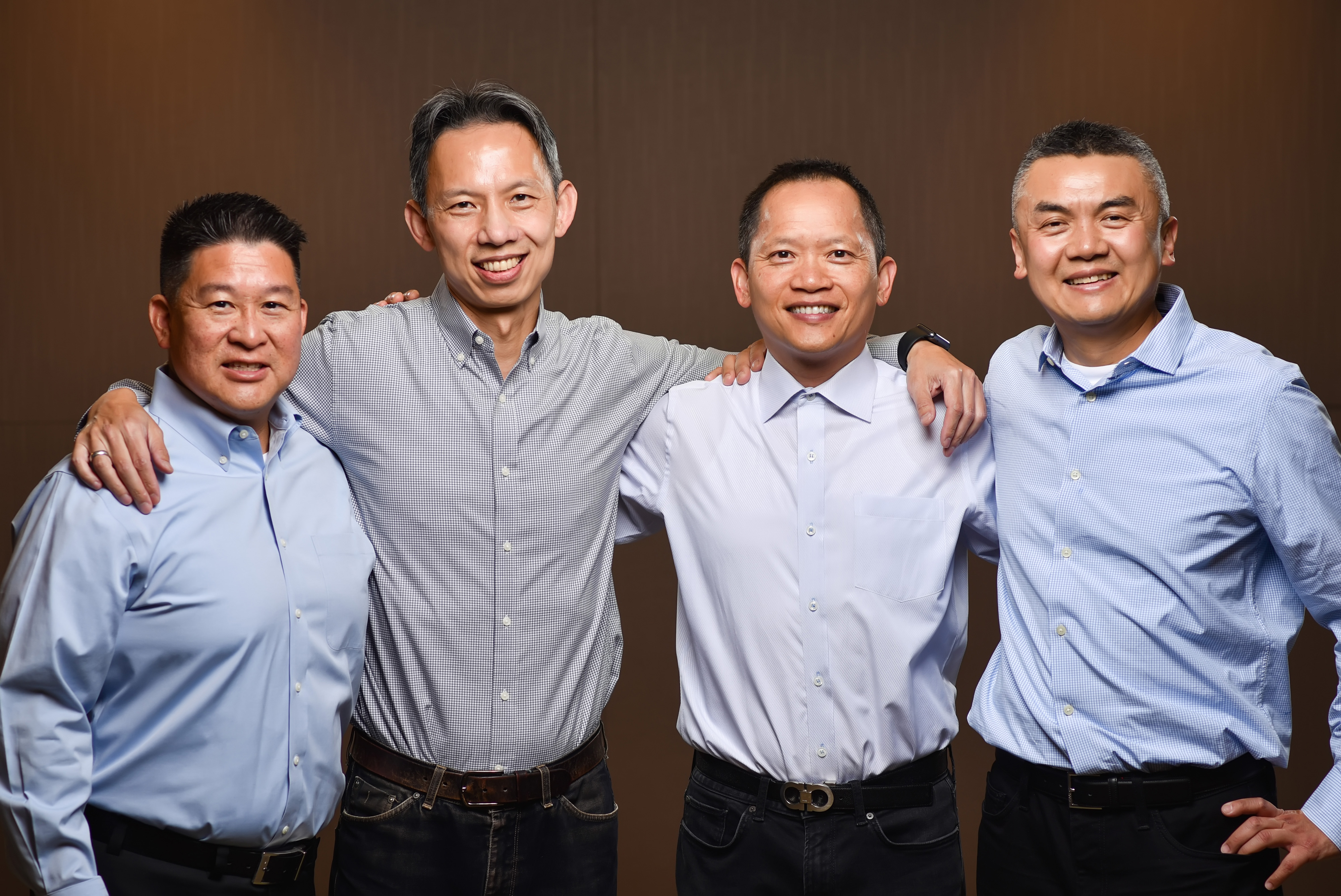
The people making that decision had considerable practice with one another. Mark Lee, Robert Ha, Thomas Deng and Philip Sheu had met at MIT and previously built OSA Technologies. Today, the leadership roster still lists all four: Lee as CEO, Ha as COO, Deng overseeing product management and Sheu as CTO.
In a September 2026 interview, Lee said, “We know each other’s strengths and weaknesses.” He described a culture shaped by relationships stretching back decades. That is a more concrete explanation of the company’s self-described family atmosphere than a photograph of employees enjoying a party. Familiarity does not guarantee good decisions; it does mean that an argument over direction need not begin with introductions.
A week behind the 48 hours
BDP’s case shows what the new direction made possible. Microsoft Direct Access served many of the firm’s remote needs, but Revit presented performance problems. A laptop connected to the network was not necessarily a pleasant place to manipulate a building model. There were also hundreds of software titles to consider. Reproducing the office environment on each home device would have been a substantial undertaking.
The response was staged. BDP bought 100 Splashtop licenses for testing, then expanded to 600. IT deployed software, matched staff to their office machines and prepared instructions. That preparation took a week. Once the firm announced the move to fully remote working, the final transition took 48 hours.
“Within 48 hours of announcing that staff might choose to work from home”Alistair Kell, BDP, describing the final transition
The qualification is the lesson. Readers can copy the pilot, the mapping of people to computers, and the help-desk preparation. The number alone is less useful. Remote access works best when someone has already answered the mundane questions about permissions, machines and support. BDP’s experience suggests that keeping a known working environment in place can make an urgent change easier.
A pen is harder to fool than a mouse
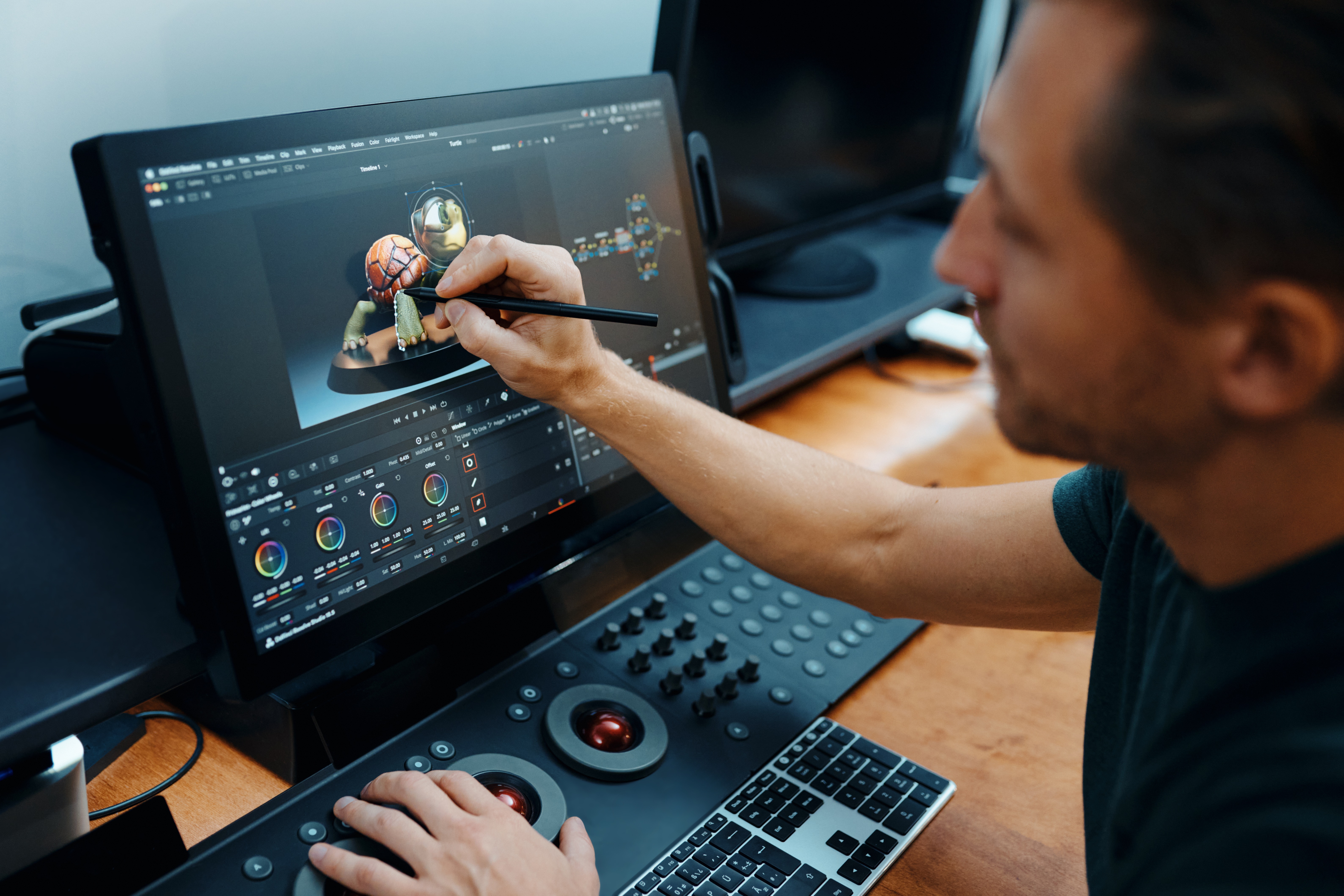
For an office worker, remote access might mean retrieving a document, using a specialist accounting application or printing something from afar. A creative professional asks more of it. A moving image must look right. Sound must remain useful. A drawing tablet must preserve the relationship between a hand and a mark on the screen.
Splashtop’s collaboration with Wacom addresses that last problem. Wacom Bridge is jointly developed technology for connecting a local Wacom device to a remote creative workspace. The company also offers USB redirection and remote stylus approaches. These are distinct methods, with their own requirements; the existence of one does not make every tablet and computer combination interchangeable.
Education offers a related use. Students can reach campus lab computers from their own devices. Teachers have screen-sharing and annotation products. In each case, the valuable resource is already installed somewhere. Remote access changes who can reach it and when. It does not create an extra workstation out of thin air.
Buying the right kind of distance
Splashtop sells subscriptions, but the unit being purchased varies. Remote Access is organised around users. SOS remote support is organised around concurrent technician licenses and allowances for managed computers. Enterprise pricing is negotiated. Endpoint management introduces another unit: the endpoint. Comparing the large price on two websites without comparing those units is a fine way to misunderstand both.
Per year; Pro and Performance are per user. Prices checked October 2, 2026. Enterprise is quoted separately.
Solo covers individual remote access. Pro adds features such as multiple monitors, role management and recording. Performance adds creative-work capabilities including colour accuracy, audio and Wacom Bridge. The annual invoice amounts are clearer than rounded monthly labels. Solo’s price increased from $5 to $6 a month, billed annually, effective March 2026; a present-day comparison should use the present-day price.
TeamViewer, AnyDesk, ScreenConnect and LogMeIn occupy neighbouring territory. Microsoft Remote Desktop with suitable network access is another route. Splashtop competes on the combination of price, experience and administration. Its own customer case study says Ryman Healthcare replaced TeamViewer to improve commercial value while supporting approximately 5,000 Windows and Android endpoints across Australia and New Zealand. That is evidence of one customer’s choice, rather than a universal cost ranking.
The boundaries matter. A host must be available and reachable. Network quality affects the experience. Some features require higher plans, particular operating systems or supported hardware. Test the actual application, monitors, pen and sound before purchasing widely. A convincing demonstration cannot know how your office has been configured.
Fixing the machine before the phone rings
Remote support traditionally begins with a human noticing something wrong. Splashtop’s Autonomous Endpoint Management, announced for remote-support users in March 2025, moves the work earlier. It brings vulnerability detection, inventory, monitoring, patching and automation into the console. The company positions it both as a complement to Microsoft Intune and as an option for smaller teams considering broader remote monitoring and management tools.
That expansion follows an earlier acquisition. Splashtop bought Foxpass in March 2023, adding identity-based network and server access management. Deal terms were undisclosed. Lee explained the connection plainly: “We see identity management as a key foundation of security.” The remote session is only one part of deciding who may reach a machine.
Enterprise controls include single sign-on and more granular access management. Splashtop’s security materials describe encrypted sessions, authentication controls and audit-related features. Those capabilities require choices by administrators. Schools, healthcare organisations and other regulated customers still have to configure access around their own obligations.
There is a curious new chapter, too. In August 2026, Splashtop announced Shield, a consumer product intended to block malware, phishing and unauthorised remote-access attempts. A SOURCENEXT agreement followed for Japan. The company that helps legitimate users reach a computer is now selling protection against people who should never get in.
Its 2021 financing reached $65 million after a March extension, at a valuation above $1 billion. Those are historical funding figures. The more interesting continuity runs through the products: remove a delay between a person and the computing resources they need. Once that meant a faster boot. Today, it can mean a studio workstation viewed from home, a campus lab reached after hours, or an IT technician spared a journey. The computer stays. Its usefulness travels.
Try it, watch it, follow it
Splashtop website ↗ · Current plans ↗ · Company blog ↗ · Company news ↗
Remote Access product video ↗ · YouTube demos and webinars ↗
LinkedIn ↗ · X ↗ · Instagram ↗ · Facebook ↗