Caleb Hicks had 42 desks in his classroom and upwards of 300 students passing through each day. He could remember names. Knowing the people attached to them was harder. The eager students got attention. So did the students having trouble. Everyone else could become familiar furniture: present, reasonably well behaved, and difficult to read. SchoolAI grew out of that problem. Before it was a software business, it was a teacher wondering how much he was missing.
- Teachers build AI learning activities called Spaces.
- Mission Control shows student conversations and signals where help may be needed.
- Schools buy the paid platform; individual teachers get a limited free trial.
Then a teacher tried Yorktown
Hicks founded the company in 2023 with Kevin Morrill; Cahlan Sharp also joined as a co-founder. Its early classroom work included managed AI access and assistants. Then a teacher asked the system to run a text adventure about the Battle of Yorktown. Students could make decisions inside a historical scenario. Hicks says he played for more than half an hour. Here was a use of AI that made a lesson something to participate in.
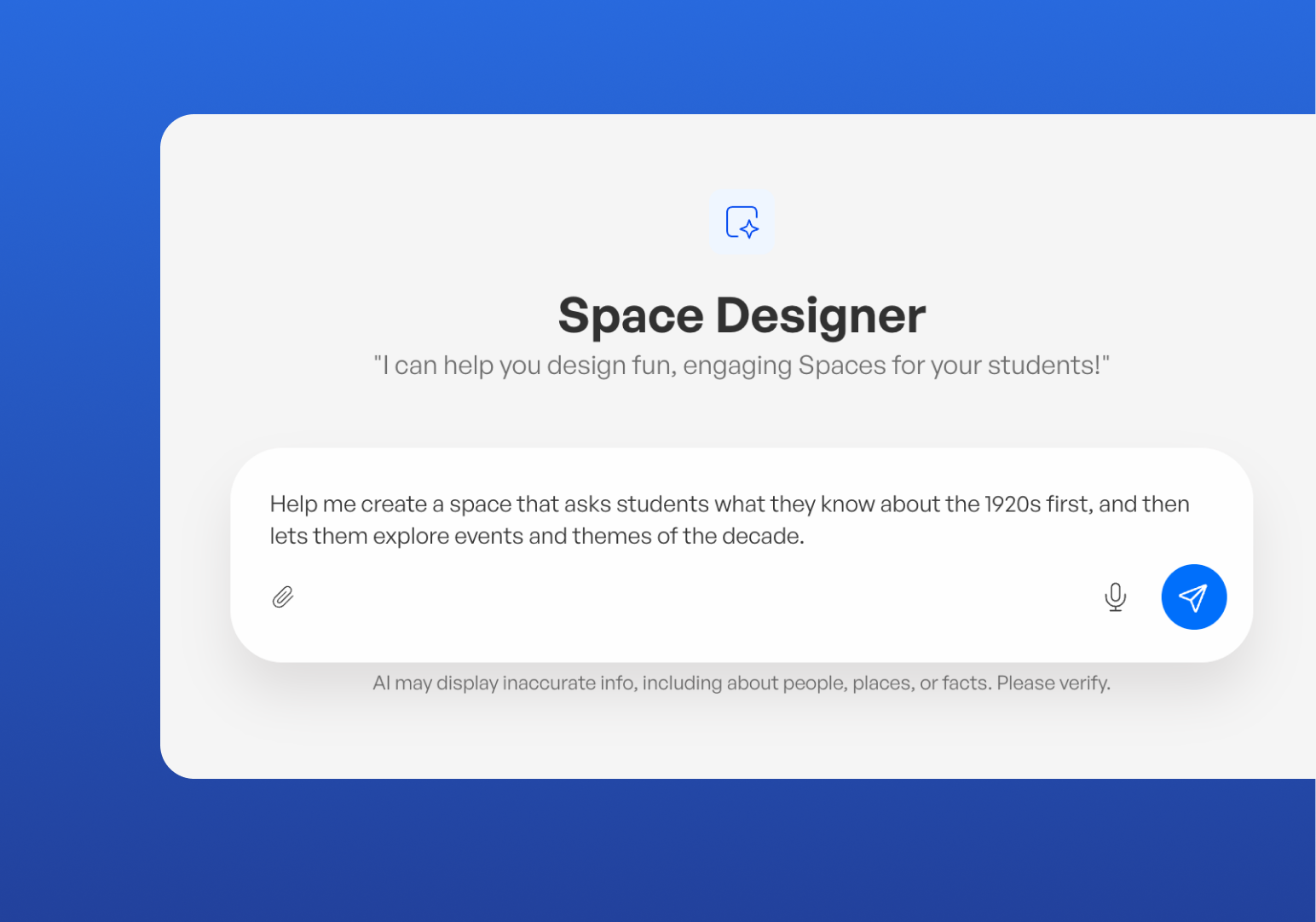
In Hicks’s account, that experiment helped inspire Spaces: teacher-directed tutors, games, and lessons shared with students. The useful product-development detail is who supplied the surprise. A teacher pushed the software beyond the expected workflow. The company followed the behavior. Yorktown became evidence that a classroom chatbot could support an activity with choices, consequences, and a reason to keep going.

The useful part is the teacher’s view
A Space gives the teacher a way to define the subject, audience, instructions, and reference material. Students work with an AI tutor inside those boundaries. Dot and the teacher tools help prepare lessons and adapt content. Mission Control supplies the other half of the arrangement: educators can inspect conversations, notice difficulties, and decide where to step in. A writing activity can therefore produce both student practice and information for the next human conversation.
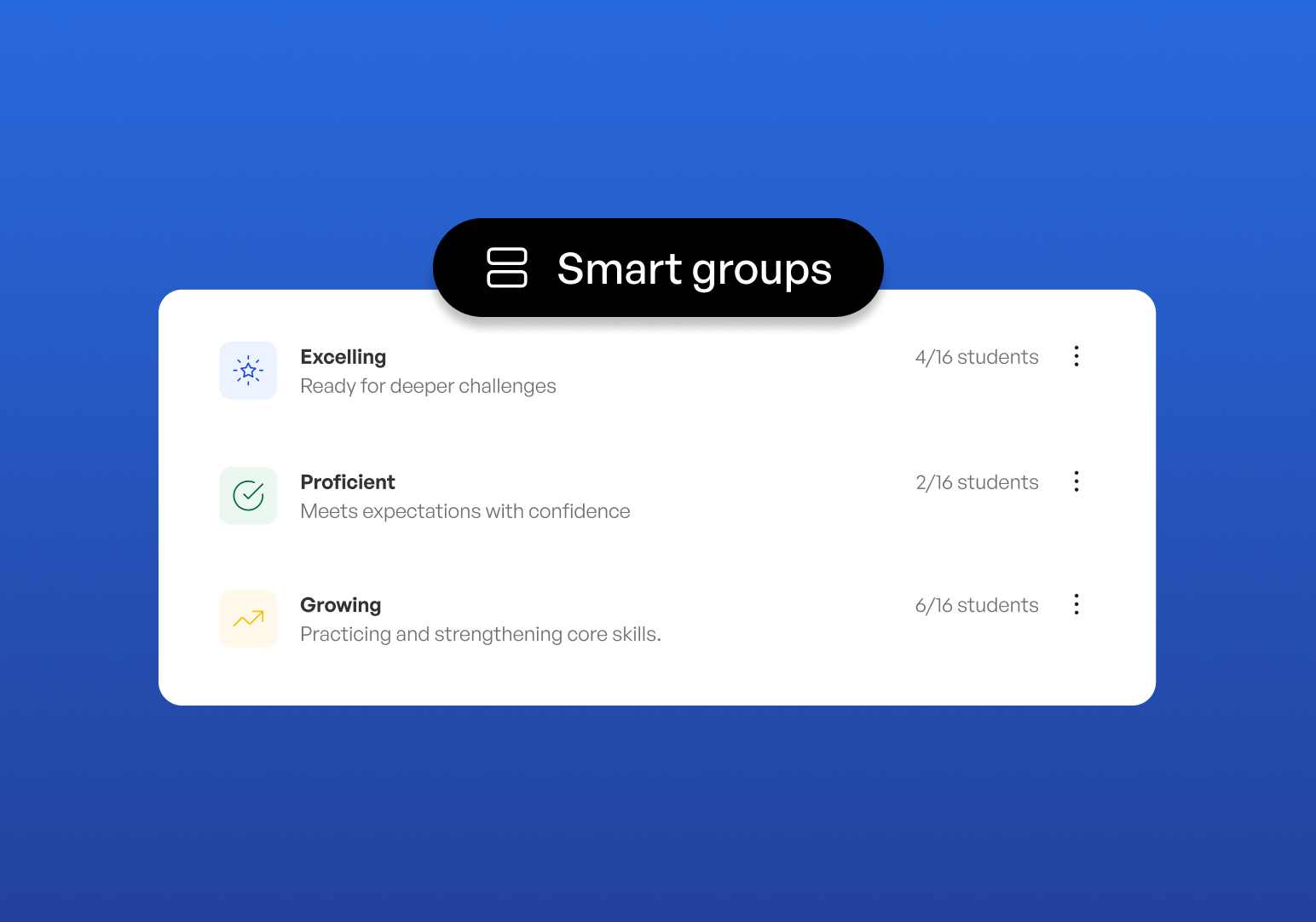
That combination places SchoolAI among education software platforms competing for district budgets. MagicSchool also offers teacher and student tools; Khanmigo combines tutoring and teaching assistance. General chatbots can handle pieces of lesson preparation. SchoolAI’s pitch centers on configurable activities connected to classroom observation. Schools evaluating it should inspect that connection. How easily can a teacher move from a conversation to a useful intervention?
The economics behind the conversation
There is an unglamorous number underneath personalized tutoring: the cost of running it. In a September 2025 OpenAI case study, SchoolAI described bringing its cost per student Space down from nearly a dollar to a fraction of that as model prices fell. It also described routing demanding work to larger models and lighter checks to smaller ones. Those are supplier-reported operating costs, separate from what a school pays.
“If AI just gives the student the answer, we’ve failed.”
Caleb Hicks, in OpenAI’s September 2025 case study
Capital gave the company room to expand. SchoolAI announced a $25 million Series A in April 2025, led by Insight Partners with existing investors participating. Total disclosed funding reached $32 million. NextView, which led the fall 2023 seed round, said the new investment would support global expansion, additional products, onboarding, and professional development. In schools, teaching adults to use the product is part of delivering it.
A million classrooms. Then what?
At the funding announcement, SchoolAI reported use in more than a million classrooms across all 50 states and over 80 countries. That describes reach. It leaves open the question of habit. Stanford’s SCALE Initiative examined 9,081 teachers who first used SchoolAI near the start of the 2024 school year, following their activity over a 90-day window. The resulting picture was considerably more interesting than a large signup total.
Fall 2024 cohort, reported August 2025. Days active measure use, not learning outcomes.
Sixteen percent used it on a single day. Forty-three percent returned for between two and seven days. Just over 40 percent became regular or power users. Frequent users leaned toward teacher support, with chatbot assistants particularly prominent among power users. The study measured engagement, rather than student achievement. Its practical implication is straightforward: access alone does not establish a routine. The everyday preparation tool may earn repeat visits before the ambitious classroom experience does.
Who gets the alert?
The company’s July 2026 updates make the district a more explicit center of the product. Leaders can set common instructions and guardrails, route critical alerts, and examine usage. Mission Control adds grouping and suggested next steps; student portals extend access beyond a single assigned activity. Jordan School District, an early design partner, and Cherry Hill Public Schools appear among its named school relationships. Training and implementation support accompany the software.
The purchasing model follows that direction. The current free trial includes five Space launches per year. Pro and Scale are sold through schools or districts, with sales-led pricing. SchoolAI’s July help-center notice explicitly rules out an individual, self-serve paid teacher plan. The company says coordinated adoption helps schools support training, safety, and privacy. For an enthusiastic teacher without a district purchase, that also sets a concrete limit on experimentation.
Try one lesson. Watch what happens.
A reader can copy a small version of this approach. Choose one learning objective. Build or adapt a Space. Preview it as a student, including an attempt to obtain the answer without doing the work. During class, inspect the conversations. Then change a group, revisit a misconception, or check in with a student. That is a proposed evaluation method, rather than a promise about results.
Keep the evaluation specific. A polished response is easy to admire; a misunderstanding corrected before tomorrow’s lesson is more useful. Ask teachers which signals they actually acted on, and ask students to explain the concept away from the chat. Include the time spent configuring activities and reviewing output. A school needs to know whether the complete routine fits the day, alongside whether students enjoy using it.
The conditions matter. Someone must review the signals, judge the AI’s output, and own the response when an alert arrives. A school seeking automatic instruction with no adult follow-through would be asking the product to carry its weakest assumption. SchoolAI’s most persuasive idea remains the one from the crowded classroom: a little more information might help a teacher notice the student who has learned to disappear.