LTX Studio makes the most sense five minutes before somebody says, “Can you show me what you mean?” A director has a treatment but no frames. An agency has a script but no patience for twelve rounds of mood-board archaeology. A musician has a track, a visual itch and a budget that would barely cover lunch on a conventional set. This is the crowd Lightricks is chasing: people who need a moving, editable argument for an idea before they need a finished movie.
That focus matters because AI video products are often judged by their most flattering eight seconds. LTX Studio is more interested in what happens on either side of those seconds. It can take a concept or uploaded script, divide it into scenes and shots, generate frames, remember recurring assets, direct camera movement, add sound and place the results on a timeline. It also lets teams work in the same project. The generated clip is one object in a larger workspace, not the entire show.
Who should actually use it?
The clearest buyer is a visual storyteller who does more development than final finishing. Independent filmmakers can test coverage, blocking and tone before a shoot. Creative teams can turn an abstract campaign line into something clients can react to. In-house marketers can generate variations without rebuilding a project in five separate services. Musicians can make visualizers and music-video concepts from a track. Producers can use the pitch-deck and storyboard tools to make a project legible before money, crew and locations enter the chat.
It is less convincing for an editor who already has locked footage and wants deep color, audio mixing or finishing controls. LTX Studio has an editor, but a TechRadar hands-on review called that section rudimentary while scoring the overall product four out of five. It is also a poor fit for anyone who expects every generation to land. Bodies bend, motion drifts and prompt intent can go wandering. One recent G2 reviewer praised the easy setup and useful image-to-motion workflow while saying retakes did not reliably make the requested change. The workaround was old-fashioned editing: create separate shots and cut them together.
The storyboard is the sleeper feature
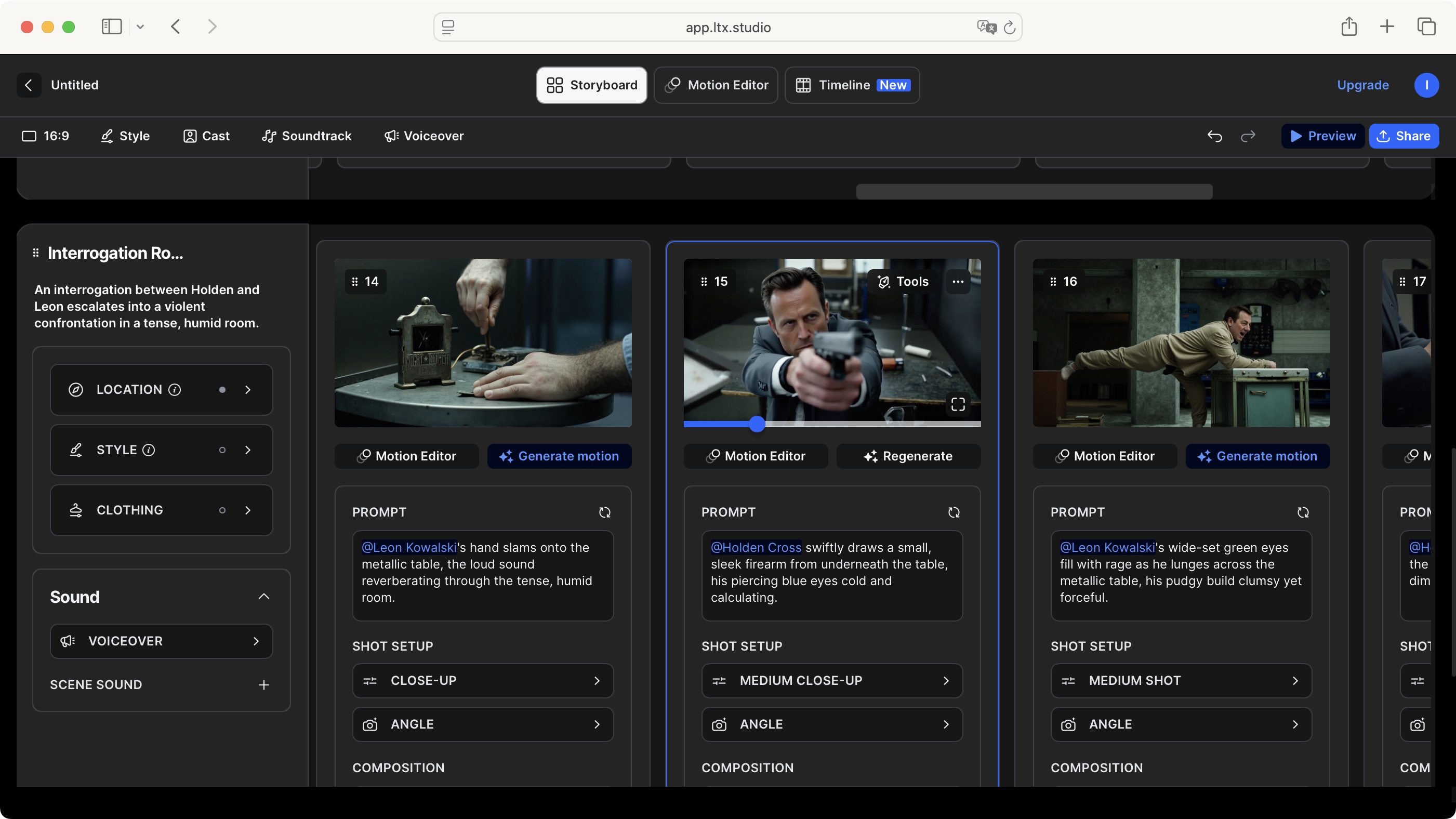
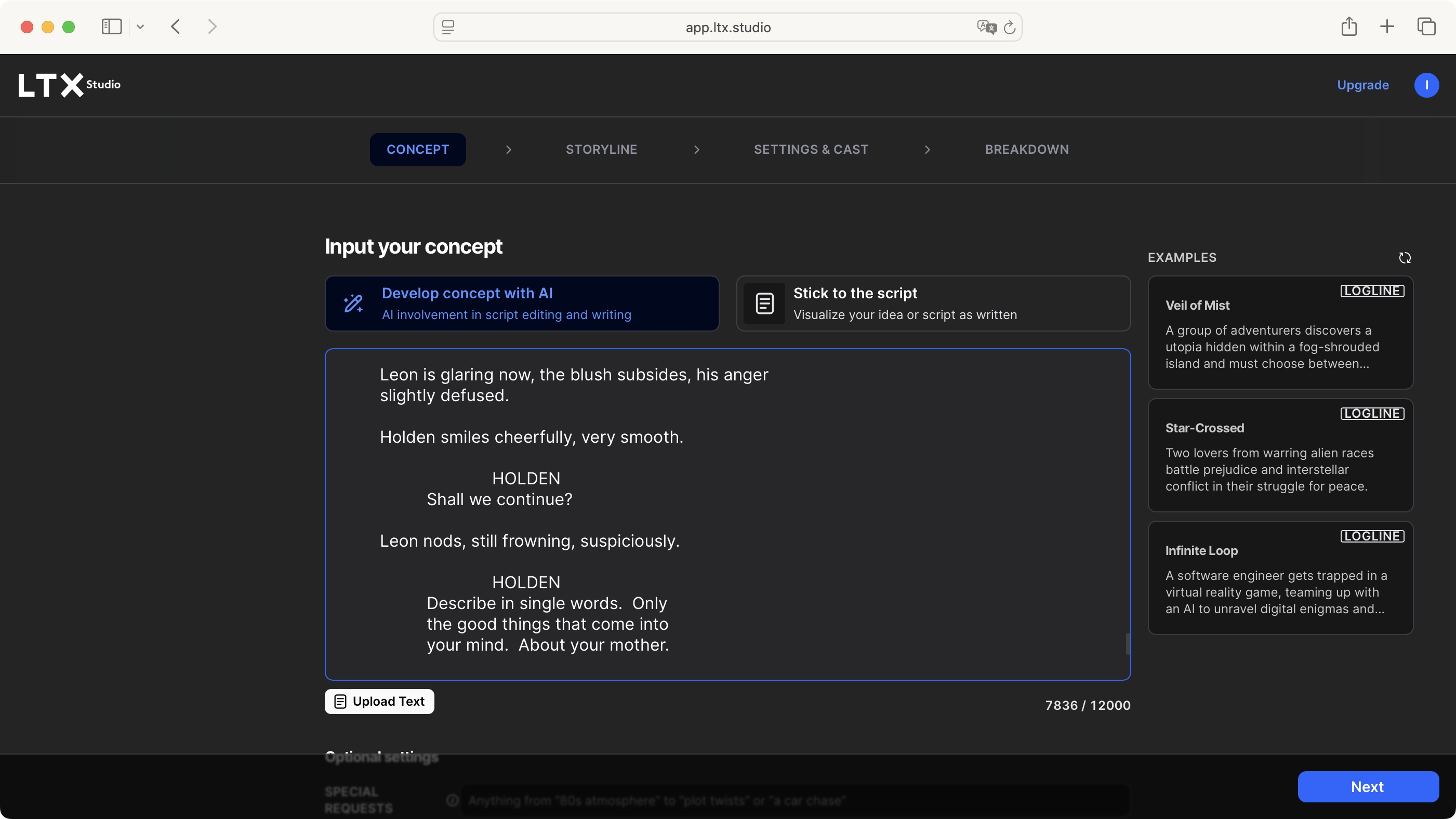
The product’s loudest promise is video generation. Its quieter advantage is storyboarding. Drop in a script and LTX can identify beats, settings, actions and subjects, then produce a sequence you can change shot by shot. A director quoted on the company site arrived for consistent characters and stayed for the ability to storyboard, visualize and edit a sequence as a template for a larger project. That is a wonderfully practical endorsement. A disposable board can save a real crew from discovering a coverage problem on the day.
The Elements system helps the board hold together. Characters, objects and locations can be saved and reused, instead of being described from scratch in every prompt. Camera presets, keyframes, motion control and visual references push a shot toward something directed rather than merely generated. Continuity is not perfect, but LTX has designed an interface around the problem rather than pretending the problem disappeared.
“You still have to guide it, just like any good performance, but you’re in control.”Taika Waititi, filmmaker, quoted by LTX Studio
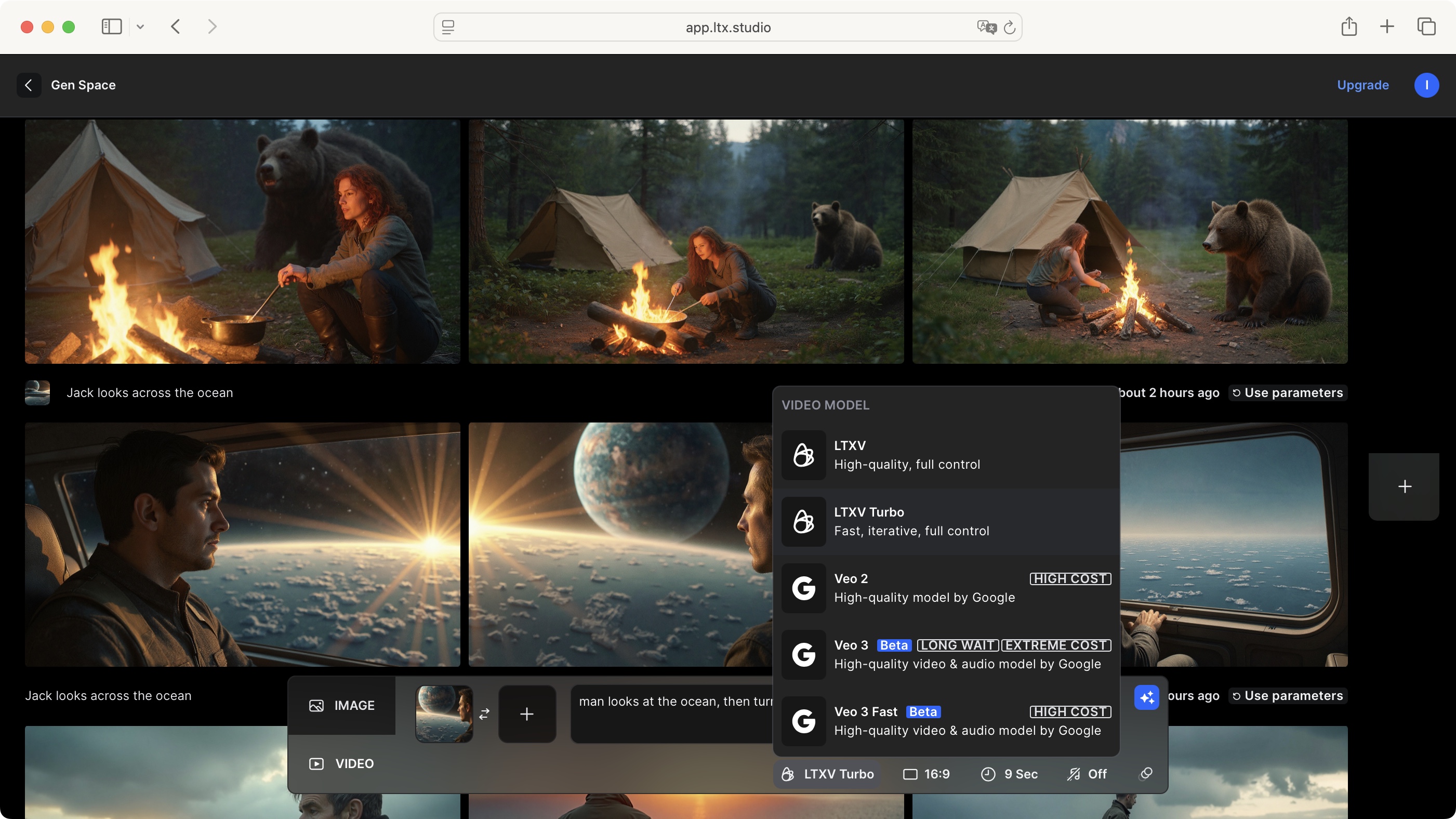
The model menu is another part of that interface argument. LTX Studio offers its own LTX-2.5 and LTX-2.3 models beside outside options including Veo, Kling, Seedance, FLUX, Nano Banana and others. Availability can change, but the principle is stable: pick an engine inside the project instead of exporting the brief and references to a new tab. LTX-2.5 is the newest house model. It adds native multi-shot scenes, automatic duration, cleaner motion, stronger prompt following, 4K HDR and RAW-oriented workflows. Its Fast and Pro versions trade speed, resolution and fidelity differently.
Sound gets a seat at the table
Audio-to-video reverses the usual order. Upload dialogue, music or effects, add a prompt and an optional starting image, and the sound becomes a control signal for movement, pacing and shot structure. This reaches beyond lip sync. A character can walk or gesture while the camera reacts to the audio. Current Studio material says clips can run up to 20 seconds, depending on model and resolution. For musicians, podcast promoters and short-form teams, this is one of the product’s more specific reasons to visit.
Flows tackles the repetitive side of production. Its node canvas connects prompts, image generation, video generation, audio and upscaling into a reusable pipeline. Branches produce variations, iterators batch inputs, and unchanged nodes stay cached between runs. A three-prompt, two-reference, two-output setup can create twelve assets without rebuilding the chain twelve times. This is aimed squarely at teams making campaign families, local versions or recurring social formats.
Credits: the tiny meter with final-cut power
LTX charges credits for actions such as image and video generation, changing a character and creating a shot. The balance updates in the app, but the cost of exploration can be hard to predict because models, resolution and actions consume different amounts. This is where enthusiastic prompting meets procurement. A failed take costs resources too. Community complaints on Reddit are blunt about rapid credit use and refund friction, while positive reviewers tend to value time saved in ideation and storyboarding. Both experiences can be true.
The current free tier includes 800 credits once, not every month. Treat it as a fit test. Lite is $15 monthly for 8,000 credits, Standard is $35 for 28,000, and Pro is $125 for 110,000. Annual billing currently lowers those effective monthly prices to $12, $28 and $100. Enterprise terms are custom. Prices and model rosters move, so check the live pricing page before buying.
| Plan | Current credit allowance | Best reading of it | Usage rights |
|---|---|---|---|
| Free | 800 once | Interface and output test | Personal only |
| Lite | 8,000 monthly | Regular personal experiments | Personal only |
| Standard | 28,000 monthly | Freelancers and small commercial projects | Commercial |
| Pro | 110,000 monthly | Higher-volume production | Commercial |
The license line is more important than the feature line. Free and Lite are listed for personal work, not business, marketing or paid jobs. Standard and above include commercial use. Do not make a client spot on Lite because the credit total looked sufficient. The plan has to cover the way the output will be used, not merely the way it was rendered.
Studio is not the model
Naming gets slippery. LTX Studio is the proprietary hosted workspace. LTX-2.5 is an open-weights audiovisual model that can also be reached through an API, fine-tuned and run locally. LTX Desktop is a separate open-source editor for local generation. The open stack uses a diffusion-transformer architecture, separate video and audio VAEs, a Gemma 4 12B text encoder, Python, PyTorch, CUDA and ComfyUI workflows. The hosted product saves users from assembling that machinery themselves.
The open work gives LTX technical credibility beyond its browser UI. The original LTX-Video paper reported five seconds of 24 fps video at 768 by 512 generated in two seconds on an Nvidia H100. Lightricks later said LTX-2 had three million Hugging Face downloads in its first month. LTX-2.5 now brings multi-shot continuity and local deployment further forward. Those figures describe controlled model tests and distribution, not a guarantee that a Studio project will render at the same speed on demand.
The honest verdict
LTX Studio’s competition includes Runway, Sora, Google Flow, Adobe Firefly, Pika, Higgsfield, Kling and Vyond. Several can generate stronger individual clips in particular styles or offer mature editing in narrower lanes. LTX’s case is breadth with structure: move from script to board to reusable elements to shots to edit without rebuilding the project around every model. For pre-visualization and pitches, that structure is often worth more than winning a single beauty-shot contest.
Try it if your bottleneck is explaining, testing or sequencing a visual idea. Begin on Free with a tiny project: one character, one location, three shots. Measure how many credits it takes to reach something usable. Move to Standard only when you need commercial rights and the workflow has already saved you time.
Skip it if you want a deterministic camera, a final-grade post suite or one perfect take from one casual sentence. Generated video still asks for retries, editorial judgment and a willingness to cut around accidents. LTX Studio does not remove that labor. It gathers the labor into a workspace where the storyboard, references and rejected cousins remain close enough to be useful.
That is why the product is shareable beyond the AI-video crowd. Anyone who has watched a good idea die in a vague deck understands the value of making it visible early. LTX Studio turns the rough cut into a conversation piece. Sometimes the conversation sends you back to the prompt. Sometimes it saves you from an expensive mistake. Both outcomes beat nodding at page fourteen of a treatment and hoping everybody imagined the same movie.