Granola is for the person who leaves a perfectly decent conversation with six scraps of shorthand, three promises, and no memory of who volunteered for the fiddly job. It listens through your computer, lets you type the fragments that matter, then expands those fragments with the transcript after the call. The result is an editable note shaped by your attention rather than a generic slab of minutes. If your week is full of customer interviews, candidate screens, board calls, investor catch-ups, or 1:1s, this is the point: you can watch the room while preserving the detail.
The fit is narrower for people who attend two ceremonial calls a month, need video playback, or expect software to replace judgment. Granola stores transcripts and generated notes, not a replayable audio archive. Its mobile apps have platform limits. Like every transcription system, it can misunderstand a name, miss a task, or fail at precisely the moment you wanted a perfect record. This is a memory aid with unusually good manners, not a court reporter.
Why the empty chair matters
Most AI meeting assistants arrive as a guest called Fred's Notetaker or Acme Bot. Everyone watches the little black tile join. Granola captures device audio instead, so it works across Zoom, Google Meet, Microsoft Teams, Slack Huddles, FaceTime, and whatever odd corner hosts the conversation. There is no bot to admit and no meeting-platform marriage to arrange. The room feels normal.
Invisible does not mean secret. Granola recommends obtaining consent and offers an automated chat notice and a video watermark for disclosure. Recording and transcription laws vary with location, and the person pressing Start carries that responsibility. The tasteful workflow is simple: tell people. A bot-free tool can remove theatre without removing manners.
A notepad with a point of view
Founders Christopher Pedregal and Sam Stephenson made a useful semantic fuss at launch in May 2024: Granola is an AI notepad, not merely a notetaker. Pedregal had built the education app Socratic before its acquisition by Google. Stephenson came from tools-for-thought company Ideaflow. They met through a tools-for-thought meetup in London, which feels almost suspiciously on-brand.
The distinction shows up in the page. Your typed notes remain the spine; the AI cleans them up and pulls supporting context from what it heard. Different templates know that a sales discovery call, an interview, and a project kickoff deserve different bones. Granola now offers at least 29 prepared templates, plus custom ones. You can also ask it to shorten a section, correct a name, expand a point, or change the tone.
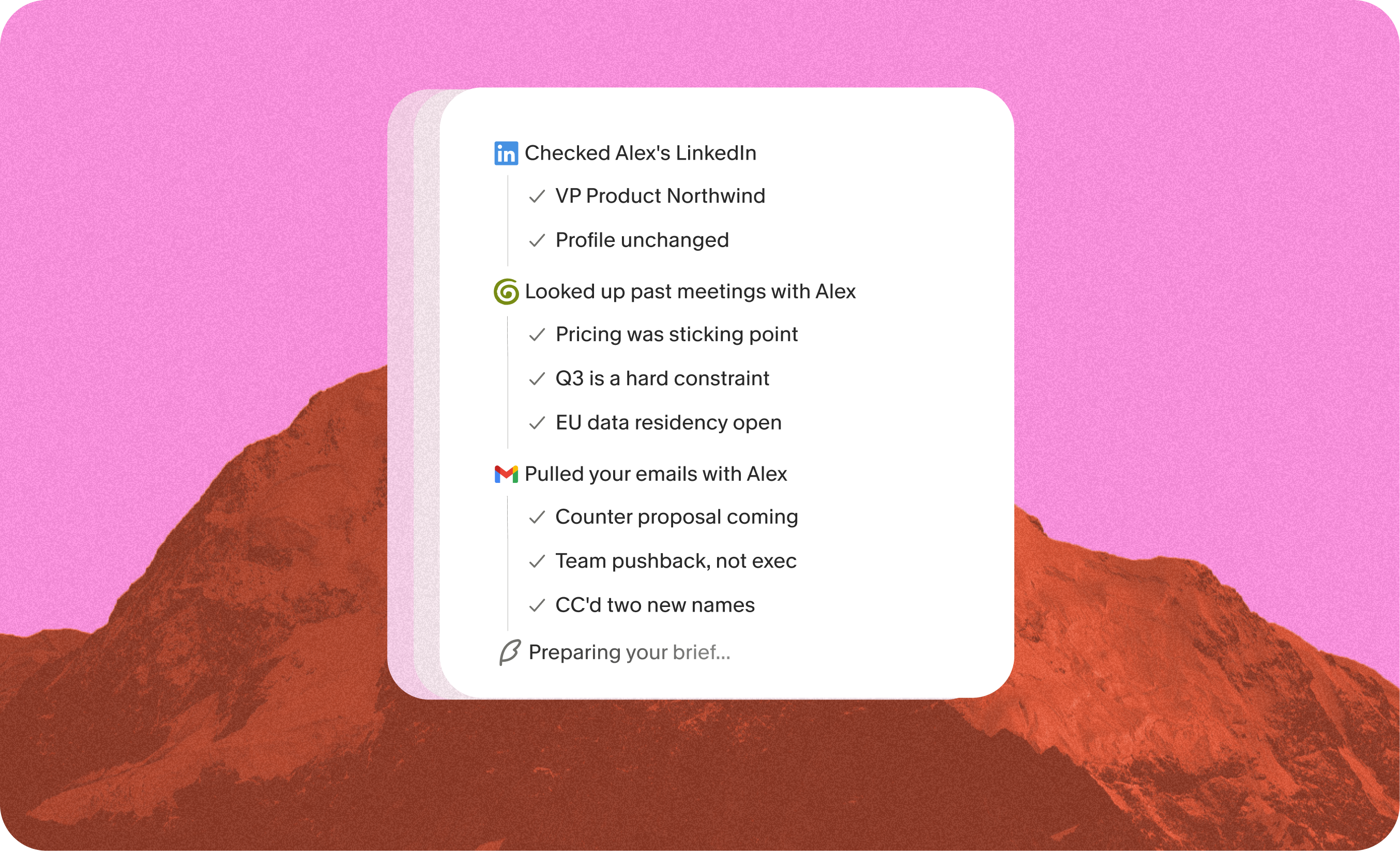
Briefs extend that approach to the minutes before a meeting. Overnight, Granola prepares two or three cited bullets about the person, the last conversation, and open threads. With permission it can use Gmail, and it may consult the public web. The feature is live on Mac, Windows, and iPhone. It is designed to vanish once read, a small piece of interface restraint in a category fond of permanent side panels.
“Granola was the only one that stuck.”Christophe Coutzoukis, Principal Designer at Zapier
Granola's customer case study says Zapier reached 52 percent organization-wide adoption in four months and saves more than 830 hours each month. Treat vendor case-study arithmetic as directional rather than universal, but the use is convincing: thousands of conversations become a shared, searchable repository instead of private debris.
The company memory experiment
Granola 2.0, released in 2025, pushed beyond personal notes into shared folders and team context. In April 2026 its Chat was rebuilt as an agent. It can search across months or years of notes, transcripts, Team Space, and material shared with you, then answer with inline citations. Coverage Notes show what it inspected, a welcome admission that search can be incomplete.
The engineering tradeoff is interesting. Granola says transcripts can contain roughly ten times as many tokens as structured notes. Its agent often scans a hundred notes at a high level instead of reading ten transcripts end to end, then opens the promising material. That favors patterns over perfect recall. Ask what customers keep saying about onboarding and it may be shrewd; ask for the exact wording buried in one rambling hour and you should follow the citation.
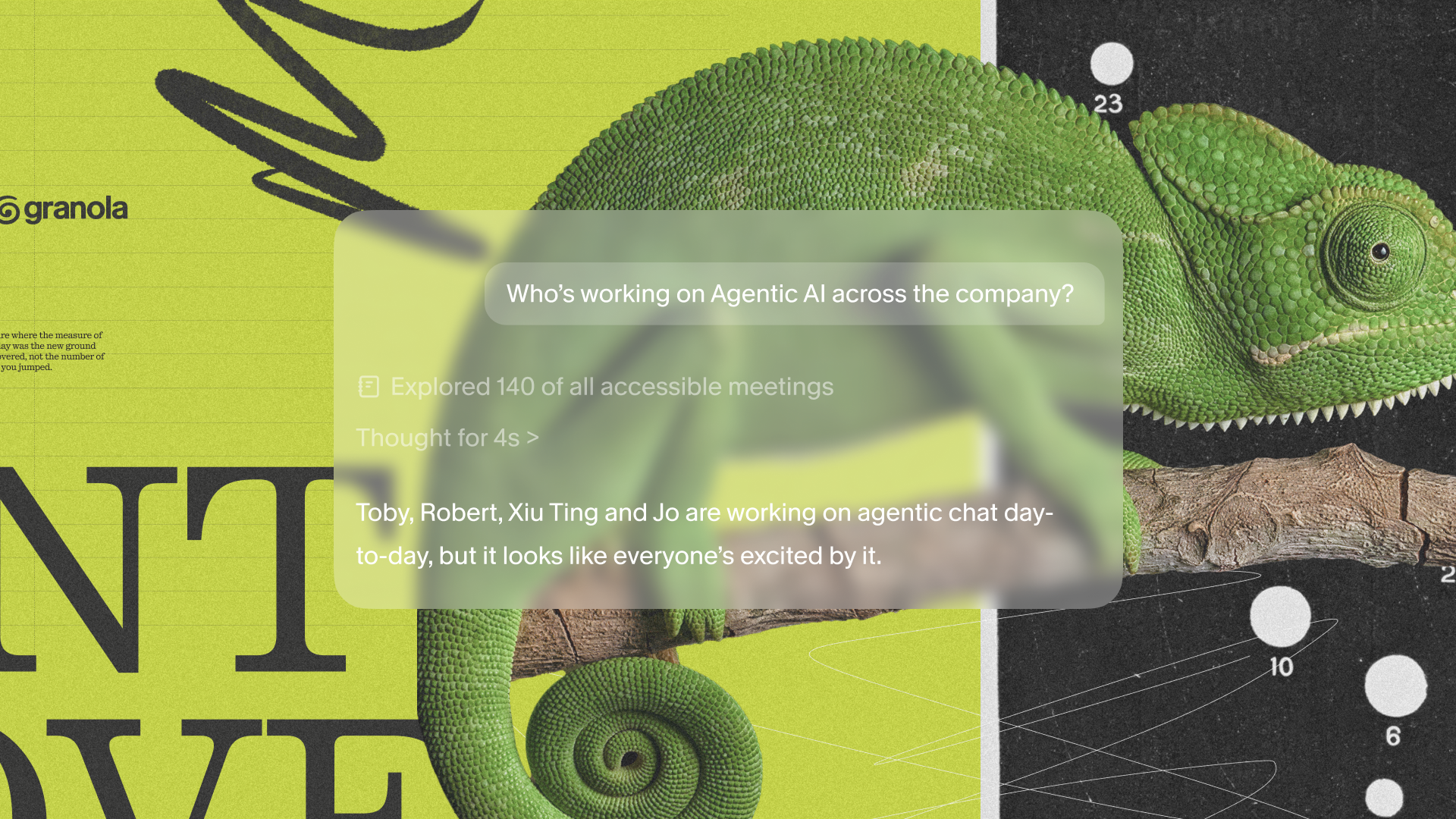
The archive can leave Granola too. Direct connections cover Slack, Notion, HubSpot, Attio, Affinity, and Zapier. A public REST API arrived in February 2026, followed by folder hierarchy and filtering in April. Hosted MCP lets Claude, ChatGPT, Cursor, and other compatible clients query meeting context through OAuth. Sales can draft CRM updates; product teams can synthesize research; an executive can ask what changed across a quarter without opening forty notes.
| Buying question | Granola | Conventional meeting bot | Plain notebook |
|---|---|---|---|
| Who shapes the note? | Your bullets guide AI enhancement | Usually the transcript and a fixed summary | You, entirely |
| Appears in the call? | No participant bot | Often yes | No |
| Search across meetings? | Yes, including cited team Chat | Common, depth varies | Manual unless digitized |
| Replay available? | No stored meeting audio | Often audio or video | No |
| Best fit | Human-led notes and company context | Automatic capture and recordings | Private thinking with no processing |
The trust bill arrives eventually
Granola says audio is not retained after transcription, while notes and transcripts are stored on AWS servers in the United States with encryption at rest and in transit. The company holds SOC 2 Type II certification and says OpenAI, Anthropic, and other subprocessors are contractually barred from training on customer data. On Free and Business plans, de-identified data may be used for Granola's own model improvement by default; each user can switch that off. Enterprise administrators get an organization-wide opt-out and retention controls.
There are practical caveats. Regional data residency is not available. Granola delegates authentication to Google, Microsoft, or enterprise SSO rather than offering its own password and two-factor system. The iPhone app handles in-person meetings and outbound calls placed through Granola, but iOS prevents it from capturing Zoom or Meet audio running on the same phone. Inbound call capture is also unavailable. Desktop remains the complete experience.
Reliability is the hard edge. Positive reviewers praise a clean interface, strong summaries, and the relief of a bot-free room. Critical Reddit users describe missing stretches of long calls and, more seriously, sessions that appeared active but produced nothing. Those accounts do not establish a failure rate, but they identify the failure mode that matters: silence. For a casual weekly sync, review the result. For an interview, legal discussion, medical conversation, or deal you cannot recreate, run an approved backup and take your own critical notes.
What it costs, and who should pay
Basic is free and includes enhanced meeting notes, limited history, Chat, shared folders, templates, multiple languages, and a model-training opt-out. Business costs $14 per user each month and adds unlimited history, advanced AI features, integrations, MCP, API access, centralized billing, and user management. Enterprise starts at $35 per user monthly, with SSO, policy, security, retention, and administrative controls.
Start with three ordinary meetings, not the annual board reckoning. Use the default template once, then make one for the conversation you repeat most. Type only the details that carry judgment: surprise, hesitation, disagreement, the promise with a date. Afterward, compare the enhanced note with memory and spend five minutes asking Chat for decisions and owners. The useful number is not transcription accuracy in a vacuum. It is the minutes of cleanup you still owe.
The YesPress verdict
Buy Granola if conversation is your raw material and your own attention should guide the record. Founders, product researchers, recruiters, consultants, investors, salespeople, and managers with dense calendars are the obvious crowd. The $14 plan becomes sensible when unlimited history and integrations replace a recurring block of admin.
Keep shopping if you need recordings, a live transcript you can inspect mid-call, regional data hosting, or capture you are willing to treat as the sole record. Otter, Fireflies, Fathom, Fellow, MeetGeek, tl;dv, Notion AI Meeting Notes, and the assistants built into Zoom, Meet, and Teams each make different compromises.
Granola's cleverest choice remains the oldest one: it leaves a small job for the human. A few rough words tell the machine what mattered. That act keeps you awake, gives the finished note a point of view, and makes the software feel like a capable margin rather than an official witness. Meetings may not deserve more technology. They might deserve a better memory.