The best customer for Read AI is not the person who hates taking notes. It is the person who remembers that somebody settled the budget question, somewhere, during one of last month's 38 calls, and would quite like the answer before lunch. Read captures Zoom, Microsoft Teams and Google Meet conversations, turns them into transcripts and recaps, then lets you search the resulting workplace memory alongside email, Slack, documents and connected apps. That wider search layer is the reason to look at it. The transcription is merely the door.
Managers with crowded calendars, sales teams juggling accounts, recruiters running interview loops and distributed teams handing decisions across time zones will see the appeal fastest. A useful report arrives with a summary, chapters, speaker-labelled dialogue, questions and action items. Paid plans add playback and clips. If you miss the call, you can scan what mattered. If you attended, you can stop treating your notebook like an emergency black box.
Why it matters: the office forgets
Most workplace knowledge has a short and undignified life. It is spoken once, half-recorded in three people's notes, contradicted in Slack and finally resurrected as “quick question” two weeks later. Read's pitch is to make that mess queryable. Ask Read can pull from meeting history and connected services including Gmail, Outlook, Slack, Teams, Google Drive, OneDrive, Notion, Jira, Confluence, HubSpot and Salesforce. Answers include links back to their sources, which is much better than accepting an immaculate paragraph on faith.
This is the product's clearest distinction from a plain recorder. A transcript tells you what happened in one room. A cross-meeting search can tell you how a decision changed, which customer raised the same objection and who owns the follow-up. Read has also added “Actions” that can push information into calendars, email and CRM workflows. That is where saved minutes can become saved labor, though every extra connection also enlarges the permissions and governance conversation.
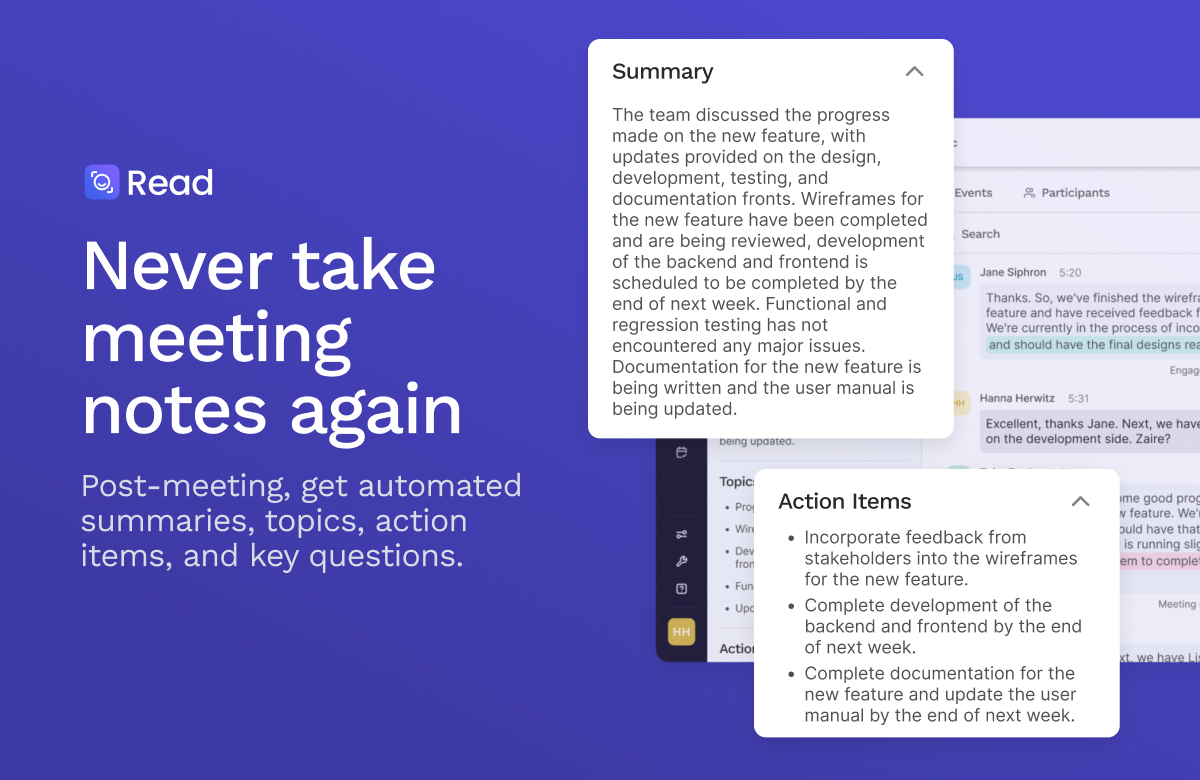
The minutes took themselves. They also arrived with homework, neatly assigned.
What you get after goodbye
A navigable record
Topics, chapter summaries, key questions and action items sit beside a speaker-attributed transcript. On eligible plans, the text links back to audio, video and highlights.
Ask across the week
Ask Read searches conversations and connected work systems, then cites where it found the answer. This is handy for briefings, handoffs and the archaeology of old decisions.
A mirror with metrics
Speaker coaching tracks patterns such as pace, filler words, inclusion and participation. Useful for deliberate practice, less useful as a score to wave around without context.
More than one meeting room
Read works across the big three video platforms, while its Windows, macOS, iOS and Android apps can capture local or in-person conversations.
Read's real product is not a prettier transcript. It is the moment somebody asks, “When did we decide that?” and gets an answer.
Ada enters the reply-all maze
In February 2026, Read introduced Ada, an email-based assistant it calls a digital twin. Copy ada@read.ai on a thread and it can propose available meeting times, answer questions using connected knowledge and prepare follow-up. TechCrunch reported that Ada does not disclose the nature of calendar events when offering availability and prepares sensitive replies for approval rather than sending them loose. It currently lives in email, an amusingly practical habitat for a futuristic double.
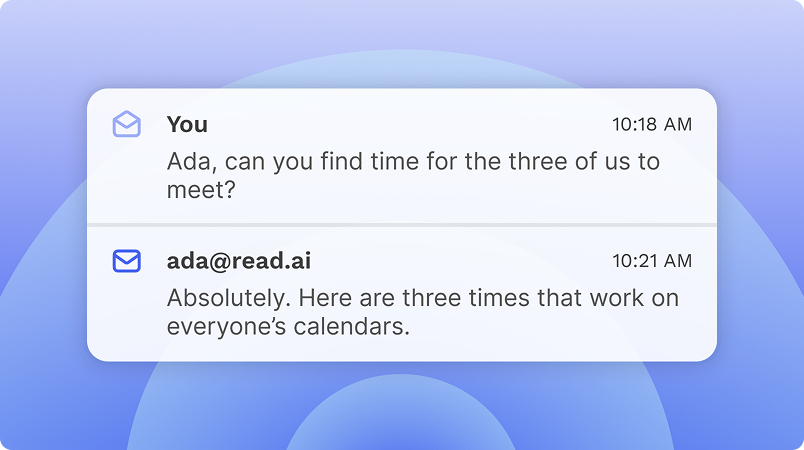
Ada takes the calendar volley. You keep the small luxury of not typing “How about Thursday?” again.
For developers, the 2026 release is more consequential. Read's REST API and remote MCP server are in open beta. Compatible clients include ChatGPT, Codex, Claude and Microsoft Copilot Studio. The MCP tools can retrieve detailed reports, list meetings, share reports and dispatch a Read meeting agent to a future call. Authentication uses OAuth 2.1 over streamable HTTP. Read's own documentation is candid about beta seams: ten-minute access tokens, no static keys yet, a 100-request-per-minute limit and product features that are not fully exposed through the API.
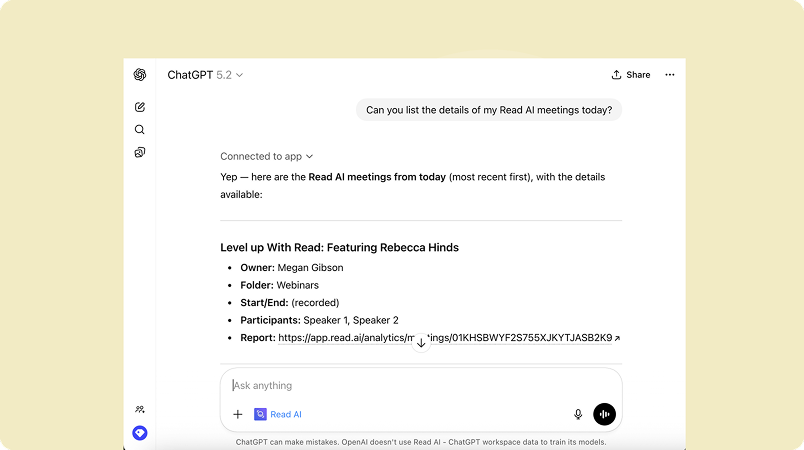
Your AI assistant can now ask your meeting assistant what the humans promised.
The awkward guest in the room
Read's biggest weakness is visible before it transcribes a syllable. A bot joining a meeting can make clients wary, confuse guests and collide with company policy. Read now offers local desktop and mobile capture, and in March 2026 announced a botless native Google Meet option with explicit opt-in. Those routes help, but they do not remove the need for a plain-language announcement and agreement from participants.
G2's workday view
Its January 2026 snapshot covered 40 reviews. Users repeatedly praised summaries, transcripts, action items and the freedom to concentrate on the call. Complaints included support, integrations, price and summaries that miss nuance.
Trustpilot's alarm bell
The unclaimed profile showed 107 reviews in September 2026. Recent complaints centered on unwanted joining, permissions, disconnection and support. Trustpilot itself warns that uninvited reviews may not represent the full customer base.
Two review sites, two very different populations. G2 verifies business reviewers and may include incentivized invitations. Trustpilot says Read has no history of asking for reviews there, so people often arrive when something has gone wrong. Treat the gap as a prompt to test onboarding and offboarding, not as a mathematically tidy verdict.
The sharpest balanced review came from a talent leader on G2: automatic highlights and next steps reduced information loss and made follow-through clearer, but the tool could feel intrusive when external participants were not expecting it. That squares with Reddit threads where admins and meeting attendees focus less on summary quality than on consent, bots arriving without their account owner and broad calendar permissions. These are user reports, not proof of unlawful behavior. They are still buyer research you should not ignore.
The consent test
Before a pilot, write one sentence everyone can understand: when Read joins, who receives the report, how long it stays and how a participant can say no. If the team cannot agree on that sentence, the rollout is not ready.
What it costs, without the confetti
| Plan | Current price | The practical difference |
|---|---|---|
| Free | $0 | Five transcripts monthly, search, summaries, coaching, basic integrations and apps. |
| Pro | $15 annual / $19.75 monthly | Unlimited transcripts, premium integrations and 100 upload minutes each month. |
| Enterprise | $22.50 annual / $29.75 monthly | Adds audio and video playback, highlights, 200 upload minutes and priority support. |
| Enterprise+ | $29.75 annual / $39.75 monthly | Five-license minimum. Adds HIPAA support, SAML, SCIM, domain capture, retention controls and onboarding. |
Per user, per month in US dollars. “Annual” prices require annual billing. Checked September 3, 2026.
The free plan is enough to test report quality on a handful of real calls. Do that before comparing feature grids. Use a technical conversation, a crowded group call and an external meeting with accents or crosstalk. Inspect names, numbers, decisions and owners. Then test how easy it is to stop auto-join, revoke an integration and delete or restrict a report. A notetaker earns trust on the exit path as much as the happy path.
The rivals are choosing sides
| Product | Look here when... | Tradeoff to inspect |
|---|---|---|
| Read AI | You want cross-platform search, meeting analytics and connected work context. | Automatic joining, permission scope and report governance. |
| Fathom | You value a generous individual tier and a simpler meeting-first experience. | Whether its collaboration and knowledge layer fit the whole team. |
| Otter.ai | Live transcription and a familiar shared note surface matter most. | Minute limits, bot behavior and workflow fit. |
| Fireflies.ai | You want deep CRM and automation choices. | Credits, integrations and the cost of the features you actually use. |
| Granola | You prefer private-feeling, editable notes shaped from your own outline. | Whether lighter capture meets team governance and playback needs. |
Our verdict: buy the memory, govern the microphone
Read AI is worth testing when the cost of forgotten context is higher than the cost of another system. Its reports are only the opening act. Search across weeks of conversation, links into the rest of the work stack and the ability to bring that history into other AI tools make it a more ambitious product than “robot takes notes.” The mobile and desktop apps also give teams alternatives to a conspicuous meeting guest.
Skip it if you need an invisible personal scratchpad, cannot permit cloud processing, or lack the administrative patience to control joins, sharing and retention. Compare Fathom for a meeting-first individual experience, Granola for editable personal notes, and the native assistants from Microsoft, Google or Zoom if consolidation matters more than neutrality across platforms.
For everyone else, run a small, announced pilot. Keep reports private by default, require a human glance before broad distribution and connect only the services that answer a real question. Read can give the office a memory. Somebody still has to give that memory manners.