A cash register has a modest job: remember what somebody bought. A restaurant asks considerably more of it. Which table ordered? Who is serving? Was the burger changed? Has the bill been split? Somewhere between the kitchen and the customer, a simple transaction becomes a small coordination problem. h-Cloud POS Solutions pitches a touchscreen answer to that problem, with an opening offer calculated to get an owner's attention: the equipment costs nothing upfront.
- h-Cloud promotes Harbortouch point-of-sale systems to business owners.
- The offer removes an upfront hardware expense; recurring service and payment-processing obligations still matter.
- The useful purchase test is a working shift, complete with awkward orders, refunds and closing reports.
The most persuasive button says “free”
h-Cloud's public company profile puts its business in Brooklyn, Michigan, and dates its founding to 2018. Its description centers on Harbortouch's touchscreen POS promotion and the promise of automating daily management. That makes its proposition quite concrete: help a merchant move from taking money to managing the activity surrounding that money. The named technology is Harbortouch; h-Cloud presents the offer to prospective buyers.
On its LinkedIn page, h-Cloud adds a pricing challenge: “$1000 MEET OR BEAT PRICING GUARANTEE!” The slogan puts price before technical specifications. For an owner considering an upgrade, that ordering has a certain logic. A system can have an impressive feature list and still lose the sale when the equipment bill arrives.
The distinction matters because the company sits in the business-to-business POS market, where hardware, software, setup and payment acceptance often arrive together. Its advertised entry point is financial. Its practical value depends on what happens after the terminal reaches the counter.
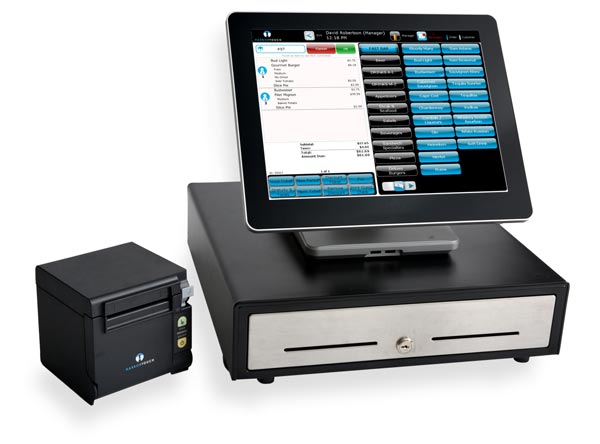
A register with a longer memory
Harbortouch's retail documentation makes the work visible. Staff can scan products, change prices, process returns and place purchases on layaway. Managers can create stock records, receive purchase orders and examine employee time cards. These are ordinary tasks. Their importance comes from their repetition: every sale, every delivery, every shift.
One revealing instruction concerns returns. The retail user guide recommends connecting a return to its original transaction for more accurate reporting. A refund can be completed without that connection, but the record loses something. This is the quiet appeal of a management system: today's action can remain intelligible tomorrow. The end-of-day workflow similarly brings together cash counts, opening float and payment totals.
Restaurant work introduces a different set of complications. Harbortouch's hospitality materials describe table tracking, ticket transfers, split checks and menu modifiers. Online orders can enter the POS, while customer records preserve order history. Those functions put the product in front of bars, restaurants and food-service operators whose checkout problems begin well before anyone asks for the bill.
The restaurant product presentation also describes employee permissions and timesheet editing. A manager needs both convenience and control: a server should find an item quickly, while a discount or correction should follow the business's rules. The touchscreen is the visible part. The decisions about access, menus and records determine how useful it becomes.
The price lives beyond the screen
Harbortouch's published Elite and Echo comparison illustrates the model behind h-Cloud's pitch. It lists no upfront equipment cost alongside monthly service charges, with different packages for different business needs. The free-equipment terms require both a processing agreement and a POS service agreement. Those published packages describe the provider's offering; they are not a current h-Cloud quotation.
+ extras = total cost
“No upfront equipment cost” answers one part of the buying question.
A published Harbortouch service agreement makes that separation explicit: monthly charges begin at installation, shipping is chargeable, and the document specifies a $79 annual fee per location. Optional services can add charges. Actual obligations depend on the agreement offered to the merchant. The sensible comparison is the complete bill over the intended ownership period.
There is a competitive wrinkle here. Toast also advertises a starter kit with no upfront hardware cost, subject to its terms. h-Cloud's opening offer therefore belongs to a broader commercial approach. The differentiating questions become more demanding: which functions are included, how setup works, what support covers, and how the payment arrangement fits the merchant's sales.
The installation is only the beginning
The most instructive detail in Harbortouch's deployment guide is its advice to wait. After installation, it recommends allowing one to three weeks before going live. That interval is for checking item names, prices and taxes, revising menus or stock lists, and letting staff practice. A terminal can be installed while the business is still learning how to use it.
- 01Underwriting
and onboarding - 02Programming
and checking - 03Installation
and training - 04Practice,
then launch
The order-process guide identifies incomplete menus, missing inventory information, unfinished network wiring and slow responses as potential delays. It recommends installation on a quieter business day. These details suggest a useful lesson for any merchant: prepare the information and the people with the same care as the equipment.
A buyer can copy that approach immediately. Build a trial shift around the transactions staff actually find difficult. Run a modified order, a return and a closing report. Ask the people who will use the system to perform them. A demonstration becomes more informative when the merchant supplies the troublesome examples.
Consider the difference between watching someone split a check and asking a new employee to do it. The first establishes that a function exists. The second tests whether it can become a habit. For a merchant weighing this offer, that is a useful distinction. Training time belongs in the buying decision, alongside service charges and hardware. A good trial should leave the owner with a clear list of remaining setup tasks.
Choose the workflow before the bargain
Package boundaries deserve attention. Harbortouch's published comparison says Echo lacks certain advanced functions, including table management and bar tabs. A small counter-service shop and a table-service restaurant can therefore look at the same free-equipment proposition and reach different conclusions. If a required workflow is missing, a lower entry price cannot supply it.
The surrounding product names have moved too. In May 2026, Shift4 announced that SkyTab POS would become Shift4 Dine, with account setup, integrations, reporting and support channels unchanged. For someone approaching h-Cloud's Harbortouch offer, the practical move is to establish exactly which product and agreement are being proposed. The right ending to the sales conversation is a system the staff can run and a bill the owner understands.