AI demos are cheap. The invoice arrives when the demo needs private data, a second model, an approval step, an API, a retry policy, and a useful answer to “why did it do that?” Dify exists in that expensive gap. It is a visual workshop where a product manager can follow the logic, an engineer can insert code, and an operations lead can point to the moment a human must take over. The result can leave the workshop as a web app, an embed, an API, or an MCP tool. For teams with a promising prompt and no appetite for rebuilding the surrounding machinery, that is the hook.
Who is it actually for?
The sweet spot is a small, mixed-discipline team building a real internal copilot, document assistant, support workflow, research process, or back-office automation. Dify lets the person who knows the business process sit beside the person who knows the infrastructure. Both can read the same canvas. A policy check is a box. A model call is a box. Retrieval, code, branching, iteration, and human review are boxes too. The diagram becomes a shared language rather than a slide that drifts away from the software.
It also suits engineering teams that want model choice without a permanent integration project. Dify supports commercial providers, open models, local models, and OpenAI-compatible endpoints. The same workflow can connect knowledge, call tools, expose an endpoint, and collect logs. Builders who only need a private chat window may find it oversized. Teams that want a completely bespoke interface or unusually fine-grained control may reach for code-first libraries instead. Dify earns its keep when the process has enough moving parts to benefit from a control room.
Pick Dify if…
You need a visible, reusable AI process with RAG, tools, tests, logs, deployment choices, and room for non-engineers to participate.
Pause if…
Your job is one prompt and one output, your frontend must be deeply custom, or nobody on the team wants to operate a multi-service stack.
A canvas with a basement
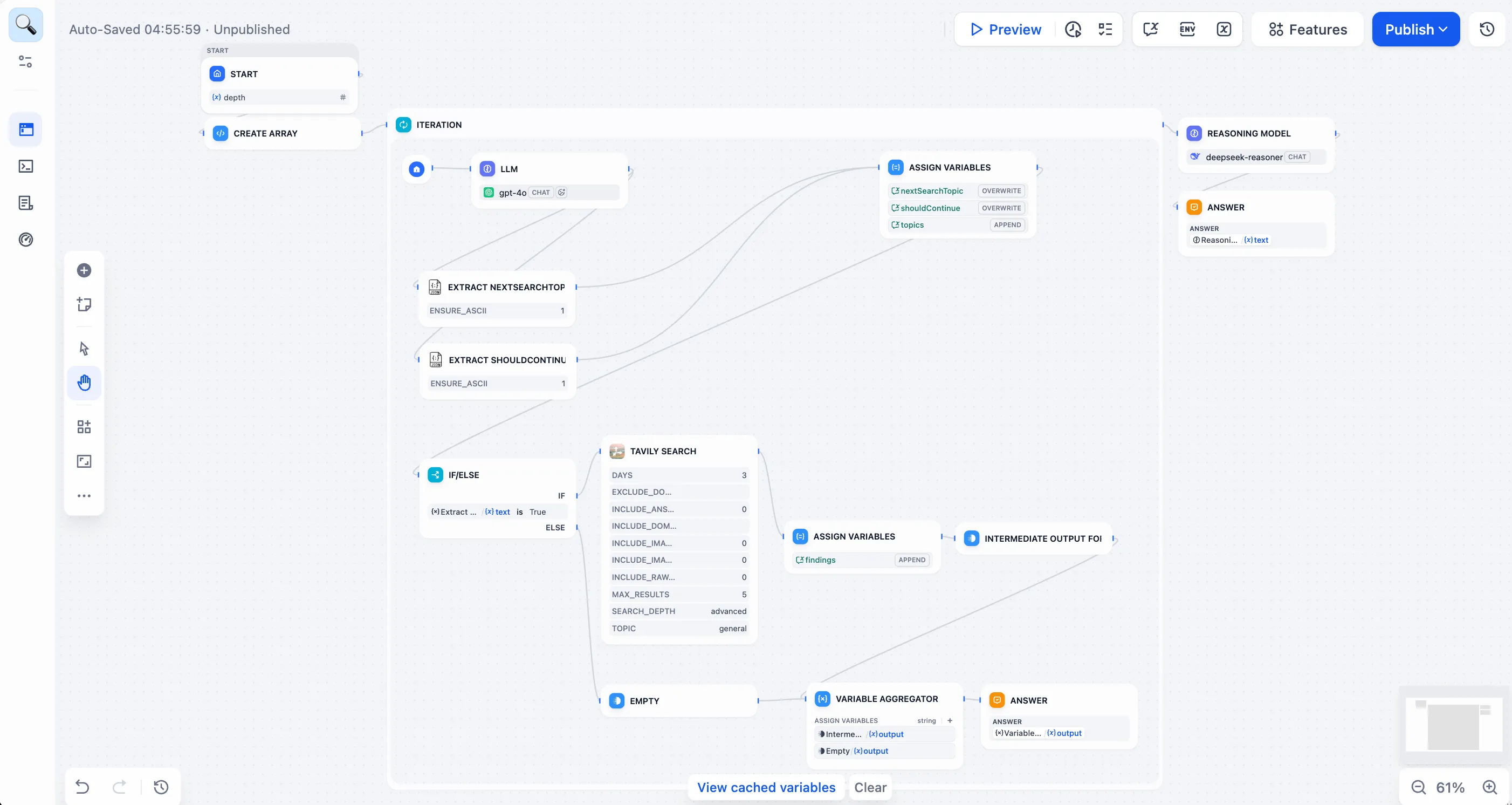
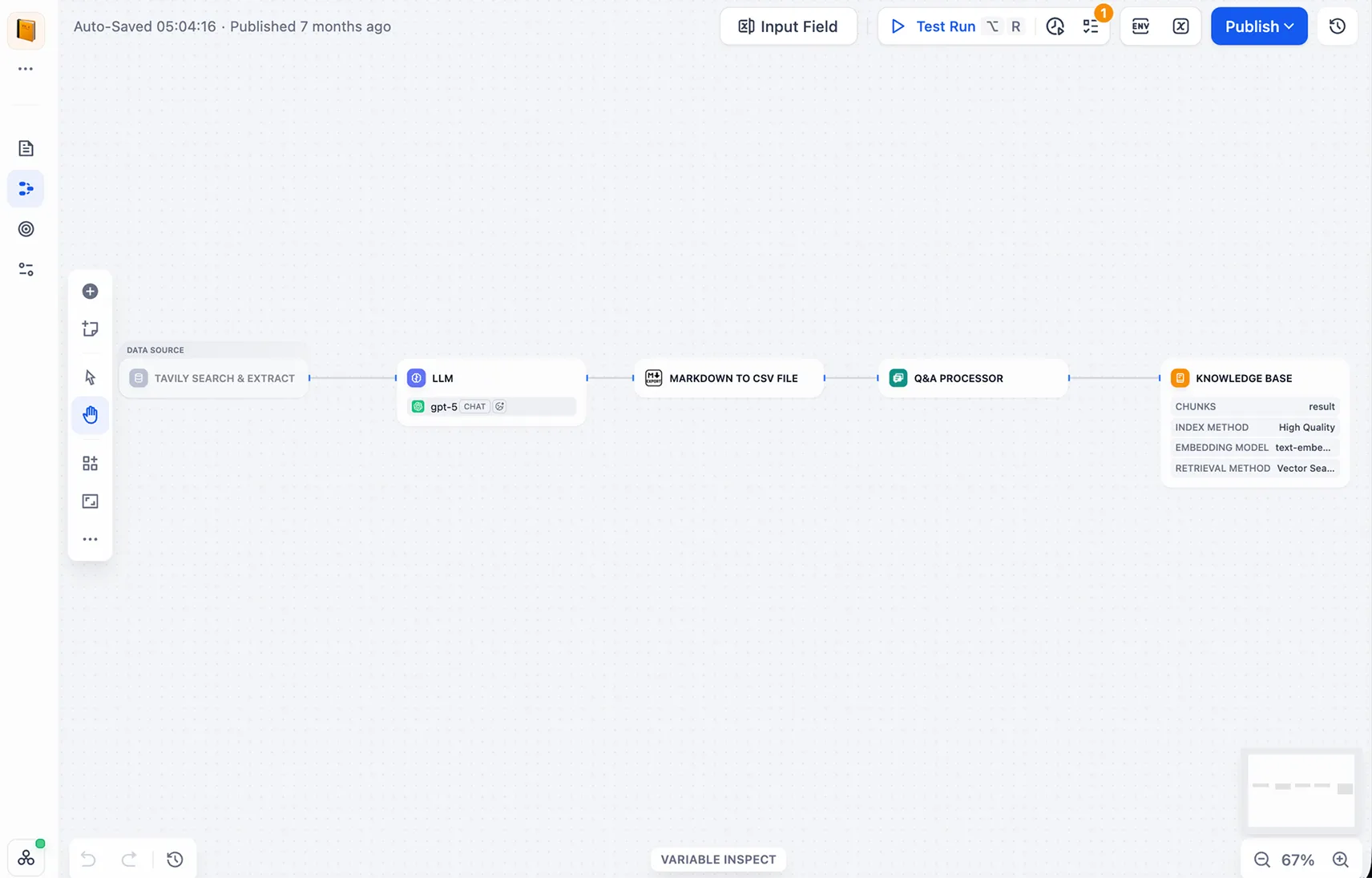
The visual builder gets the screenshots, but the basement is the more consequential part. Dify bundles application state, model configuration, knowledge ingestion, retrieval, execution, publishing, and monitoring. Its Knowledge Pipeline can collect files, websites, online documents, drives, or external sources, then extract, clean, chunk, index, and test them. That turns RAG from a mysterious acronym into a sequence a team can examine. Hybrid search and reranking are available when plain vector similarity is not enough.
Workflow Studio handles the choreography: prompts, variables, if/else routes, loops, tools, code, triggers, and outputs. Human Input can pause a run for review, including inside loops as of version 1.17. That matters in invoice checks, contract review, support escalation, and any job where “mostly right” cannot silently become “sent to customer.” Dify’s plugin system stretches the canvas with model providers, callable tools, data sources, triggers, custom endpoints, and agent strategies. Teams can install packages from the Marketplace or make their own.
email arrives
policy + account
draft + classify
send or escalate
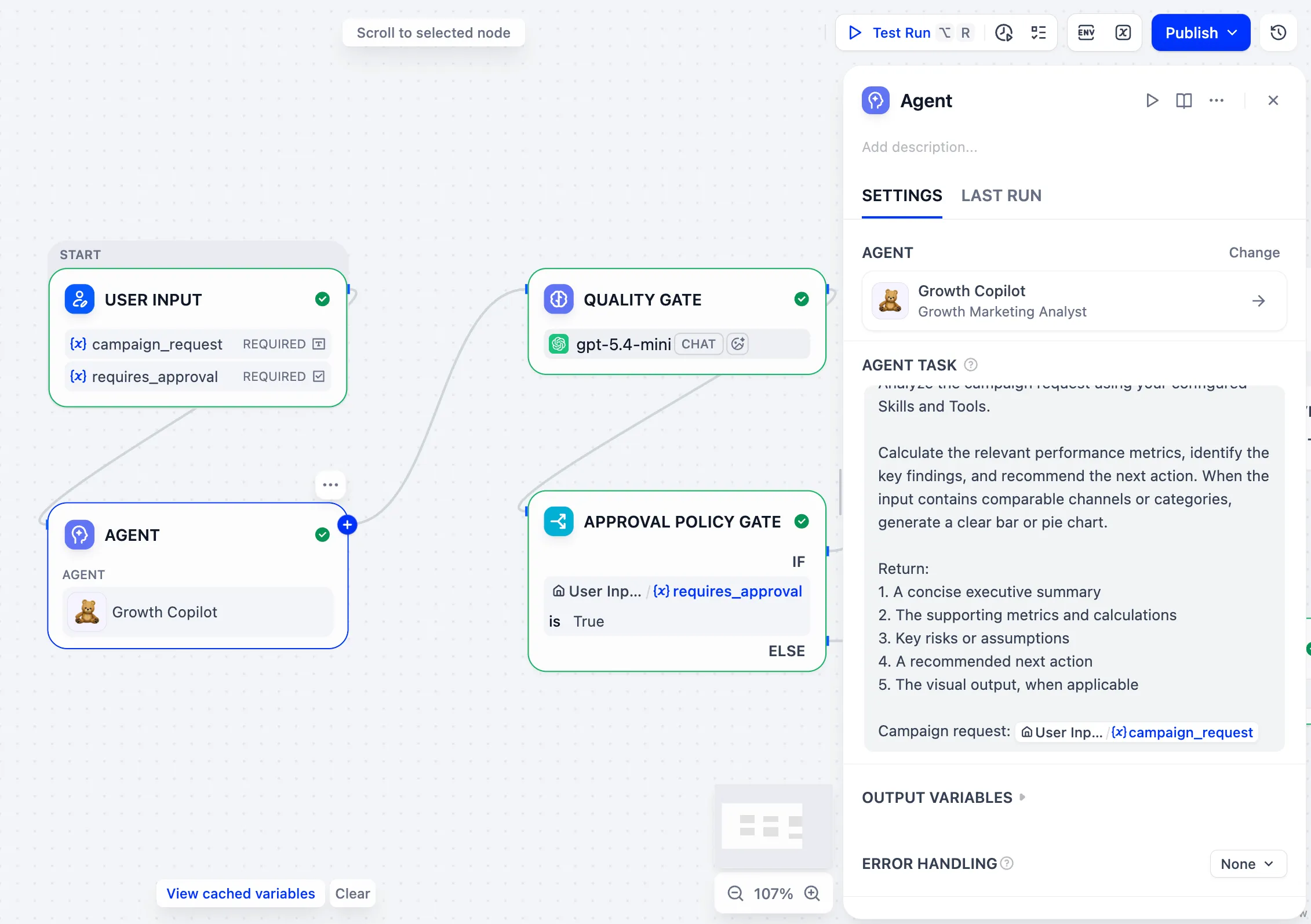
The redesigned Agent adds another kind of worker. It can be built through conversation, saved as its own application, published independently, or dropped into a larger workflow. Underneath is a ReAct-style loop with tools and isolated shell or code execution. Version 1.17 added reusable, versioned workspace skills, E2B cloud sandbox support, and snapshots that restore the prepared home directory for published runs. Long sessions can compact older history so they do not simply collide with a model’s context window. These are operational details, which is exactly why they are interesting.
“Dify gave us a practical way to move beyond prototypes and actually operationalize AI workflows.”Mark Sear, Director of AI Solutions Engineering at Maersk
The numbers have fingerprints
Dify’s growth is not confined to launch-day applause. The GitHub repository passed 154,000 stars and 24,000 forks by September 2026. The company says Dify runs on more than 1.4 million machines across over 175 countries and regions, with more than 2,000 teams and 280 enterprise customers. In March 2026, LangGenius raised a $30 million Series Pre-A led by HSG at a reported $180 million valuation.
Company and GitHub figures current to September 2026. Popularity is evidence of attention, not a reliability benchmark.
The useful customer story is Maersk, because it includes more than a logo. Dify reports that the shipping company replaced an in-house AI platform after a controlled comparison. By late 2025 it had around 90 production apps and 25,000 active users. One comparable app took one person two weeks on Dify, versus four people and four months on the earlier platform - a claimed 16-fold delivery improvement. Maersk’s applications included retrieval for customer-service staff, email triage, and invoice auditing. Those are wonderfully unglamorous jobs. They are also where workflow software proves whether it belongs at work.
The bill, in plain English
Dify Cloud has a legitimate free sandbox: one member, five apps, 50 knowledge documents, 50 MB of knowledge storage, and 200 model-message credits. It is for learning, not a stealth production tier. Professional costs $59 per workspace each month, or $590 a year, with three members, 50 apps, 5 GB of knowledge storage, and 5,000 monthly message credits. Team costs $159 monthly, or $1,590 annually, with 50 members, 200 apps, 20 GB of storage, and 10,000 credits. You can bring provider API keys after included credits run out, so model bills remain a separate line item.
The Community Edition is free to self-host, but “free” means the license fee, not the evening spent reading container logs. The current Docker Compose stack can include the Python API and workers, Next.js web app, PostgreSQL or MySQL, Redis, a sandbox, plugin daemon, reverse proxy, and a vector store. Dify recommends at least two CPU cores and 4 GiB of RAM. Your actual production footprint depends on traffic, models, indexing, and which services you enable. Enterprise pricing is negotiated and adds private deployment features, multiple workspaces, SSO, governance, support, and commercial licensing.
| Choice | Good at | Watch for |
|---|---|---|
| Cloud | Fast trials and teams that do not want infrastructure duty | Workspace limits, usage quotas, provider costs, and less control |
| Community | Private experiments, internal tools, and teams comfortable with Docker | Operations burden and modified-license conditions |
| Enterprise | Governed private deployment, SSO, multiple workspaces, and support | Custom pricing and procurement |
Where the shine wears off
The common criticism is not that Dify lacks features. It is that the features arrive all at once. Reviewers on G2 and Product Hunt repeatedly like the speed of building, flexible workflows, private deployment, and RAG management, then mention an initially overwhelming interface, documentation that can trail releases, and advanced work that still demands technical judgment. One sharply negative G2 review cited cloud variable limits, missing workflow operations, and unsatisfying paid support. A self-hosting discussion called the platform over-engineered for a simpler personal use case. Both complaints can coexist with the praise.
Version velocity also carries risk. The 1.17 feedback milestone collected early bugs around model plugins, skill uploads, permissions, and agent storage. Several were closed quickly, but teams upgrading a self-hosted production instance should treat release notes and migrations as required reading. Dify’s own upgrade instructions regularly call for database migrations and configuration review. The canvas lowers the cost of expressing logic; it does not repeal change management.
How to buy without getting hypnotized
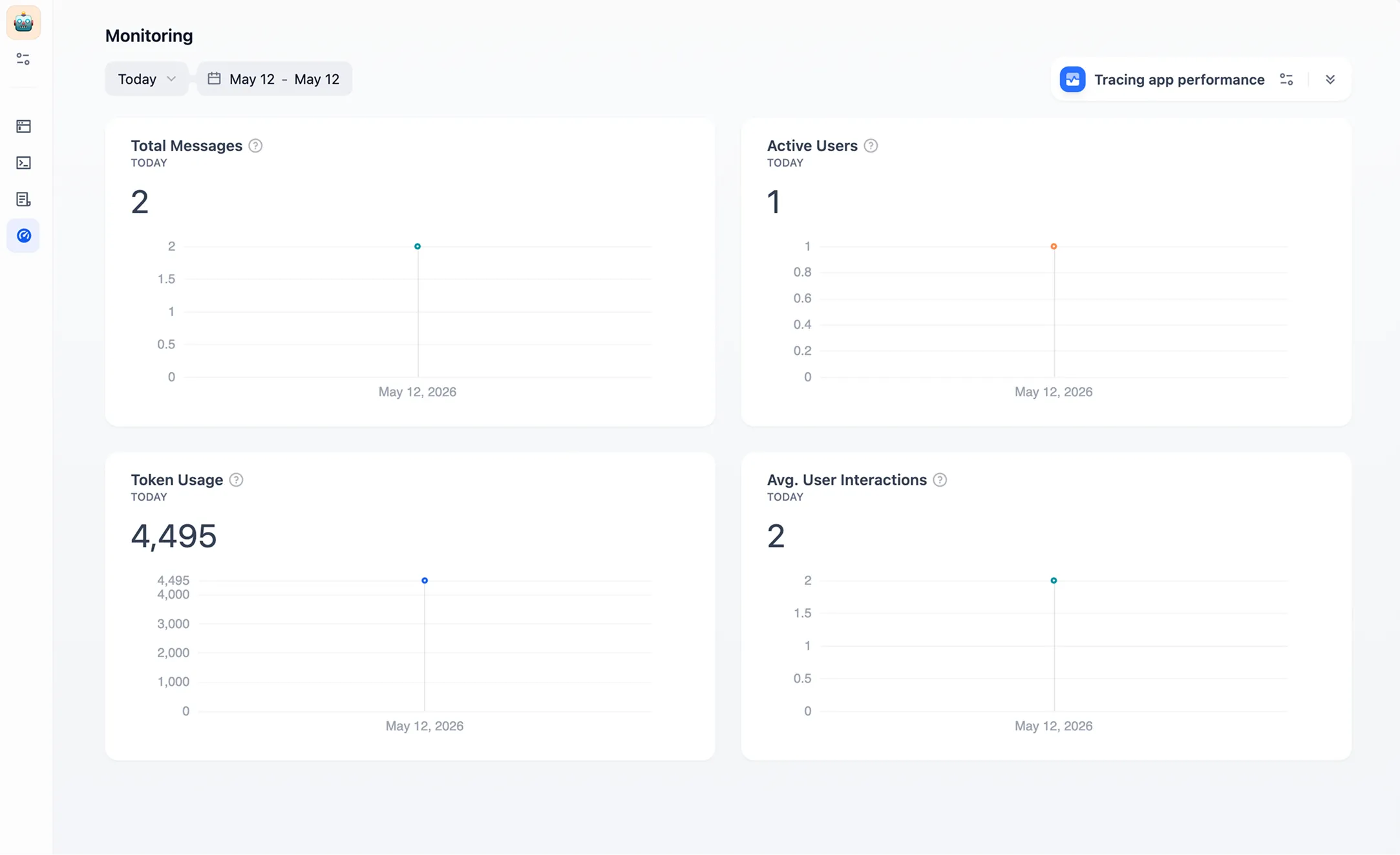
Start with one process whose failure you can see. A support triage flow is better than “build an agent for the company.” Name the inputs, expected answer, source documents, handoff rule, and one metric that matters. Build it in the free Cloud sandbox if the data allows. Test retrieval separately from generation. Run deliberately awkward examples. Then publish the workflow behind an API or simple web app and watch the logs before adding more nodes.
Choose self-hosting for control, data location, or integration needs - not because the Docker command looked short. Assign an owner for upgrades, backups, secrets, vector storage, model keys, observability, and incident response. Read the license before offering Dify as part of a multi-tenant service or changing its frontend branding. If those sentences cause silence in the meeting, Cloud is probably cheaper.
Compare Dify with Langflow and Flowise when the center of gravity is visual LLM composition; Botpress when conversational experiences dominate; n8n when broad business automation matters more than native RAG; and Stack AI, Dust, or Coze when managed enterprise or end-user experiences are the priority. The deciding demo should use your documents, your approval path, and your ugliest exception. Templates are useful for orientation. Your edge cases are the purchase test.
Verdict: useful middle management
Dify’s distinctive move is to keep the whole AI application lifecycle in one visible place. It invites domain experts onto the canvas, gives developers APIs and code where they need them, and gives operators logs after Publish. The new agent system adds capable autonomous work without pretending that workflows, approvals, and audit trails have gone out of fashion.
The platform is not effortless, and its source-available label deserves the footnote about license conditions. Advanced systems still require engineering, careful evaluation, and someone willing to own production. Yet the alternative is often a home-built pile of orchestration, retrieval, dashboards, and glue. Dify makes that pile legible. For a team moving from a clever prompt to a maintained product, legibility is a fine reason to send this review to the person holding the architecture diagram.