Wordtune is for the moment after the idea arrives and before the sentence behaves. You know the email should sound firm, not frosty. You know the paragraph contains a point, although it is currently buried under four clauses and a nervous “just.” Highlight it, click Rewrite, and Wordtune returns a small menu of alternate phrasings. The appeal is immediate: no prompt engineering, no blank chat window, no demand that you hand authorship to a bot. You keep the thought. The machine auditions the wording.
That makes Wordtune particularly useful for multilingual English writers, people who write for work but do not call themselves writers, and practiced writers who occasionally get trapped inside one sentence. Students, support agents, marketers, salespeople, managers, and anyone composing a delicate Slack message all fit the brief. If you want an autonomous article factory, this is not the obvious first pick. If you want six ways to make “per my last email” sound less like a tiny threat, pull up a chair.
A useful distinction: Wordtune’s worldwide user and rewrite figures come from the company’s current homepage. The Chrome install count comes from the Chrome Web Store listing. They measure different things, so they should not be added together.
Why it clicksA second opinion, not a séance
The signature interaction is pleasantly modest. Select a sentence or paragraph and choose Rewrite. Wordtune presents alternatives, with controls for formal or casual tone and for shortening or expanding the passage. Smart Synonyms handles a smaller job: select a word and get choices that reflect the surrounding sentence. The result feels closer to sitting beside an editor than issuing orders to an all-purpose chatbot.
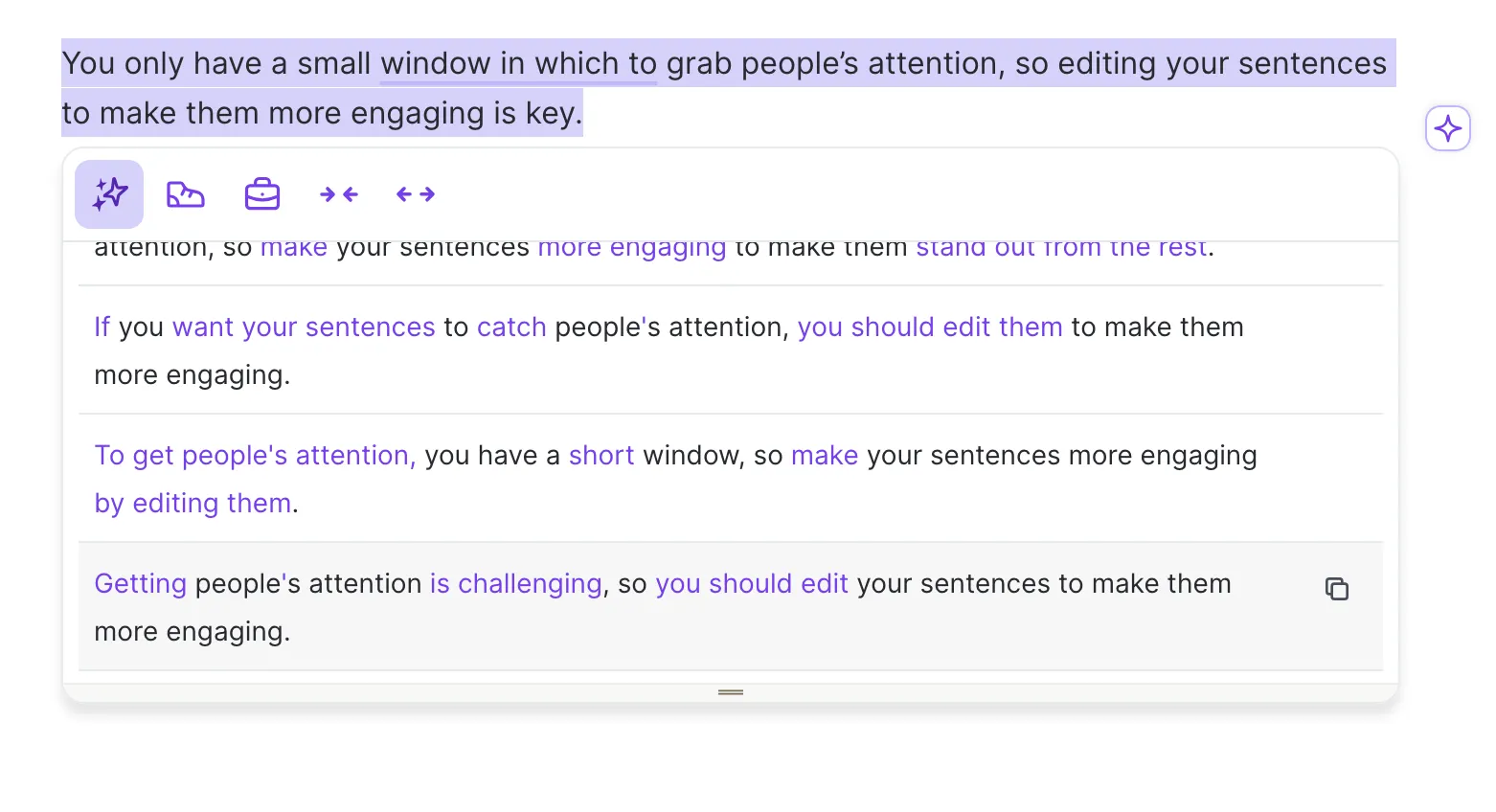
Choice is the product’s quiet advantage. A single generated answer can tempt a rushed writer to accept whatever lands first. A visible list makes comparison part of the interface. One suggestion may be crisp but too severe; another may preserve the warmth but miss the rhythm. You decide. That final act of selection is small, yet it keeps the writer awake.
“It’s like having 10 friends all willing to suggest alternatives to a sentence I’m writing, and I can pick the best one without hurting anyone’s feelings.”Ed Bockelman, customer testimonial published by Wordtune
The metaphor is funny because it is exact. Wordtune does not need to know your whole project to loosen one verbal knot. Its browser extension brings that behavior into Gmail, Google Docs, and many other text fields. A dedicated Editor handles longer pages and stores work. The iPhone app adds a keyboard, so the same rewrite habit can follow a message into mobile apps.
The wider kitRewrite is the star; the rest is a capable ensemble
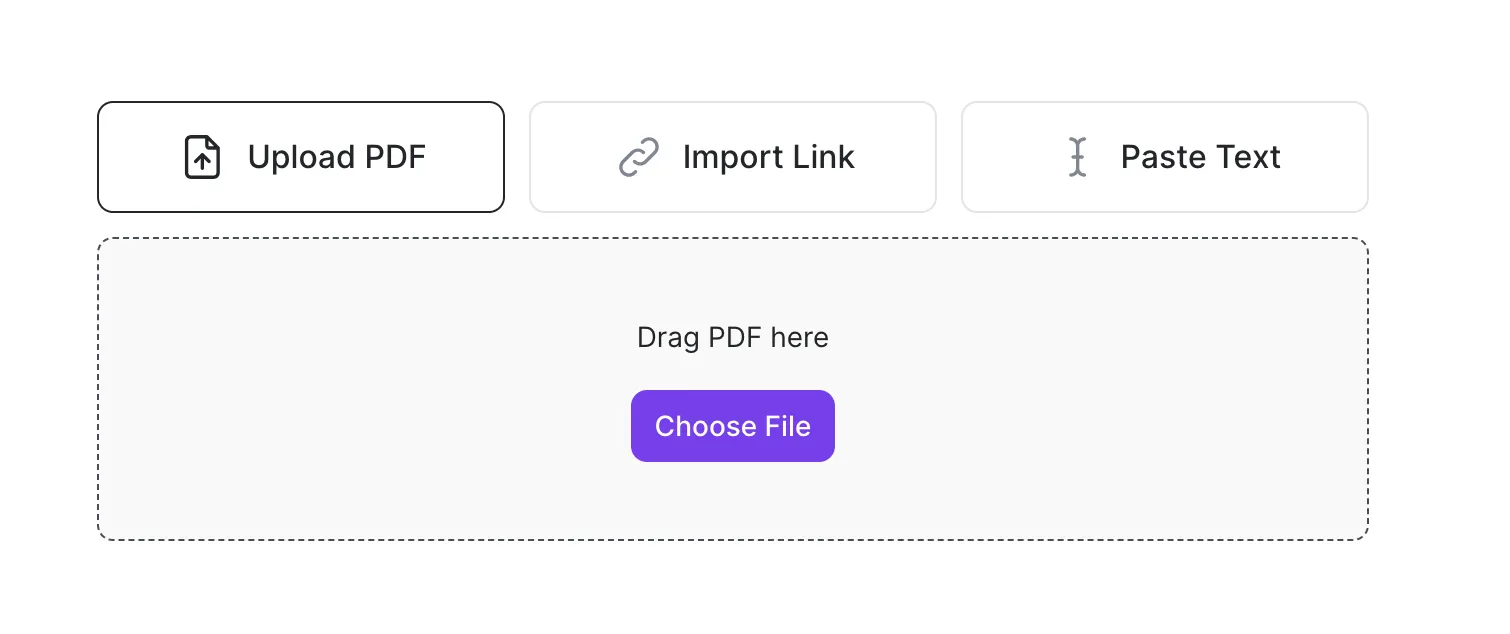
Wordtune has grown well beyond its 2020 debut. Proofreading marks spelling and grammar issues. Contextual Suggestions can continue a draft, add an example, explain a point, emphasize an argument, or write a conclusion. Ask AI, reserved for paid plans, lets you request changes to style, structure, empathy, or assertiveness. The web Editor can also summarize a PDF, pasted text, or a link, save the result, and accept follow-up questions.
Rewrite
Several context-aware alternatives for a sentence or paragraph, with the original meaning kept in view.
Tone and length
Formal, casual, shorter, and longer controls turn common editing intentions into one-click operations.
Proofread
Spelling, punctuation, grammar, vocabulary, clarity, and fluency suggestions live beside the draft.
Summarize
Upload or link source material, skim its main points, ask questions, and keep it in a saved library.
Translation is useful but easy to misunderstand. Wordtune writes in English. It can take sentences in Spanish, Mandarin, Arabic, Hindi, Korean, Hebrew, Russian, German, French, or Portuguese and return English rewrites. Someone polishing English for a serious email may find that more helpful than a literal translation. Anyone expecting a multilingual writing suite should adjust the expectation now.
The honest friction
The free plan is useful enough to reveal the habit and tight enough to interrupt it. Ten daily rewrites and AI suggestions disappear quickly during a serious editing session. Free users get three summaries per month. Spelling and grammar checks remain unlimited, but the reason to choose Wordtune over an ordinary checker is precisely the feature most likely to hit a limit.
Independent reviews draw a recognizable outline. G2’s summary praises clarity, multiple rephrasings, professionalism, and ease of use, while noting that suggestions can become repetitive or miss context. Capterra users praise the extension and realistic alternatives, but some report formatting trouble, missing compatibility with particular forms, or lost pages. One 2025 reviewer described pages going blank and being unable to retrieve the work. That is one person’s experience, not proof of a universal flaw, but it is a good reason to keep consequential drafts in a system with version history.
Where the product earns its keep
Platform coverage has another edge. The current support guide lists the web app, Chrome, Edge, Firefox, Arc through the Chrome extension, and iPhone. There is no Android app and no Safari extension. A limited Mac desktop beta was discontinued. The web editor technically opens from any browser, though Wordtune itself recommends the iPhone app over using the web interface on mobile.
The buying callWhich plan makes sense?
Start free. That is not cautious boilerplate; it is the correct test for this category. Paste five sentences you genuinely struggled with, not polished samples written to flatter the demo. See whether at least two suggestions per sentence improve clarity without sanding off your voice. Then use the extension in the places where you actually write. A tool that shines in its own editor but irritates you in Gmail will become an expensive purple icon.
| Plan | Published annual-billing price | Limits | Best fit |
|---|---|---|---|
| Basic | $0 | 10 daily rewrites and AI suggestions; 3 monthly summaries | Occasional emails, trial runs, light proofreading |
| Advanced | $6.99/month | 30 daily rewrites; 15 monthly summaries; paid AI tools | Regular writers who can predict their volume |
| Unlimited | $9.99/month | Unlimited listed writing and summary features | Daily, high-volume editing and research |
Those are the prices displayed with annual billing when researched, and Wordtune warns that region and promotions can change them. Paid plans advertise a three-day trial. The published policy says refunds are not offered, so put a reminder beside the renewal date. Eligible students, educators, nonprofit workers, and NGOs can ask support for a 30 percent discount.
Wordtune, Grammarly, or QuillBot?
Pick by the recurring problem. Grammarly is the familiar choice for continuous grammar and style policing across a broad workflow. QuillBot began with paraphrasing and offers a mode-driven toolbox that also includes summarization and other academic utilities. ChatGPT is more open-ended and useful when the job starts with exploration or generation. Wordtune sits in a narrower, appealing lane: contextual alternatives presented close to the sentence you already own.
| If your recurring problem is... | Start with... | Reason |
|---|---|---|
| “This sentence sounds wrong.” | Wordtune | Fast lists of rewrites plus tone and length controls |
| “I keep missing mechanical errors.” | Grammarly | Proofreading remains its clearest identity |
| “I need paraphrase modes and academic extras.” | QuillBot | A broad rewriting utility set |
| “I have no draft and need to explore.” | ChatGPT | Open-ended conversation and generation |
These categories overlap. Wordtune now generates text and checks grammar; Grammarly and QuillBot now do much more than their original jobs. Product checklists therefore tell less than one ordinary afternoon of use. The question is where you want the assistant to enter the process. Wordtune’s best entrance is after thought and before send.
Built by people who started with language
AI21 Labs, founded in 2017 by Amnon Shashua, Yoav Shoham, and Ori Goshen, released Wordtune in October 2020 as the company emerged from stealth. Axios called the early product a “ghostwriter in the machine,” although today “co-editor in the browser” is closer. Wordtune Read followed in 2021; its summarizing ideas now live within the broader Editor experience. Spices, a set of guided continuation tools, arrived in 2023.
AI21 develops foundation models, but the exact current model behind the consumer Wordtune service is not publicly named. The careful description is proprietary AI21 language-model technology. In 2023 the company opened task-specific Wordtune APIs for paraphrasing, summarization, grammatical correction, text improvement, and segmentation. Later AI21 model announcements should not be casually mistaken for confirmation that a particular model powers every Wordtune click.
The product earned a place among Google Chrome’s favorite extensions of 2021. Its current Chrome listing shows more than one million users and a 4.6 rating from roughly 2,400 ratings. G2 lists 4.6 from 196 reviews, while Capterra lists 4.4 from 82. Ratings move, but the pattern is stable enough to notice: people like the speed and specificity; they are less charmed by limits, occasional repetition, and the cost of frequent use.
Our verdict: Wordtune is easiest to recommend as a sentence-level collaborator. It gives nervous emails a second draft, gives multilingual writers more idiomatic options, and gives experienced writers a way out of local dead ends. The free tier suits occasional rescues. Advanced is the sensible middle for steady work. Unlimited becomes rational only when the daily cap repeatedly gets in your way.
Keep authorship visible. Reject the bland option. Check factual additions. Save important drafts elsewhere. Used that way, Wordtune feels less like a robot borrowing your desk and more like a quick editor who never minds being ignored.