The revealing moment in Shift’s browser redesign came when people failed to move something. Early prototypes let testers drag bars into unconventional positions. Yet many users did not realize they could. The capability was there; the invitation had gone missing. A browser had trained them so thoroughly in where things belonged that a movable bar might as well have been bolted to the wall.
Shift’s team responded with clearer demonstration videos and support documentation. It is a small episode, but a useful introduction to this Canadian software company. Shift asks users to reconsider a familiar arrangement: tabs above, tools where the browser put them, and a working day spent finding the right account inside the right window. Its proposition is to let people arrange that room themselves.
- Move the furniture: drag apps, bars, and controls into a layout that suits your work.
- Give projects their own rooms: Spaces separate tools, tabs, and accounts.
- Try before paying: Free offers five Spaces and ten apps per Space; Advanced costs $199.99 USD annually.
- Keep the boundaries in view: desktop support, optional AI, and estimated carbon accounting come with specific limits.
The account behind the tab
Consider a freelancer working for several clients. The difficulty is seldom opening Gmail or a project board. It is opening the correct Gmail and the correct project board, with the correct identity attached. A personal inbox and a client inbox look reassuringly alike until something leaves the wrong one. This is an illustrative situation, but it explains why Shift’s account-management features matter.
Spaces give those contexts separate homes. A user can keep a set of apps and tabs for work, another for a hobby, and another for a project. Shift supports switching between multiple profiles without repeatedly signing out. Its app directory includes familiar services such as Slack, Zoom, Gmail, and Microsoft 365. The current directory advertises more than 4,500 apps, up from the 1,500-plus integrations cited in earlier company material.
The app count needs a sensible reading. Shift organizes access to services; it does not confer a paid subscription to every service in its directory. A beautiful place to put your accounting tool will not settle the accountant’s bill. Its value lies in making an existing collection of tools easier to return to, rather than supplying an entirely new collection.
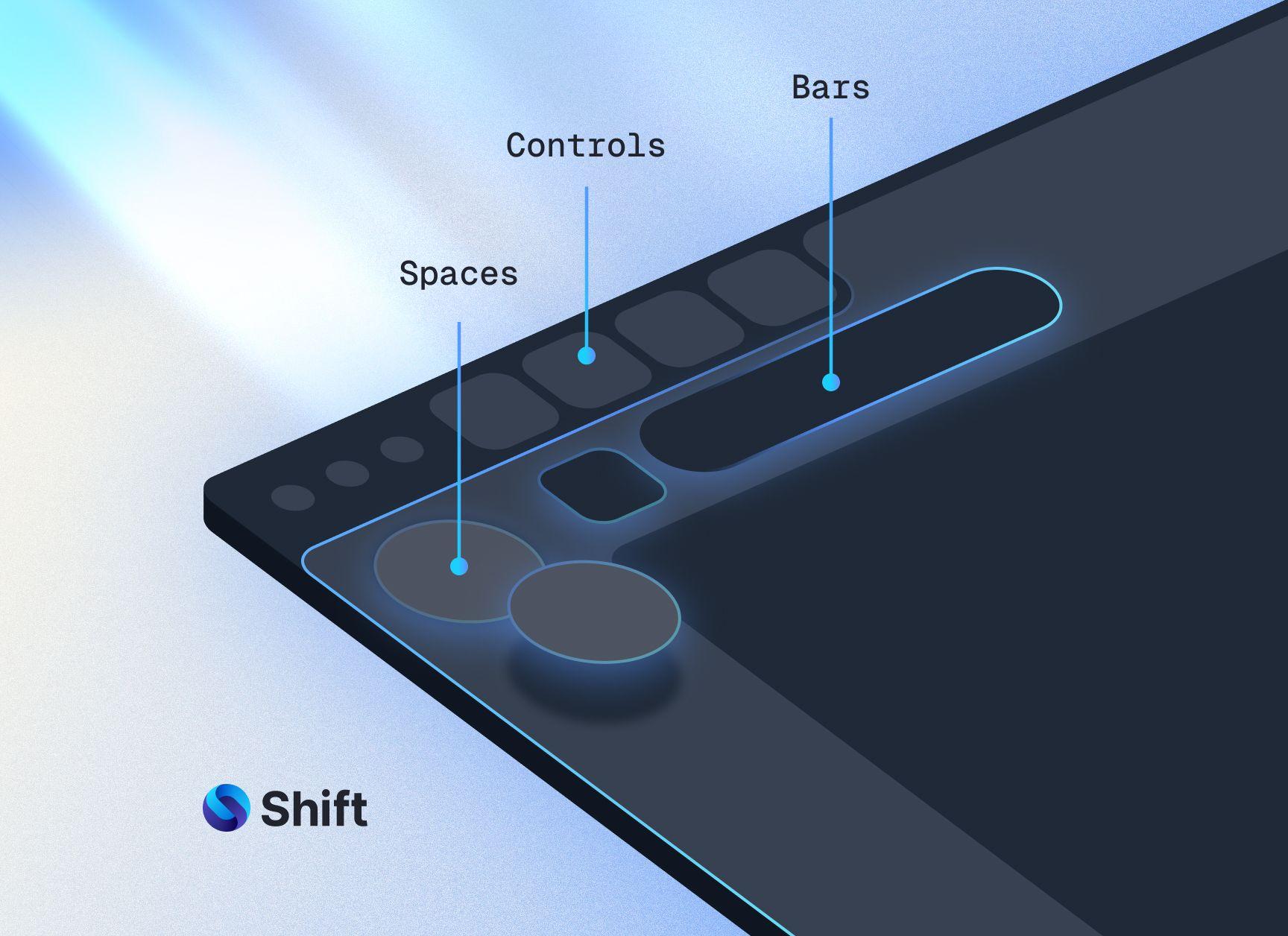
A browser with an adjustable floor plan
The 2025 redesign pushed this idea beyond an app sidebar. Browser Builder lets users drag and drop apps, bars, and controls, select templates, and remove elements they do not use. A theme changes the room’s appearance. Moving its controls changes where a person reaches during the working day.
That distinction puts Shift in a crowded market with a particular angle. Chrome and Edge are familiar general-purpose alternatives. Firefox offers another browser ecosystem; Vivaldi also makes customization a selling point. Shift’s own pitch concentrates on the combination of movable interface components and project-specific app environments. Whether that combination is useful depends on the complexity of the user’s daily work.
Freedom can be a surprisingly demanding feature. Every additional setting gives someone another decision. Shift offers templates as a starting point, so the customer need not become an interior designer before reading an email. It also provides a rather charming recovery mechanism: remove everything from a Space, and a Safety Bar appears when you hover at the top. From there, you can reopen the Builder. Even a browser needs a spare key.
“We can do this.”
A senior developer, as recalled by Michael Foucher during the redesign
Redbrick’s launch account describes the technical challenge as creating real-time configuration while designing guardrails that kept experimentation manageable. Shared portfolio services helped with UX/UI, website design, copywriting, and project management. The result was a product decision supported by both engineering and explanation. The testers who missed the movable bars show why the explanation belonged in the work.
Start with one recurring context. Add complexity only when the work asks for it.
One million Canadian dollars, split down the middle
Shift began as an idea inside Redbrick in Victoria in 2016. A contemporaneous announcement describes the company as founded in 2017. In December 2019, it announced C$1 million in financing and appointed Nadia Tatlow, a member of the founding team, as CEO. Founder listings also identify Redbrick CEO Tobyn Sowden.
The financing had two halves. Panache Ventures led an investor group and advisers committing C$500,000. Redbrick supplied the remaining C$500,000 through debt. That structure placed outside backing alongside continuing parent-company support. It also helps explain why the later redesign could draw on a portfolio’s shared services.
The announcement reported that more than 75% of active monthly paying customers used Shift every workday, averaging roughly 106 minutes a day. Those are historical, company-reported measures of engagement. Today’s About page reports 2.4 million users worldwide, without identifying them as paying subscribers or defining an active-user period. The two measures answer different questions. A large audience is interesting; a repeated working habit tells you something else.

The price of a permanent place
Shift uses a freemium subscription model. At the time of this profile, its pricing page lists five Spaces and ten apps per Space in the free tier. Browser Builder, templates, limited AI usage, and carbon-neutral browsing are included. Advanced costs $199.99 USD annually, with unlimited Spaces and apps, expanded AI usage, and priority support that includes video calls.
Teams adds consolidated billing and license management. Each member keeps an independent setup; the administrator’s dashboard is for managing subscriptions rather than arranging everyone’s digital desk. That matters for a tool whose main promise is personal configuration. Buying seats together need not mean thinking alike.
A useful trial would begin with a single recurring task. Put its accounts and tools in one Space, choose a template, and see whether the arrangement remains useful after the novelty wears off. This is a practical suggestion, rather than a measured productivity guarantee. Unlimited organization is worth buying only if the organization survives actual work.
AI gets a seat, and an off switch
Shift AI launched on April 30, 2026. It can answer questions, summarize material, and help create drafts inside the browser. The company describes context awareness across tabs and other browser activity, with controls over the information supplied. Users can turn AI off in Settings. For an account-heavy workspace, control over context is part of the feature.
Shift uses Cloudflare Privacy Proxy as a layer between a query and the language model. Its privacy policy supplies a necessary detail: information submitted to AI services may be processed and retained by third-party providers, and authorized personnel may access retained conversations for operational purposes. Readers handling confidential client work should judge those terms alongside the appealing privacy language on the product page.
The company’s environmental argument has a similarly useful boundary. Its Carbon Meter estimates emissions associated with activity inside the browser and informs investment in offset projects. The published methodology excludes AI, offline processing, and local device power draw. Carbon-neutral browsing is therefore a claim about a measured scope and offsets, rather than a promise that the whole computer has stopped consuming energy.
In June 2026, CEO Neil Henderson acknowledged the environmental cost of launching AI and the continuing measurement problem. That admission belongs in the story because Shift puts responsibility beside customization in its public identity. As a Redbrick company, it participates in the portfolio’s B Corp certification; the Carbon Meter makes one part of that position visible in the product.
The room still needs a reason
Shift’s expertise is in the interface around web work: organizing contexts, handling account switching, and making the browser configurable. Its audience includes freelancers, developers, marketers, entrepreneurs, and other people whose work spans several services. The distributed team advertises flexible schedules, professional-development funding, and an annual gathering called Shift Connect. Its own workplace has several rooms, too.
The product fits a desktop working day. Support documentation lists Mac and Windows, recommends at least 8 GB of RAM, and excludes mobile devices, tablets, and Chrome OS. A phone-first worker has a different problem. So does someone whose employer controls software installation, or whose daily browsing involves one account and a few pages. More configuration would give that person more to maintain.
The lesson anyone can copy is smaller than a browser migration. Give recurring work a predictable place. Keep the tools for a project together. Demonstrate a new freedom instead of assuming people will discover it. Shift’s early testers had the ability to rearrange their browser; what they needed was a nudge. Sometimes a software company’s most useful discovery is that the furniture was movable all along.
Open a few useful windows
Explore Shift, its Browser Builder, plans, and company blog. For a walkthrough and product discussion, watch the SourceForge demo with Michael Foucher and Sabrina Banadyga or visit Shift’s YouTube channel.