The person who knows exactly how your software works is often the last person who wants to trim dead air, animate a cursor, record a clean voiceover, capture screenshots, and write the matching help article. Trupeer begins with that awkward little truth. Ask the expert to press record and explain the workflow. The software takes care of the production chores around the explanation.
That makes Trupeer useful first for people who explain software for a living without calling themselves video editors: product marketers, customer-success managers, sales engineers, IT rollout leads, support teams, and workplace trainers. A founder can make a launch demo. A support lead can turn a recurring ticket into a guide. An IT team can document the new expense system before the next “quick walkthrough” consumes another afternoon.
The basic loop is pleasantly legible. Record a browser tab, window, or screen with the Chrome extension, or upload an existing video. Speak naturally. Trupeer transcribes the recording, rewrites the narration, generates a voiceover, adds captions and motion around important clicks, then produces a written guide from the same source. You can correct the script, swap steps, trim sections, add brand assets, and publish as video, document, embed, or shared page.
Why it earns a look
Most tools in this neighborhood choose a lane. Loom captures quickly. Scribe favors step-by-step documents. Camtasia and Screen Studio offer more hands-on video craft. Synthesia and HeyGen specialize in generated presenters. Trupeer’s wager is that the same explanation should feed the entire knowledge chain. The video, guide, translation, searchable answer, and AI context all begin with one walkthrough.

That reuse matters when software changes weekly. Two separate production tracks create two separate opportunities to go stale. Trupeer does not abolish maintenance, but it reduces the number of original artifacts a team must wrangle. Its iframe embeds update wherever they appear when the source changes. Version history can recover an overeager edit. Multiple recordings can be merged, so a changed step can be replaced without rebuilding an entire tour.
Reviewers repeatedly notice the time saved. G2 currently shows a 4.8 rating across 51 reviews in its product listing. Its summary highlights speed and ease while pointing to limited advanced editing as the recurring complaint. One customer-success manager praised the multilingual workflow but noted that automatic zooms sometimes need adjustment. A Product Hunt reviewer liked the core product and support, while another heavy Loom user found the older plan ladder too restrictive. The useful consensus is more grounded than the breathless slogans: Trupeer is good at getting a credible first cut very quickly, and you should expect to inspect that cut.
The features that change the job
The video controls are aimed at correction rather than filmmaking. You can trim, split, skip, crop, and sync; edit selected script passages with a prompt; replace a term everywhere; and use a waveform to spot pauses. Smart zooms and Auto Annotate follow clicks and mark the target. The voice library handles narration, avatars can add a presenter, and Enterprise customers can commission custom voice and avatar clones.
Brand Kit is less glamorous and probably more important for a working team. It carries logos, type, colors, backgrounds, and music across content. A glossary and pronunciation list prevent the synthetic narrator from mangling the names everyone at the company says daily. Trupeer’s own example is charmingly practical: enter “Trupeer” as “true peer.”
Documentation is no longer a sidecar. The revamped editor has movable sections, tables, slash commands, and image editing. “Skills” package prompts, layout, and house rules into a repeatable recipe. Record an incident-response process today and a product-release process tomorrow; the chosen Skill can make each land in the right format without teaching the prompt again.
| Need | What Trupeer supplies | What still needs a human |
|---|---|---|
| Product demo | Script cleanup, voice, zooms, captions, avatar, MP4 | Message, claims, pacing, and taste |
| SOP or guide | Detected actions, screenshots, structured steps, exports | Policy accuracy and edge cases |
| Global training | Translated video and docs, one multilingual share page | Local terminology and cultural review |
| Knowledge search | Answers linked to timestamped video moments | Permissions, source hygiene, and ownership |
From content tool to company memory
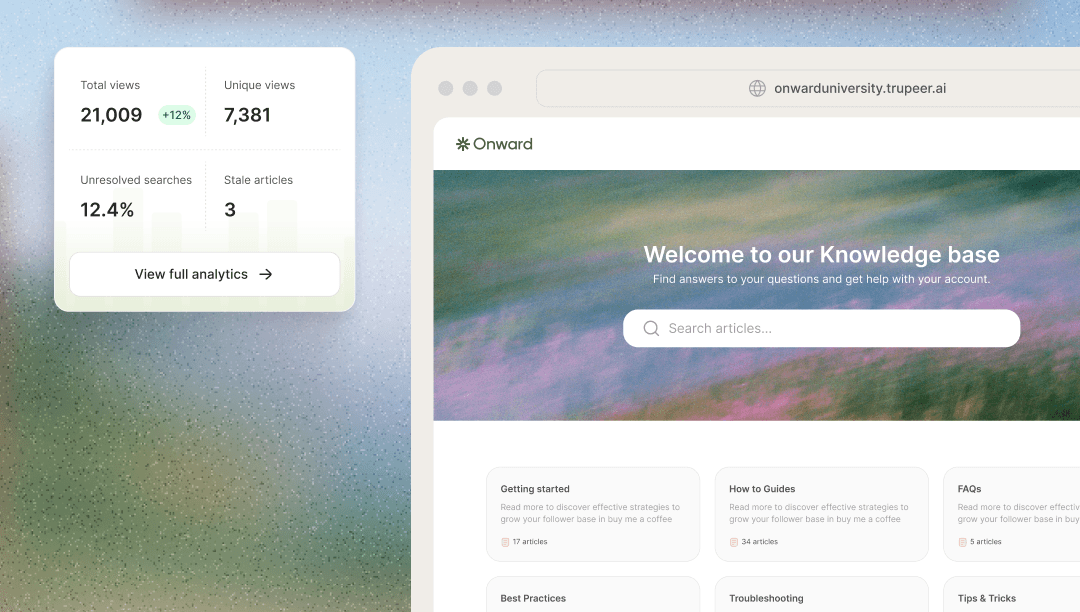
The more interesting 2026 additions sit after publishing. Ask Trupeer searches across the videos, guides, and documents a company has recorded, then returns a direct answer with the relevant timestamp. Knowledge bases can live on custom domains, support access controls, and show analytics. Smart Blur can redact selected names, email addresses, IP addresses, and dates of birth for Enterprise accounts.
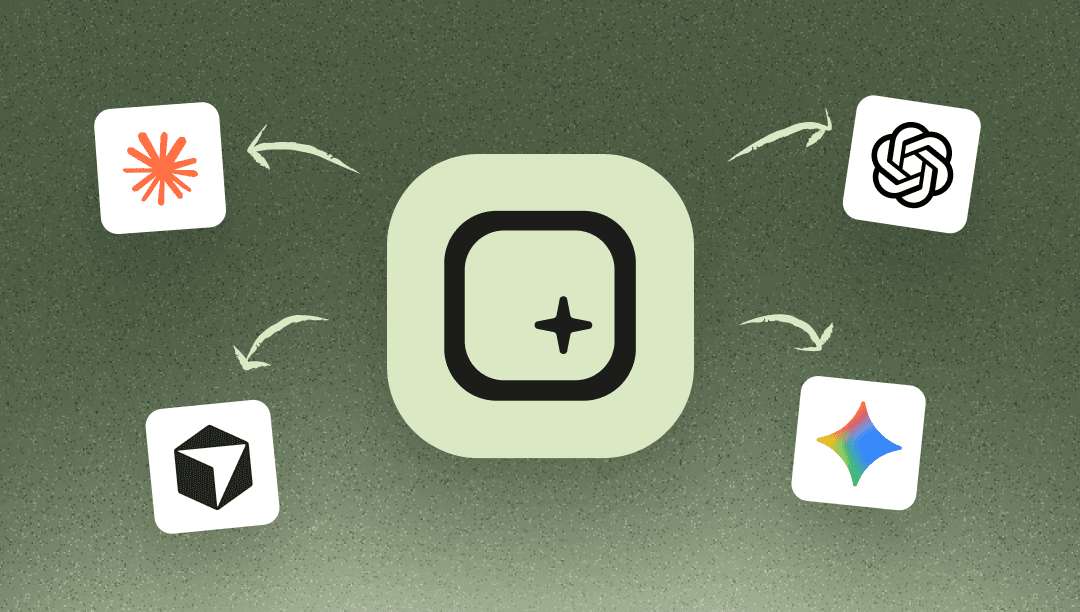
Then comes Trupeer MCP. It connects that recorded workflow library to Claude, ChatGPT, and other MCP-compatible tools. In plain English, a company assistant can answer from the way your team actually handles renewals or approves expenses instead of improvising from the general internet. This is a sensible extension of the product, though it raises the stakes. Bad or outdated instructions become more consequential when an agent can retrieve them at speed. Permissions, review dates, and named owners are product work, not paperwork.
Pricing without the fog machine
The free plan lasts 10 days and includes 1,000 AI credits, five-minute recordings, basic video and document generation, standard voices, and public shares. Pro costs $49 monthly, or $40 per month on annual billing. It raises recordings to 10 minutes, supplies 2,000 credits, removes the watermark, unlocks editing and exports, and includes one creator seat.
Scale is $249 monthly, or $199 per month annually. It includes 10,000 credits, three creator seats, 15-minute recordings, translation, premium voices, Brand Kit, custom Skills, AI search, screenshot editing, and MCP. Enterprise is a custom annual contract with recordings up to three hours, bulk translation, unlimited recordings, custom clones, analytics, multiple workspaces, security administration, custom domains, and white-label pages. Knowledge Base is an add-on: $150 monthly or $120 per month annually; with AI Search, $200 or $180. Extra credits cost $4 per 100 on paid plans.
Credits deserve attention before procurement. Trupeer says 100 credits equal one AI video minute or two AI documents. Translation consumes the same 100 credits per video minute for each target language. A five-minute video in two additional languages therefore uses 1,000 credits. Teams producing weekly localized training can cross a plan allowance faster than the headline seat count suggests.
| If you value... | Start with... | Reason |
|---|---|---|
| Fast raw capture | Loom | Simple recording and sharing remain its center of gravity. |
| Automatic guides | Scribe or Tango | Focused step documentation may be enough without video production. |
| Polished Mac capture | Screen Studio | More visual control for designed screen recordings. |
| Video + guide + search | Trupeer | The shared-source workflow is the point. |
| Generated presenter video | Synthesia or HeyGen | Avatar-first creation offers a broader studio model. |
Proof, caveats, and the buying test
Trupeer launched publicly in 2024 and took the day’s top Product Hunt slot on September 7. Founders Shivali Goyal and Pritish Gupta announced a $3 million seed round in July 2025 led by RTP Global, with Salesforce Ventures and a large group of operators and angels participating. The company said it served more than 10,000 teams then; a later careers page says 30,000-plus teams across 50-plus countries, while August 2026 LinkedIn posts claim more than 100,000 users. Those are different measures, so they should not be stacked into a growth chart.
Named examples make the case more tangible. RTP Global reported that Diageo reduced IT video production time by 87 percent, nSpire built a knowledge base in days rather than months, and Hedrick Gardner onboarded 200 employees across five offices without a live session. Trupeer’s customer library includes Genpact, Zuora, Gainsight, Josys, Welltower, Zetwerk, and others. The homepage lists ISO 27001, SOC 2, and GDPR certification, plus SSO and SCIM for enterprise identity management.
The limits are equally clear. This is browser-first software with a Chrome extension, not a native mobile production suite. The editing ceiling is lower than a conventional editor, and reviewers have mentioned zoom corrections and plan constraints. AI narration, translation, action detection, and redaction all need a final human check. A polished error remains an error, only better dressed.
Buy it for the recurring explanation
If your team repeatedly explains changing software, test Trupeer on one real workflow that currently requires a recording, a document, and a follow-up call. Measure time to a publishable result, count corrections, then price the monthly credit load with translation included. A team that only records casual updates may be happier with Loom. A team maintaining demos, SOPs, onboarding, and multilingual help content has a stronger case.
Trupeer’s best idea is modest: let the expert demonstrate what they know, then make the demonstration useful in more than one form. Its ambition is larger. As the knowledge base and MCP features mature, the rough recording becomes a source for people and software alike. That is where this product gets interesting, and where careful editorial ownership matters most.