The shelf plan was finished. That was the curious part. In a retail customer case published by Nexgen, the specialists had already arranged the products, made the decisions and sent out the instructions. But the people closest to the shelves were opening those plans in Photoshop or Paint, making suggestions, and sending them back. A business with sophisticated planning software had built a feedback loop around drawing tools.
The quick read
- Nexgen makes software for retail planning and financial operations.
- Its retail opening: let field teams work with plans the specialists already create.
- The practical lesson: make feedback, approval and correction part of the product.
This is a useful place to begin understanding Nexgen. The company’s product list runs from shelf layouts to investment research, an unlikely pairing until you notice the common problem. Information exists. Somebody needs to act on it. Between those two facts sits a queue, an attachment, a permission setting or a system the next person cannot use.
01 / The people outside the software
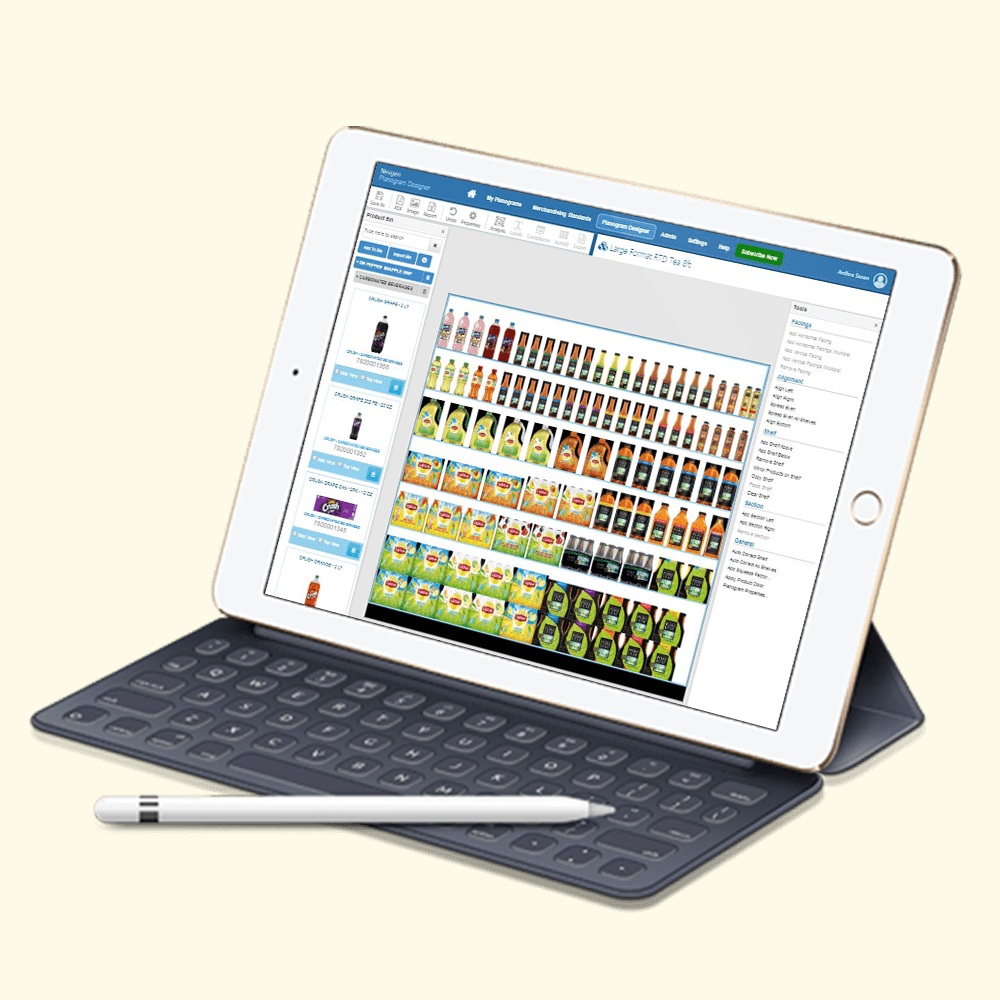
A planogram is a diagram showing where products belong on a retail shelf. For a category manager, it is a planning instrument. For a field representative, it is an instruction that must survive contact with a particular store. The distance between those uses explains much of Nexgen’s retail proposition.
In its Dutch food-retail case study, the category team used JDA Space Planner. Execution and marketing staff needed to suggest local changes, but their image-editing workaround created disconnected steps. Nexgen introduced browser access, file imports and an approval route. People could propose changes within the planning workflow; category managers retained the decision.
Notice what changed the buying decision: the customer needed more people involved in an existing process. Nexgen’s separate study of two food-and-beverage companies describes extending planogram access while keeping a specialist planning tool for expert users. Its opportunity was the work surrounding an established system.
“For every complex business problem, there exists a simple solution.”Nexgen’s published vision
02 / The shelf needs a return address
Sharing a plan solves only the outward journey. Nexgen’s cereal-manufacturer case describes the return trip: staff were distributing hard copies or PDFs, marking changes and sending shelf photographs back. The first thing to fail was the coordination process. A picture could show a problem without establishing how it would be fixed.
Nexgen POG added compliance tickets. Staff could identify the shelf and products involved, attach photographs, record corrective work and close the ticket with resolution notes. Administrators could monitor the process. That is a modest-sounding feature with a specific purpose: giving an observed discrepancy a route to resolution.
The operational idea extends beyond photographs. In an Ecuadorian retailer case, Nexgen connected ERP and point-of-sale data to POG through APIs. Product and sales updates could feed planogram creation without repeated manual entry. The useful unit of improvement was the connection between systems, rather than another standalone chart.
How a plan becomes a process
- 01PlanBuild the layout
- 02ShareReach the field
- 03CheckRecord the gap
- 04ResolveClose the ticket
A simplified reading of Nexgen’s published workflow.
03 / What access costs
Nexgen sells POG through annual subscriptions and also advertises unlimited licensing. Its published per-user prices, checked in October 2026, run from $100 for View Only to $599 for Standard, $899 for Premium and $1,399 for Enterprise. A 30-day trial offers a way to test the workflow before making an annual commitment.
Those prices matter because access was part of the customer problem. They also need to be read alongside the feature matrix. A viewer and a planner do different jobs; importing files, managing locations and analyzing performance are buying questions to resolve before choosing a tier.
There is another purchase available: Nexgen’s people. Its planogram services team produces customized layouts and supports automation. That gives the business two routes into the same department: sell a tool to a team with capacity, or take on planning work for a team that needs help delivering it.
04 / The same puzzle, inside a fund
Now move from a shelf to a hedge fund’s research archive. Nexgen describes a US fund managing more than $10 billion whose research sat across separate legacy systems. Interviews, surveys and conversations were valuable, but retrieving related material required navigating a fragmented knowledge base.
The company built a research-management system that categorized and tagged information, indexed documents and connected relevant email conversations to searches. Analysts gained a common route into the material. The scale described belongs to that anonymous customer at the time of the case; the transferable idea is organizing knowledge around retrieval.
Nexgen’s other financial products address neighboring tasks. Its CRM brings client activity and documents together. CAM supports employee personal-trade monitoring with alerts and restricted access. The investor portal gives fund clients permission-based access to statements, transaction histories and documents such as K-1s. Each product assigns structure to information moving between people.
05 / Start with the handoff
Custom application development, business intelligence, managed IT and process automation round out the business. In one food-and-beverage case, Nexgen replaced email-and-spreadsheet tracking of packaging promotions with a shared approval workflow and notifications. The product was a clearer account of who needed to act next.
There is a practical way to borrow that approach. Follow one real task from its creator to its recipient. Watch where somebody retypes data, edits a screenshot or chases approval. Give that handoff an owner and a visible status before adding more automation.
The conditions matter. Store plans need usable product data; research search needs documents that can be organized; approval workflows need people authorized to decide. Nexgen now markets AI-assisted shelf planning, but its onboarding still describes the plain work of preparing product details and matching images to UPCs. A retailer with unreliable inputs or no capacity to correct stores will have more to solve than software access. The shelf is where the plan gets tested.
Open the tools. Watch the work.
Nexgen website ↗ POG & pricing ↗ Company blog ↗