The trouble began with a picture. In a recollection of his early architectural work, Qi Su described arriving at client meetings armed with renderings, plans, sections and diagrams. The clients would fix on one or two renderings. The discussion would get stuck there. An entire building had been reduced to whichever image happened to catch somebody’s eye.
- Modelo puts 3D designs in a browser so clients and colleagues can explore them.
- Comments, guided tours and project files give the conversation somewhere to live.
- Its useful trick: let people discuss a model without learning the software that made it.
Su noticed that animations changed the tone of those meetings. Motion gave the audience another way into the design. His eventual answer, developed with industrial designer Tian Deng, was Modelo: upload a model, get a link, let someone else look around. A designer’s file could become a shared experience.
The picture that swallowed the meeting
Architecture has an odd communication problem. The people designing a building can navigate a complicated digital space. The people approving it may never have opened the software. Between them sits a presentation, carefully edited by someone who already understands the project. Every chosen camera angle leaves something out.
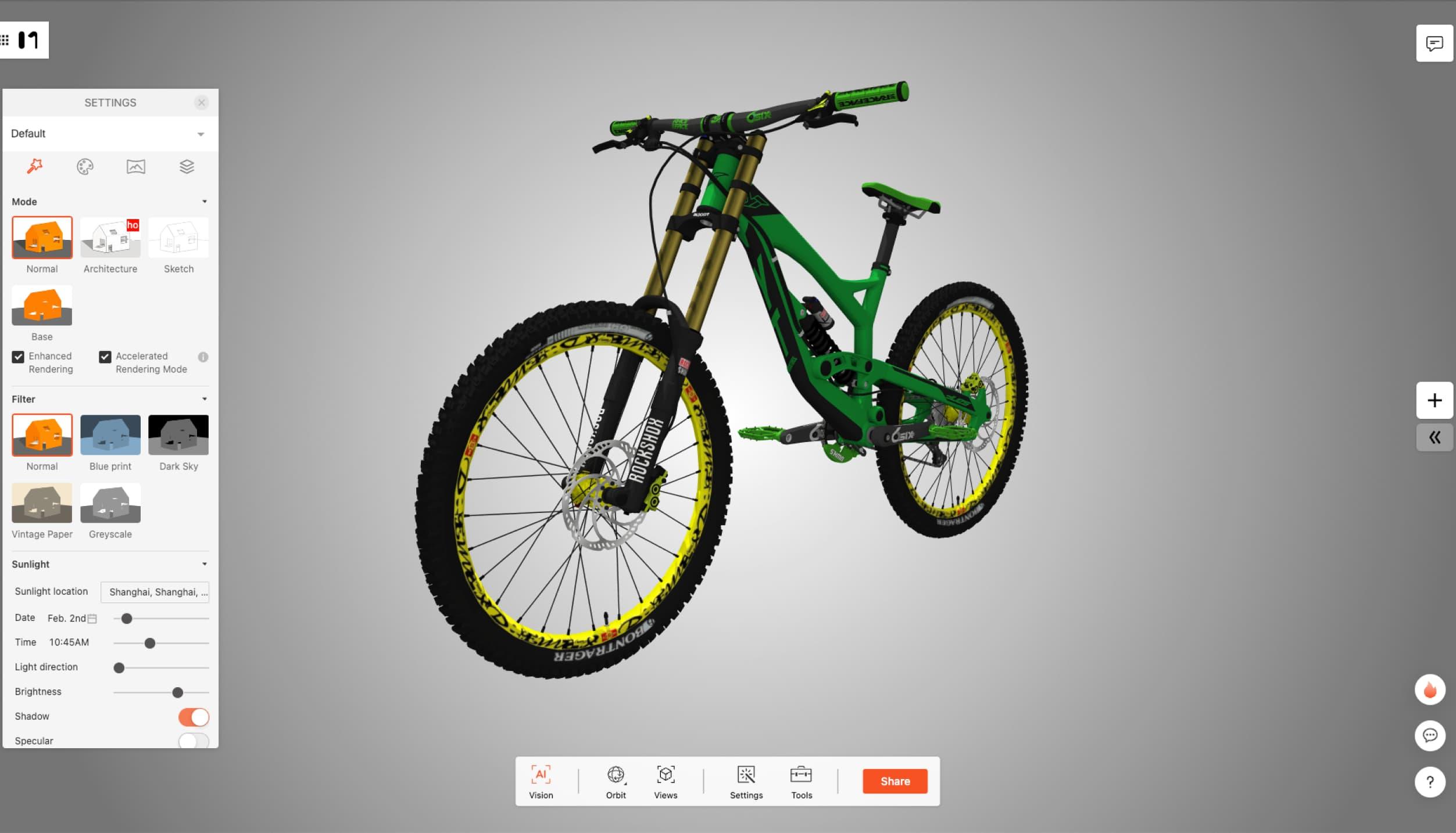
Modelo occupies that gap. Its browser viewer accepts formats associated with tools such as SketchUp, Rhino and Revit, alongside interchange formats including IFC and glTF. The author keeps working in familiar design software. The recipient gets a model to inspect through a link. That division of labor is the attraction: expertise stays with the designer, while access spreads.
The browser becomes the meeting room
A viewer alone would solve only part of the problem. Modelo also offers comments tied to model views, sketching and markup, measurements and section cuts. A question can sit beside the object that prompted it. This matters because “that corner” is a poor filing system, especially once a conversation moves into an email thread.
For presentations, users can arrange views and create walkthroughs with waypoints. Supporting PDFs and images can accompany the model, and asset folders organize project material. A public-facing model can also be embedded in a website. Together, these features make the product useful at several handoffs: designer to colleague, architect to client, project team to an outside audience.
An editorial workflow, based on Modelo’s viewing, walkthrough and commenting tools.
Here is a practical way to use it. Pick an overview, the detail that needs a decision, and a route connecting the two. Send those views before the meeting. Ask reviewers to attach questions to the relevant location. Then spend the meeting resolving those questions. The method is a suggested practice, rather than a measured company result, but it follows directly from the tools.
The surprise was inside the office
Early users complicated the original client-presentation story. Reporting on the January 2016 beta launch, 3DPrint.com described about 1,500 private-beta users, many using Modelo for quick internal reviews. Colleagues needed help seeing one another’s work, too. The communication gap existed on both sides of the conference-room door.
That behavior helps explain the combination of presentation and collaboration features. A firm might begin by showing a client a proposal, then use the same environment to gather team feedback. Modelo’s customer page features Rafael Viñoly Architects, Ennead and KieranTimberlake. These are firms discussing design work, rather than anonymous examples of software adoption.
“It’s incredibly fast”
Stoshi Toyoda, Partner
Quoted on Modelo’s customer page
The company describes its historical customer base as hundreds of firms and thousands of users. Treat that as scale reported by the company, rather than a fresh census. The more revealing detail is the job those customers describe: keeping track of design progress, communicating ideas and bringing more people into the review.
Small link. Real limits.
Modelo’s business is subscription software, with a free entry point and paid individual and team plans. The live pricing page retrieved on October 17, 2026 listed Pro at $9.90 monthly or $99 annually, and a three-user Team plan at $29.70 monthly. Prices should be checked at purchase. Paid features include unlimited slides and walkthroughs; storage and upload allowances still apply.
A useful distinction hides in the large-file story. In August 2024, Modelo reported successfully uploading a 1.7 GB file. Its published paid-plan table lists a 500 MB maximum model upload. One describes a test; the other describes an allowance. A team choosing software needs the second number before being impressed by the first.
Maximum model upload
on the published paid-plan table
Successful upload test
reported in August 2024
The same discipline applies to compatibility. Test a representative model, check the converted geometry and materials, and try the recipient’s device. A browser review also needs suitable connectivity unless an applicable offline option has been arranged. For sensitive projects, sharing permissions deserve attention before a link leaves the team.
A design tool for the handoff
Modelo’s roots were academic: Su’s Harvard design thesis included a predecessor called SharingStudio. The company took shape in 2014. Wellfound lists a $1 million seed round in January 2015 and $2.3 million in November 2016. In April 2020, Kujiale acquired Modelo, placing the collaboration business alongside a broader cloud-design operation.
The market position remains quite specific. Native CAD tools create the source design. Products such as Autodesk Viewer, BIMx and Sketchfab offer other routes into viewing or presenting models. Modelo’s proposition brings inspection, guided presentation, feedback and project assets together. Its appeal depends on how often a team must explain work to people outside the authoring tool.
That is the idea worth borrowing. Before producing more presentation material, identify the moment the audience loses the thread. Give them a way to examine the thing under discussion. Sometimes a meeting needs another rendering. Sometimes it needs permission to turn the model around.
Open the model. Watch the method.
Explore the product, plans and company blog. Watch the official tutorials or Ennead customer interview. Hear Su’s founder conversation.