The defining move in Beautiful.ai is the moment the software disagrees with you. Add another point to a slide and the existing objects shrink, shuffle and settle into a new arrangement. Change the hierarchy and the spacing follows. Try to drag everything into a tiny heap in the lower-right corner and a Smart Slide may simply decline to cooperate. After decades of presentation tools treating every employee like an unsupervised art director, this feels almost impolite. It is also the product.
Beautiful.ai, founded in San Francisco in 2016, makes cloud presentation software for people who have an argument to communicate but no appetite for aligning rectangles at midnight. Founder Mitch Grasso had already built SlideRocket, an early web presentation company acquired by VMware in 2011. His second attempt began with a stronger opinion: good design should not be a menu of suggestions. It should be an expert system embedded in the canvas, responding as the author works.
That distinction matters now that every productivity company can generate ten slides from a prompt. Beautiful.ai does that too. But its durable idea predates the current generative rush: make the product carry the design burden, then let the person concentrate on sequence, evidence and language. The company says more than 3 million people have used the service, creating over 35 million slides across 195-plus countries. In March 2026, it said it had passed 100,000 business customers.
A designer inside the machine
A traditional slide editor begins with coordinates: put this box here, make that box the same width, line up the logo, repeat. Beautiful.ai begins with relationships. A timeline should behave like a timeline. An org chart should preserve hierarchy. A number list should accommodate one more number without forcing the author to rebuild the page. Its library now includes more than 300 Smart Slide layouts for comparisons, diagrams, data, people, processes and the other visual grammar of office life.
The gain is not that every slide becomes original. It is that fewer slides become accidentally strange. Teams can apply themes, fonts, colors, logos and shared assets, then lock or govern the pieces that should not wander. Live collaboration, version history, viewer analytics and permissions move the product from personal design helper toward a communication system for sales, marketing, training, consulting and executive reporting.
The product behaves like a designer over your shoulder - useful when the shoulder belongs to someone who would otherwise spend an hour moving a headline two pixels.Beautiful.ai’s founding product thesis, in practice
This is where the company differs from both ends of the market. PowerPoint offers extraordinary control and near-universal corporate compatibility, but a blank slide contains no institutional taste. Canva offers a vast creative toolkit across many media, which is a strength unless a team wants presentation rules more than creative range. Gamma is a fast, web-native generative storyteller. Pitch emphasizes modern collaboration. Beautiful.ai occupies the narrower middle: familiar, slide-shaped business communication with a design governor always on duty.
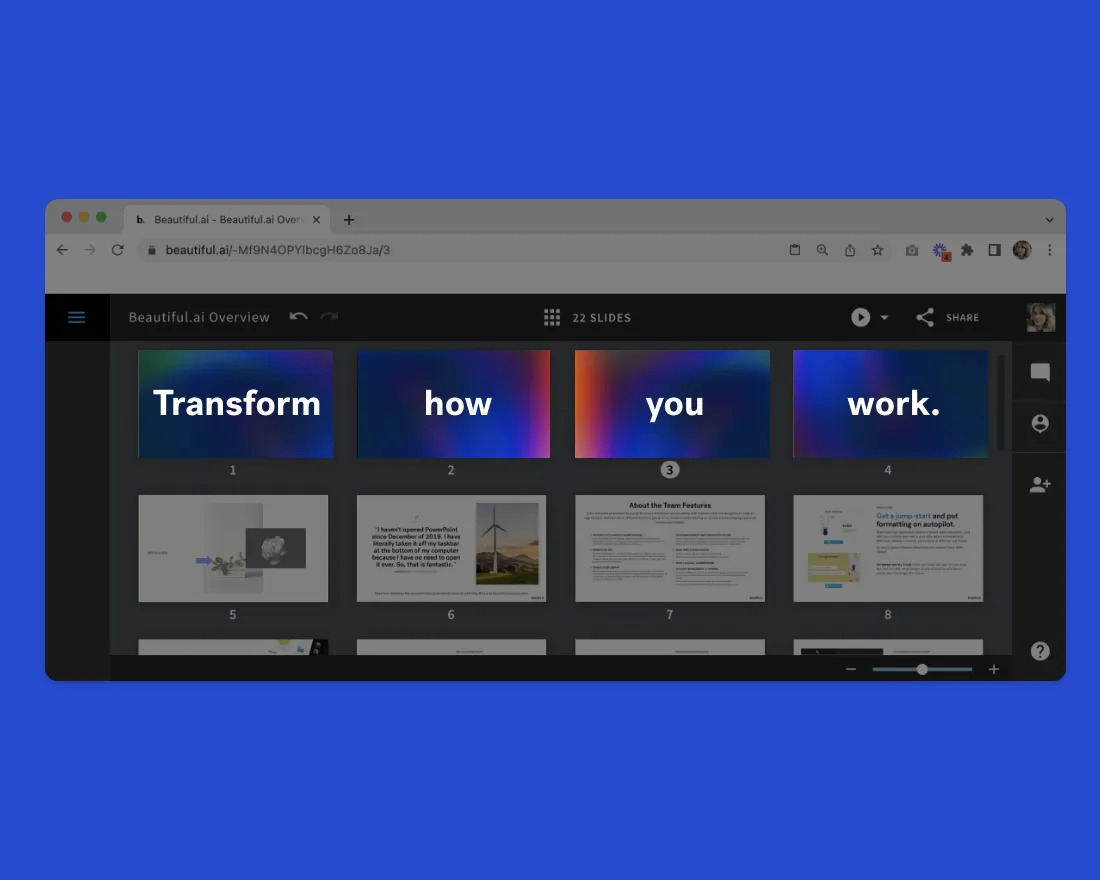
First came the rules. Then came the robot.
Beautiful.ai launched publicly in 2018 and raised an $11 million Series B led by Trinity Ventures that May, after a reported $5 million Series A. The funding language of the era was “democratize design,” and the mechanism was automatic layout. Generative AI later widened the job. DesignerBot, introduced in 2023, could draft an entire presentation from a prompt and supporting context. An AI writing assistant learned first to rewrite text and, by 2025, to generate copy informed by the rest of a slide.
The first generation of AI presentation tools had an obvious failure mode: the reveal was magical, but revision was clumsy. A user could prompt a deck into existence, discover that the story was pointed in the wrong direction, and then spend the saved time correcting it or start again. Beautiful.ai’s March 2026 release was a response to that problem. The new Create with AI workflow accepts a prompt, outline, URL or document, produces a structure before the finished deck, and preserves context through conversational revisions. The company also announced localization in 15 languages, an API, a ChatGPT app and a more mobile-friendly experience.
The 2026 workflow
On the same day, Beautiful.ai announced $45 million from General Catalyst’s Customer Value Fund. CEO Jason Lapp described the capital as fuel for global expansion, go-to-market growth and new offerings for small and midsize businesses. Axios reported that the financing was non-dilutive, which is a different animal from a celebratory venture round: capital tied to customer growth rather than another sale of ownership. Combined with the earlier $16 million, the company has disclosed about $61 million in total financing.
What the subscription is actually buying
Beautiful.ai sells time, but the invoice is written in seats. As of September 2026, Pro is $14.50 a month billed annually. Team is $40 per user per month annually or $50 monthly for two to 20 seats. Enterprise pricing is negotiated. A one-off monthly option costs $45, and there is a 14-day trial rather than a permanent free plan. The team tier adds the shared workspace, libraries, live editing, version control and analytics. Enterprise adds onboarding, SSO, SCIM provisioning, audit logs, advanced permissions and configurable brand guardrails.
The honest buying equation
Subscription cost + setup time should be lower than formatting time + design cleanup + brand drift. If decks are rare, the arithmetic may never work. If they recur, templates compound.
The cleanest evidence comes from repetitive work. Digital agency Rocket55 said the quality of client decks varied by author, even with a PowerPoint brand guide. Someone would always escape the approved fonts or colors. The agency built branded Beautiful.ai templates for recurring presentations and reported cutting creation time from about five hours to under one, including cleanup. Roughly three hours saved per deck became meaningful during annual-planning season, when account managers produced several in a few days.
At cybersecurity training company Cybrary, instructors were producing around 1,000 slides a week. A Google Slides template was the first fix, but the design team still spent weeks cleaning inconsistent course material. Beautiful.ai’s structured themes and content system reduced that manual pass; its creative-services leader estimated efficiency improved by roughly 50%. Cvent has reported saving 75% of presentation-production time. Those figures are customer accounts, not controlled experiments, but their pattern is coherent: the payoff rises with volume and repeated formats.
What failed first - and what changed the decision
For Beautiful.ai’s customers, the first failure was rarely an inability to make a slide. It was an inability to make the hundredth slide without drift. Rocket55 had a brand guide but not an enforceable system. Cybrary had templates but still required a costly cleanup queue. Hobsons had a capable presenter who disliked the friction of making a minimalist deck in PowerPoint. Their minds changed when the software proved it could turn standards into defaults: approved assets in one library, layouts that repaired themselves, and collaboration attached to the deck rather than scattered through messages and file copies.
The playbook is copyable without copying the software. Start with the three presentations a team repeats most - perhaps a proposal, quarterly review and training deck. Audit the parts that should never change. Build approved masters for those cases. Lock brand elements. Put reusable slides and current assets in one shared place. Measure time from first edit through final cleanup, not merely time to first draft. Only then add generation. A fast draft poured into a chaotic system is simply chaos with better latency.
Where the bargain works
- Recurring sales, reporting and training decks
- Many authors with uneven design ability
- Brands that value consistency and review speed
- Teams that share slides, assets and analytics
Where it breaks down
- Art-directed work that depends on breaking the grid
- Occasional presenters who cannot justify a subscription
- Workflows demanding perfect native-file fidelity
- Teams expecting AI to supply judgment or original evidence
The limitations follow directly from the strengths. A guardrail becomes an obstacle when the assignment demands a visual stunt, exact pixel control or an eccentric brand language. A generated outline still needs a person who understands the audience. Imported documents can carry bad assumptions into attractive slides. Exports can also matter more than the web experience when a client insists on editing every object in its own Microsoft environment. In those cases, PowerPoint’s freedom, Canva’s range or a more web-native competitor may be the better fit.
Beautiful.ai is therefore not selling the end of presentation work. It is selling the end of a particular kind of presentation work: hunting for the current logo, nudging a chart, fixing somebody else’s font, and rebuilding a layout because one sentence became two. The company’s bet is that most business slides should behave like well-designed forms, flexible where meaning changes and stubborn where standards should not. That is less dazzling than a robot producing a keynote in seconds. It may be why the idea has lasted.