Voicenotes is for the person who has a thought in the shower, a decision in a meeting, and a half-good opening line halfway around the block. Typing asks that person to stop, unlock, aim, and edit. This app asks for one thing: talk. It records the mess, turns it into text, and files the result where search and AI can find it later. That small reduction in ceremony is the whole proposition.
The pitch works best if you treat Voicenotes as an inbox for spoken thought, not as a finished library. Journalers can unload a day without staring at a blank page. Writers can catch language before it evaporates. Managers can stay in a conversation instead of performing minutes. Students can record a reflection after class. People who walk, drive, cook, commute, or live with limited dexterity get a capture method that meets them away from a keyboard.
It is less convincing for anyone seeking a deeply structured knowledge base with nested pages, academic citations, or document-heavy research. It can feed those systems through integrations and exports, but it does not replace them. Think loading dock, not library stacks.
A family project with a difficult beginning
Jijo Sunny and Aleesha John, the husband-and-wife founders of Buy Me a Coffee, began building Voicenotes with Jijo's brother Joseph Sunny during a painful period. After a miscarriage, Jijo and Aleesha used recordings to keep track of what medical professionals told them. Replaying everything was tedious. Searchable transcripts would have been kinder. The utility grew from that experience.
A private web test appeared in March 2024 and the public version followed in April. According to a founder profile, the first product took 49 days to build. An early $50 “Believer” lifetime plan brought in cash and a vocal user community. TechCrunch reported $100,000 in subscription revenue soon after launch. The company retired the lifetime offer in November 2024, saying it had passed 100,000 users. Its March 2025 notes referenced 200,000 note-takers; the current site now carries a “1 million downloads” badge.
That history matters because the product still behaves like a small team's obsession. The original logo returned after users voted against its replacement. Release notes arrive with oddly specific fixes. Reddit threads often include replies from staff. This intimacy is pleasant, but it also explains why features can arrive on the web before mobile and why documentation sometimes chases a fast-moving interface.
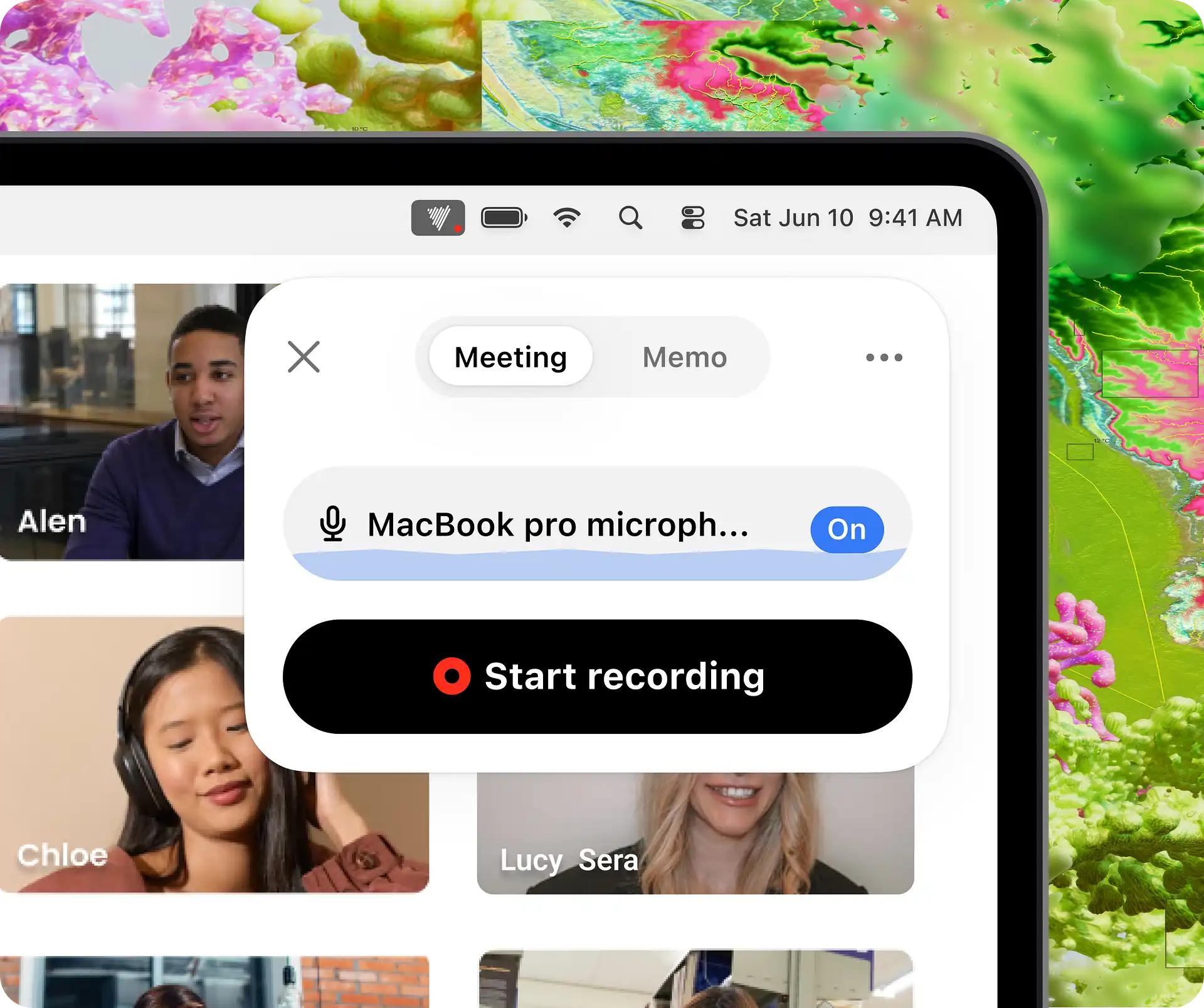
What happens after you press the red dot
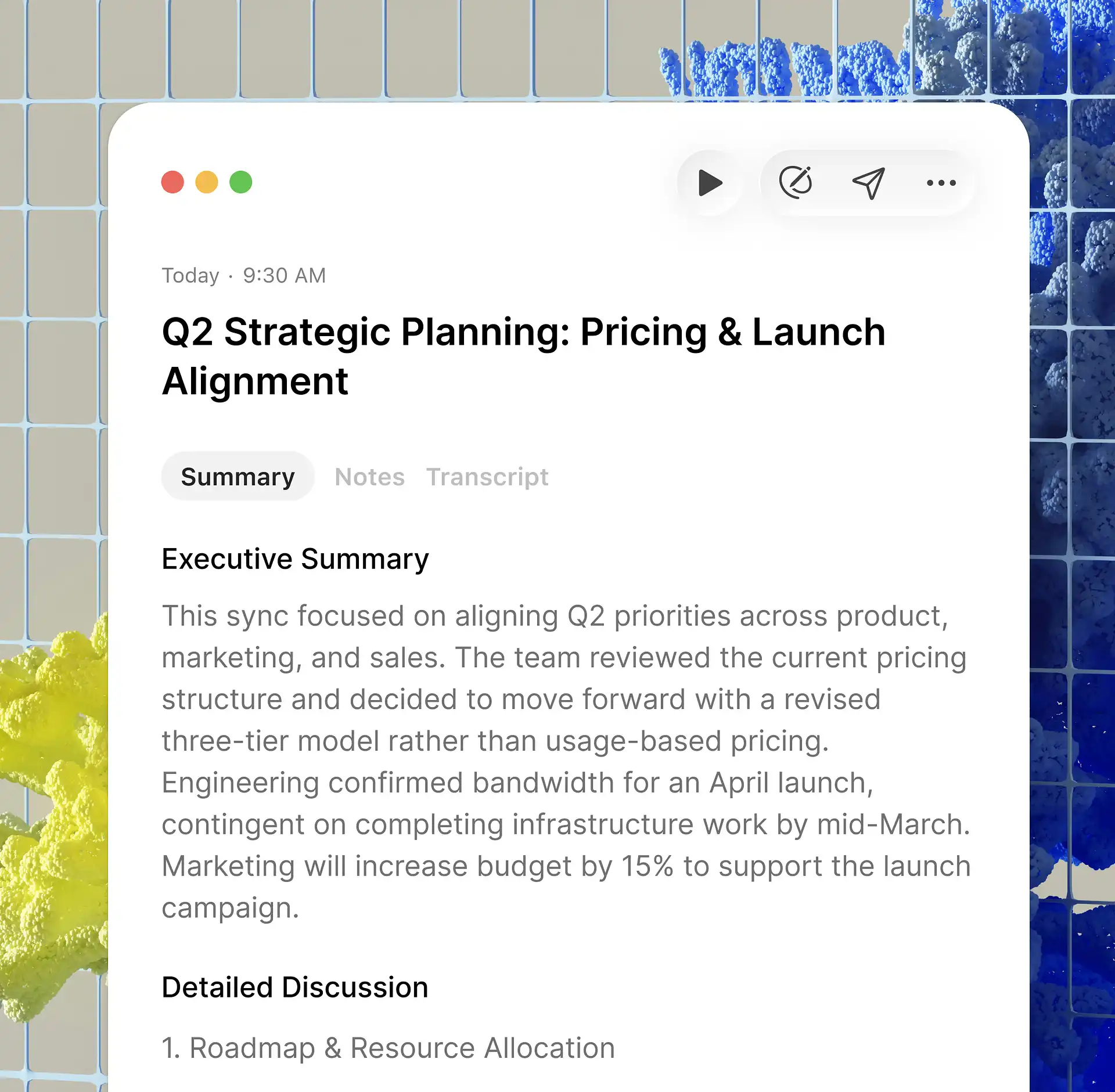
There are now three main capture modes. A memo is one person thinking aloud. A meeting listens for several speakers and produces a report with summary, transcript, action items, speaker labels, and timestamps. Dictation cleans speech into text for the field currently under your cursor. On Mac, that last mode can work inside email, Slack, Notion, Docs, iMessage, and code editors. A personal dictionary helps with names and jargon, which is more useful than another shiny generative button.
The useful loop
the rough thought
and structure
send, or publish
Every capture joins the same searchable archive. “Ask AI” can retrieve a forgotten name, compare notes from several conversations, or collect decisions about a project. “Create” can turn one recording into a to-do list, email, summary, tweet, or longer draft. Custom prompts and tag automations push the idea further: apply a tag, then run a repeatable workflow. Audio imports, subnotes, image attachments, and text notes make the archive less doctrinaire than the name suggests.
The newer MCP connection is the strategically interesting bit. With browser-based authorization, ChatGPT, Claude, Claude Code, or another compatible client can search notes, retrieve transcripts, filter by date or tag, and create a new note. Your archive can become context inside the assistant you already use instead of another tab you must remember to visit.
“Two clicks is all it takes: one to start the app, the other to start recording.”A Mac early-access user on Reddit, April 2025
The hardware trick: be everywhere
Voicenotes runs on web, iPhone, iPad, Android, Mac, Windows, Apple Watch, Wear OS, and Chrome. That list is not decorative. A capture tool is only useful when it is within reach at the inconvenient moment an idea arrives. Watch users repeatedly mention wrist capture as the reason the habit sticks. Desktop users get meeting audio and hotkeys. Phone users get the walk-and-talk version. Everything lands in one account.
Language support is similarly broad. The current pricing page promises 100-plus languages, while individual feature pages describe 60-plus with automatic detection and mid-sentence switching. The safest reading is that coverage depends on mode and platform. A recent Trustpilot reviewer singled out bilingual and English transcription as a strength; the App Store maintains a 4.8 rating from roughly 6,800 US ratings at the time of review.
The bill, without interpretive dance
On the web, Basic costs nothing. It includes unlimited recordings, 100 transcription minutes each week, and 30 days of history. Audio beyond the allowance is saved securely, according to the pricing page, but not transcribed until capacity is available. Pro is listed at $9 per user each month and removes the transcription and history limits. It also adds live notes, imports, storage, MCP, and integrations. Enterprise is $24 per user monthly, with SSO, SCIM, consent tools, sharing controls, custom CRM or dialer work, and support commitments.
Check the checkout screen before paying. Apple's listing shows several weekly, monthly, and annual in-app purchase entries, including old and discontinued offers. Regional taxes and store pricing can vary. The former Believer deal is closed to new buyers.
| Tool | Choose it when... | Watch for... |
|---|---|---|
| Voicenotes | You want memos, meetings, dictation, watches, and AI recall in one account. | Broad scope means some platform gaps and a still-maturing meeting workflow. |
| Granola | Your calendar and back-to-back desktop meetings are the center of the job. | Less oriented toward personal voice journaling and wrist capture. |
| Otter.ai / Fathom | Team meeting transcripts, sharing, and established meeting workflows come first. | Visible bots or a meeting-first experience may add friction for private thoughts. |
| Wispr Flow | Your primary need is fast dictation into other apps. | It is not trying to be the same long-term audio notebook. |
| Apple / Google recorder | You want a simple native recording and transcription baseline. | Cross-platform recall, repurposing, and integrations are narrower. |
The part the glossy demo skips
Recording software is judged by its worst day. Several App Store, Trustpilot, and Reddit reviewers report missing, stopped, or failed recordings. Others describe slow transcription, summaries that compress too aggressively, punctuation trouble, or confusion between the minimal desktop widget and the fuller web dashboard. A March 2026 Reddit post compared a weak first meeting report unfavorably with Fathom and Granola. These are not universal experiences, but one vanished client interview outweighs a month of pretty summaries.
The company says lost notes are rare and has shipped focused reliability updates. Its December 2025 iOS release targeted recording drop-offs, long meetings, navigation, search, and Ask AI speed. More recent users report improved meeting output. Still, for legal interviews, medical instructions, paid research, or a once-only conversation, run a local recorder too until your own device and workflow have earned confidence. Also tell people when they are being recorded; consent law and simple courtesy do not disappear because the bot does.
Privacy claims are stronger than they were at launch. Voicenotes says it is GDPR compliant, encrypts data, does not train models on users' notes, and achieved SOC 2 Type II certification in March 2026. Apple's privacy disclosure says audio and other content may be linked to identity, while identifiers may be used for tracking. Anyone handling regulated or unusually sensitive material should read the current policy, verify retention controls, and involve their organization rather than relying on a homepage badge.
A seven-day test that tells you something
Do not evaluate this app with one theatrical recording. For a week, capture every disposable thought you would normally text to yourself. Record one routine meeting with permission. Dictate one real email. Add a strange proper noun to the dictionary. Then ask the archive a question that crosses several notes: “What have I promised Sam this week?” or “Collect every idea I mentioned for the autumn launch.” The product earns its subscription at retrieval, not at the waveform.
Keep notes short when one subject will do. Use tags for destinations such as tasks, journal, project, or people. Send polished knowledge onward to the system where you review and develop it. This avoids asking Voicenotes to become a document editor, project manager, and permanent filing cabinet all at once. Its best job is getting the raw material out of your head.
The verdict
Voicenotes is an easy recommendation for prolific talkers, journalers, roaming creators, and mixed-device workers who want one fast capture lane. Teams should test it against their meeting stack with real accents, rooms, and call lengths. The free plan is enough to discover whether speaking becomes a habit. If it does, Pro buys a memory with fewer edges. If it does not, no amount of AI will make you enjoy talking to your phone.
Open tabs worth keeping