The reason to try Quadratic is not that you hate spreadsheets. It is that you keep asking a spreadsheet to behave like a database, a Python notebook, a charting tool and a cooperative colleague. The browser app keeps the familiar rows and columns, then gives those cells native Python, SQL, JavaScript, formulas and an AI analyst. The useful part is what happens after the prompt: its working can remain in the sheet, ready to inspect, edit and run again.
That makes Quadratic most interesting for the person wedged between two tribes. Analysts and engineers want code, connected data and enough room for large files. Operators, marketers, product managers and finance teams want a grid they can scan, alter and send to somebody else. Quadratic gives both groups a common surface. The coder can open the Python cell. Everyone else can read the table it produced.
Who should put a tab aside for it?
Start with people doing recurring analysis. A product manager can connect product data, ask where activation drops and keep the generated query. A marketer can combine a CSV with Google Analytics or Mixpanel and refresh a campaign report next week. A finance operator can pull QuickBooks data, build an aging report and let colleagues question the result. Traders and investors can mix live financial data with their own assumptions. Students get an unusually approachable door into Python because the output appears beside the data.
It is less obvious for somebody whose workbook depends on a thicket of VBA, specialist Excel add-ins, pixel-exact corporate templates or long offline sessions. Quadratic can import and export Excel files, but “supports Excel” and “reproduces every Excel behavior” are different promises. Run an ugly real workbook through the free plan before planning a migration. The same caution applies to a company that has already standardized on a mature BI governance layer. Quadratic is strongest in the exploratory middle, where a question arrives before a dashboard specification does.
For a useful first session, skip the blank-sheet ceremony. Bring a CSV you already understand and ask a question whose answer you can verify. Have the analyst clean inconsistent labels, calculate one metric and make one chart. Then open the generated code, alter a condition and watch the result change. This tiny loop tests the product’s central bargain: speed without surrendering control. Next, invite one colleague and ask them to challenge the assumptions. Database connections, schedules and agent access can wait until the basic handoff feels sound. The order matters because a polished dashboard can hide a fuzzy method just as easily here as anywhere else.
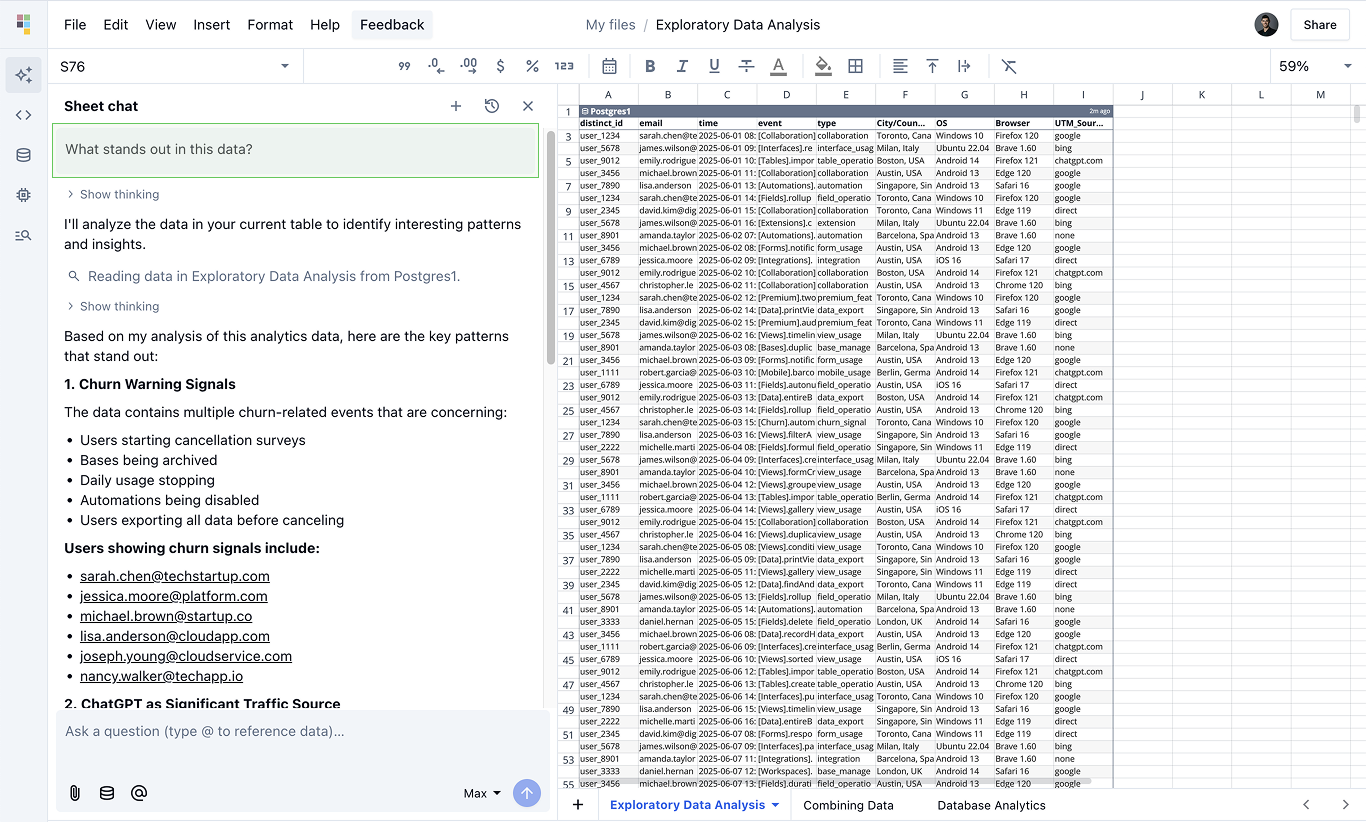
The trick: methods survive the answer
A normal AI chat can summarize a file and leave you holding a paragraph with no durable relationship to the data. Quadratic’s product thesis is that the method matters. Ask for revenue by product and the analyst can create a formula, write Python, query SQL, format a table or draw a chart inside the workbook. Change the input and the machinery is still there. A skeptical colleague can double-click the code and see how the sausage met the quarterly forecast.
“It’s replaced so many other tools.”Max Gnesi, Head of Fixed Income Fund Selection at UBS, in a Quadratic testimonial
The benefit is accountability, not immunity from mistakes. Generated code can be wrong; a neat chart can launder a bad premise. Quadratic simply makes review more practical than a free-floating chatbot response. You can follow a value back through literals, formulas, code output, tables and connection queries. An August 2026 update even added a context action specifically for tracing where a cell’s value came from.
AI beside the grid
Use natural language to clean data, write formulas, generate code, format ranges and build charts.
Python, SQL and JavaScript
Keep technical analysis native to the workbook, with formulas available for familiar jobs.
Files meet live systems
Bring Excel, CSV, Parquet, PDFs and images together with databases and business connectors.
Schedules, API and MCP
Refresh recurring work, let agents use the sheet, or read and write cells from an application.
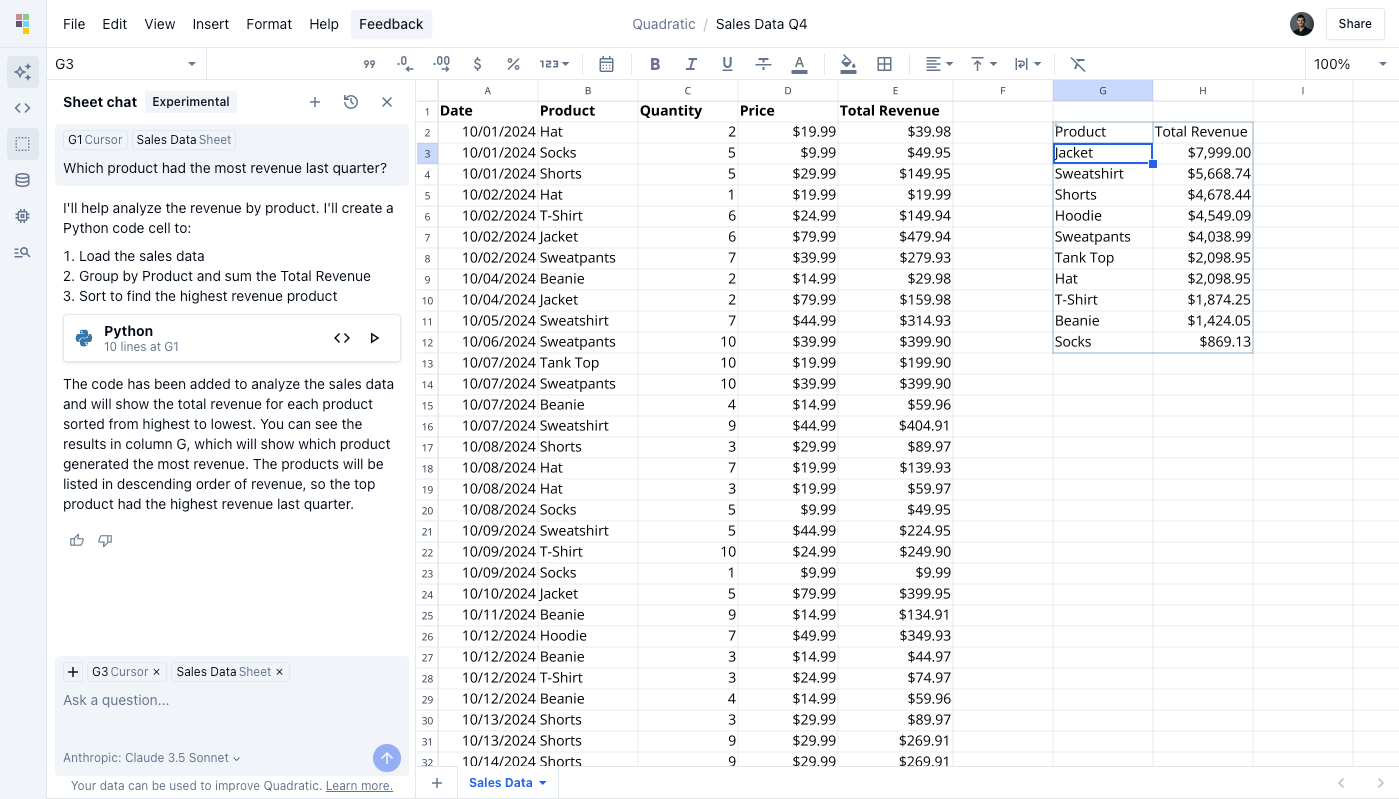
A spreadsheet built like a small game
Quadratic’s most charming technical decision is invisible during ordinary use. A conventional web grid might render cells as HTML elements. Quadratic uses a Rust core compiled to WebAssembly and draws the sheet through WebGL with PixiJS. In January 2026, founding engineer David Figatner described a rendering system with custom shaders, spatial hashing, viewport culling and separate workers for the core and layout work. It is closer to a game engine than a table tag.
There is a practical reason for the graphics lecture. Quadratic claims smooth 60-frame-per-second movement across millions of cells and advertises files up to 100 million rows, one hundred times Excel’s row limit. Its renderer only prepares visible regions and updates affected chunks when a cell changes. Big-data claims always deserve a test with your own schema and machine, but the architecture shows that scale was considered below the marketing layer.
The practical buying decision
| Need | Quadratic fit | Also consider |
|---|---|---|
| Python or SQL beside editable cells | Core use case, with AI able to write the code | Neptyne, Hex |
| Deep workbook compatibility and macros | Import and export exist; test complex files | Microsoft Excel |
| Ubiquitous lightweight collaboration | Real-time multiplayer and sharing | Google Sheets |
| Live SaaS and database reporting | Strong connection story with refreshable analysis | Equals, Coefficient, Sourcetable |
| Agent-controlled spreadsheet workflows | MCP server plus developer API | Depends on the agent and data boundary |
Pricing is refreshingly legible. Personal is free, with limits on AI, sharing, files, connections and support. Pro costs $18 per user each month when billed annually, includes $20 in monthly AI credits and opens unlimited sharing, files and connections. Business is $36 per user each month annually, includes $40 in AI credits and allows extra credits on demand. Enterprise is custom, with SSO, self-hosting and dedicated support among the listed extras.
AI credits make workload matter. A team doing occasional cleanup has a different bill from one asking an agent to rebuild reports all day. Measure a normal month during the free evaluation.
The security menu is meaningful for buyers: Quadratic advertises SOC 2 and HIPAA compliance, privacy controls and enterprise self-hosting. Still, connecting production databases to an AI tool deserves the same review as any analytics vendor. Confirm data retention, model routing, access scopes and revocation procedures for your chosen plan. OAuth support and credentials kept away from model transcripts are good design details; they do not replace your company’s own approval process.
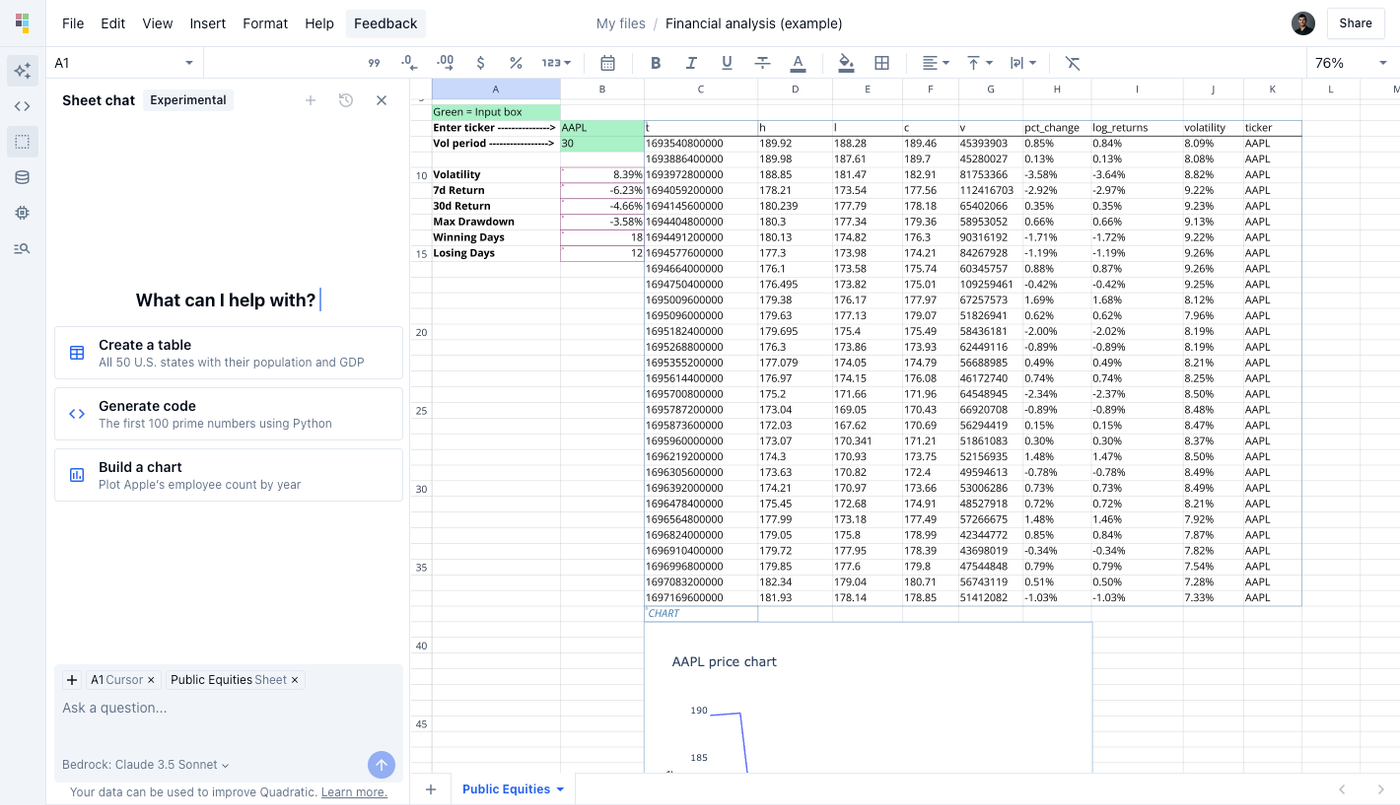
What users actually signal
Public review volume is still thin. Product Hunt shows three reviews and a 5.0 score, while its four launches chart the product’s evolution: the original release in May 2023, multiplayer in February 2024, JavaScript in September 2024 and an AI-focused launch in March 2025. Treat the score as a small anecdote. The more revealing signal is the language in customer stories. A data scientist at Arrive Logistics called Quadratic one of the browser tabs she never closes. A product leader at Vequity said querying large tables for missing or inconsistent values saves hours each week.
There are rough edges implied by the pace of the changelog. Recent releases include many fixes around imports, AI context, formula retargeting, connection reliability and browser behavior. This is active software, with the pleasant velocity and occasional moving furniture that suggests. September 2026’s current listed version is 0.26.14. The August release added a document center and team-wide agent; July delivered pivot tables, comments and named ranges. Buyers who value absolute stillness should notice the version number as carefully as the feature list.
Our verdict: keep the grid, upgrade the conversation
Quadratic works because it does not ask spreadsheet users to become notebook people, or developers to pretend formulas are enough. It turns the grid into a shared stage for raw data, prompts, code and conclusions. That mixture is particularly good for a report that starts as a question, becomes an analysis and needs to survive as a repeatable artifact.
Begin with one irritating weekly job. Import the actual file, connect a noncritical data source, ask Quadratic to clean and summarize it, then inspect every generated step. Change the source data and run it again. Share the sheet with the colleague who usually receives the exported PDF. If the method survives those four moments, Quadratic has earned its permanent tab. If it does not, the free plan has still given you a fair trial without a procurement opera.