Kling AI is for the person who can see the shot before it exists: the sneaker rotating under impossible light, the illustrated fox doing a human dance, the dialogue scene that would cost a small crew and a patient location manager. It is also for the person who understands that AI video still behaves like a talented stranger holding an expensive camera. Give it a clear brief and references, and it can return a keeper. Ask for three complicated actions in one breath, and you may pay for a small parade of beautiful mistakes.
The short verdict is easy. Filmmakers, ad teams, e-commerce studios and experienced social creators should try Kling. Beginners can use it too, but they will learn faster by treating every generation as a shot, not a finished film. Anyone who expects deterministic software, instant support or a simple all-you-can-eat plan should keep a hand on the wallet. Kling’s visual machinery has matured faster than the experience surrounding the Buy button.
A short-video giant built a camera with no lens
Kling comes from Kuaishou Technology, the Beijing company behind Kuaishou and Kwai. That parentage matters. Kuaishou has spent years serving short video at vast scale, so Kling did not arrive as a research demo looking for a product. It arrived with an obvious job: turn ideas and source material into moving images for the same creator economy Kuaishou already understood.
The first public beta appeared in June 2024 inside KuaiYing, Kuaishou’s editing app. Web access followed, then standalone mobile apps, memberships and an API. Versions 1.5 and 1.6 brought Motion Brush, lip sync and multi-image references. The 2.x line sharpened motion and added simultaneous picture and sound. In February 2026, Kling 3.0 gathered the parts into four products: Video 3.0, Video 3.0 Omni, Image 3.0 and Image 3.0 Omni.
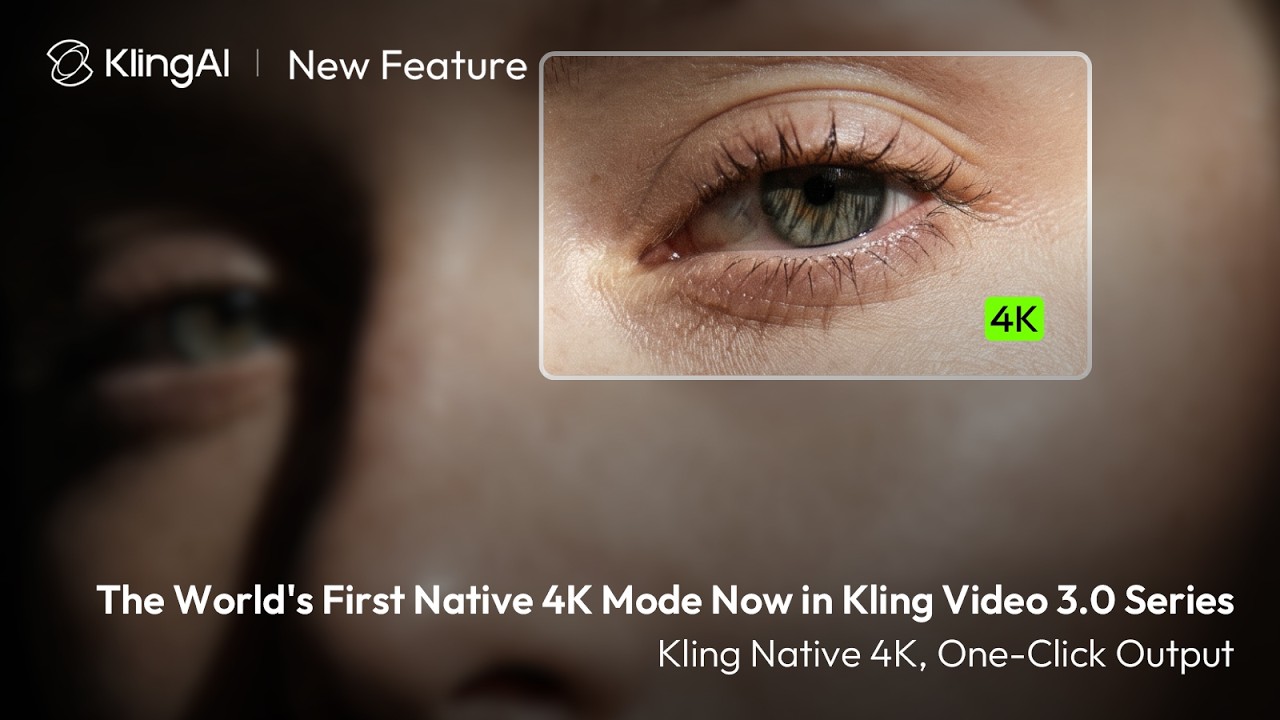
The current system accepts text, images, video and audio. It can generate a clip, reuse a character or product, edit material already in motion, or map a performance onto a new subject. In April 2026, Kling added direct 4K video output to the 3.0 series. In August it announced an MCP server and command-line tool, a less glamorous but important move for studios that want agents and batch jobs rather than another browser tab.
“The image-to-video thing works pretty well. Prompt following is hit or miss.”A Reddit user’s compact summary of the bargain
What Kling does well
Kling’s calling card is motion that carries weight. A body can lean, cloth can follow, and a camera can travel through a scene without every surface immediately melting. Reviewers who tested earlier 2.x models repeatedly praised smooth movement and visual realism, and 3.0 adds better control over how those moments connect. It is particularly persuasive when you begin with a strong reference image and request one legible action.
One prompt, several shots
Video 3.0 can interpret cuts, angles and dialogue coverage. Omni lets you assign duration, framing, perspective, action and camera movement shot by shot.
References with a memory
Elements hold onto a face, outfit, prop or setting. A reference video can also supply appearance and voice traits for new scenes.
Sound at the source
Speech, action sounds and ambience can arrive with the picture. Supported speech includes English, Chinese, Japanese, Korean and Spanish.
Motion without a suit
Motion Control transfers body, facial and hand movement from a driving clip to a realistic person, creature or stylized character.
Useful edit levers
First and last frames, clip extension, lip sync, Motion Brush and element replacement offer more direction than a bare prompt box.
Stills live here too
Image 3.0 and Omni create source frames and production art at up to 2K or 4K, so a shot can begin and end in the same workspace.
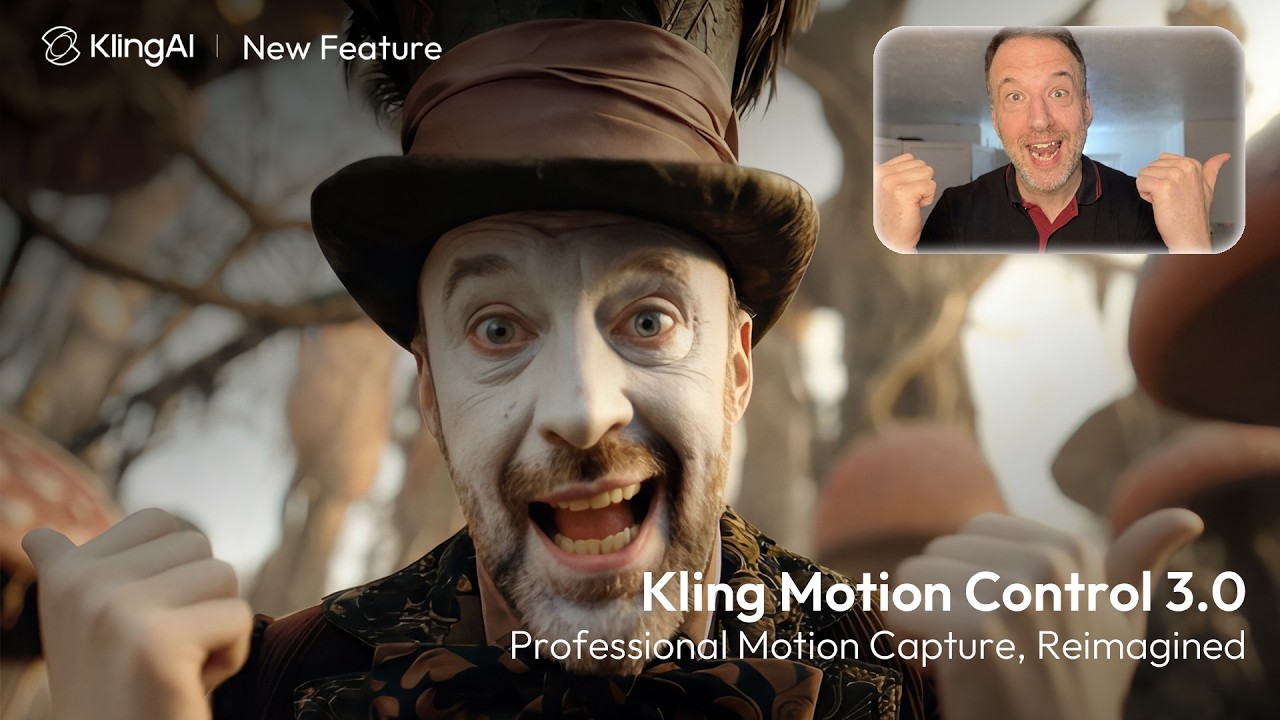
The Motion Control paper explains why the feature can feel more deliberate than a generic animation prompt. Kling separates representations for body, face and hands, then recombines them while injecting the target identity. The team also reports a distillation system that makes inference more than ten times faster. The research does not eliminate odd fingers or identity drift, but it shows that the feature is engineered as performance transfer, not a novelty filter.
The 15-second advantage, and its limits
A native Kling 3.0 clip can run up to 15 seconds. That is long enough for a compact ad beat, a reveal or a conversation with several cuts. It is not a short film. Older Kling demonstrations advertised much longer output through generation and extension, which still causes confusion. Think of 15 seconds as the size of a fresh take. Longer pieces require assembly, extensions and editorial judgment.
Multi-shot generation is handy for previs and pitches because Kling can propose coverage in one pass. For final work, separate shots still give you more control and cheaper repairs. When the last two seconds break, regenerating a whole miniature sequence is painful. Keep dialogue brief, spell out the speaking order, and record important words cleanly in post if pronunciation or timing must be exact.
Credits: the tiny numbers that eat the budget
Kling is freemium. Its July 2026 guide listed a Basic plan at zero dollars and introductory monthly offers of $6.99 for Standard, $25.99 for Pro and $64.99 for Premier. Standard included 660 credits, Pro 3,000 and Premier 8,000. Kling also sells Ultra, Team and Enterprise memberships, plus prepaid API resources. The headline price is only the opening scene. Renewal rates can differ from introductory offers, and a generation’s credit cost changes with model, duration, resolution, audio and mode.
| Choice | Good for | Watch closely |
|---|---|---|
| Basic | Learning the interface and testing a few reference images | Queues, watermarks, model access and commercial-use limits |
| Monthly membership | Regular creators who can estimate weekly shot volume | Renewal price, credit expiry and failed generations |
| Team | Shared assets and live collaboration for up to 15 people | Seat minimums, permissions and total monthly commitment |
| API, MCP or CLI | Batch work, product integration and automated pipelines | Resource-pack burn, concurrency and storage around the model |
The checkout deserves its own storyboard
Trustpilot showed a 1.2 rating across 377 reviews when checked for this guide. Complaints repeatedly described charges after attempted cancellation, confusing renewals, lost credits and slow or absent support. Review platforms skew toward unhappy customers, so the rating is not a scientific product test. The pattern is too consistent to hide in a footnote.
One long-term reviewer put the contradiction neatly: “When it played nice, it was my favorite creative wingman.” The same review complained about failures, burned credits and support. That split matches the broader evidence. A lovely output does not repair an unclear transaction. Start with free credits, use a virtual or well-controlled payment method if appropriate, capture the renewal screen, and set a calendar reminder before the renewal date.
Kling, Runway, Veo and the crowded camera bag
No single service owns every shot. Runway offers a deeper production workbench and can suit teams that want editing tools around generation. Google’s Veo line is a natural comparison for realism and generated audio. Seedance, Hailuo, Luma, Pika and Wan each trade speed, style, control and cost differently. The useful question is not “Which model wins?” It is “Which model wastes fewer takes on this scene?”
Kling belongs near the front of a shortlist for image-to-video, physical movement, reference-led characters and compact narrative scenes. It is less appealing when support responsiveness is a procurement requirement, when the team needs predictable per-shot costs, or when one prompt must produce a complete edited video. Many working creators now keep several models available through separate subscriptions or an aggregator, then send each shot to the model that understands it.
How to get a keeper without feeding the meter
- Storyboard outside the generator. Write the subject, action, camera, environment, light and sound as separate lines. If you cannot sketch the beat, the model cannot rescue it.
- Begin with one good frame. Image-to-video usually gives identity and composition a firmer anchor than text alone. Use a clean, rights-cleared reference at the final aspect ratio.
- Ask for one primary action. “Walks to the window and turns” is testable. A page of choreography gives the model many ways to charge you for improvisation.
- Run cheap drafts first. Prove framing and motion before switching on longer duration, native audio or 4K. Upscale only a take worth keeping.
- Finish in an editor. Cut timing, mix sound, correct color, add legal text and inspect every frame. Generated footage is raw material, even when it looks finished.
For a solo creator, the sensible purchase test is three real jobs on the free tier: one product move, one human action and one dialogue or audio scene. Count every rejected take. If the keeper rate fits your budget, move to a monthly plan and repeat the count. Annual billing should come after predictable use, not after a dazzling demo.
For a studio, test identity continuity, brand text, moderation, API throughput and the cancellation path before procurement. Keep source frames, prompts and outputs in your own storage. Kling can be a productive camera department, but it should not be the archive, the editor and the business continuity plan too.
The final frame
Kling AI is compelling because it has moved beyond the single lucky clip. References, storyboards, motion transfer, native sound and 4K output make it possible to direct a sequence instead of merely requesting one. Kuaishou says the service crossed 100 million users by June 2026, and its reported revenue suggests plenty of creators are paying to discover where the machine fits.
The recommendation comes with a yellow sticker. Try Kling for shots where movement and visual continuity matter. Keep prompts narrow, drafts cheap and final editing human. Subscribe month to month only after measuring your keeper rate, and preserve evidence of the terms you accepted. The product can make a persuasive picture. Your job is to make sure the account page does not become the plot twist.