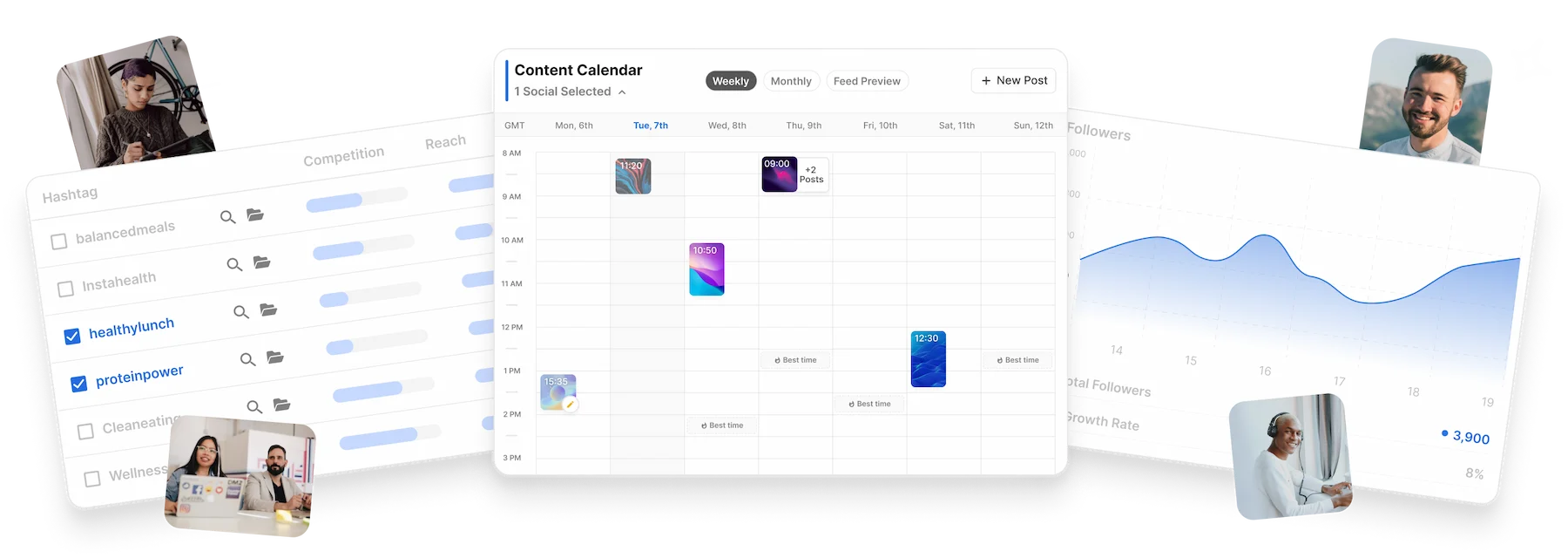
Flick is for the person who knows Tuesday needs a post but has no appetite for spending Tuesday inside six tabs. It puts ideas, captions, hashtags, a calendar, and Instagram results in one place. That makes it useful to solo creators, shop owners, freelance social managers, and small agencies whose actual problem is less “make me viral” and more “help me run this operation without losing the plot.”
The pitch has a satisfying bit of history behind it. In September 2018, Flick launched as a part-time experiment for an agency. It did not even have a proper name. The founders called it “The Hashtag Tool”, a wonderfully literal label for software that found related Instagram hashtags and showed enough competition and reach data to choose among them. Co-founder Sam King later told Indie Bites that the bootstrapped business had reached more than $3.5 million in annual recurring revenue by 2022.
Today the hashtag engine shares a roof with a cross-platform scheduler, Instagram analytics, team workspaces, media storage, and Iris, an AI assistant that can sketch a strategy and fill a content calendar. Flick says more than 100,000 creators, brands, and social media managers have used the platform. The product has grown up, but its original instinct survives: take an annoying recurring task and give it a system.
Who should put it on the shortlist?
Start with Instagram-heavy operators. Flick schedules Instagram, Facebook, TikTok, and LinkedIn, yet the deepest measurement tools are still built around Instagram accounts, content, Stories, Reels, audiences, and hashtag performance. A food creator testing niche tags, a fitness coach batching a week of posts, or a two-person studio juggling several client brands sits squarely in its comfort zone.
It is also well suited to people graduating from a notes app. Hashtag Collections save reusable groups. Smart Collections automatically gather tags that recently ranked or repeatedly performed. Social Groups keep each client or brand separate, which helps prevent the small-agency nightmare of publishing the right caption to the wrong account. Owners can invite members without handing over a password and keep billing controls to themselves.
Large support teams and social listening departments should look elsewhere. Flick does not present itself as an enterprise command center for inbox triage, approval chains, crisis monitoring, paid campaign management, or dozens of networks. G2 reviewers have also asked for Pinterest and Threads support, shared team media, product tagging, and deeper native publishing options. The concise network list is a virtue if those are your four networks. It becomes a boundary if they are not.
The bit Flick still does unusually well
Hashtag advice online tends to arrive as folklore: use thirty, use five, hide them in a comment, never use the giant ones, and please subscribe for part two. Flick gives the work some instrumentation. Search results can be filtered by competition and reach; collections make a repeatable library; tracking shows whether a post ranked and for how long. The point is not that hashtags guarantee distribution. They do not. The point is that a creator can stop guessing which ones have shown evidence of working on their own account.
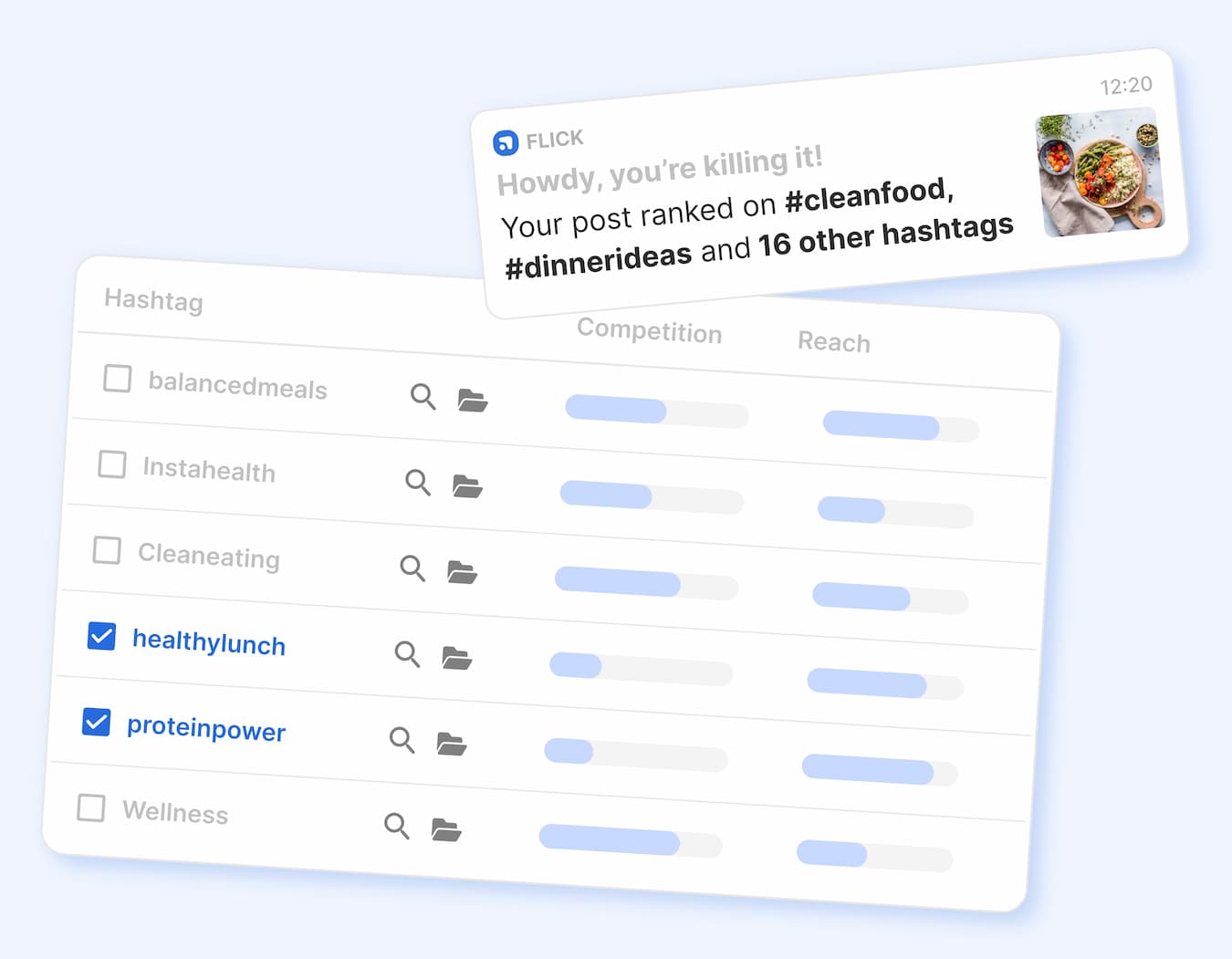
There is a nice product lesson buried in an old feature retirement. Flick’s first interface included a Graph View. After adding simpler Table and Group views, the team found only 5 percent of new users visited the graph and removed it. That is a company choosing the tool people use over the chart that looks clever in a demo.
“Easy to batch content posting and ease of hashtag research.”Abby C., verified current user review on G2, September 2024
Iris can clear the blank page. Keep your red pen.
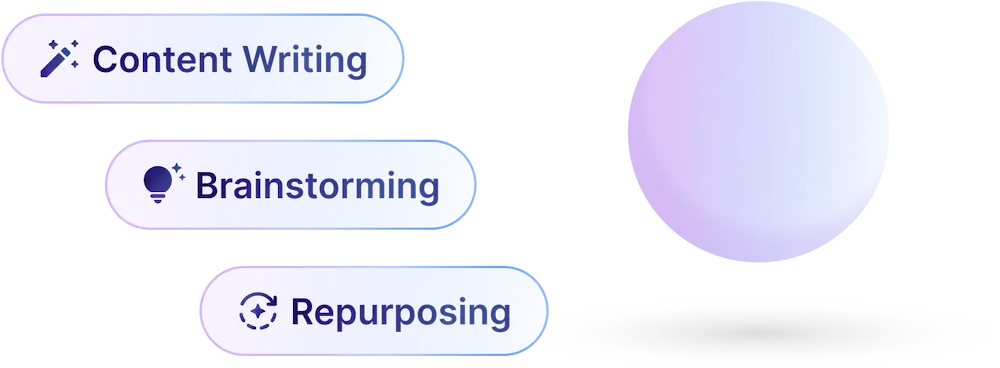
Iris is Flick’s answer to the modern content treadmill. Feed it business details, audience notes, a voice, content pillars, products, and services through Brand Hub. It can propose a strategy, build weekly or monthly ideas, write captions, generate graphics, analyze uploaded media, and place drafts on the calendar. The useful detail is control: Flick’s documentation says Iris does not publish a generated calendar on its own. New drafts land at 1 p.m. so they are visible, then the user reviews, adjusts, and schedules them.
Brand Hub is the difference between a generic prompt box and something closer to a junior colleague with a briefing folder. You can forbid phrases, specify formatting, define the products visible in a photo, and correct AI-generated descriptions of uploaded media. It still needs editing. One App Store reviewer found the built-in AI useful but preferred ChatGPT’s results. That is a fair expectation setter: Iris wins on proximity to your calendar, media, and saved brand rules, not necessarily on prose alone. Flick does not publicly identify the underlying language or image models, so buyers should judge the output rather than a model badge.
Research
Find, filter, save, and track Instagram hashtags instead of recycling one giant block forever.
Plan
Move drafts around a weekly or monthly calendar, preview the Instagram feed, and store media by brand.
Create
Use Iris for ideas, captions, graphics, scripts, and repurposing, with Brand Hub rules close at hand.
Measure
Read Instagram account, audience, content, and hashtag analytics, then feed those lessons into the next batch.
What the bill buys
Flick offers a seven-day trial and three paid tiers. With annual billing, the published rates are £11 a month for Solo, £24 for Pro, and £55 for Agency, before tax. Solo connects four social profiles for one user and caps scheduled posts at 30 per social each month. Pro connects eight profiles for two users. Agency connects twenty for five users. Pro and Agency list unlimited scheduled posts and unlimited tracked Instagram posts. Extra profiles are £4 a month; extra users on the upper tiers are £8.
| Plan | Best fit | Included scale | The catch |
|---|---|---|---|
| Solo £11/mo yearly | One creator or owner | 4 socials, 1 user, 30 scheduled posts per social | Some features limited; 30 Instagram posts tracked monthly |
| Pro £24/mo yearly | Working marketer or tiny team | 8 socials, 2 users, unlimited scheduling and tracking | Extra users and profiles raise the bill |
| Agency £55/mo yearly | Several client brands | 20 socials, 5 users, unlimited scheduling and tracking | Still a focused suite, not enterprise listening software |
For comparison, Buffer and Later are natural candidates when broad publishing and familiar calendars matter most. SocialBee adds recycling and category-based scheduling. Metricool puts wider network analytics and reporting forward. Hootsuite and Sprout Social occupy a heavier, usually pricier class with engagement inboxes, listening, governance, and enterprise workflows. Flick’s sensible lane is narrower: Instagram intelligence plus an approachable creation-and-scheduling loop.
Where the product weight sits
The reviews contain both relief and friction
G2’s 137 reviews averaged 4.7 out of 5 when checked, with users repeatedly praising easy scheduling, hashtag research, analytics, and the ability to keep team messaging aligned. The sharpest criticisms are specific: connecting Instagram may require a linked Facebook setup, shared media behavior can feel fragmented between team members, and certain native touches such as music, product tags, Pinterest, or Threads are missing.
App Store and Reddit comments are rougher around the edges. Some people describe glitches, limited Reel audio workflows, surprising posting-time recommendations, or poor results when TikTok videos are automated. Billing and cancellation accounts conflict. Several reviewers praise quick refunds after accidental renewals; others report recurring-charge and cancellation problems. Treat the trial as a real test, set a reminder before it ends, cancel from the billing page if it does not fit, and keep the confirmation. Boring advice saves exciting arguments.
Connect one real brand. Schedule three different formats. Compare Flick’s suggested times with native insights. Build one Smart Collection. Ask Iris for a week, then count how many drafts you would genuinely publish. Finally, test the mobile handoff for any post needing music or a native finishing touch.
The verdict: buy the routine, not the robot
Flick makes the strongest case when your week already contains Instagram research, caption drafts, a calendar, and performance checks. The product stitches those chores together neatly, and its origin as a narrowly useful hashtag tool gives it more texture than the average everything-dashboard. Iris can accelerate planning, especially after Brand Hub is properly filled out, but taste remains the scarce input. Read every caption. Check every image. Open the native app when the platform-specific details matter.
Solo creators should compare the £11 tier with the time they currently lose to manual research and scattered drafts. Working marketers will probably find Pro’s unlimited scheduling and tracking the meaningful jump. Agencies should test Social Groups and team media behavior before committing. Anyone primarily seeking social listening, inbox management, elaborate approvals, or the widest possible network support should begin with the larger competitors.
The most persuasive version of Flick is refreshingly ordinary: fewer tabs, fewer repeated searches, fewer posts stranded in a notes file, and a record of which hashtags did something. Social media will remain capricious. Your operating system does not have to be.