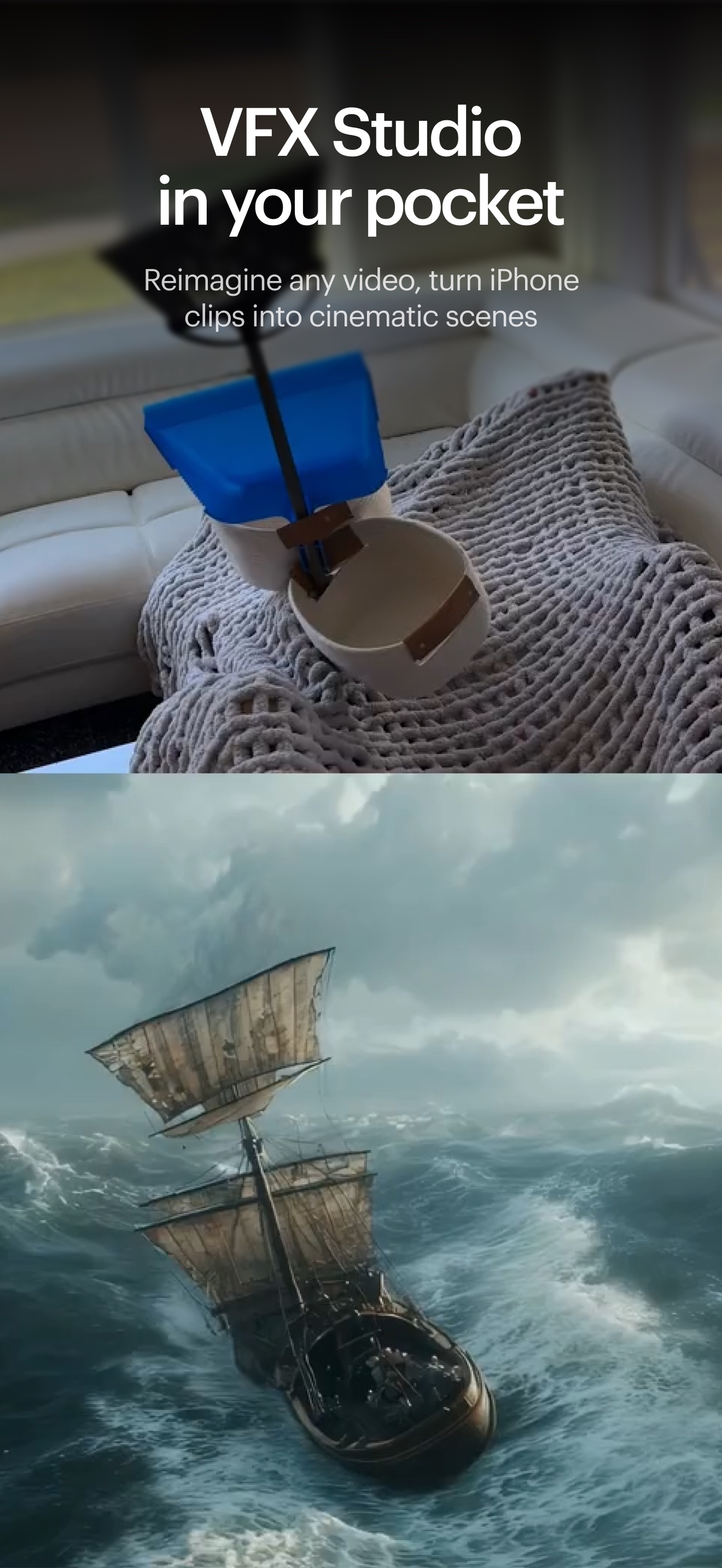
Luma AI is for the director with a shot in mind and no appetite for building a miniature spaceship before lunch. It can turn a phone clip into a storm-tossed fantasy, hold a performance while changing the performer, stretch a frame into another aspect ratio, or help an agency spin one campaign idea through dozens of visual directions. The important word is direction. Generative video still contains chance, but Luma's current tools give that chance more rails.
The people who should pay attention are filmmakers working in previsualization, motion designers testing looks, creative teams producing campaign variants, and developers who want image and video generation inside another product. A solo creator can use it as a compact idea department. A studio can treat it as a new shot-making instrument. Someone expecting one sentence to produce a finished commercial will probably leave with a thinner credit balance and a fresh respect for storyboards.
Why Luma exists
The company began in 2021 with a different camera trick. Co-founders Amit Jain and Alex Yu built an iPhone app that captured real objects and spaces as neural 3D scenes. Jain had worked on imaging at Apple; Yu came from computer-vision research at Berkeley. That origin explains the product's enduring obsession with how things occupy space and move through it. Before Luma asked a model to invent a world, it taught software to inspect one.
The pivot arrived through Genie, a text-to-3D model, then Dream Machine in June 2024. Dream Machine offered public text-to-video and image-to-video clips while OpenAI's Sora was still a gated demonstration. Social feeds filled with moving memes, impossible animals, and people acquiring surprise extra limbs. The launch made AI video feel less like a research paper and more like a strange new camera anyone could borrow.
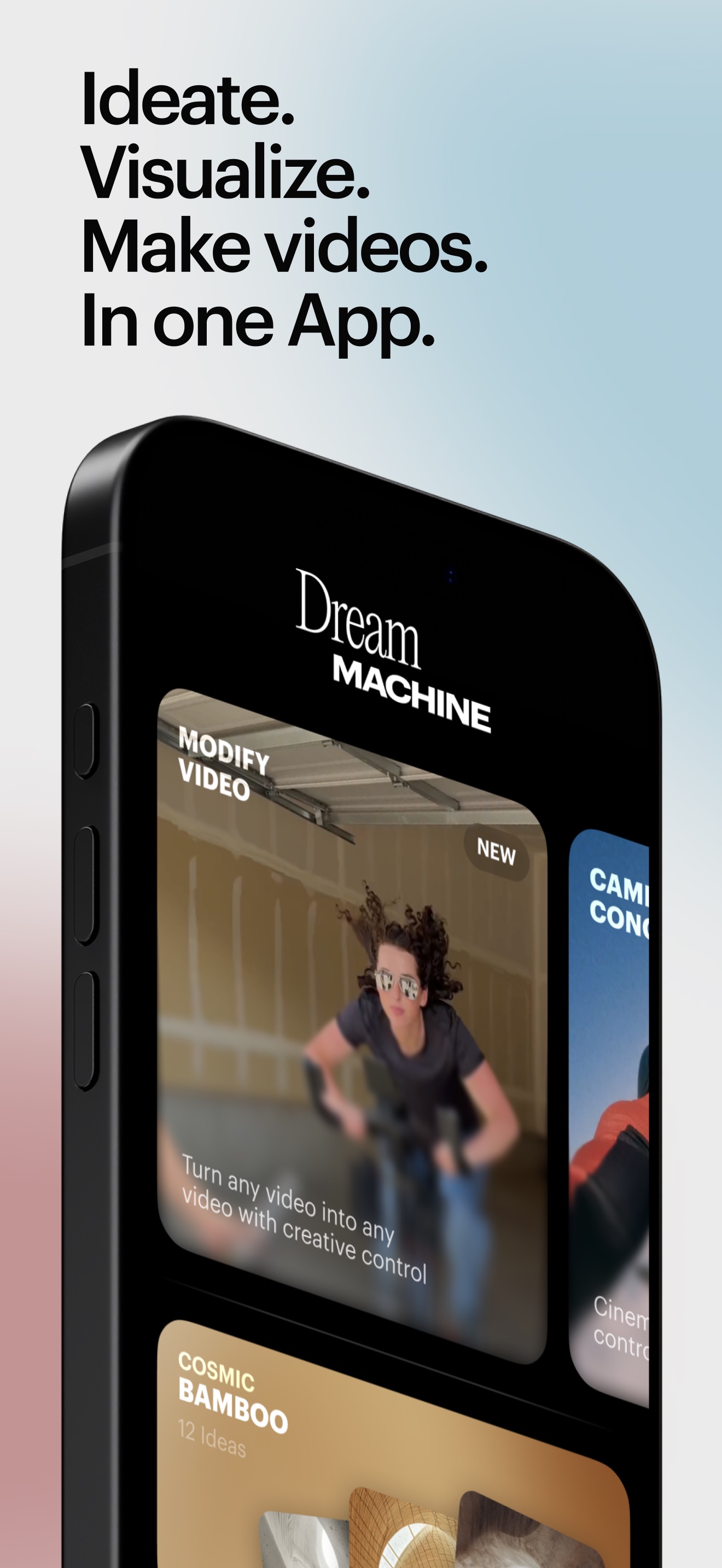
Luma now asks people to retire that old vocabulary. Dream Machine and Ray2 are deprecated names in its current documentation. The browser workspace is Luma App; Ray3.2 is the video model; UNI-1.1 handles images and multimodal reasoning. The naming clean-up matters because the product is no longer a single video generator. It is trying to become the room where a brief, references, frames, sound, edits, and repeatable workflows stay together.
“AI will build you a faster horse. It will never invent you the car.”Laura Jordan Bambach, Uncharted co-founder and CCO, in a Luma interview
Ray3.2 has handles
Ray3.2's useful idea is simple: begin with information worth preserving. Feed it existing footage, a camera move, a performance, a composition, or a line of keyframes. Then tell it what to change. Motion and Structure controls run from 1 to 9, so the creator can choose between a polite restyle and a more radical departure. Up to 16 keyframes can mark the route through a clip. The system can transform as much as 20 seconds of source video at 1080p.
Those controls solve a practical problem. Text-to-video can make a striking accident, but clients tend to request the same bottle, the same actor, and the same eyeline in version twelve. Video-to-video starts with timing and blocking already settled. Luma can preserve skeletal posture, gestures, and expressive information for as many as eight faces while changing costume, environment, material, weather, or visual style. Reframe adapts a shot to a different canvas or extends its edges.
At the finishing end, native HDR and 16-bit ACES2065-1 EXR export are unusually grown-up features. They let colorists and compositors work with more range than a flattened social clip. They do not make every generation production-ready. Hands still warp, logos drift, continuity slips, and generated details can crawl between frames. They do mean a successful generation has a clearer path into Resolve, Nuke, or another professional pipeline.
The rest of the workbench
UNI-1.1 makes images and edits them in plain language. It accepts up to nine reference images, which can constrain identity, composition, or style. Luma describes it as one model reasoning across text and image tokens, rather than separate systems handing a prompt down a chain. In practice, its role is continuity: establish the character, product, palette, and key frames before spending video credits.
Luma Agents sit above the models. An agent can take a brief, explore directions, generate images and video, call audio tools, and keep context within a project. The app also hosts selected outside models. This is sensible rather than disloyal: creative people already shop between models, and moving files and context across five tabs is dull work.
Skills, introduced in June 2026, make a successful process reusable. A Skill stores instructions and tool choices, can be invoked with a slash command, shared by link, or bundled for a team. Think of it as a recipe for “turn every product packshot into our rainy-night campaign look,” including the fussy edge cases that someone otherwise has to remember. Good prompting becomes an operating asset instead of office folklore.
What the reviews really say
The public verdict splits cleanly. Reviewers like the interface, image-to-video workflow, processing speed, and natural-looking motion when a generation lands. Tom's Guide praised its “accurate and natural motion,” while noting occasional visual artifacts. The US App Store listing holds roughly 4.5 stars from about 1,800 ratings. That is the cheerful side of the ledger.
Reddit and customer-review sites supply the invoice. Creators report uneven prompt adherence, stalled work, unexpected visual changes, support delays, and credits disappearing into retries. One Reddit user called the result of 3 out of 14 attempts “incredible,” but judged half the batch unusable. Recent Trustpilot posts are harsher, although its Luma Labs profile has very few reviews and should not be mistaken for a representative survey.
The output can feel like a tiny production miracle, right up until the logo grows legs on revision three.YesPress review
Both accounts can be true. Probabilistic tools produce a distribution, not a guarantee. Luma's direction controls narrow it; they do not turn generation into a deterministic render button. Budget for selection and finishing. If a five-second test fails, discover that before asking for twenty seconds, multiple aspect ratios, and six campaign versions.
| Job | Luma fit | Also compare | Reason |
|---|---|---|---|
| Transform filmed performance | Strong | Runway, Kling | Ray3.2 is built around source motion, structure controls, faces, and keyframes. |
| Storyboard and look development | Strong | Adobe Firefly, Midjourney | UNI references and boards keep visual exploration close to video generation. |
| One-shot text spectacle | Worth testing | Google Veo, Sora, Kling | Model taste varies by subject; compare the same shot brief before committing. |
| Repeatable brand production | Promising | Adobe Firefly, Runway | Skills, team controls, references, and APIs matter more than a single demo clip. |
| Avatar-led explainers | Not the obvious first pick | HeyGen, Synthesia | Luma is oriented toward cinematic visual creation rather than presenter templates. |
The money question
Current web plans start with Plus at $30 a month for 10,000 credits. Pro costs $90 for 40,000; Ultra is $300 for 150,000. Annual billing lowers the monthly equivalent to $25, $75, and $250. Team and Enterprise deals are quoted separately. API usage has its own credit-based billing, so a web subscription is not a developer allowance in disguise.
Do not compare plans by credits alone. Compare the cost of the shot you actually make: model, duration, resolution, draft versus final, and likely retries. Luma changes model prices as the stack evolves. Run one controlled project on trial credits, write down the generation count, and multiply from evidence. A cheap successful frame is more valuable than ten beautiful maybes.
Buy when...
- You have source footage or references worth preserving.
- You make campaign variants or visual-development work.
- HDR, EXR, APIs, or team workflow controls matter.
- You already edit and finish outside the generator.
Wait when...
- You need every output to be predictable on the first run.
- Your budget cannot absorb exploratory failures.
- Your main job is template-based talking-head video.
- You cannot review rights, releases, and brand constraints.
How to get a better first week
Start with one shot, one subject, and one action. Bring a clean source clip with the desired camera move instead of asking prose to invent choreography. Set references before style. Change a single control between tests, label outputs, and keep the prompt version beside each result. Use drafts to locate the idea, then spend on resolution. If text or a logo must remain exact, composite it later rather than daring a generative model to typeset.
For teams, create a board around one deliverable and write down the approval rules inside a Skill. Keep human checkpoints before generation fans out. The app can explore parallel directions quickly; that is only useful if someone can kill nine of them without a committee meeting. Treat generated footage as material with provenance. Secure permission for uploaded faces, performances, trademarks, and source media, then check the current commercial terms before delivery.
The YesPress verdict
Luma makes its case when it behaves like a camera department for impossible pickups: real motion in, controlled transformation out, familiar finishing tools afterward. Ray3.2's keyframes, video-to-video controls, and EXR output give serious creators more to hold than a prompt box. UNI, Agents, and Skills make the surrounding workflow coherent.
The caveat lives in the meter. Results remain variable, and every correction can cost credits. Plan the shot, test small, and keep an editor in the loop. Used that way, Luma can widen what a small crew attempts without pretending the crew has vanished.