Imagine a game asking you to perform the same small act, again and again, on several accounts. On a phone, each account is a tiny kingdom with a guarded gate: sign out, sign in, wait. On a PC running BlueStacks, each kingdom can have its own window. A player can see them all at once. This is a curious way to make a mobile game feel less mobile, and it explains more about BlueStacks than the word “emulator” ever could.
The short version
- BlueStacks runs Android games and apps on Windows PCs and Apple Silicon Macs, with browser play for selected games.
- Its distinguishing tools are desktop controls, multiple Android windows, action sync and resource saving settings.
- The App Player is free; a store, offers and a paid Prime tier sit around it.
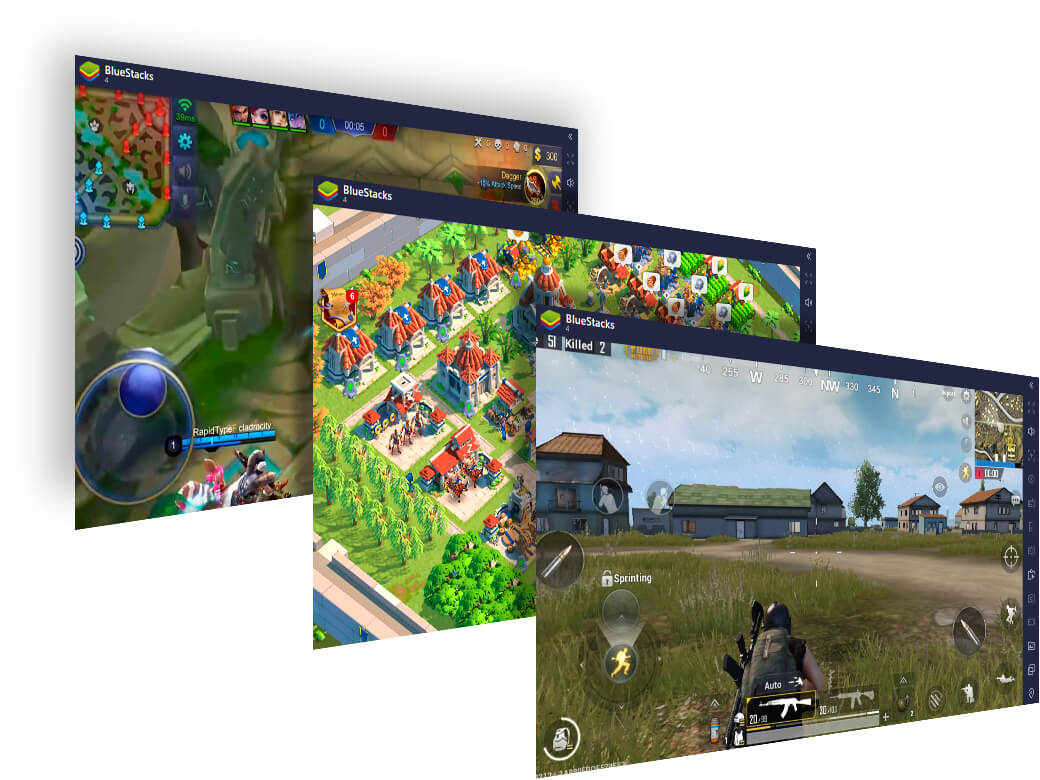
The company’s basic trick is to put an Android environment inside a computer. A game designed for taps and swipes becomes a game played with a mouse, keyboard or gamepad. The screen is bigger, the battery problem disappears, and a player can put a walkthrough in another window. BlueStacks is useful for ordinary apps too, but the product is unmistakably tuned to gamers. Its controls editor, macro recorder, high frame rate settings and game catalog say as much before the company does.
A small beginning with 26 extra apps
BlueStacks says its founding team began working on the idea in 2009, after playing video games with their children. The first public Windows alpha arrived in October 2011. It came with preloaded apps and room to install just 26 more. That number is almost comic beside today’s vast Android catalog. It is also a useful reminder: platform businesses often begin as a narrow bridge that people are eager to cross.
Rosen Sharma and fellow founders Jay Vaishnav, Harvinder Sawhney and Suman Saraf built a way for existing software to travel. They did not have to persuade developers to make a new PC game from scratch. They had to make the Android game that already existed run well enough somewhere else. The early pitch was broad - Android apps on PCs. The durable audience proved more specific: people who wanted to play phone games at a desk.

The Windows alpha became a beta; Mac versions followed in 2012. In 2015, BlueStacks 2 let people run several apps at once. BlueStacks 3 added Multi-Instance in 2017, making multiple Android windows a first-class feature. The software was no longer merely enlarging a phone. It was offering something the phone itself could not comfortably do.
“We listened to our over 500 million users around the world and gave them what they wanted.”Rosen Sharma, announcing BlueStacks 5 in 2021
The first thing to break was the PC’s patience
Several Android windows are wonderful until they fight over the same processor and graphics card. BlueStacks described a practical ceiling in its Eco Mode announcement: before that setting, an ordinary PC might manage only two or three instances comfortably. Eco Mode lowered the frame rate of secondary windows so a main game could stay responsive. Its Multi-Instance Sync tool could then repeat an action from one window across the others. The cleverness here is not asking a computer to do more. It is noticing which work the player does not need it to do.
One game
Run an Android title locally with keyboard, mouse or gamepad controls.
More windows
Open separate Android instances for other games or accounts.
Less waste
Lower background frame rates with Eco Mode and sync repeated actions.
BlueStacks 5, released in 2021, was a ground-up rewrite. The company said it aimed to use less memory, start faster and hold a steadier frame rate in long sessions. That was a costly answer in engineering time, though the company has not published a bill for it. Funding supplied part of the runway: public funding listings and company data point to roughly $52 million across disclosed rounds, including a $13 million raise in 2014 and a $22 million Series C in 2019. The software remained free for the player at the point of entry.
A store grew around the player
A free App Player creates an awkward business question: who pays for the bridge? BlueStacks’ answer has widened. The company’s terms describe affiliate links; the free experience includes advertising; the BlueStacks Store promotes game discovery, exclusive offers, cashback and its nowBux rewards. In 2026, the company added Prime, an optional membership with an ad-free interface, monthly rewards, discounts and priority support. The listed price was $3.99 for the introductory month, then $7.99 monthly. The company does not disclose how much each stream earns.
There are two audiences in that arrangement. Players want convenience, control and a favorite game that works. Publishers want their games found and played beyond a handset. BlueStacks sits between them, which makes its Store more than decoration. It is a way to turn the place where a game runs into the place where a player chooses the next one. The model works only while the experience is good enough to keep both sides interested.
Three routes to the same game
BlueStacks now offers three ways across the screen boundary. BlueStacks 5 runs locally on Windows. BlueStacks Air brings Android gaming to Apple Silicon Macs and exited beta in 2025 with Vulkan support. The BlueStacks X and now.gg cloud route can start selected games in a browser without a local game install. That last route changes the constraint: less depends on a powerful local PC, more depends on connection quality and catalog availability.
A player can also choose Google Play Games on PC, another Android emulator such as LDPlayer or NoxPlayer, or a native PC edition when one exists. BlueStacks’ case rests on the breadth of the Android experience and the tools built for people who do not play a mobile game in a mobile way. Those tools matter most for players who want elaborate control maps, repeated actions or many accounts. For someone playing one supported title with a native desktop version, the extra layer may be unnecessary.
There is a lesson here beyond gaming. BlueStacks found a gap between what software was built for and where people wanted to use it. The company first crossed that gap with compatibility. It stayed there by paying attention to behavior that the phone made awkward: long sessions, multiple accounts, precise controls. A phone game escaped the phone. Then, once it had a keyboard and several windows, it began to act like a different sort of game altogether.