Open a prospecting session and watch the little chores breed. Find the right people. Open each profile. Copy the company, title, location, email, and one useful clue. Decide whether the person fits. Paste everything into a sheet. Then push the survivors into a CRM. Bardeen is built for this particular species of work: too contextual for a simple database export, too dull to deserve a human afternoon.
The product began in 2020 as a broad no-code automation extension from co-founders Pascal Weinberger and Artem Harutyunyan. Its old pitch covered almost every repetitive browser task. The current homepage is more disciplined: find leads, research them, qualify them, enrich their contact details, export the result. That tighter focus makes Bardeen easier to understand and easier to judge.
For people whose CRM begins as ten open tabs
Bardeen fits sales development representatives, recruiters, revenue-operations teams, researchers, agencies, and founders who assemble lists from websites. Real-estate agents can collect changing listings. A talent team can gather candidate profiles. A small fund can turn public company pages into a research table. A consultant can extract market facts and add an AI classification before the spreadsheet lands.
It is less compelling when the job already has a clean API, must run cheaply at huge volume, or needs server-grade reliability with no browser session involved. Zapier, Make, and n8n are happier in that territory. Bardeen earns its keep when a person would otherwise click through pages, use a logged-in web app, or deal with information that refuses to arrive in a neat payload.
A small assembly line behind the active tab
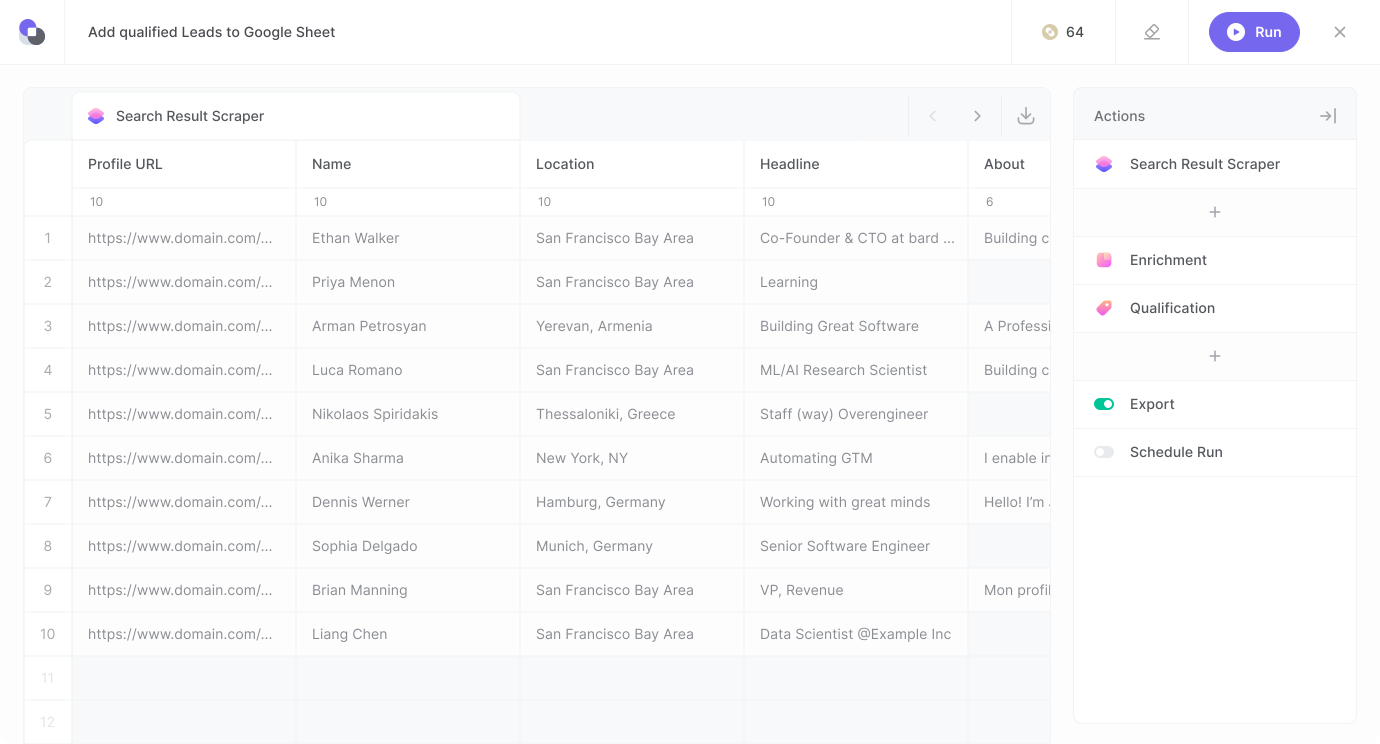
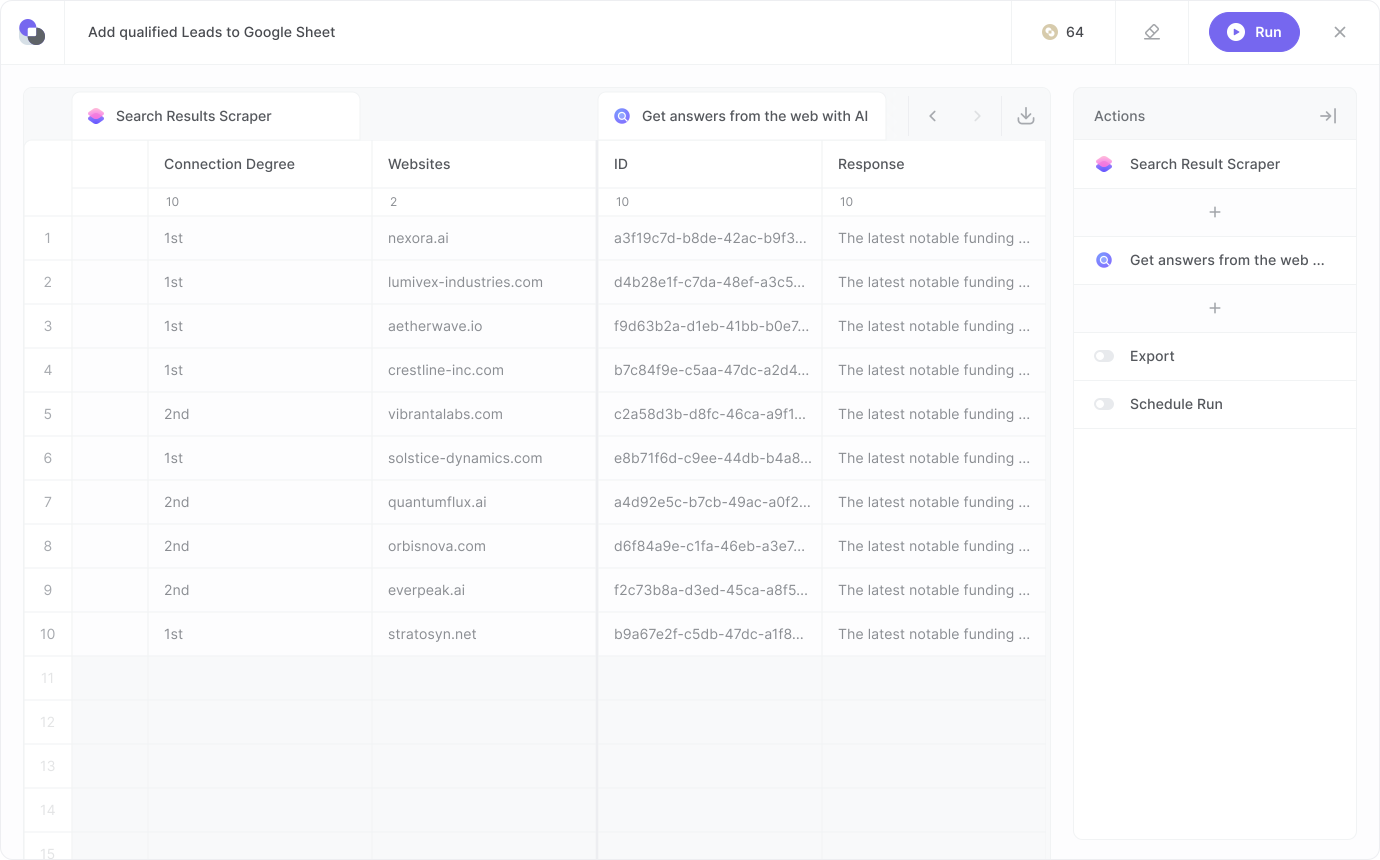
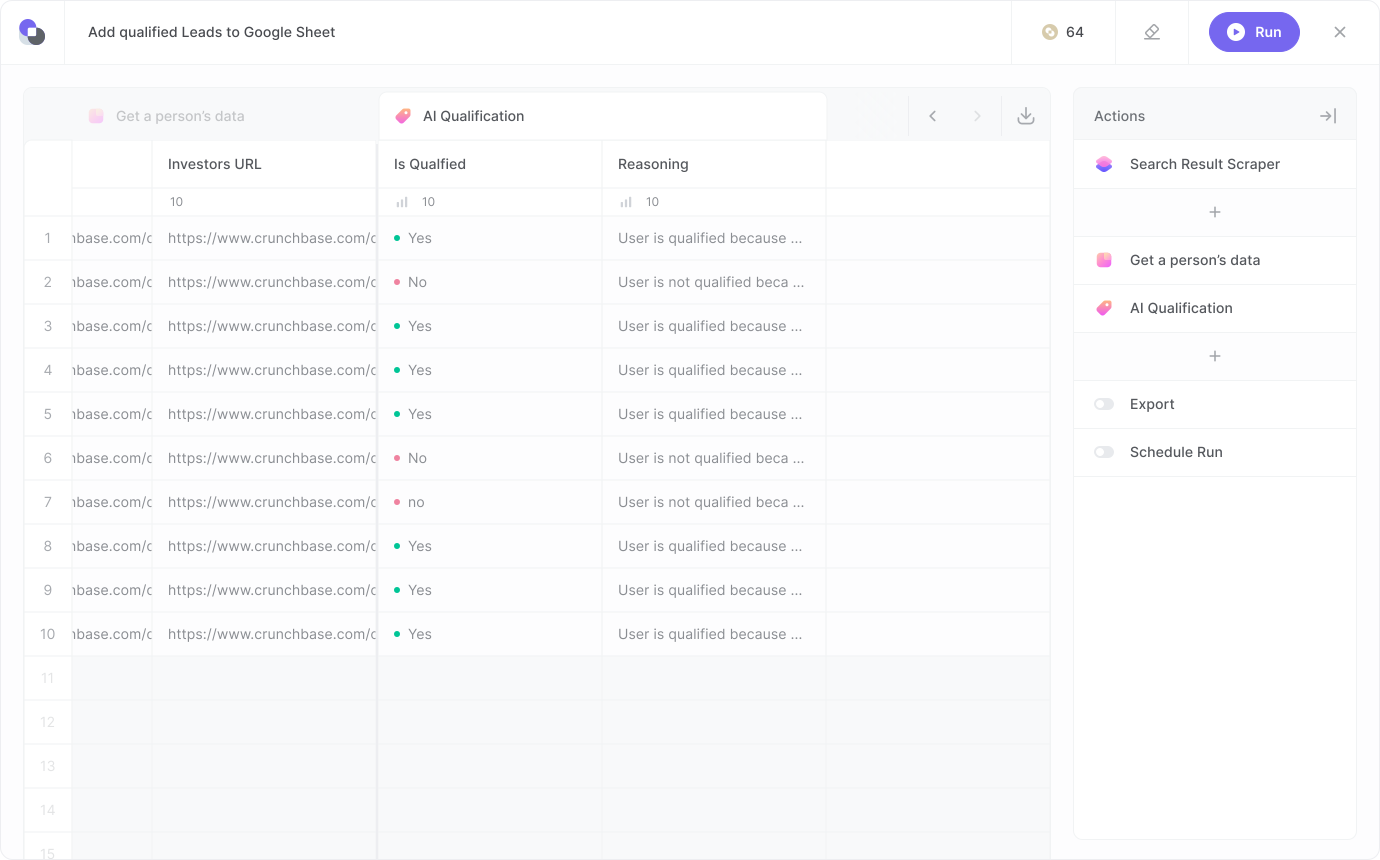
Bardeen combines a Chrome extension with a visual studio. Start with a premium scraper or teach a custom one what to collect. Add web search for outside context, AI tools for judgment, and enrichment for contact details. Finish by exporting to CSV, Google Sheets, Airtable, Notion, or a connected sales system. Natural-language instructions can assemble the initial sequence, and the user can inspect and tune the steps.
Choose a source
Scrape rows
Research and qualify
Enrich contacts
Export
The useful distinction is repeatability. In a 2024 interview, Weinberger explained that Bardeen has a planning stage: the model translates a request into actions, then saves the plan as a learned skill. The company told TechCrunch it used Gemini to translate questions and OpenAI GPT models for selected automation exercises, benchmarking models as they changed. The language model helps form the route; the reusable workflow keeps Tuesday's run from improvising a different Wednesday.
“Our Sales and Ops teams can do more in less time to help serve our customers better.”Alex Bouaziz, co-founder and CEO of Deel
The features that matter
| Part | What it does | Where it earns its chair |
|---|---|---|
| Scraper | Extracts rows from websites using custom or premium templates. | Lists, directories, profiles, jobs, properties, and other page-bound data. |
| Web search | Adds research from AI and search providers. | Filling gaps a source page does not contain. |
| AI qualification | Scores records against a plain-language ideal lead. | Trimming a long list before a human reviews it. |
| Enrichment | Finds and validates contact information. | Turning a name and company into a reachable record. |
| Studio | Builds and tests multi-step automations without code. | Making the process visible enough to debug and reuse. |
The numbers are solid, with a few footnotes
TechCrunch reported more than 300,000 users and over 1,000 paying customers in August 2024, including Deel, Miro, Kearney, WPP, and 10Web. Bardeen separately announced that it had passed 40 million automation runs. Its Chrome Web Store listing showed 200,000 extension users, a 4.4 rating from 451 ratings, and version 5.0.0 updated on June 19, 2026. Account totals and active extension installs are different measures, so the figures can coexist without describing the same crowd.
The company raised another $3 million from Dropbox Ventures and HubSpot Ventures in 2024. It lists SOC 2 Type II, GDPR, and CASA Tier 2 and Tier 3 credentials. Product Hunt supplied early momentum: a company retrospective says one relaunch drew more than 900 upvotes and finished Product of the Day. The Chrome listing goes further, calling Bardeen the number one product of its month and number two product of its year.
Price the rows, not the robot
Every account gets 100 free credits, according to the current pricing page. Basic costs $10 a month and adds 100 monthly credits. Premium costs $50 a month for 1,000 monthly credits, or $480 a year for 12,000 annual credits. Enterprise is a custom annual deal with bulk credits, custom scraper construction and maintenance, and premium support.
The meter is readable once you stop thinking in runs. Scraping, web search, and AI tools each cost one credit per output row. Enrichment costs three. Utilities and import or export are free. A ten-person list that is scraped, researched, qualified, and enriched can consume far more than ten credits because several actions produce rows. Unused credits expire at the end of a billing period. Build a sample job and watch its actual total before projecting a quarter.
| Plan | Published price | Credits | Best reading |
|---|---|---|---|
| Free allowance | $0 | 100 | A real workflow test, not a large campaign. |
| Basic | $10/month | 100 extra/month | Light, occasional scraping. |
| Premium | $50/month | 1,000 extra/month | A working solo operator or small team. |
| Premium annual | $480/year | 12,000/year | Known, steady use with the annual discount. |
| Enterprise | Custom | Custom bulk | Managed scrapers, support, and procurement. |
A browser superpower comes with browser weather
Browser-native operation is the reason Bardeen can touch awkward pages. It is also an operational dependency. A logged-out session, sleeping laptop, consent banner, layout change, or anti-bot challenge can upset a scraper. Bardeen offers cloud execution for larger jobs, but buyers should still test the exact websites and schedules they depend on. Page automation needs maintenance in a way that a stable API call often does not.
Permissions deserve the same attention. The Chrome listing discloses handling personally identifiable information, location, web history, and user activity. It also says data is not sold and is not used outside the extension's core purpose. Bardeen says retrieved data from connected apps stays in the browser, while its site also describes cloud execution. A security review should reconcile those modes for your chosen workflow, especially around CRM records, private profiles, and customer data.
Public reviews lean positive but are a small sample. G2 displayed 4.8 from 36 reviews, with its summary highlighting ease of use, time savings, responsive support, and a learning curve. One Reddit user called the interface “not always that intuitive” but the tool “really powerful” after learning it. A sharply negative G2 review alleged an unwanted installation and heavy CPU use. That report is not representative proof, yet it is enough reason to monitor performance and confirm how the extension arrived on managed machines.
Choose the kind of mess you actually have
| Product | Choose it when | Tradeoff beside Bardeen |
|---|---|---|
| Bardeen | The source is a web page and the job mixes scraping, AI judgment, and export. | Browser dependence and per-row credits. |
| Zapier / Make | Your apps expose reliable APIs and trigger-action logic is enough. | Less natural on page-bound or logged-in browser work. |
| n8n | You want self-hosting, code steps, and deep orchestration control. | More setup and technical ownership. |
| Clay | Lead enrichment and GTM data composition are the center of the operation. | A larger system and typically a larger budget. |
| PhantomBuster / Browse AI | You want focused scraping or prebuilt extraction routines. | Compare target-site coverage, maintenance, and enrichment economics. |
The YesPress verdict
Bardeen is a good buy when valuable data lives behind ordinary browsing behavior and a person is currently shepherding it into a spreadsheet. Its combination of scraping, research, qualification, enrichment, and export forms a coherent GTM assembly line. The product is less convincing as a universal automation layer. Use it for the web-shaped problems it understands.
Bring one ugly chore to the trial
Do not evaluate Bardeen with a polished vendor template. Pick a recurring job that annoys a real teammate: 50 directory entries into a sheet, ten candidate profiles into an applicant tracker, or a list of target companies with one qualification rule. Record the manual time, run the automation twice, and count credits. Then change a filter or encounter a missing field. The second run and the odd row reveal more than the first demo.
- Confirm the target website permits your intended collection and use.
- Review extension permissions and decide which accounts may be connected.
- Calculate credits across every row-producing step, including enrichment.
- Test failure handling for blank fields, pop-ups, logouts, and page changes.
- Name an owner for scraper maintenance and spot-checking output quality.
If the workflow survives that drill and still saves meaningful time, Bardeen has made its case. The browser is full of valuable information arranged for eyes rather than systems. Bardeen gives systems a pair of reading glasses, then hands the human the final red pen.