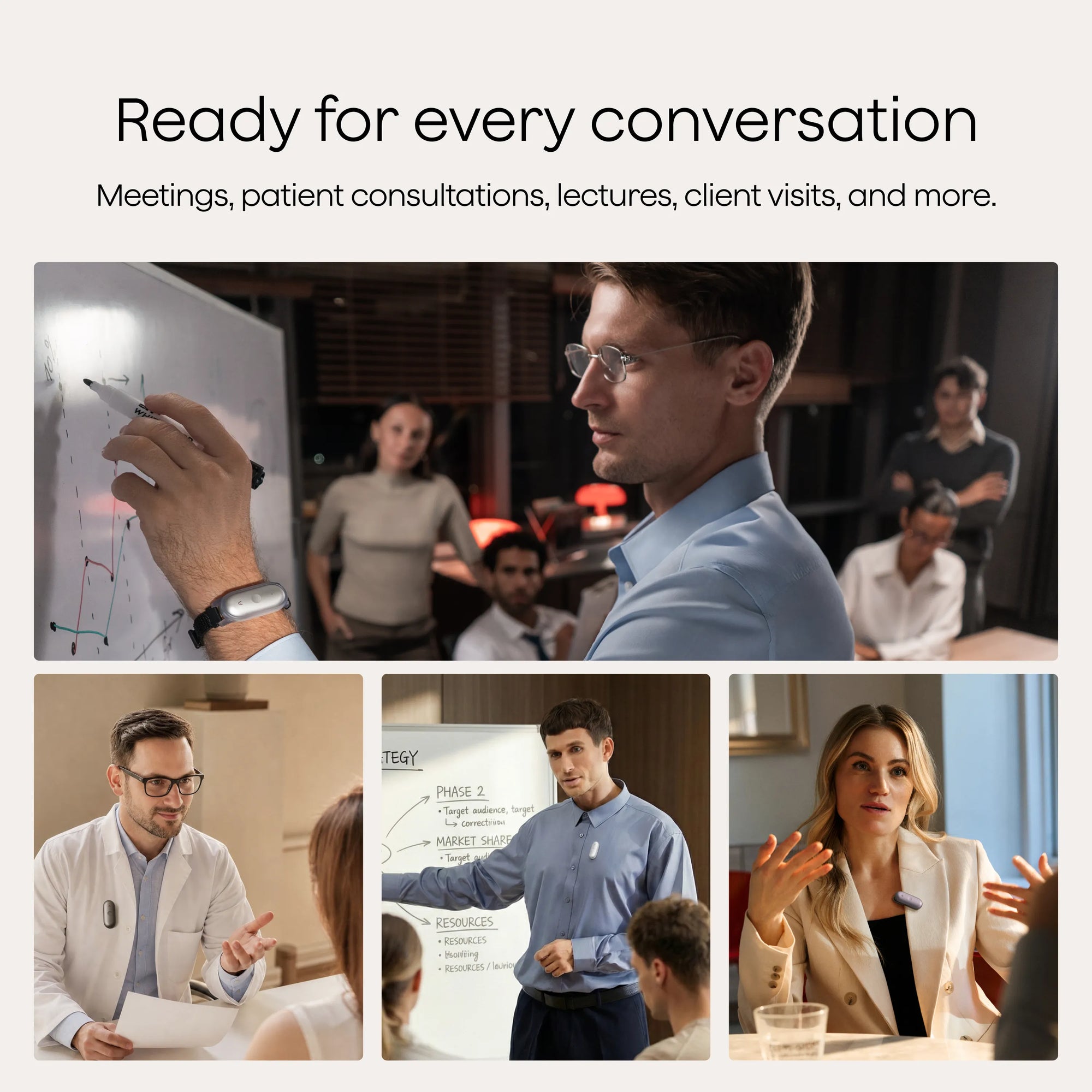
Plaud NotePin S is for the person who leaves a good conversation with a bad set of notes. Clip it to a shirt, loop it around a wrist, wear it on a lanyard, or pin it under a lapel. Hold its single button and it records. Tap that button when somebody says the thing that matters. Later, Plaud's software produces a transcript, labels speakers, and reshapes the talk into a summary, task list, clinical format, or one of thousands of templates.
That sounds broad, but the best use case is narrow: frequent, consented, in-person conversation where writing would break attention. Think customer interviews, site inspections, lectures, patient visits, coaching sessions, or a manager's run of one-to-ones. If your week is mostly Zoom, Plaud Desktop may cover the digital side without a pin. If you record only an occasional memo, your phone already owns a microphone. NotePin S earns its pocket space when capture needs to be instant, hands-free, and routine.
The little button is the big story
The original NotePin used a haptic control that some owners found ambiguous. The S replaces it with a tactile button: long-press to begin or end a recording, short-press during capture to mark a highlight. It is an almost comic reversal of gadget fashion. While AI companies chase invisible interfaces, Plaud improved its wearable by adding the oldest reassurance in electronics - a switch you can feel.
Press to Highlight matters more than it first appears. A recording can become a haystack after an hour. The button drops a human judgment into the timeline at the exact moment your attention says, “keep this.” A student in a recent Reddit account said those markers helped recover moments when attention drifted, though audio became less dependable from the back of a large auditorium. That is a useful description of the product's role: it supports attention; it does not manufacture proximity or perfect hearing.
“The hardware's cleverest AI feature begins with a human finger saying: this bit.”YesPress field note
and talk
the moment
transcribe
and act
What happens after the room goes quiet
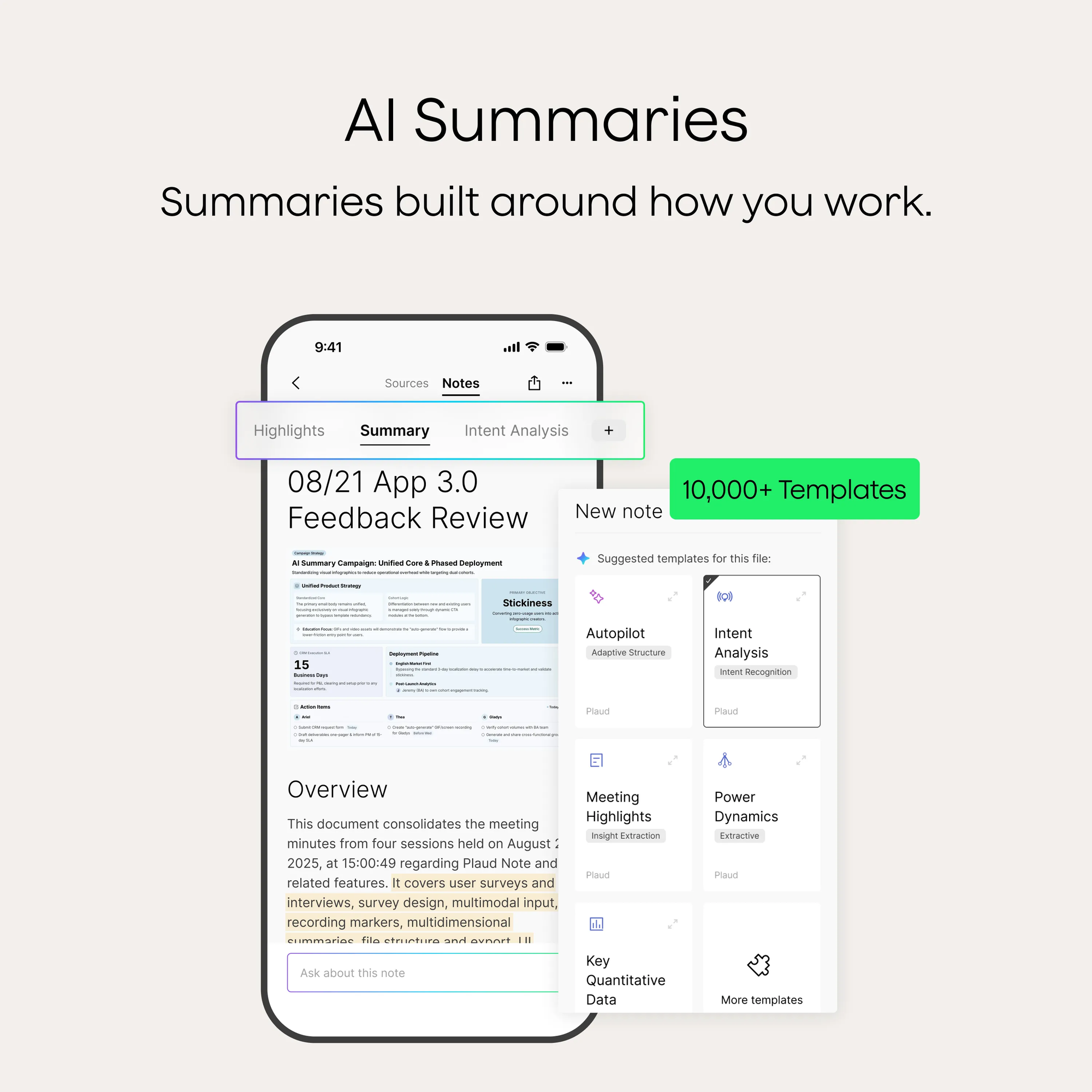
The recorder carries two MEMS microphones, 64 GB of storage, Bluetooth 5.2, Wi-Fi, and a quoted effective range of up to 9.84 feet. It can record without an active phone connection, but transcription and analysis move through Plaud's app and cloud workflow. The files then appear across Plaud App, Web, and Desktop. Plaud lists automatic speaker labels, custom vocabulary, multidimensional summaries, Ask Plaud, and exports in more than 27 formats. Apple Find My support can show the pin's location, play a sound, or route you back to where it was last seen.
The summary system is the actual product moat. Plaud currently advertises more than 10,000 templates and model access that includes GPT-5.5, Gemini 3.1 Pro, and Claude Sonnet 4.6. A sales call can become objections and next steps; a lecture can become an outline; a clinical conversation can be formatted as a SOAP note. Every generated artifact still deserves review against the source audio. Speaker attribution, specialist terms, names, and numbers are exactly where a polished summary can look finished before it is correct.
Interviewers and researchers
Stay in eye contact, mark a quotable turn, then search the transcript. Keep the original audio as the authority.
Students and educators
Capture lectures from a sensible distance and convert them to structured revision notes. Always follow the institution's recording rules.
Clinicians and carers
Hands-free capture can reduce documentation friction. Consent, a proper data agreement, and human review remain part of the workflow.
Field and sales teams
Record a walk-through or client visit where a laptop is absurd, then extract findings, promises, risks, and follow-ups.
The bill has two parts
At a US list price of $179, NotePin S is inexpensive compared with lost billable detail and expensive compared with pressing record on a phone. The included Starter plan gives 300 transcription minutes per month. That is five one-hour meetings, assuming none run long. Pro raises the allowance to 1,200 minutes at $17.99 monthly or $99.99 annually. Unlimited is $29.99 monthly or $239.99 annually, with a 24-hour daily processing cap.
| Plan | Transcription | US price | Who it fits |
|---|---|---|---|
| Starter | 300 min/month | Included | Voice memos and a few important meetings |
| Pro | 1,200 min/month | $17.99/month or $99.99/year | About five hours of talk each week |
| Unlimited | Unlimited, capped at 24 hr/day | $29.99/month or $239.99/year | Heavy daily capture or long-form research |
Do the minutes math before buying. A Creative Bloq reviewer liked the design and called the software “brilliant,” but flagged the annual Pro fee on top of the device. Xataka reached a similarly mixed conclusion: the physical finish and complete accessory kit felt considered, while the overall proposition cost more than it should. Owners on Plaud's storefront praise specialized inspection summaries and to-do lists. Community threads also surface complaints about integrations and large-room capture. None of these reactions cancel the others. They reveal a product whose value rises sharply with the frequency and importance of your conversations.
Range, calls, and the limits of a nice summary
Plaud says the dual microphones work up to 9.84 feet. Treat that as an edge, not a seating recommendation. A pin attached near the speaker's chest has a favorable path to nearby voices; it cannot turn the back row into the front row. Large rooms, overlapping speech, accents, names, and jargon increase cleanup. The physical highlight button helps you find suspect passages quickly, but it cannot restore words the microphones never captured.
NotePin S also does not record phone calls. It lacks the vibration conduction sensor found in Plaud's phone-oriented Note models. Buyers who need cellular call recording should look at Plaud Note or Note Pro and confirm local law and device compatibility. Buyers focused on online meetings may be better served by Plaud Desktop, Otter, or another software-first tool. The pin's natural habitat is a real room with real voices.
| Option | Best at | Main tradeoff |
|---|---|---|
| Plaud NotePin S | Structured, hands-free in-person notes | Paid hardware plus limited free transcription |
| Plaud Note Pro | Calls, meetings, and longer-range capture | Card form is less naturally wearable |
| Omi | Open-source experimentation and extensibility | More tinkering, less appliance-like polish |
| Bee | Personal memory and lightweight daily capture | Different emphasis from professional note formats |
| Phone plus app | Occasional recordings at no hardware cost | More friction, distraction, and awkward placement |
The consent test
A wearable recorder is discreet by design, which makes etiquette more important, not less. Tell people what is being recorded, why, where it will be processed, and who can access the result. Get an affirmative answer. Recording law varies by jurisdiction, and workplaces, schools, clinics, and research projects can add their own rules. Plaud's own product page tells buyers to inform others and get their approval before recording.
A magnet deserves its own warning
Plaud says its magnetic pin and clip can generate fields up to 2,100 gauss and advises people with pacemakers not to wear NotePin S on the chest. Ask a clinician about safe use rather than improvising around an implanted device.
Plaud says its systems align with SOC 2 Type II, HIPAA, GDPR, ISO 27001 and 27701, and EN 18031. Certifications are useful evidence of controls, but they do not make every user's workflow compliant. Healthcare teams may need a signed business associate agreement; companies may need a data processing agreement, retention rules, and administrator controls. A tiny recorder can create a very large governance problem if “we bought the secure one” replaces actual policy.
How to make it useful in week one
- Choose one repeatable conversation. Start with a weekly client call, lecture, inspection, or one-to-one. A defined job makes the value measurable.
- Ask before the button press. Use one plain sentence explaining the recording and how notes will be used. Stop if anyone declines.
- Wear it near the sound. A lapel or upper-shirt position will usually beat a wrist moving around a table. Stay within the quoted range.
- Highlight sparingly. Mark decisions, commitments, numbers, or moments that need checking. Twenty thoughtful markers beat two hundred reflex taps.
- Review against audio. Correct names and numbers, assign owners to actions, then export only what colleagues actually need.
- Check the meter after a month. If 300 minutes is plenty, keep Starter. If it vanishes in a week, include the plan in the product's real annual cost.
Buy it for attention, not magic
Plaud NotePin S makes sense for people whose income, learning, care, or craft depends on remembering spoken detail. Its tactile certainty, highlight marker, long endurance, included wearing kit, and mature summary software create a clean routine from talk to action. It is especially persuasive when taking notes would interrupt the work itself.
Skip it if your meetings are mostly online, your recordings are rare, your organization cannot approve cloud processing, or you dislike subscriptions on principle. The best buying question is not “Can AI summarize my meeting?” Plenty of apps can. Ask whether one reachable button will help you listen more closely often enough to justify the hardware and the minutes.