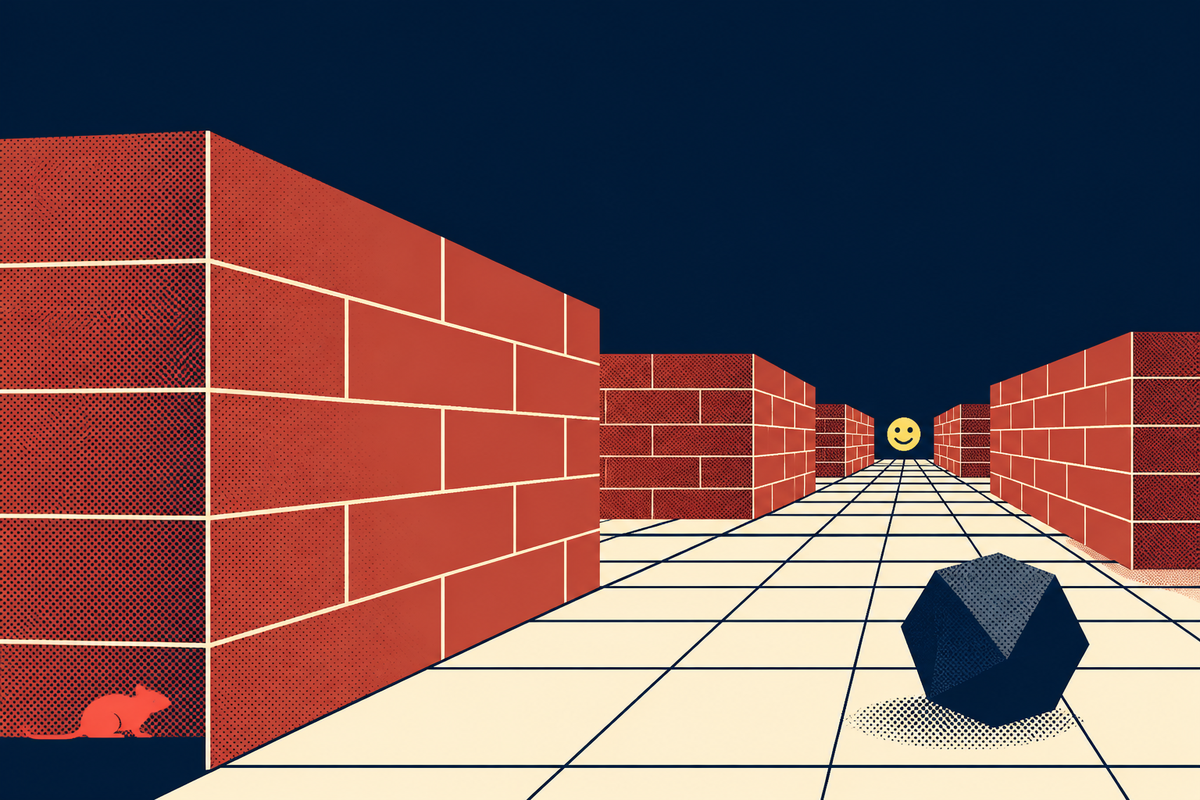
There was a particular negotiation that happened in front of a family computer in the 1990s. Do nothing for long enough and the work disappeared. In its place came brick walls, a tiled ceiling and a first-person camera that moved with the confidence of someone who knew where it was going. Microsoft’s 3D Maze crossed junction after junction without asking for help. A rat might scurry by. A floating OpenGL logo might interrupt the masonry. Somewhere ahead waited a yellow face. The obvious response was to grab the keyboard. The keyboard ended the show.
That refusal turned a technical demonstration into an object of desire. 3D Maze came with Windows 95 and remained familiar across the Windows 9x era. It was a screen saver, a small program designed to take over after the mouse and keyboard had been idle. Microsoft’s own Win32 documentation describes two practical reasons for the category: reducing static-image burn on older displays and concealing information left on screen. Maze did both, but it also made inactivity theatrical. A blank screen protected the monitor. A labyrinth acquired an audience.
The program arrived when real-time 3D on a household PC still looked like evidence from the future. It used OpenGL, the graphics interface Microsoft was showing off in Windows NT and its consumer operating system. You did not need to know a rendering API from an apartment lease. The pitch was visual: this ordinary beige machine could draw a world, place a camera inside it and keep that world moving.
A demonstration with stagecraft
The default scene was emphatic and cheap in the useful sense. Repeating textures made long corridors possible without a library of bespoke art. Brick walls established depth. The floor and ceiling supplied parallel lines that rushed toward a vanishing point. The automatic route through a newly generated maze ensured the scene could keep changing. An optional overhead view exposed the plan as colored markers and grid lines, turning wandering into a system that could be inspected.
Then came the details that had no business being memorable. The floating Start sign framed the journey like a race. The smiley at the finish gave the algorithm a destination. Rodents occupied the same corridors. Geometric obstacles could flip the view, making floor and ceiling trade places until another collision or the exit restored order. Users could swap in bitmap textures. Later configurations could look less like office software and more like a late-night public-access ident.
The product lesson is not “add a maze.” It is give the demo a plot.
A conventional benchmark can prove that polygons render quickly. Maze made the proof legible. Start here. Move forward. Encounter trouble. Find the face. Even without control, the viewer understood what each frame meant. The program gave an abstract capability a beginning, middle and end, then generated another variation. Microsoft’s technical sell disappeared inside a tiny story.
The fantasy of steering
The crucial fact about the original is easy to miss when watching a recording today: it was not a game. Windows screen savers ordinarily close when they receive keyboard or mouse input. Microsoft’s developer documentation still lists key presses, mouse clicks and mouse movement among the events that terminate one. The viewer could configure Maze, start it and watch it. Crossing an intersection was the camera’s decision.
That division of labor produced a low-grade ache. The scene borrowed the perspective of first-person games, where movement implies agency, then withheld agency. Children who had learned that arrow keys moved a character met a program that interpreted the same gesture as an alarm clock. Touch anything and the dream ended. The mind naturally drafted the missing feature.
It also changed the social life of the machine. A screen saver was visible when nobody formally occupied the PC, so it belonged to the room as much as to the account holder. Someone passing a desk could pause at a corner. A sibling could call another sibling over when the view inverted. The program required no explanation because the grammar of a maze was already familiar. Its audience formed in spare seconds, between homework, printing and the dial-up connection. That setting matters. Maze was not competing for focused entertainment time. It was turning the absence of a user into a brief public performance.
This is where nostalgia can flatten the story. People do not remember every bundled program simply because it is old. They remember the ones that provided an image and an unresolved desire. Minesweeper asked you to clear the board. Paint invited a drawing. Maze offered a journey while keeping your hands outside the glass. Its incompleteness was specific enough to become personal.
OpenGL became corridors, motion and surprise instead of a paragraph about graphics capability.
The absent controls gave viewers an obvious improvement they could imagine for themselves.
Random layouts and stray oddities made the next idle session slightly different.
The patch that answered childhood
In February 2025, a developer using the name x86matthew published Playable3DMaze on GitHub. The approach was unusually faithful. Instead of rebuilding the scene in a modern engine, the project reverse-engineered a specific original ssmaze.scr binary. A launcher starts that file and injects a DLL that replaces automated movement with keyboard input. Arrow keys steer. Tab reveals the overhead map. A few minor bugs are fixed, but the old program remains the stage.
The project’s explanation contains the delightful anticlimax. “Most of the core game logic already exists within the executable,” the developer wrote. The distance between passive spectacle and playable game was largely the distance between computer-controlled behavior and user-controlled input. The imagined product had been sitting inside the demonstration all along.
This method also makes the project a compact lesson in software archaeology. A clean-room remake can preserve the appearance of an old program while silently replacing its behavior. Patching the known binary preserves more of the original decisions, including timing, movement and rendering quirks that a new engine might smooth away. It is closer to fitting a steering wheel to an old vehicle than building a replica from photographs. The repository even records the expected binary’s cryptographic fingerprint, which turns “the Windows maze” from a fuzzy memory into a precise technical object. Preservation begins when an artifact can be identified, inspected and explained, not merely imitated.
There are caveats. The patch relies on hard-coded offsets and therefore expects one particular binary, identified in the repository by a SHA-256 hash. Its DLL-injection technique may trigger antivirus software. This is a preservation-minded hobby project, not a supported Microsoft release. Anyone tempted to run it should read the repository, understand the mechanism and make their own security judgment.
The patch matters because it does less than a remake. It answers the old request while preserving the texture of the request. Modern lighting, smooth geometry and a grand campaign would make a different game. Here, control enters the artifact carefully. The brick walls still look like brick wallpaper. The rat is still oddly lonely. The pleasure comes from moving through the thing you once dismissed by touching a key.
What small software can keep
3D Maze disappeared from the standard Windows experience before the XP era, while the screensaver itself lost much of its original job as display technology changed. Yet the idea kept moving. Cornell students cited it as inspiration for a microcontroller graphics project. Screensaver Subterfuge used extracted assets in a 2017 indie game. XScreenSaver gained its own Maze3D recreation in 2018. Browser tributes, videos and forum threads continue to rebuild the corridor from memory.
The persistence suggests a practical rule for product makers: personality survives deprecation better than completeness. Maze did one peculiar thing in a form anybody could describe. It did not ask for an account. It did not send a notification. It occupied dead time and gave that dead time architecture. When somebody across the room said, “The maze is on,” everyone knew what they meant.
Today’s idle screen is rarely idle. It fills with recommendations, badges, headlines and reasons to return. 3D Maze came from a different bargain. The computer performed for itself until a person came back. Watching was optional, steering impossible and progress disposable. Reach the smiley and another maze could begin. Move the mouse and the real desktop returned.
Playable3DMaze finally gives the audience what it asked for. It also clarifies what Microsoft accidentally made. The old program’s durability was never only in the walls or the primitive 3D. It lived in the tiny distance between seeing a path and being allowed to choose it. Thirty years of fan projects fit inside that gap. Press an arrow key now and it closes.
Common questions
What was Microsoft 3D Maze?
It was an OpenGL screen saver bundled with 1990s versions of Microsoft Windows. It automatically traveled through a randomly generated first-person maze while the computer was idle.
Could you control the original maze?
No. It navigated itself, and ordinary keyboard or mouse activity exited the screen saver rather than steering it.
Why was it included with Windows?
It handled the practical work expected of a screen saver while demonstrating real-time OpenGL graphics in a form nontechnical users could immediately understand.
What were the rat and flipping rocks?
They were among the maze’s visual surprises. Rats moved through corridors, while collisions with certain geometric objects could invert the camera and swap the apparent floor and ceiling.
Can the old maze be played now?
Community recreations exist. The 2025 Playable3DMaze project also patches a specific original ssmaze.scr binary to accept arrow-key control, with technical and antivirus caveats documented by its developer.