A drawing can travel halfway around the world and become useless in the last few feet. Someone receives a DWG file on a phone. The person who drew it has CAD software, a workstation and a practiced command of layers. The person receiving it has a question. Can this doorway move? How long is that wall? What, exactly, are we looking at?
DWG FastView, developed by Gstarsoft, has built a business around that gap. It offers viewing and editing on mobile, Windows and the web. The proposition is modest enough to be credible: let more people work with the drawing without making every encounter a trip back to the drafting desk. A building plan has plenty of doors. Its file should not require quite so many keys.
- Open, inspect, mark up: CAD access for people reviewing work as well as people making it.
- Carry the file: mobile, browser and Windows versions, with local offline drawing work on mobile.
- Choose the bill: free core access, paid tools and a separate subscription for removing ads.
01 / Opening the file is a job of its own
The Android listing names architects, structural engineers, construction managers, estimators and mechanical designers among its intended users. They do not all need the same thing. An estimator might inspect dimensions; an interior designer might discuss a layout; a construction manager might need the latest drawing away from the office. Those are different occupations sharing the same attachment.
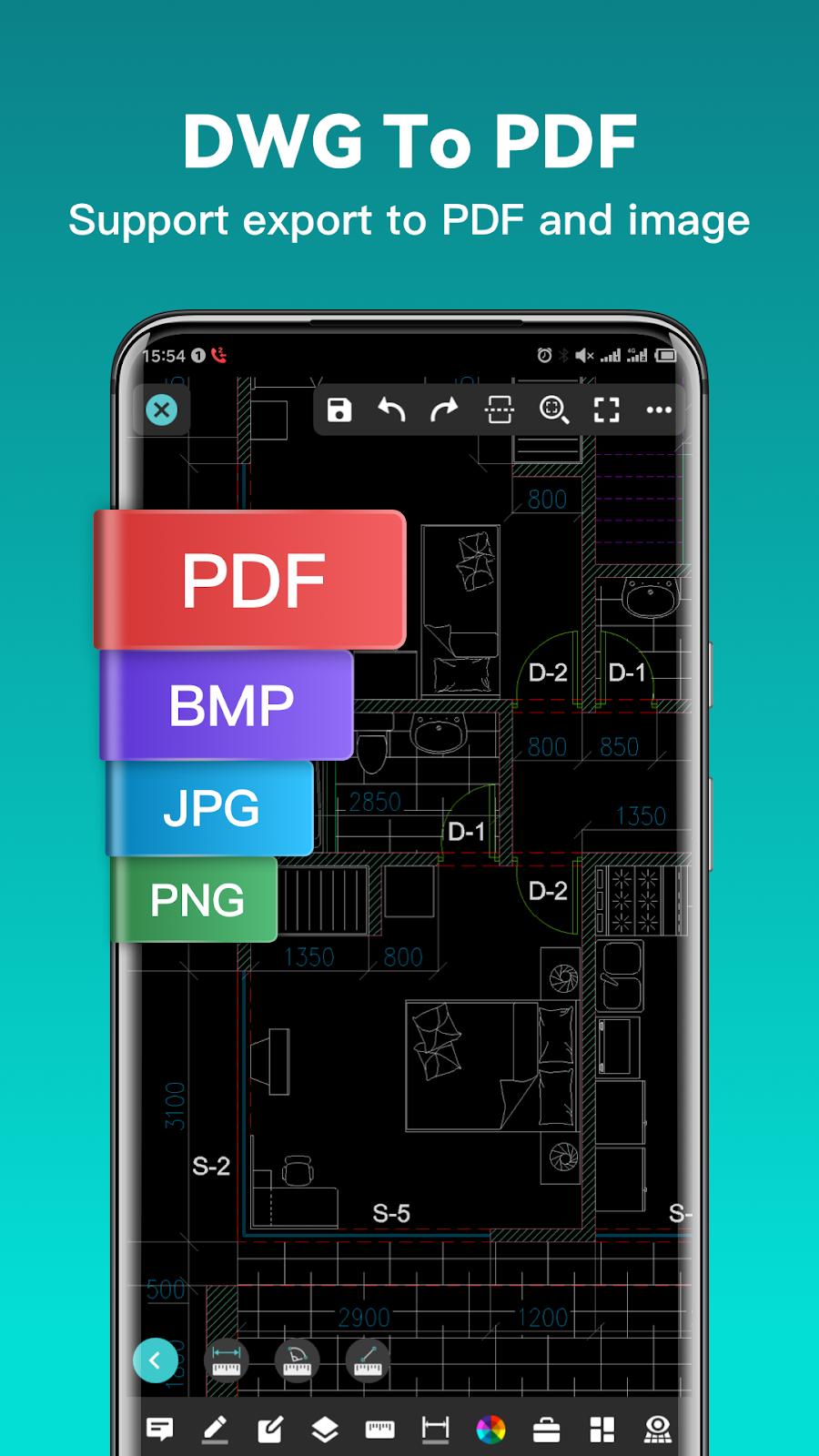
FastView’s mobile toolkit includes moving, copying and rotating objects, controlling layers, switching layouts and finding text. It also exports drawings to PDF and image formats. The practical appeal is the handoff: a recipient who cannot use CAD can still receive something readable. Calling it a viewer slightly understates the work; calling it an entire design department would considerably overstate it.
The first useful lesson is to buy for the task. Someone reviewing a plan may need a dependable measurement tool much more than another full authoring seat. Someone producing complex deliverables needs to evaluate the drafting requirements separately. A shared file extension does not make two jobs identical.
FastView’s cross-platform proposition, reduced to the working day.
Local mobile drawings can work offline. Cloud transfer requires a connection.
02 / A CAD company learns to travel
Gstarsoft’s corporate history separates three dates that are easily muddled: a predecessor established in Beijing in 1992, incorporation in 2001, and the DWG FastView series launch in 2014. GstarCAD, its desktop CAD platform, appeared in 2003. A mobile application, GstarCAD MC, followed in 2011. FastView came out of a company already occupied with how technical drawings are made and read.
That sequence gives the portable product some context. Gstarsoft was extending its work into the places a workstation cannot conveniently go. Its current timeline dates the My Cloud service to 2016. The parent went public on the Shanghai exchange’s STAR Market in 2023; its headquarters are in Suzhou.
Scale needs careful wording. FastView’s app-store description claims more than 100 million users worldwide. Gstarsoft also reports over 100 million cumulative users across its products. These are vendor-reported reach figures, rather than a count of paying subscribers or people opening the app this month. A crowded doorway is encouraging; it does not tell you who stayed for dinner.

03 / The bill for silence
The complication with free access is that somebody still pays. In May 2025, FastView published a notice saying users had complained about splash ads that took several clicks to dismiss. It removed the troublesome ads. This was an unusually specific admission: the interruption had become part of the work.
In July 2026, the company announced a separate ad-free subscription: $0.99 a month or $9.99 a year. It said the product had operated without ads for six to seven years, and connected the later introduction of advertising to financial responsibilities after its public listing. The announcement acknowledged complaints about increased advertising over the previous two years.
“We hear you loud and clear.”
DWG FastView’s July 2026 ad-free announcement
The purchasing choices are revealing. Removing ads is one job. Unlocking advanced CAD tools is another. The published web upgrade page also lists Premium and Super, with Super explicitly including 3D viewing. At the time of research, the annual prices shown were $47.99 and $69.99 respectively. Regional checkouts and promotions can differ.
Ad-Free: July 2026 announcement. Premium / Super: web upgrade page checked October 2, 2026. Different benefits; compare the current checkout.
There is a business lesson here worth copying: identify the irritation precisely enough to price its removal. FastView’s response lets someone pay for a quieter workspace without buying tools they may never use. Whether that is attractive depends on how often the app is opened and how much its interruptions matter.
04 / Two dimensions, two different bills
The distinction between 2D and broader 3D viewing has a less visible cause. In a support explanation, FastView says 2D viewing happens on the device and consumes little server capacity. For its 3D viewing service, models first undergo server processing and conversion, which consume computation and bandwidth. The page describes three free uses before the limit applies.
That means “works offline” needs a little care. Local mobile drawing work can continue without a connection. A new model that requires server conversion cannot acquire that processing by wishful thinking. For someone heading to a site with poor reception, opening the actual files beforehand is a sensible rehearsal.
The July 2026 format announcement broadened the mobile product further, adding model formats and engineering drawings from SolidWorks and CATIA. It specifies version ranges: SolidWorks drawings from 2013 through 2024, for example. It also explains that CATShape files are upload-only assembly dependencies. Compatibility is a list of particulars, and buyers should read the particulars.
05 / A drawing must survive the handoff
The support pages are where the glossy proposition meets the awkward file. FastView’s FAQ says there is no fixed drawing-size limit, but opening a drawing still depends on available phone memory and whether the file contains errors. Its settings guide explains another familiar nuisance: missing fonts can turn drawing text into question marks. Importing the relevant fonts and reopening the drawing can restore the intended text.
Annotations create a different trap. In its sharing guide, FastView says locally saved annotations do not automatically accompany an ordinary drawing share. The documented procedure is to finish and save the annotations, upload the drawing, then share the uploaded version. Checking what the recipient actually sees is part of the task, especially when the note is the whole reason for sending the drawing.
The company has also documented a PC v9.5.0 fault that could cause crashes during startup or when opening DWG/DXF files. Its immediate remedy was to uninstall that build and install v9.4.0 while a patch was being prepared. That is a historical release-specific problem, not a claim that every current version crashes. It is also a useful reminder that availability outranks features when the meeting has already started.
06 / Choose the seat for the task
FastView has credible alternatives. Autodesk offers free DWG TrueView for Windows viewing and conversion, plus browser-based Autodesk Viewer. AutoCAD Web adds drafting and collaboration tools. FastView’s position depends on the combination of mobile access, everyday edits and sharing that fits a particular workflow. “Free” alone cannot settle the comparison when competitors also offer free viewing.
There is an enterprise route, too. FastView sells CAD SDKs that embed viewing, editing and conversion into existing applications. Its integration examples include file managers, enterprise resource planning and project-management systems. For a business with its own document process, placing the drawing inside that process may be more useful than asking every employee to adopt another standalone app.
Recent product decisions follow the same everyday logic. A QR login feature lets an already signed-in mobile user authorize a web or Windows session. A free mobile solid-color hatch tool helps highlight enclosed areas; pattern fills were described as future work. Both address small obstacles that become tiresome when repeated.
The sensible trial is equally small: take a real project drawing, open it on the devices that will be used, check the fonts, make the required measurements and send a marked-up copy to a colleague. Include a file large enough to test the actual phone. Then choose the membership around the tools and access required. FastView’s strongest invitation is that this experiment begins with the drawing already in your inbox.
Try it. Watch it. Read the small print.
The linked Samuel Lewis video discloses a promotional arrangement with DWG FastView.