The expensive part of a lead is often the blank cell. Your team found the right company, identified the buyer, wrote a decent opener, and then discovered that the email is missing or the listed phone belongs to someone who left in 2022. BetterContact is built for that small, maddening moment. Feed it a name, company, domain or LinkedIn profile and it sends the record through a sequence of contact-data providers. If one comes up empty, the next gets a turn. A result is checked before it returns. A failed search does not eat a credit.
This makes BetterContact easy to understand and surprisingly easy to mis-buy. It is primarily an enrichment layer, not a full outbound headquarters. It will not replace the campaign builder, inbox rotation, CRM discipline or human judgment already in your stack. It is for teams that have leads and need better coordinates. If your day begins with a CSV full of names and ends in HubSpot, Smartlead, Instantly, Lemlist, Clay or a home-built workflow, the fit is obvious.
Why it exists: one database always blinks
Every contact database has a personality. One may be strong in US SaaS, another better on European mobile numbers, another more current for a particular industry. BetterContact co-founder Frédéric Bonnand has described the product's prehistory as freelance work in which he connected four to ten enrichment APIs for individual clients. The repeated plumbing became the product. Bonnand and Roman Hipp founded BetterContact in 2022, and the company now lists Paris as its headquarters.
The central mechanism is called waterfall enrichment. Provider A is asked first. If it fails to find a record, or returns one that does not survive validation, Provider B gets the baton. The process continues until a verified answer appears or the list is exhausted. BetterContact says its BetterAI system adjusts the order according to the information available about the lead. In August 2026, Hipp announced work with Landbase's AI lab on more dynamic sequencing and predictive data-quality scoring. The direction is sensible: a smart waterfall should learn that a Berlin CFO and a San Diego engineer deserve different routes.
“The app only finds emails and mobile numbers. You don't have thousands of features and a clunky interface.”G2 reviewer, September 2025
The working day: import, wait, export
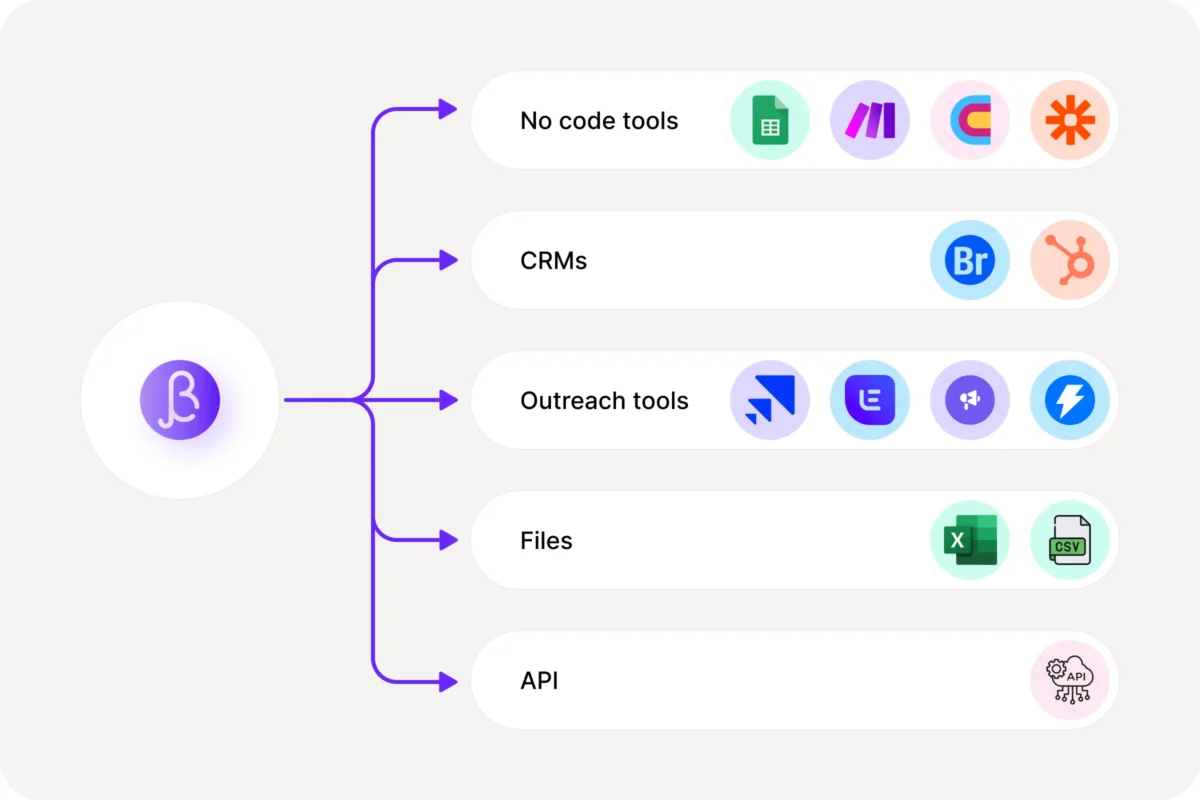
The web workflow is plain. Import a spreadsheet or bring records in through an integration, select the fields you want, run the enrichment and send the completed records onward. Official routes include HubSpot, Google Sheets and Make. BetterContact also advertises connections across Clay, Zapier, Breakcold and common outreach tools. That breadth matters because contact data is rarely the final destination. It needs to land in a CRM, sequencer or custom system without inviting a weekly copy-paste ritual.
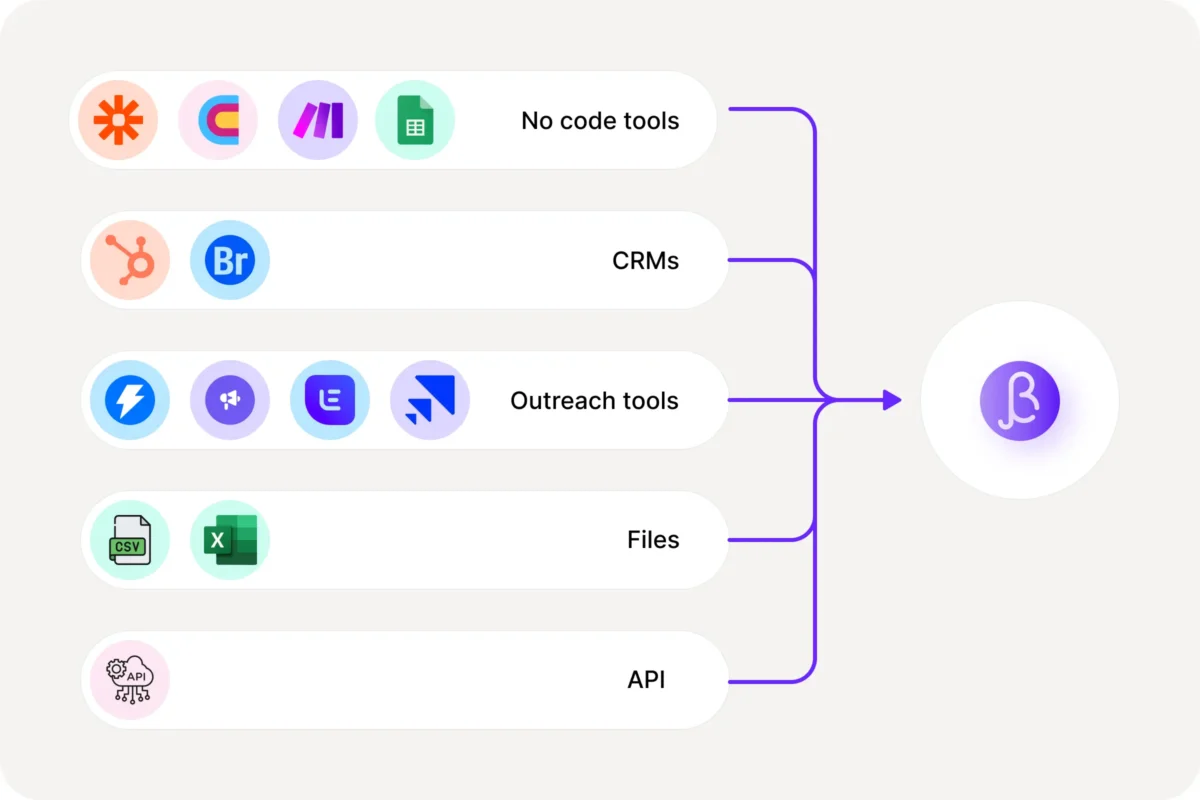
Developers get a documented REST API. Contact enrichment accepts one record or a batch of up to 100 and runs asynchronously. The first response is a request ID, not the data. You poll for completion or provide a webhook. That detail explains a recurring criticism in reviews: a deep waterfall takes time. One G2 reviewer praised coverage and support but called the API slower than alternatives. Another said some searches take several minutes. BetterContact's own documentation warns that a successful HTTP response does not mean the job has finished.
There is a faster side door for profile data. Synchronous person and company endpoints can return job title, seniority, location, LinkedIn profile, industry, headcount and headquarters. They do not return an email or phone. A found lead profile costs 0.1 credit; the company lookup is listed as free. It is a useful distinction for builders who need firmographics immediately but can let contact coordinates arrive later.
| Job | Best input | What comes back | Tempo |
|---|---|---|---|
| Find work email | LinkedIn URL, or name + company domain | Verified business email | Asynchronous waterfall |
| Find mobile | LinkedIn URL and identity details | Validated mobile number | Asynchronous waterfall |
| Enrich person profile | LinkedIn URL preferred | Role, seniority, location, company | Synchronous |
| Enrich company | Domain or LinkedIn company URL | Industry, headcount, HQ, keywords | Synchronous |
The credit meter is mercifully literal
The free trial includes 50 credits without a card. The public comparison table lists Starter at $15 a month and Pro at $49 a month. Pro is shown with 1,000 credits in the pricing copy; Enterprise is custom, with the main section advertising plans from $799 monthly. One verified work email consumes one credit. One verified mobile consumes ten. Failed searches cost zero, verification is included, and unused credits roll into the next month up to the value of the active subscription.
That last sentence deserves a calculator. A thousand Pro credits can mean a thousand emails, one hundred mobiles, or a blend. The headline monthly price is therefore less useful than your actual contact mix. Phone-heavy outbound agencies should estimate the ten-to-one ratio before falling for the neat $49 figure. At high volume, an independent Breakcold review argued that BetterContact's economics scale less gracefully than dedicated finders, while noting that enterprise customers can bring provider API keys. The right comparison is cost per usable contact in your target market, not credits per month.
Run a 200-row bake-off.
Use the same recent list across BetterContact and your incumbent. Track verified find rate, bounce rate, mobile connect rate, completion time and total spend. Split the results by geography and job family. Contact data is local weather pretending to be a global average.
What users like, and where it drags
At research time, G2 showed 4.8 out of 5 from 43 reviews. The recurring compliments were data accuracy, contact coverage, a clean interface and support. The recurring complaints were slower enrichment, missing contacts, occasional support problems and a desire for more integrations. G2's aggregate panel reported implementation in under a month and return on investment in three months, based on reviewer answers. Those are marketplace summaries, not lab measurements, but the pattern is coherent with the product design.
One February 2026 reviewer called the coverage “insane” and praised the interface, then immediately asked for a faster API and personal emails. A September 2025 reviewer liked the clean design but said some lookups took minutes and the interface could misbehave on a 13-inch laptop. Both comments are more useful than a page of five-star confetti.
Reddit is thinner and harsher. In a November 2025 thread, one commenter said BetterContact still worked but felt that accuracy and speed lagged newer tools, then named GetProspect, Apollo, Dropcontact, Clay and ContactOut as alternatives for LinkedIn-focused enrichment. Treat anonymous comments as smoke, not a fire report. Still, they reinforce the same buying advice: test your exact lead sample. A provider mix that shines on EU mobiles can stumble on another region or persona.
BetterContact, Clay or Apollo?
These names share comparison pages but solve different-sized problems. Apollo is a prospect database with sequencing, dialing and lightweight CRM functions. Clay is a broad data and automation workbench that can orchestrate complex research, scoring and transformations. BetterContact is the specialist: give it a person, ask for coordinates, receive a verified result. FullEnrich is the closest like-for-like competitor, with a similar multi-provider waterfall.
| Product | Choose it when | Watch for |
|---|---|---|
| BetterContact | You already have leads and want focused email and mobile enrichment with pay-on-success credits. | Async speed, phone-credit burn and fewer workflow features. |
| FullEnrich | You want to compare specialist waterfalls on your own segments. | Coverage varies by geography; run a matched test. |
| Clay | You need enrichment plus formulas, AI research, scoring and multi-step automation. | More setup, broader scope and potentially unpredictable credit use. |
| Apollo | You want a database, list builder and outreach suite in one account. | A single data universe may leave gaps that waterfalls are built to fill. |
Good fit
- Outbound agencies with varied client markets
- SDR teams filling holes in sourced lists
- RevOps teams enriching HubSpot records
- Products that need contact data through an API
Look elsewhere
- You need campaigns and a dialer in one tool
- You want instant results for every workflow
- You only need a cheap, dedicated email finder
- You have no lead source to feed the enrichment layer
The verdict: a specialist with a stopwatch
BetterContact's appeal comes from refusing to become a carnival. It finds business emails and mobile numbers, verifies them, and plugs the results into the systems around it. The provider relay can recover records a single database misses, and charging only for validated results aligns the meter with the job. Its tradeoff is baked into the same architecture: asking many providers and checking their answers can take minutes.
Buy it when unreachable contacts are a measurable constraint and your team already owns the rest of the outbound machinery. Skip it when you want one login to source leads, send sequences and manage calls, or when instant enrichment matters more than squeezing extra coverage from a list. Above all, test it with your people, in your countries, against your current stack. BetterContact sells a better second attempt. Your sample will tell you whether the twentieth attempt earns its keep.
Relevant links, for the tab hoarders