The backup server was supposed to be the sensible part of the operation. Gurucul, a cybersecurity company, kept SQL database backups on a twelve-bay storage system. Its disks were arranged in RAID 10, a configuration combining mirroring and striping. Then several drives failed. Troubleshooting and a reboot did not bring the files back. The safety net needed rescuing.
- SecureData repairs failed storage and sells hardware-encrypted drives.
- Customers include hospitals, businesses, and people with irreplaceable files.
- Management tools add access rules, audit logs, and remote erasure.
SecureData’s engineers found scratched platters, metallic debris, clicking drives, and a failed read/write head. The RAID configuration itself had also been lost. They repaired physical damage, made images of the disks, reconstructed the array, and extracted the available data. The files went home on a SecureDrive KP, the company’s own encrypted external drive. In one case, the rescue business met the prevention business.
The backup needed a backup
That intersection explains SecureData better than a catalogue does. Recovery work confronts the difference between having information and being able to reach it. Encryption poses the opposite problem: keeping information available to its owner while making it unreadable to everyone else. SecureData sells services and products on both sides of that boundary.
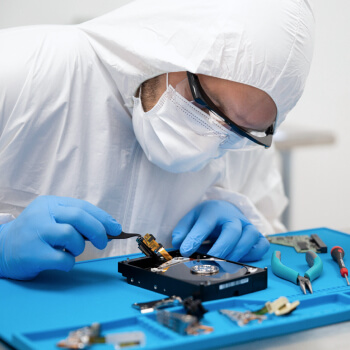
Consider Arkansas Nuclear One. Its sensitive systems required recovery onsite. SecureData sent an engineer with a portable clean bench, using filtered air to create a controlled workspace. The assignment concerned a legacy SPARCstation drive and about one gigabyte of data. The quantity was modest; the setting dictated the procedure. Storage capacity tells you very little about what information is worth.
The service range reflects those awkward situations. Secure Data Recovery handles hard drives, SSDs, RAID arrays, and mobile devices. Digital forensics adds evidence preservation and analysis for investigations. SecureRecovery and file repair tools serve people attempting software-based restoration. The laboratory takes over when the problem needs more than another download.
A hospital cannot leave permission in a pocket
Western Reserve Hospital’s problem began with ordinary work: doctors and managers needed to move information. Its IT operations manager, Vince Allen, described the requirement as making sure that “any portable data was encrypted and could be remotely wiped”. People still needed portability. The institution needed control after a device walked away.
“any portable data was encrypted and could be remotely wiped”
Vince Allen / Western Reserve Hospital
SecureUSB flash drives and SecureDrive external drives encrypt data in hardware. KP models use an onboard keypad; BT models authenticate through a mobile app; DUO combines the two approaches. Face or fingerprint authentication happens through the phone’s capabilities. You are not pressing your thumb onto a tiny fingerprint scanner on the USB stick.
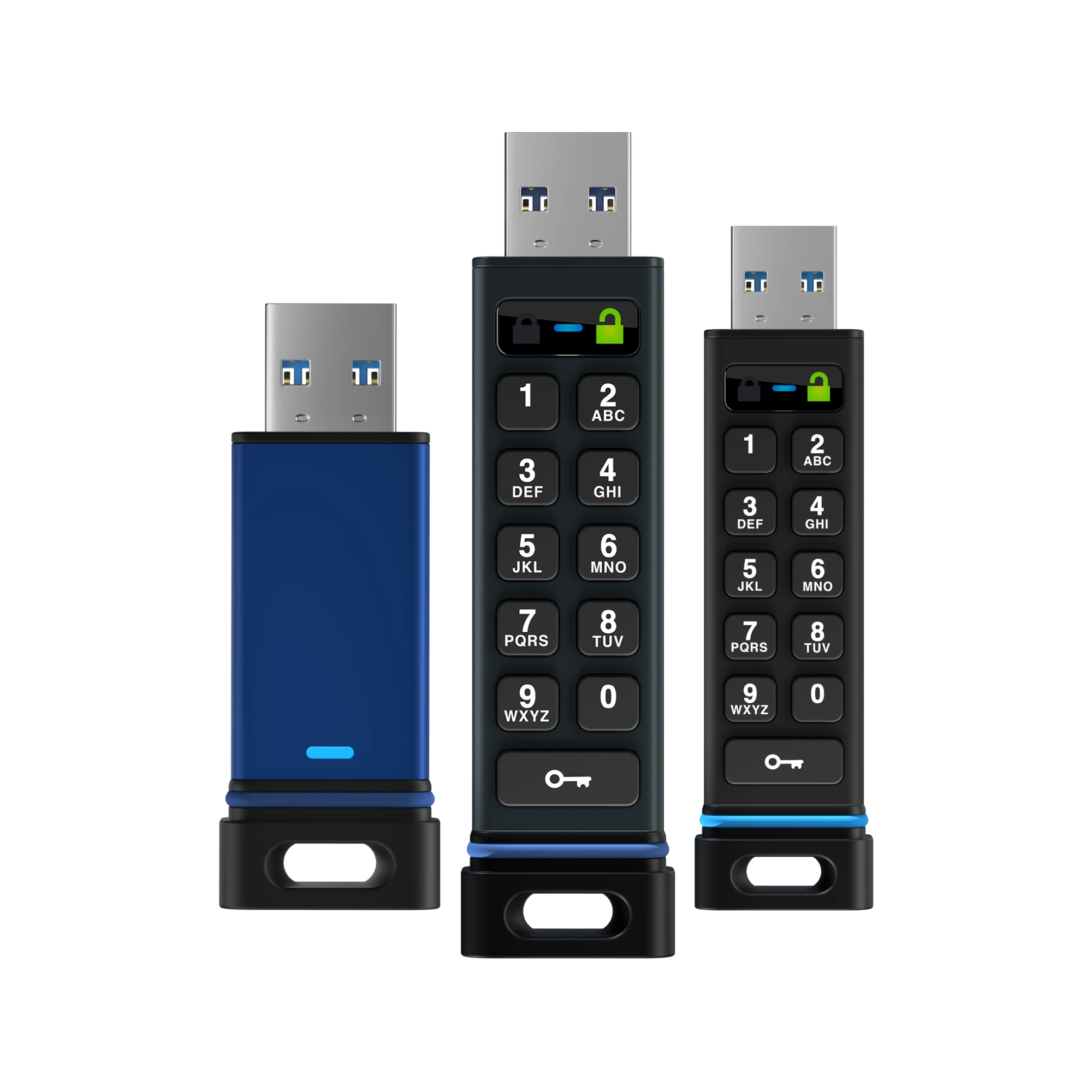
This matters in mixed workplaces. A device may need to connect to a medical machine, a printer, or an older computer where installing software is impractical. Hardware encryption moves that work into the storage device. Choosing keypad or phone authentication then becomes a question about the room: are phones allowed, is connectivity available, and who manages access?
The price of keeping control
At the time of research, SecureUSB BT’s product page listed an eight-gigabyte model at $99 and a 256-gigabyte model at $279. Remote Management was separately listed at $49.95 per drive for one year. These are prices for a device and its administration, rather than a cheap way to buy the most gigabytes.
Listed USD prices checked October 15, 2026. Hardware and subscription sold separately.
The console lets administrators assign users, restrict access by time or location, and review authentication logs. SecureGuard addresses another entrance: USB ports on computers, with rules for approved and blocked devices. SecureBackup offers managed backup planning and monitoring. Managed IT support extends the relationship beyond the moment somebody buys a drive or loses a file.
SecureData traces its beginnings to 2007 in West Hollywood, with its first Los Angeles recovery laboratory following in 2008. CEO Sergey Gulyayev leads a business that now lists offices in the United States, Canada, and Britain. The company describes two extensions that grew from its own work: difficult recovery cases prompted specialized file repair tools, while internal compliance work helped produce a managed IT service. That is a useful pattern for another service business to copy: look at the tools and procedures customers already need you to invent.
Those offerings create several revenue streams: hardware purchases, recurring management subscriptions, software licenses, and quoted service work. For recovery, the company advertises free diagnostics and a “No Data, No Recovery Fee” guarantee. Its pricing guide describes professional recovery as typically costing $100 to $300 an hour, with actual work depending on the failure.
The fine print is part of the product
Encryption is a crowded category. Kingston IronKey and Apricorn Aegis also sell encrypted storage. SecureData’s distinctive proposition is the combination of portable hardware, management, and recovery expertise. Its products use DataLock technology licensed from ClevX; Red Dot’s 2019 SecureDrive award entries credit ClevX for design.
- 01 Administrator queues erase
- 02 Drive next attempts authentication
- 03 Encryption key is replaced
A disconnected drive does not receive an instant command.
There are boundaries worth understanding. The management FAQ says remote erasure executes at the next authentication attempt. Managed mobile authentication requires connectivity. And the NIST certificate linked from the SecureUSB BT page, number 3528, is now historical because of sunsetting. Buyers needing validated equipment should check the exact module and current procurement requirements.
The simplest lesson to copy is procedural: decide who can open portable data before it travels, and test whether a separate backup can actually be restored. Encryption does not create another copy. Recovery cannot reverse every form of loss. On SecureUSB BT, ten consecutive failed attempts delete the hardware encryption key. SecureData’s documentation says it cannot retrieve files after crypto erase.
There is something useful about a recovery company stating that limit. Its engineers can rebuild a damaged array, but its security products deliberately draw a line they cannot cross. The practical question for a customer is which side of that line each copy belongs on.
Website · Blog & updates · LinkedIn · X · Facebook · Instagram
Watch: Remote Management overview ↗
Watch: SecureDrive BT demo ↗
More recovery videos ↗