The usual note app asks a tiny, nagging question every time you type: where should this go? Capacities asks a better one: what is this? A book. A person. A meeting. A project. An idea that arrived while brushing your teeth. Give the thing a type, and the app supplies properties, a reusable template and a web of connections. The difference sounds academic until your hundredth note, when finding the useful bit stops feeling like an archaeological dig.
That makes Capacities unusually easy to recommend to a particular crowd. If your work circles around recurring nouns, it is worth a serious trial. Researchers have papers, authors and concepts. Writers have characters, sources and scenes. Consultants have clients, meetings and decisions. Students have courses, readings and theories. The system gives those nouns somewhere to live without forcing each one down a single folder corridor.
It is less persuasive for a plain-text absolutist, a team editing the same document in real time, or anyone who finds database design about as relaxing as assembling a wardrobe in the dark. Capacities is an opinionated solo workspace. Its opinion is the product.
A filing cabinet where the folders resign
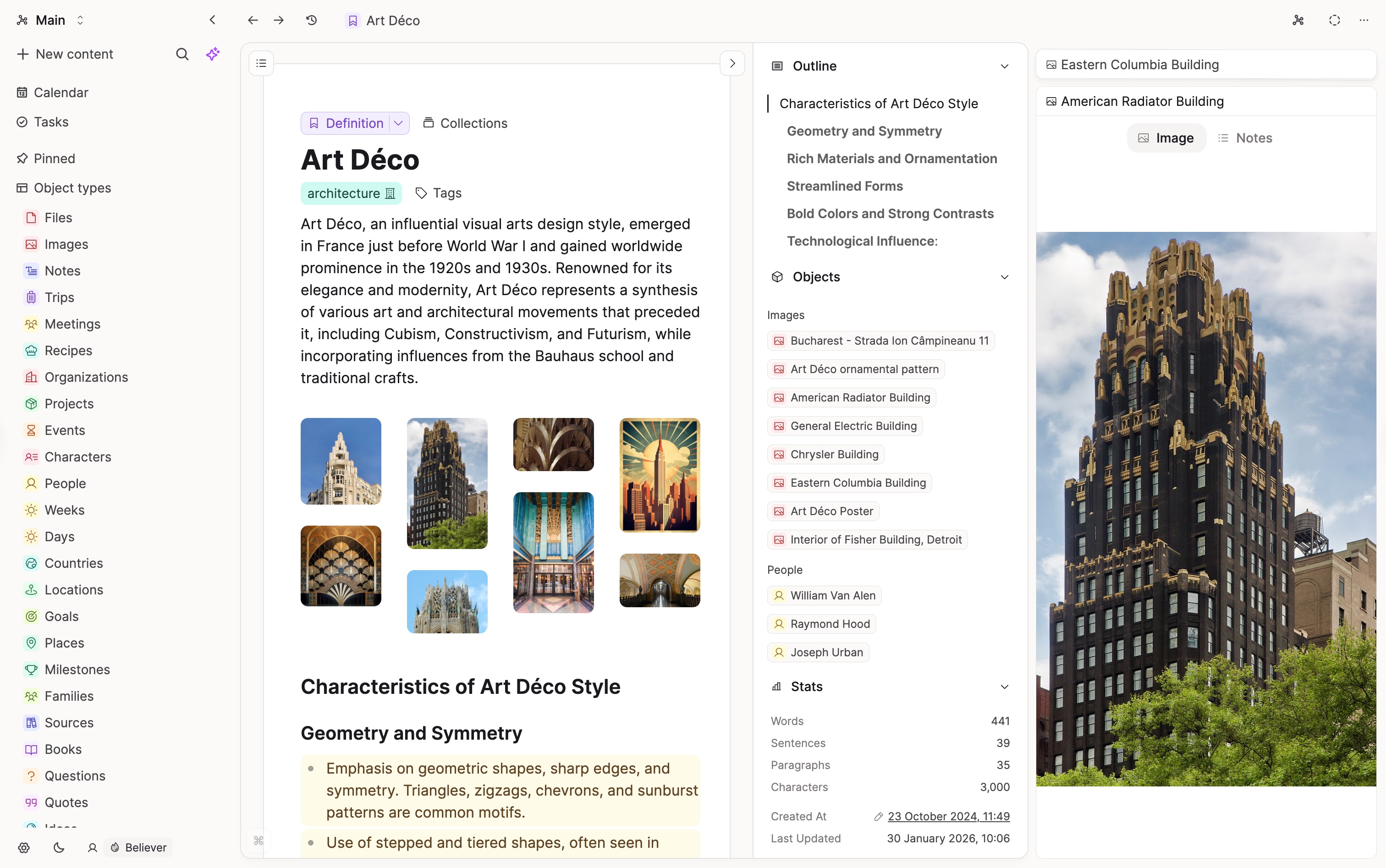
In Capacities, every entry is an object. Built-in and custom types can carry dates, ratings, tags, numbers, checkboxes, links and relationships. Templates make every new book review or client meeting begin with the same useful bones. The same objects can appear as cards, tables, galleries, lists or Kanban boards without becoming duplicate notes.
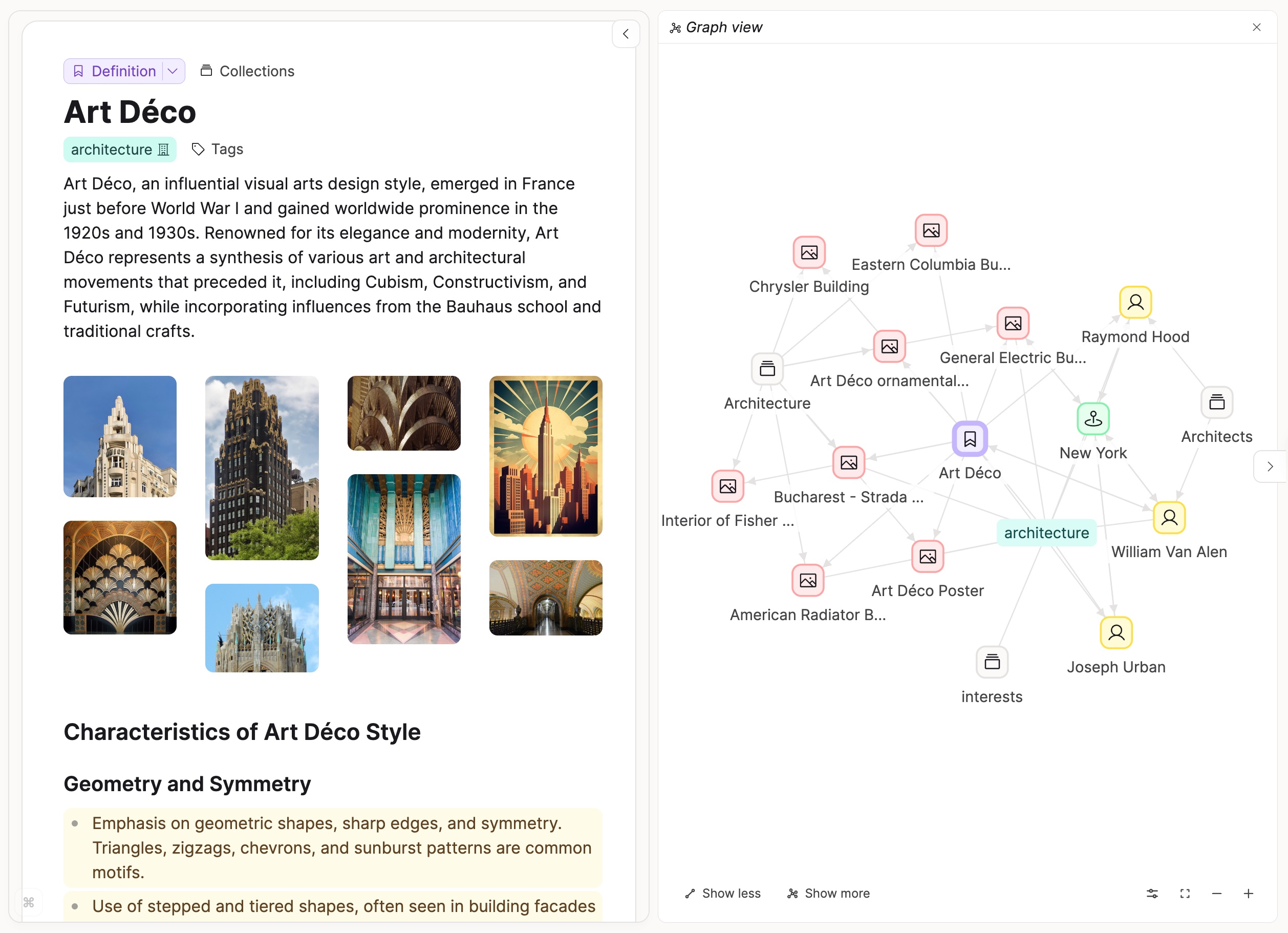
The daily note keeps this structure from becoming a tax on every stray thought. Open today, dump the thought, mention the relevant object if you know it, and continue with your life. Each mention creates a two-way trail. Later, the person page shows every place that person appeared; the project gathers its meetings and decisions; the graph offers a visual walk through the neighborhood. Paid “related content” can surface references you wrote but never linked.
“I might not be sure where I’d put something in a folder structure, but with Capacities it’s either clearly a specific object, or I can just put it in the daily note.”One-month user review on Reddit
That user also reported writing more, finishing a project and avoiding the customization rabbit hole. The review was not a valentine. Multi-block selection felt finicky, sync occasionally misbehaved, and empty objects appeared by accident. This mixture is more helpful than a star score. Capacities can reduce organizational friction while introducing a new species of friction: deciding how many object types your life truly needs.
What you can actually do before lunch
Start a research space with Paper, Author, Concept and Project types. Give papers a status, publication date and rating. Link every paper to its authors and concepts. Write reading notes inside the paper object, then use a query to show unread papers about a chosen topic. A journalist can swap in Source, Interview and Story. A novelist might build Character, Place and Scene. The machinery is the same; the nouns make it personal.
Capture is pleasantly promiscuous. The free plan accepts imports and exports, supports email and messaging capture, and syncs across web, macOS, Windows, Linux, iOS and Android. The rebuilt mobile app added faster sharing, proper Home and Search pages and experimental widgets in August 2026. Sending a photograph, link or sentence into today’s note is finally closer to reflex than admin.
Tasks live beside the notes that created them, while paid calendar connections now cover Google, Microsoft, Apple and CalDAV services. Pro also brings smart queries, formulas, API access, extensions and AI. The assistant can search notes, fill properties, summarize, analyze media and propose edits to objects for approval. API 2.0 and MCP connectors let outside tools work with the same structure. This is practical when a workflow needs context, though nobody is required to invite a language model into the library.
The number on the door
The company’s homepage uses the narrower phrase “50,000+ knowledge workers.” The July 2026 founder interview gives the larger registration count and an active-user estimate, so the numbers describe different populations rather than a tidy growth chart.
The company story helps explain the product’s pace. Co-founders Michael von Hohnhorst and Steffen Bleher met while studying computer science and electrical engineering in Germany. They first wanted to improve education, put an early tool online, found an audience and followed it toward individual knowledge work. Bleher says the company remains bootstrapped, profitable and funded by subscriptions, with about 6.5 full-time equivalents working remotely around Europe in mid-2026.
The original Believer plan is a charming artifact of that history. It initially offered supporters no extra features, just a way to keep the product alive. Bleher says it produced roughly €1,000 to €2,000 in monthly recurring revenue within days. Today Believers get Pro features plus early beta access. The name “Capacities” has also become community furniture: users call it “Cap,” partly because the founders admit that four syllables invite the occasional “Capabilities.”
Free is a real product; Pro is the power drawer
| Plan | Current public price | The useful distinction |
|---|---|---|
| Basic | Free | Unlimited spaces, objects, blocks and custom types; sync, offline support, search and import/export; 5 GB media, then 100 MB monthly. |
| Pro | $9.99/month | Tasks, AI, calendars, smart queries, related content, formulas, fair-use unlimited media, extensions and API access. |
| Believer | From $12.49/month | The Pro feature set, early beta access and a larger direct contribution to the independent team. |
| Plus add-on | $8.33/month, billed annually | A much larger AI budget and the ability to buy top-ups; requires Pro or Believer. |
Begin with Basic. The object model is Capacities’ defining wager, and the company gives it away. Build a small working system before paying. Pro earns its keep when smart queries replace manual lists, calendar-linked meetings become routine, media exceeds the allowance, or the API joins a real workflow. Paying merely because the settings screen contains tempting switches is how note apps become a hobby about note apps.
The privacy and ownership question
Capacities supports offline work, common-format export and encrypted transfer and storage, but it is a synced cloud service rather than a folder of local Markdown files. It does not offer end-to-end encryption. That distinction matters for regulated, confidential or intensely personal material. The company says it does not sell personal data, and its policy describes a German company operating under GDPR. When AI features are enabled, selected notes, media and prompts may be sent to external model providers for processing; those features can be disabled.
Obsidian remains the cleaner choice when plain files, local control, encryption options and plugins outrank polish. Notion wins when a team needs live collaboration and elaborate shared workflows. Tana offers a more ambitious structured-data rabbit hole. Anytype appeals to people who want an object model with stronger local-first instincts. Capacities occupies a useful middle: structured out of the box, friendlier than a blank database, and focused on one person’s knowledge.
It clicks if you…
- revisit people, books, papers, meetings or projects
- want structure without maintaining plugins
- like a daily note as the front door
- prefer visual polish across devices
Pause if you…
- need end-to-end encryption or plain local files
- co-edit documents with a team
- want limitless interface customization
- mostly write long, unstructured prose
A sane first weekend
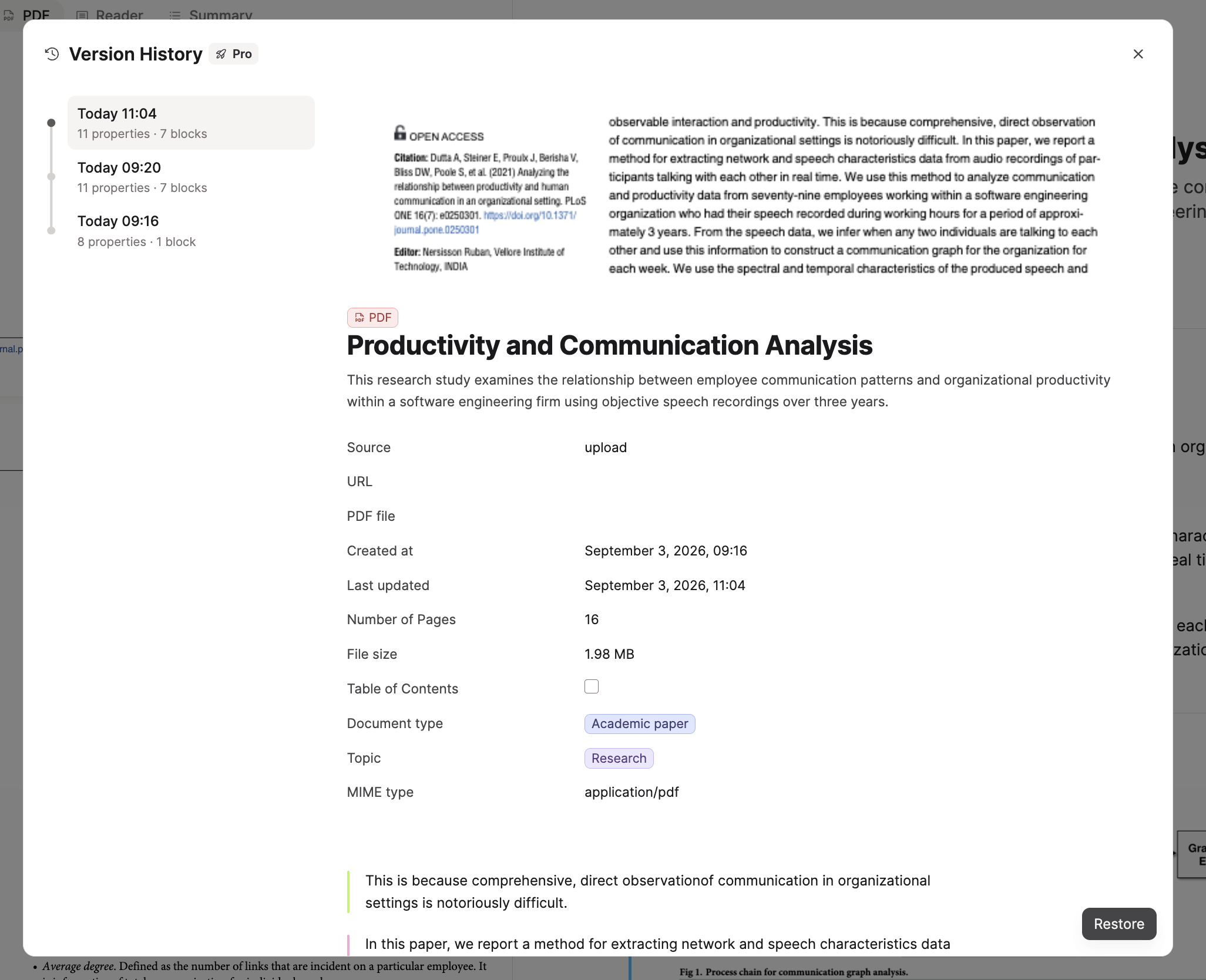
Capacities’ recent release notes show a team closing loops. A medical student complained publicly in early 2025 that long disease names needed aliases; aliases arrived with the on-device Search 2.0 release in January 2026. August rebuilt mobile, opened richer web reading and expanded developer access. September brought version history, broader calendars, image generation and PDF annotation in beta. Product development is visible here, down to tiny fixes for card padding and phone taps.
The final verdict is pleasantly conditional. Capacities will not make every note valuable, and a graph cannot rescue thoughts you never revisit. It does, however, remove an old and surprisingly expensive choice: the one perfect place where a note must live. For people whose knowledge behaves more like a neighborhood than a warehouse, that is enough reason to move in.