The first clue that Reply.io has outgrown the phrase “cold-email tool” is that it can now sell you the mailbox. Buy a domain, choose Google Workspace or Microsoft 365, configure the sending accounts, warm them, find the prospects, build the sequence, watch the replies, and book the meeting without leaving the product. Ten years ago, founder Oleg Campbell started Reply after noticing how much of sales was repetitive follow-up. The 2026 edition has followed that observation to its logical, slightly comic conclusion: the follow-up machine would like the keys to the whole sales-development office.
That makes Reply most useful to a specific buyer. You have a B2B offer that already earns attention, a defined ideal customer, and enough outbound volume to make five disconnected tools feel ridiculous. You may run an SDR team, a lead-generation agency, founder-led sales, recruiting, or account-based outreach. You care about email, but the buyer might answer on LinkedIn or after a call. You want one record of the chase.
A solo founder sending fifty thoughtful notes a month can use it, but probably does not need its full mechanical orchestra. A company hoping software will invent its positioning will be disappointed. Reply’s unusually candid product documentation says Jason, its AI SDR, cannot know your business without good inputs and cannot replace your qualification bar. Keep that sentence taped to the monitor.
One cockpit, many ways to knock
The core product is a sequence builder with branches. Email remains the spine, while LinkedIn actions, calls, SMS, semi-automated WhatsApp, manual tasks, and steps connected through Zapier can join the cadence. Conditional logic lets the route change when a person replies or acts. A rep can stop juggling tabs and see conversations in a unified inbox. Managers get sequence, team, and channel reporting rather than a hand-built spreadsheet that has somehow become “the process.”
The outbound conveyor belt
enrich
personalize
replies
meeting
The database claims more than one billion global contacts and adds intent signals such as hiring activity, technology used, LinkedIn engagement, company growth, and recent job changes. Reply can enrich incomplete records and validate email addresses. Its Findy extension works on LinkedIn, Gmail, and supported CRM pages, revealing contact details and pushing people into lists or sequences. This is convenient in the literal sense: fewer exports called final_prospects_v7.csv.
Jason gets a desk, a playbook, and a brake pedal
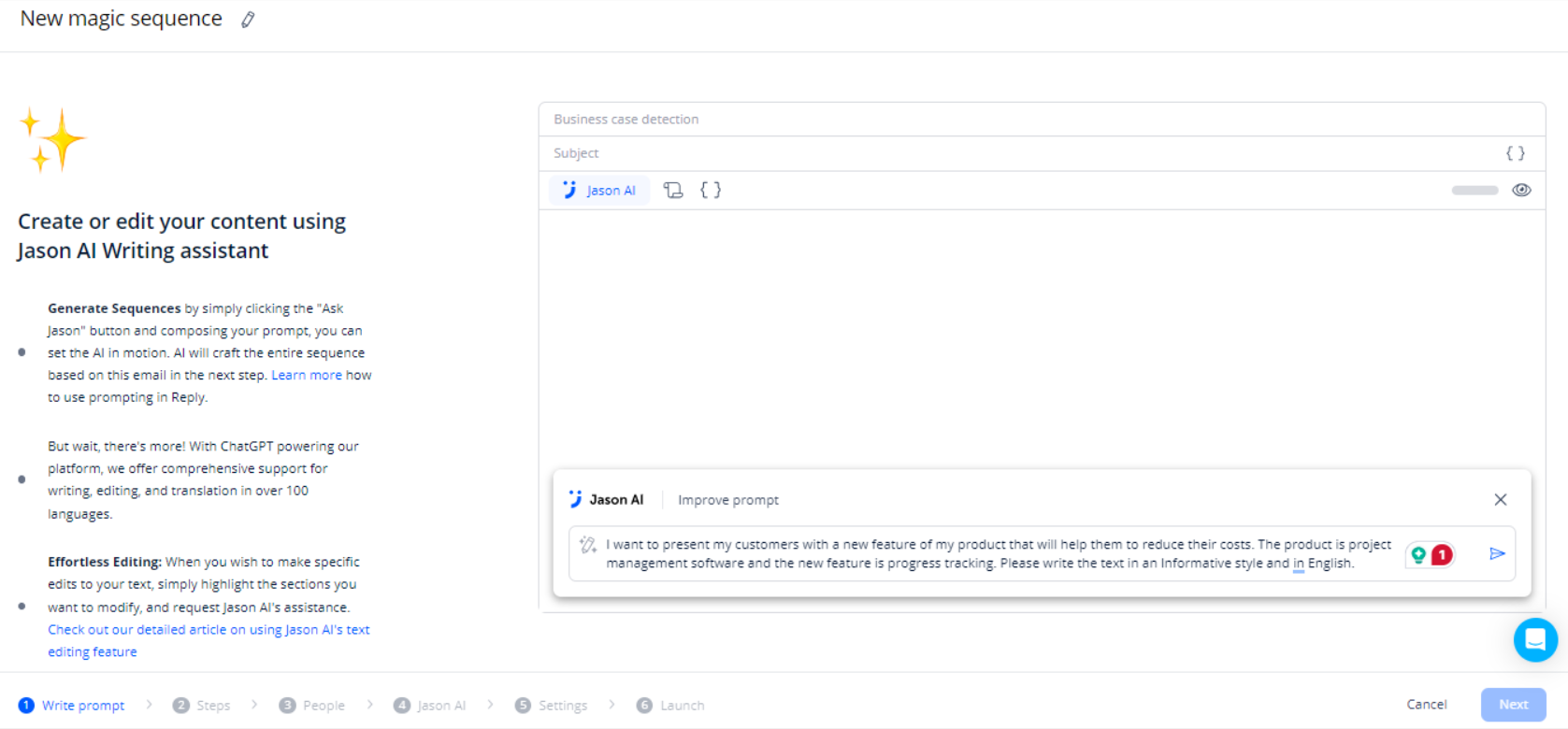
Jason is the named AI SDR layered across this machinery. Give it a website, files, or text about the offer; add a playbook, knowledge base, tone, language, and channel settings; then connect email and LinkedIn accounts. It can propose an ICP, source contacts, score them for that offer, create a sequence, research each person, personalize steps, classify replies, draft answers, re-engage quiet leads, and schedule qualified meetings.
The important control is the choice between Autopilot and Approval Mode. Autopilot is for mature campaigns with known boundaries. Approval Mode places a human between draft and send. For a new market, delicate category, or founder voice, the second option is the sensible starting line. An AI can write a fluent sentence about an irrelevant signal. The recipient will still experience it as irrelevant.
“Great agent and lots of fantastic features, but there’s a learning curve.”Trustpilot reviewer, August 2026
Jason also has explicit ceilings. Current documentation says contact sourcing is capped per sequence and company, ICP scores belong to a particular sequence and offer, and threads marked “Do not contact” will not receive generated replies. Those are healthy constraints. The product has enough reach that a poorly considered campaign can scale embarrassment with real efficiency.
The bill: count seats, channels, and ambition
Reply offers a 14-day trial, not a permanent free tier. In September 2026, Email Volume began at $59 a month for 1,000 active contacts, or $49 with annual billing. Multichannel began at $99 per user monthly, or $89 annually. Jason AI SDR began at $500 a month. Agency Core started at $210 monthly, while Agency AI SDR started at $500 per month for each client.
Read “starts at” carefully. LinkedIn automation is listed at $69 per account per month and Calls & SMS at $29 per account on applicable plans. Live-data and validation credits can add another meter. Email Volume permits unlimited mailboxes subject to fair-use rules, and “active contacts” counts the unique people receiving a first-step email that month. Follow-ups to those contacts are not separately capped by that definition.
| Route | Starts at | Best fit | Watch closely |
|---|---|---|---|
| Email Volume | $59/mo monthly | High-volume email programs | Active-contact tiers and fair use |
| Multichannel | $99/user/mo monthly | Reps mixing email, social, calls | Seat math as the team grows |
| Jason AI SDR | $500/mo | Defined playbooks at meaningful volume | Data needs and approval workload |
| Agency Core | $210/mo | Multiple client workspaces | Channel add-ons per account |
The right comparison is total stack cost, not a single sticker price. If Reply replaces a data vendor, warm-up service, sequencing app, lightweight dialer, scheduling layer, and integration glue, the broad bundle can be rational. If you need only cold email, Instantly, Smartlead, Lemlist, or another specialist may be cheaper or simpler. Larger sales organizations will also compare Salesloft and Outreach; data-first teams will look hard at Apollo. The deciding question is how many parts of Reply you will actually operate every week.
What the customers keep repeating
The public ratings are strong and unusually consistent. Reply’s site showed 4.6 out of 5 on G2 with 1,480 reviews when we checked. Trustpilot showed 4.6 from 258 reviews, and Capterra also displayed 4.6. Across those pages, people repeatedly praised responsive human support, flexible automation, multichannel campaigns, and a straightforward interface once configured.
The reservations are just as useful. Recent reviewers mention a learning curve and occasional complexity. Third-party comparisons warn that per-seat costs and add-ons pile up for smaller teams. Reddit is more mixed and anecdotal: some users describe Reply as solid for multichannel work, while others prefer email specialists or report deliverability concerns. That disagreement is a reminder that deliverability belongs partly to the operator. List quality, authentication, sending pace, copy, domain reputation, and recipient interest do not disappear when the dashboard looks calm.
Buy it when…
- Your offer and ICP are already clear.
- Several outbound channels belong in one cadence.
- Your team needs approvals, reporting, and CRM sync.
- Replacing multiple tools offsets the subscription.
Pause when…
- You only send a few handcrafted emails.
- You expect AI to discover the value proposition.
- No one owns data hygiene or deliverability.
- Your budget ignores seats, add-ons, and credits.
A first-month plan that avoids public improv
Start with one segment, one offer, and one measurable conversion. Connect the CRM before uploading a large list, decide which system owns each field, and document how duplicates are handled. Authenticate a separate sending domain, warm mailboxes gradually, and keep daily volume conservative. Reply makes this plumbing easier, but easier plumbing still leaks when nobody checks the joints.
Build a short sequence whose channel changes make sense. A LinkedIn visit or useful comment before an email can create familiarity; an automated compliment about a random post can create something else. Use Approval Mode for the first batches. Read every generated line, sample the research fields, and inspect negative replies. Measure positive-reply rate and meetings, not opens alone. Open tracking has become noisy enough to flatter weak campaigns.
After two or three clean cycles, automate the pieces that have proved boring and predictable. Keep humans around qualification, unusual objections, and high-value accounts. The August 2026 mobile interface makes it possible to approve messages, pause a sequence, work the inbox, and check reporting away from a laptop. That is useful operational control, especially when a campaign decides to demonstrate its misunderstanding to one hundred prospects at lunch.
The verdict
Reply.io is a capable outbound cockpit for teams with a flight plan. Its distinction in 2026 is the connected loop: data, infrastructure, sequencing, responses, and meetings can live together, with a human approval layer when judgment matters. The breadth saves work, while also demanding an owner who understands the machine. Buy it to execute a sales motion you can explain. Do not buy it to avoid explaining one.
The backstory in one follow-up
Reply dates its first line of code to August 1, 2014. Four months later, the team released a simple beta and found its first customers. By the third anniversary, the company said it was profitable and served more than 1,500 businesses. Today it reports 100-plus professionals, offices in the United States, Canada, and Ukraine, and a fully distributed team. The company explicitly celebrates its Ukrainian roots.
There is a small naming wrinkle worth preserving. The About page identifies the founder as Oleg Campbell, while the current homepage letter is signed Oleg Bilozor. Both tell the same origin story: a programmer moved into sales, saw manual follow-up everywhere, and automated it. The product has spent the following decade discovering just how many other chores were attached to that first chore.
Keep digging